1. Uvod
This manual provides essential information for the proper setup, operation, and maintenance of your TECLAST T40HD 10.4-inch Android 13 Tablet. Please read this manual thoroughly before using the device to ensure optimal performance and longevity. Keep this manual for future reference.

Slika 1.1: Prednja i zadnja strana view of the TECLAST T40HD tablet, showcasinzbog svog tankog dizajna i modula kamere.
2. Sadržaj paketa
Provjerite da li se u pakovanju vašeg proizvoda nalaze sve dolje navedene stavke:
- TECLAST T40HD Tablet
- Adapter za napajanje (može varirati ovisno o regiji)
- Data Cable (USB Type-C)
- Drive Out Pin (for SIM/Micro SD tray)
- Kartica održavanja
- Korisnički priručnik (ovaj dokument)
- Zaštitna folija za ekran (unaprijed postavljena ili uključena zasebno)

Image 2.1: Illustration of the TECLAST T40HD tablet and its standard accessories included in the box.
3. Početno podešavanje
3.1 Punjenje tableta
Before first use, fully charge the tablet using the provided power adapter and USB Type-C cable. Connect the cable to the tablet's USB-C port and the adapter to a power outlet. The charging indicator will typically show progress on the screen.

Image 3.1: The tablet connected to a charger, indicating battery status, and a user operating the tablet while traveling.
3.2 Uključivanje/isključivanje
- Za uključivanje: Pritisnite i držite dugme za napajanje (nalazi se sa strane) dok se na ekranu ne pojavi logotip TECLAST.
- Za isključivanje: Press and hold the Power button until the power options menu appears. Select 'Power off'.
- Za ponovno pokretanje: U meniju opcija napajanja odaberite 'Ponovno pokretanje'.
3.3 Inserting SIM and Micro SD Cards
The TECLAST T40HD supports dual SIM cards and a Micro SD card for expanded storage. Use the provided drive out pin to open the card tray.
- Locate the SIM/Micro SD card tray on the side of the tablet.
- Insert the drive out pin into the small hole next to the tray and press gently until the tray ejects.
- Pažljivo izvucite posudu.
- Postavite Nano-SIM kartice i/ili Micro SD karticu u predviđene utore na ladici, pazeći na pravilnu orijentaciju.
- Lagano gurnite ladicu nazad u tablet dok ne klikne na svoje mjesto.

Image 3.2: The SIM/Micro SD card tray, illustrating the placement of SIM cards.
3.4 Početno podešavanje Androida
Upon first power-on, the tablet will guide you through the Android 13 setup process. This includes selecting your language, connecting to Wi-Fi, setting up your Google account, and configuring security options like face unlock.
4. Upravljanje tabletom
4.1 Navigacija i geste
The TECLAST T40HD runs on Android 13, offering intuitive navigation through gestures and on-screen buttons. Common gestures include:
- Dodirnite: Odaberite stavku ili otvorite aplikaciju.
- Prevucite: Skrolajte kroz stranice ili liste.
- Zumiranje štipanjem: Uvećajte ili smanjite sadržaj na ekranu.
- Prevucite prstom od dna prema gore: Go to Home screen or open app drawer.
- Swipe from left/right edge: Idi nazad.
4.2 Povezivanje s mrežama
- Wi-Fi: Go to Settings > Network & internet > Wi-Fi. Select your network and enter the password.
- Mobilni podaci (4G LTE): If a SIM card is inserted, enable mobile data in Settings > Network & internet > Mobile network.
- Bluetooth: Pair with Bluetooth devices (e.g., headphones, keyboards) via Settings > Connected devices > Bluetooth.
4.3 Multimedia and Gaming
The tablet's 2K HD display and Unisoc T606 Octa-core processor provide a smooth experience for media consumption and gaming.
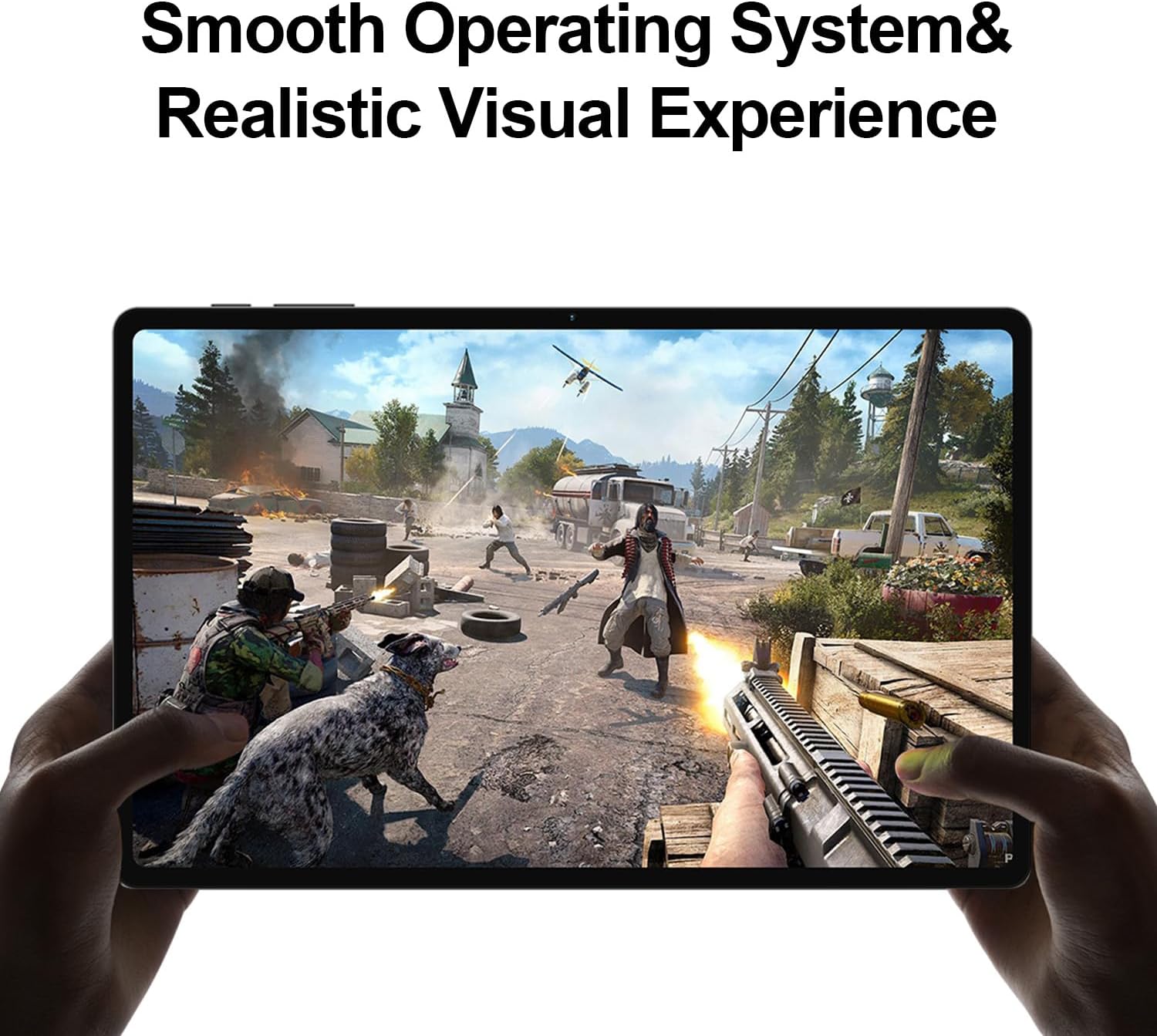
Image 4.1: The tablet displaying a high-fidelity video game, demonstrating its graphical capabilities.

Slika 4.2: Tablet ekranasing its battery performance for different usage scenarios.
4.4 Multitasking
Android 13 supports split-screen mode, allowing you to use two apps simultaneously. To activate, open an app, then swipe up slightly from the bottom of the screen to reveal the recent apps. Tap the app icon at the top of the window and select 'Split top'. Choose another app to fill the second half of the screen.

Image 4.3: The tablet demonstrating split-screen functionality for enhanced productivity.
4.5 Roditeljska kontrola
Utilize Android's built-in parental control features to manage screen time, restrict app access, and filter content. Access these settings through the Google Family Link app or directly in the tablet's Settings menu under 'Digital Wellbeing & parental controls'.

Image 4.4: Parental control features displayed on the tablet, enabling management of usage for children.
4.6 GPS navigacija
The integrated GPS functionality allows for precise location tracking and navigation. Use pre-installed map applications or download your preferred navigation apps from the Google Play Store.

Image 4.5: The tablet used for GPS navigation in a vehicle.
4.7 Android 13 Features Overview
The TECLAST T40HD operates on Android 13, offering enhanced privacy controls, improved battery efficiency, smoother overall operation, and various user interface improvements. It also expands compatibility with a wide range of devices and applications.

Image 4.6: Visual representation of the Android 13 operating system interface on the tablet.
4.8 Zvanični video proizvoda
Video 4.1: An official product video from Teclast USA Official Store, showcasing the key features and design of the TECLAST T40HD Android 13 Tablet.
5. Održavanje
- čišćenje: Za čišćenje ekrana i kućišta koristite meku krpu koja ne ostavlja dlačice. Izbjegavajte abrazivne materijale ili jake hemikalije.
- Ažuriranja softvera: Redovno provjeravajte i instalirajte ažuriranja sistema kako biste osigurali optimalne performanse i sigurnost. Idite u Postavke > Sistem > Ažuriranje sistema.
- Održavanje baterije: To prolong battery life, avoid extreme temperatures and do not let the battery fully discharge frequently.
- Upravljanje skladištem: Povremeno brišite nepotrebne filei deinstalirajte nekorištene aplikacije kako biste oslobodili prostor za pohranu.
6. Otkrivanje problema
| Issue | Moguće rješenje |
|---|---|
| Tablet se ne uključuje | Ensure the tablet is charged. Connect to the charger for at least 30 minutes before attempting to power on again. |
| Ekran ne reagira | Perform a force restart by holding the Power button for approximately 10-15 seconds. If the issue persists, contact support. |
| Problemi sa Wi-Fi vezom | Restart the tablet and your Wi-Fi router. Forget the network in Wi-Fi settings and reconnect. Ensure you are within range. |
| Aplikacije se ruše ili zamrzavaju | Clear the cache for the problematic app (Settings > Apps > [App Name] > Storage & cache > Clear cache). Update the app or uninstall and reinstall it. Ensure sufficient free storage. |
| Spore performanse | Close unused background apps. Clear cache and temporary files. Consider a factory reset if performance issues are severe and persistent (back up data first). |
| SIM kartica nije otkrivena | Ensure the SIM card is correctly inserted into the tray. Restart the tablet. Verify that mobile data is enabled in settings. |
7. Specifikacije

Slika 7.1: Gotovoview of the TECLAST T40HD tablet's key technical specifications.
| Feature | Detalj |
|---|---|
| Model | T40HD |
| Operativni sistem | Android 13 (GMS certificiran) |
| Display | 10.4-inch 2K (2000x1200) TDDI IPS, TÜV Rheinland Certified |
| Procesor | Unisoc T606 Octa-Core (1.6 GHz) |
| RAM | 16 GB (8 GB fizičke + 8 GB proširene) |
| Interna pohrana | 128GB UMCP |
| Proširiva pohrana | Micro SD kartica do 1TB |
| Zadnja kamera | 13MP + 30W auxiliary camera |
| Prednja kamera | 8MP |
| Baterija | 7200mAh litijum -polimer |
| Povezivanje | 4G LTE (Dual SIM), 5G WiFi (2.4/5GHz), Bluetooth 5.0, GPS |
| Luke | USB tip-C, 3.5 mm priključak za slušalice |
| Dimenzije (DxŠxV) | 10.4 x 6 x 0.6 inča |
| Težina | 1.9 funte |
8. Garancija i podrška
8.1 Informacije o garanciji
TECLAST products typically come with a 1-year warranty from the date of purchase. This warranty covers manufacturing defects. Please refer to the 'Maintenance Card' included in your package for specific warranty terms and conditions. Keep your proof of purchase for warranty claims.
8.2 Korisnička podrška
For technical assistance, troubleshooting, or warranty inquiries, please contact TECLAST customer support. You can typically find contact information on the official TECLAST website or through the retailer where you purchased the device. TECLAST aims to respond to inquiries within one working day and offers a 1-year unconditional replacement service for eligible issues.
Važna napomena: It is recommended to charge the product for more than 30 minutes before turning it on for the first time.


