1. Uvod
This manual provides detailed instructions for the installation, operation, and maintenance of your Ernitec WOLF-PX-515IR Turret Camera. This camera is designed for surveillance applications, offering high-resolution video recording, motion detection, night vision, and remote viewing capabilities via a smartphone application.
Please read this manual thoroughly before operating the device to ensure proper use and to prevent damage.
1.1 Sigurnosne informacije
- Napajanje: Koristite samo navedeni adapter za napajanje. Neispravan napontage may damage the camera and void the warranty.
- Instalaciono okruženje: Avoid installing the camera in extreme temperatures, high humidity, or dusty environments. Ensure the mounting surface is strong enough to support the camera's weight.
- čišćenje: Disconnect power before cleaning. Use a soft, dry cloth. Do not use strong detergents or abrasive cleaners.
- servisiranje: Ne pokušavajte sami rastavljati ili popravljati kameru. Sve servisne radove prepustite kvalifikovanom osoblju.
- Kablovi: Osigurajte da su svi kablovi pravilno osigurani i zaštićeni od oštećenja.
2. Sadržaj paketa
Verify that all items are present in the package. If any items are missing or damaged, contact your supplier.
- Ernitec WOLF-PX-515IR Turret Camera
- Predložak za montažu
- Vijci za montažu i zidni tiplovi
- Vodič za brzi početak
- Waterproof Connector Kit (for outdoor installations)
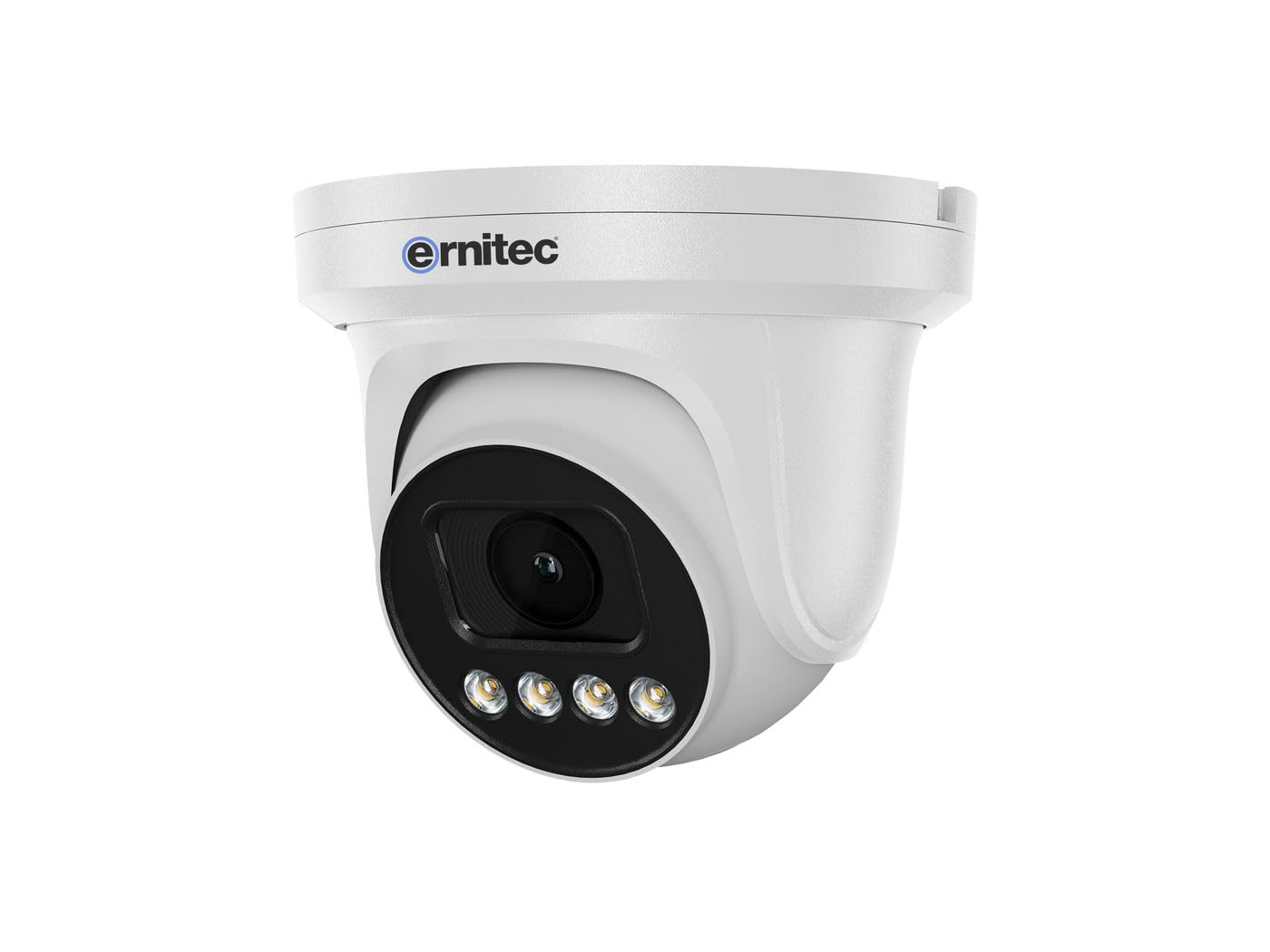
Image 2.1: Ernitec WOLF-PX-515IR Turret Camera with typical accessories.
3. Podešavanje
3.1 Fizička instalacija
- Odaberite lokaciju: Choose a suitable location for the camera, ensuring it provides the desired field of view i nalazi se u dometu električnih i mrežnih priključaka.
- Montaža:
- Koristite priloženi šablon za montažu da biste označili rupe za bušenje na zidu ili plafonu.
- Izbušite rupe i po potrebi umetnite tiple u zid.
- Pričvrstite bazu kamere na površinu za montažu pomoću priloženih vijaka.
- Podesite ugao: Otpustite vijke za podešavanje na kućištu kamere da biste podesili željeni viewing angle. Tighten the screws once the position is finalized.
3.2 Ožičenje
Connect the necessary cables to the camera's ports:
- Kabl za napajanje: Connect the power adapter to the camera's power input port. Ensure the power source matches the camera's requirements (e.g., 12V DC).
- Network Cable (Ethernet): Connect an Ethernet cable from the camera's RJ45 port to your network router or PoE switch. If using Power over Ethernet (PoE), a separate power adapter is not required.
3.3 Konfiguracija mreže
After physical installation and wiring, configure the camera for network access:
- Početna veza: Povežite računar na istu mrežu kao i kamera.
- IP adresa: The camera typically obtains an IP address automatically via DHCP. Use the Ernitec IP Search Tool (available on the Ernitec website) to discover the camera's IP address on your network.
- Pristup Web Interfejs: Otvori a web browser and enter the camera's IP address. Log in using the default username and password (refer to the Quick Start Guide for default credentials).
- Promijeni lozinku: Iz sigurnosnih razloga, odmah promijenite zadanu lozinku prilikom prve prijave.
- Mrežne postavke: Configure network settings as needed, such as assigning a static IP address or adjusting port forwarding for remote access.
4. Upravljanje kamerom
4.1 Osnovne funkcije
- Uživo View: Pristupite kameri web interface or dedicated software to view video prijenos uživo.
- Snimanje:
- Kontinuirano snimanje: Configure the camera to record continuously to a Network Video Recorder (NVR) or local storage (if supported).
- Snimanje otkrivanja pokreta: Set up motion detection zones and sensitivity. The camera will record when motion is detected.
- Planirano snimanje: Define specific time periods for recording.
- noćni vid: The camera automatically switches to infrared (IR) night vision in low-light conditions. Ensure the IR illuminators are not obstructed.
4.2 Daljinski upravljač Viewing via Smartphone Application
- Preuzmi aplikaciju: Download the official Ernitec surveillance application from your smartphone's app store.
- Registrirajte račun: Kreirajte nalog i prijavite se.
- Dodaj uređaj: Follow the in-app instructions to add your WOLF-PX-515IR camera. This typically involves scanning a QR code on the camera or manually entering its serial number/IP address.
- Uživo View i reprodukcija: Nakon što ga dodate, možete view live footage, access recorded videos, and receive motion detection alerts directly on your smartphone.
5. Održavanje
5.1 Čišćenje
- Redovno čistite sočivo i kućište kamere kako biste osigurali jasan kvalitet slike.
- Use a soft, lint-free cloth. For stubborn dirt, slightly dampi krpu vodom.
- Do not use harsh chemicals, solvents, or abrasive materials, as these can damage the lens coating or camera finish.
5.2 Ažuriranja firmvera
Periodically check the Ernitec official website for firmware updates. Firmware updates can improve performance, add new features, and enhance security. Follow the instructions provided with the firmware update package carefully.
6. Otkrivanje problema
| Problem | Mogući uzrok | Rješenje |
|---|---|---|
| Nema struje | Power adapter disconnected or faulty; no PoE. | Check power connections. Ensure PoE switch is active if using PoE. Test power adapter. |
| Nema video sažetka | Network connection issue; incorrect IP address; camera offline. | Verify network cable connection. Check camera's IP address. Ensure camera is powered on and connected to the network. Restart camera and router. |
| Loša kvaliteta slike | Prljavo sočivo; slabo osvjetljenje; netačna podešavanja. | Clean the camera lens. Adjust camera settings (e.g., exposure, brightness). Ensure adequate lighting or proper night vision activation. |
| Ne može se pristupiti daljinski | Network configuration issues (e.g., port forwarding); app not configured correctly. | Check router settings for port forwarding. Ensure the camera is connected to the internet. Reconfigure the smartphone application. |
7. Specifikacije
| Feature | Detalj |
|---|---|
| Broj modela | 0070-08113 |
| Brand | Ernitec |
| Potrošnja energije | 10 Watts |
| Kanali | 1 |
| Ključne karakteristike | High-resolution video, motion detection, night vision, remote viewputem aplikacije za pametne telefone. |
| ASIN | B0CKJ4KDNX |
| Proizvođač | Ernitec |
8. Garancija i podrška
For warranty information, please refer to the warranty card included with your product or visit the official Ernitec website. Technical support is available through the Ernitec customer service channels, which can typically be found on their website.
Note: Information regarding spare parts availability and software updates is not available at the time of this manual's publication. Please check the manufacturer's webweb mjesto za najnovije informacije.