Uvod
This user manual provides comprehensive instructions for the setup, operation, maintenance, and troubleshooting of your Bmax Mini PC B1 Pro. Designed for efficiency and versatility, this mini PC offers a compact solution for various computing needs, from multimedia to business applications.

Image: The Bmax Mini PC B1 Pro, showcasing its compact design and various ports including HDMI, USB, and Ethernet.
Sadržaj paketa
Molimo Vas da provjerite da li se u Vašem paketu nalaze sve dolje navedene stavke:
- 1 x Bmax Mini PC B1 Pro (8GB+128GB configuration)
- 1 x HDMI kabl
- 1 x američki adapter za napajanje
- 1 x Korisnički priručnik (ovaj dokument)
- 1 x VESA nosač sa vijcima

Image: All components included in the Bmax Mini PC B1 Pro retail package.
Product Overview i ključne karakteristike
Procesor i performanse
The Bmax Mini PC B1 Pro is equipped with an Intel Celeron N4000 processor, offering a base frequency of 1.1 GHz and a burst frequency of up to 2.6 GHz. This processor is designed for smooth and stable operation, suitable for everyday computing tasks.

Image: Detailed specifications of the Intel Gemini Lake N4000 processor.
Memorija i pohrana
The device comes with 8GB of LPDDR4 RAM and 128GB of eMMC storage. It supports additional storage expansion via an M.2_2280 SATA SSD (up to 1TB, SSD not included) or an external mobile hard disk box via USB 3.0. This allows for ample space for multiple applications and files.

Image: Visual representation of the M.2 SATA 2280 expansion slot.
Display Capabilities
The B1 Pro supports 4K (3840 x 2160) ultra-high-definition display output. It features both HDMI and VGA ports, enabling dual monitor setups for increased productivity.

Image: The Bmax Mini PC B1 Pro connected to two monitors for a dual-screen setup.
Povezivost i portovi
This mini PC includes 802.11ac Dual-Band Wi-Fi and Bluetooth 4.2 for wireless connectivity. It also features a 1000Mbps LAN port for stable wired network access. A variety of ports are available for peripherals and displays.
- 2 x USB 3.0 porta
- 2 x USB 2.0 porta
- 1 x HDMI port
- 1 x VGA priključak
- 1 x Ethernet (LAN) Port
- 1 x 3.5 mm priključak za slušalice
- 1 x utor za mikro SD karticu
- Power In
- Dugme za brisanje CMOS-a

Slika: Detaljna view of all available ports on the Bmax Mini PC B1 Pro.
Kompaktan dizajn
Weighing only 8.5 ounces and measuring 4.7 x 4.7 x 0.9 inches, the B1 Pro is highly portable. It includes a VESA bracket for mounting behind a monitor, creating a clean and uncluttered workspace.

Image: The Bmax Mini PC B1 Pro held in a hand, demonstrating its compact size.
Vodič za postavljanje
Početna veza
- Poveži se sa ekranom: Use the provided HDMI cable to connect the Mini PC to your monitor or TV. If using a VGA display, connect via the VGA port.
- Povežite periferne uređaje: Priključite tastaturu, miš i sve ostale USB uređaje u dostupne USB portove.
- Povežite se na napajanje: Connect the US Power Adapter to the Mini PC's power input port, then plug it into a power outlet.
- Uključeno: Pritisnite dugme za napajanje koje se nalazi na prednjoj strani Mini PC-a. Sistem će se pokrenuti.
- Početna instalacija Windowsa: Follow the on-screen instructions to complete the Windows operating system setup.
Instalacija VESA nosača
The Bmax Mini PC B1 Pro comes with a VESA bracket, allowing you to mount it behind a compatible monitor or on a wall. This helps save desk space and creates a cleaner setup.
- Attach the VESA bracket to the back of your monitor using the provided screws. Ensure it is securely fastened.
- Slide the Mini PC onto the VESA bracket until it clicks into place.
- Connect all necessary cables (power, display, peripherals) to the Mini PC.
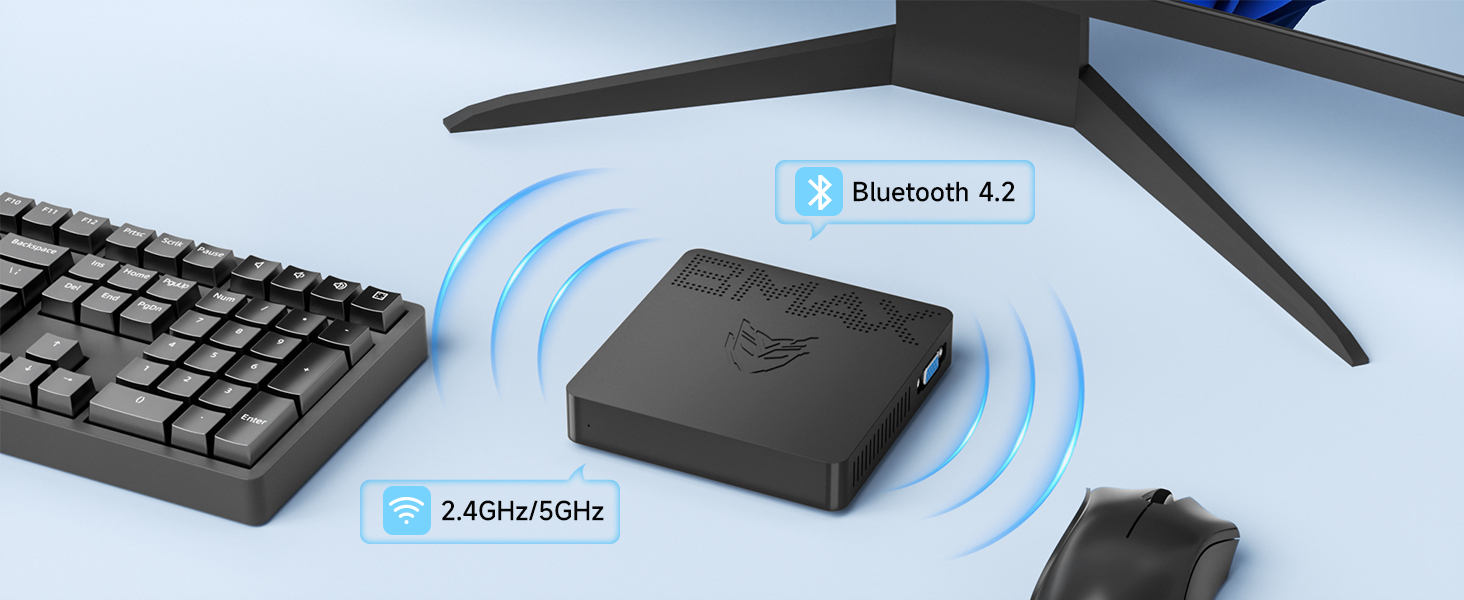
Image: Different placement options for the Bmax Mini PC B1 Pro, including VESA mounting.
Uputstvo za upotrebu
Basic Operation
- Uključivanje/isključivanje: Press the power button to turn the PC on. To turn off, use the operating system's shutdown function or press and hold the power button for a few seconds for a forced shutdown (not recommended for regular use).
- Ponovno pokretanje: Koristite funkciju ponovnog pokretanja operativnog sistema.
- Režim spavanja: The PC will enter sleep mode after a period of inactivity, or you can manually put it to sleep via the operating system. Press any key or move the mouse to wake it up.
Dual Display Setup
To utilize the dual display feature, connect one monitor to the HDMI port and another to the VGA port. Once both monitors are connected and powered on, your operating system should automatically detect them. You can then configure display settings (extend, duplicate, or show only on one display) through your operating system's display settings.

Image: A dual monitor setup powered by the Bmax Mini PC.
Maintenance and Expansion
Adding an M.2 SSD
The Bmax Mini PC B1 Pro supports M.2_2280 SATA SSD expansion for additional storage. Follow these steps to install an SSD:
- Iskljuciti: Provjerite je li Mini PC potpuno isključen iz napajanja i odvojen od adaptera za napajanje.
- Pristupna tabla: Locate the access panel on the bottom of the Mini PC. Remove the screw securing the panel and carefully open it.
- Instalirajte SSD: Gently insert the M.2_2280 SATA SSD into the designated slot. Secure it with the provided screw (if available, otherwise use a compatible screw).
- Zatvori panel: Replace the access panel and secure it with the screw.
- Inicijalizacija SSD-a: After powering on the PC, you may need to initialize and format the new SSD through Disk Management in Windows before it can be used.
Video: A step-by-step guide on how to add an M.2 SSD to the Bmax Mini PC B1 Pro.
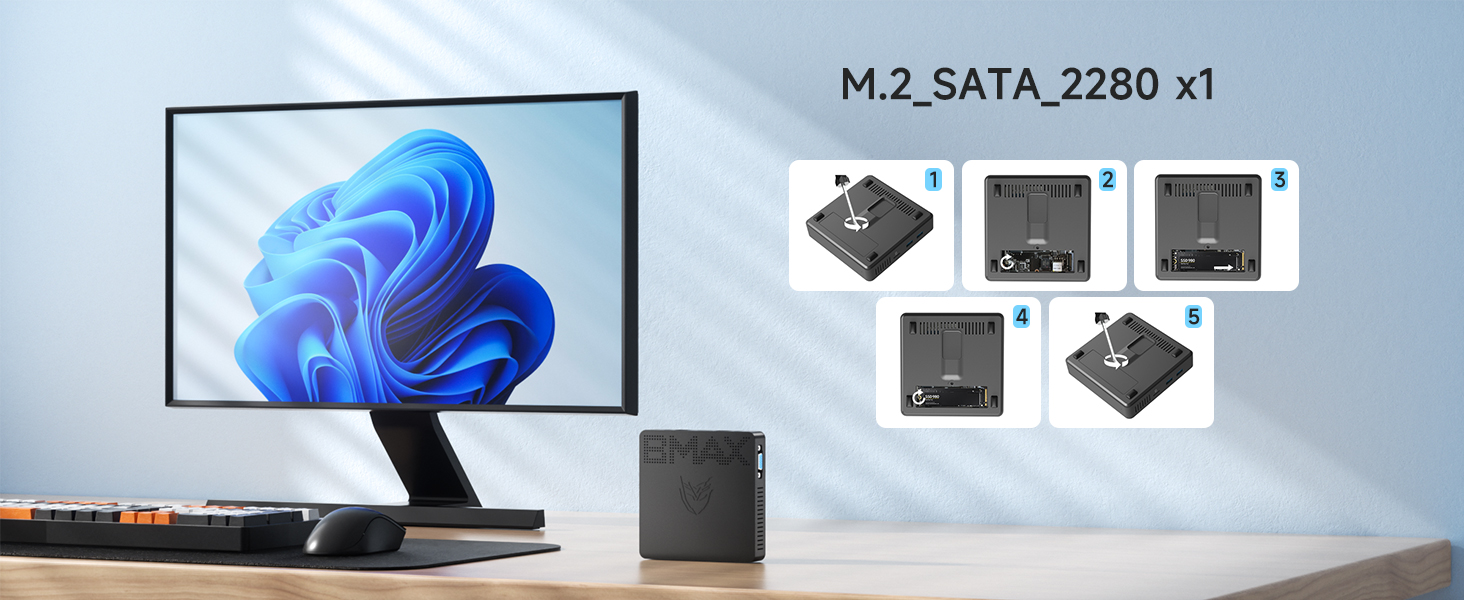
Image: Visual steps for M.2 SSD installation.
Opća njega
- Uređaj držite na čistom i suhom mjestu, dalje od direktne sunčeve svjetlosti i ekstremnih temperatura.
- Avoid blocking the ventilation holes to ensure proper airflow and prevent overheating.
- Vanjski dio čistite mekom, suhom krpom. Ne koristite tekuća sredstva za čišćenje.
Rješavanje problema
| Problem | Mogući uzrok | Rješenje |
|---|---|---|
| Nema napajanja/Ne uključuje se | Adapter za napajanje nije priključen ili je neispravan; Problem sa utičnicom. | Provjerite je li adapter za napajanje sigurno priključen i na računar i na ispravnu utičnicu. Pokušajte s drugom utičnicom. |
| Nema prikaza na monitoru | Display cable loose or incorrect port; Monitor input not selected. | Check HDMI/VGA cable connections. Ensure monitor is set to the correct input source (HDMI/VGA). Try a different cable or monitor. |
| Wi-Fi/Bluetooth not working | Drivers not installed; Wireless function disabled. | Check device manager for driver issues. Ensure Wi-Fi/Bluetooth is enabled in Windows settings. Restart the PC. |
| Spore performanse | Previše pokrenutih aplikacija; Malo prostora za pohranu. | Close unnecessary applications. Free up disk space. Consider adding an M.2 SSD for expansion. |
Za dodatnu pomoć, molimo pogledajte odjeljak Garancija i podrška.
Tehničke specifikacije
| Model | B1 Pro |
| Procesor | Intel Celeron N4000 (Base 1.1 GHz, up to 2.6 GHz) |
| RAM | 8GB LPDDR4 |
| Skladištenje | 128GB eMMC (Expandable via M.2_2280 SATA SSD up to 1TB) |
| Grafika | Intel UHD grafika 600 |
| Display Output | HDMI (4K @ 30Hz), VGA (Dual Display Support) |
| Bežično povezivanje | 802.11ac Dual-Band Wi-Fi, Bluetooth 4.2 |
| Žičano povezivanje | 1000Mbps LAN (Ethernet) |
| Luke | 2x USB 3.0, 2x USB 2.0, 1x HDMI, 1x VGA, 1x RJ45 Ethernet, 1x 3.5mm Headset Jack, 1x Micro SD Card Slot, Power In |
| Operativni sistem | Pre-installed OS (e.g., Windows 11 Pro as per reviews) |
| Dimenzije | 4.7 x 4.7 x 0.9 inča (12 x 12 x 2.3 cm) |
| Težina | 7.8 unci (220 g) |
Garancija i podrška
The Bmax Mini PC B1 Pro comes with a 12-mjesečna garancija from the date of purchase. Bmax also provides doživotna tehnička podrška za ovaj proizvod.
For technical assistance, troubleshooting, or warranty claims, please contact Bmax customer service via email. Refer to the contact information provided on the official Bmax webweb-mjesto ili vašu dokumentaciju o kupovini.
The device supports features such as Wake On LAN, RTC Wake, and Auto Power On (configurable in BIOS settings).


