1. Uvod
Thank you for choosing the Rollei Powerstation 2000. This portable power station is designed to provide reliable and versatile power for various applications, from outdoor adventures to emergency backup. With a 1920 Wh LiFePo4 battery and 2000 W output, it offers a safe and efficient energy solution. This manual provides essential information for safe operation, setup, maintenance, and troubleshooting.
2. Sigurnosna uputstva
- Nemojte rastavljati, popravljati ili modificirati jedinicu.
- Držite uređaj dalje od izvora toplote, direktne sunčeve svjetlosti i zapaljivih materijala.
- Ne izlažite jedinicu kiši ili vlazi.
- Osigurajte odgovarajuću ventilaciju tokom upotrebe i punjenja. Ne blokirajte ventilacijske otvore.
- Koristite samo originalne ili certificirane kablove i adaptere za punjenje.
- Čuvati van domašaja djece i kućnih ljubimaca.
- U slučaju požara, koristite aparat za gašenje požara sa suhim prahom. Voda može izazvati strujni udar.
3. Sadržaj paketa
Provjerite da li se sve stavke nalaze u vašem paketu:
- Rollei Powerstation 2000
- Kabel za naizmjeničnu struju
- Kabel za auto punjač
- Solar Charging Cable (Anderson connector)
- Uputstvo za upotrebu

4. Proizvod je gotovview
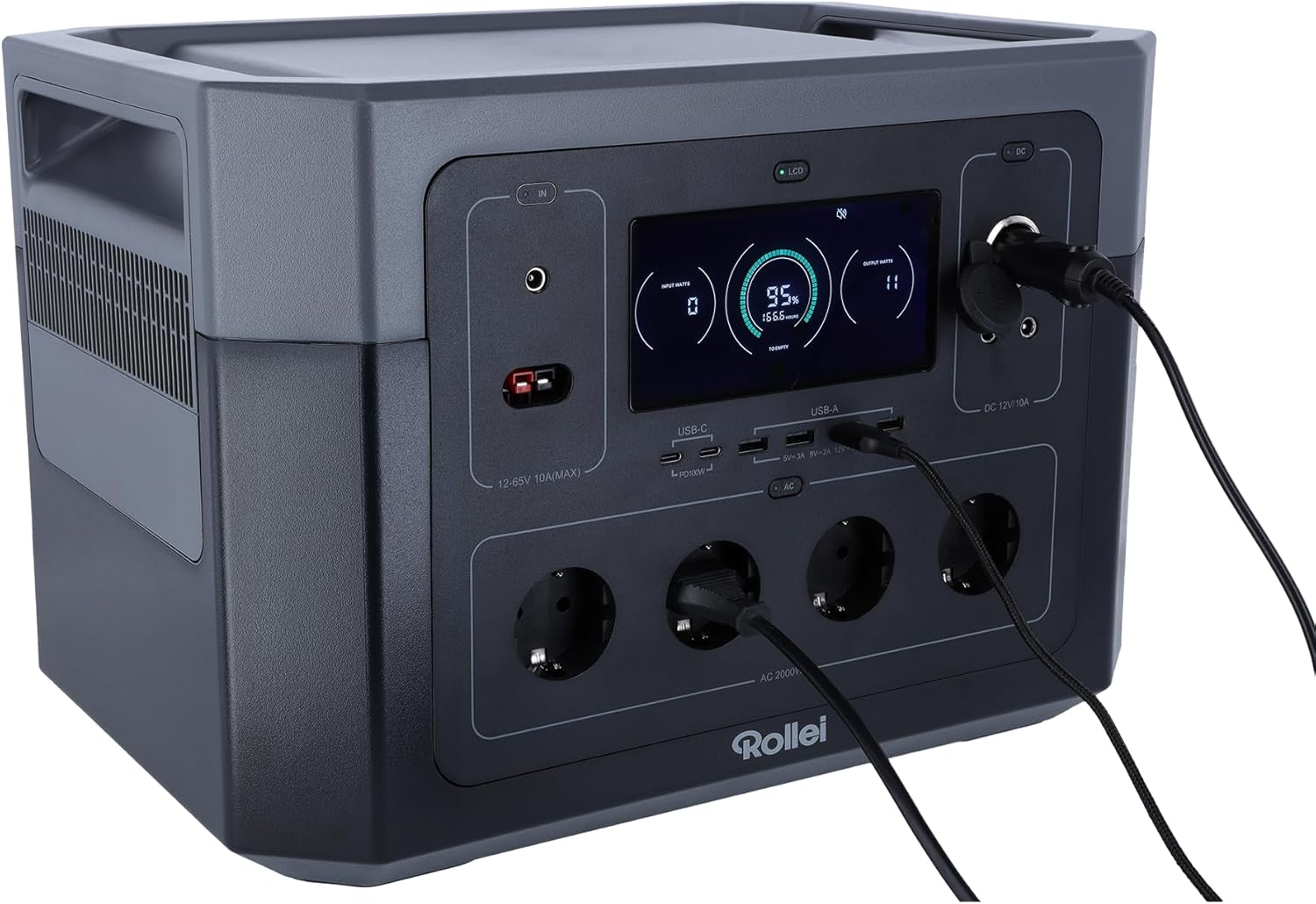
Familiarize yourself with the various ports and features of your Powerstation 2000.
Prednja ploča

- LCD ekran: Prikazuje nivo baterije, ulazno/izlazno napajanjetage, i indikatori statusa.
- Ulazi za ulaz: For AC wall charging, solar charging (Anderson), and car charging.
- USB-C portovi: Two ports, each with 100W Power Delivery for fast charging compatible devices.
- USB-A portovi: Multiple ports for standard USB device charging.
- AC utičnice: Four Schuko type F outlets providing 2000W total output.
- DC 12V/10A Output: For powering 12V DC devices.
Rear Panel and Dimensions
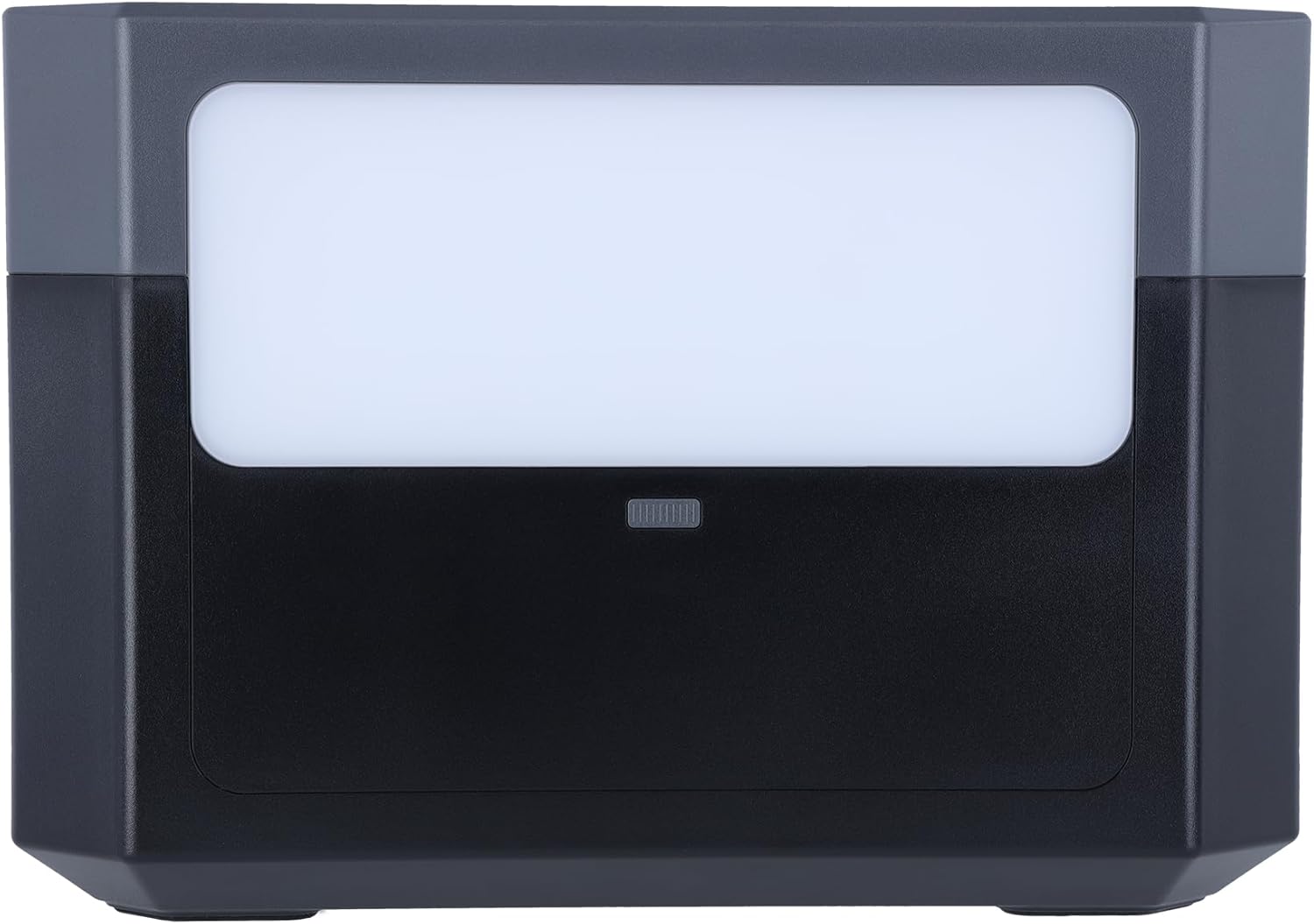
- LED svjetlosni panel: Pruža osvjetljenje za različite situacije.
- Ventilacijske rešetke: Smješteni sa strane radi odvođenja topline.

5. Podešavanje
Početno punjenje
Before first use, fully charge the Powerstation 2000. This ensures optimal battery performance and longevity.
- AC zidno punjenje: Connect the AC power cable to the input port on the power station and then to a wall outlet. The LCD display will show the charging status.

- Solarno punjenje: Connect compatible solar panels (not included) to the Anderson input port using the provided solar charging cable. Ensure the solar panels are placed in direct sunlight for efficient charging.
- Punjenje automobila: Connect the car charger cable to the input port and then to your vehicle's 12V cigarette lighter socket.
6. Uputstvo za upotrebu
Uključivanje/isključivanje
Pritisnite i držite glavni gumb za napajanje nekoliko sekundi da biste uključili ili isključili uređaj. LCD ekran će se osvijetliti.
Korištenje izlaznih portova
To activate specific output sections (AC, DC, USB), press the corresponding power button for that section. The indicator light next to the button will turn on.
- AC utičnice: Plug your AC-powered devices into the Schuko outlets. Ensure the total wattage ne prelazi 2000W.
- USB portovi: Connect your USB devices (phones, tablets, laptops) to the USB-A or USB-C ports.
- Izlaz istosmjerne struje 12V: Connect 12V DC devices to the DC output port.
Funkcija LED svjetla
Press the LED light button on the rear panel to turn the light on. Press again to cycle through different brightness modes or turn it off.
Razumevanje LCD ekrana
LCD ekran pruža informacije u realnom vremenu:
- Nivo baterije: Označava preostali postotak baterijetage.
- Input Wattage: Shows the power being drawn during charging.
- Output Wattage: Displays the power being consumed by connected devices.
- Preostalog vremena: Estimates the time until full charge or depletion based on current usage.
- Indikatori statusa: Icons for AC, DC, USB active, fan status, and error warnings.
7. Održavanje
Battery Care
- For optimal battery life, fully charge the power station at least once every 3-6 months, even if not in use.
- Izbjegavajte često potpuno pražnjenje baterije.
- Store the unit in a cool, dry place, away from direct sunlight and extreme temperatures. The ideal storage temperature is between 0°C and 40°C (32°F and 104°F).
Čišćenje
Use a dry, soft cloth to wipe the exterior of the power station. Do not use abrasive cleaners or immerse the unit in water.
8. Otkrivanje problema
- Uređaj se ne uključuje: Provjerite je li baterija napunjena. Ako nije, priključite je na izvor napajanja.
- Nema izlaza iz portova: Check if the specific output section (AC, DC, USB) is activated by pressing its power button. Ensure the connected device is working and within the power station's wattage limite.
- Sporo punjenje: Verify that the charging cable and adapter are correctly connected and functioning. For solar charging, ensure panels are in direct sunlight and clean.
- Upozorenje o preopterećenju: If an overload warning appears on the LCD, disconnect some devices to reduce the load. The unit may automatically shut down to prevent damage.
9. Specifikacije
| Feature | Specifikacija |
|---|---|
| Broj modela | Powerstation 2000 |
| Vrsta baterije | LiFePo4 (Lithium-ion) |
| Kapacitet | 1920 Wh |
| Izlazna snaga naizmjenične struje | 2000 W (maks.) |
| Output Voltage | 230 Volt |
| USB-C izlaz | 2 x 100W Power Delivery |
| DC 12V izlaz | 10A |
| Tip konektora | Anderson, Schuko |
| Broj prodajnih mjesta | 10 (Ukupno) |
| Boja | Crna |
| Proizvođač | Rollei |
10. Jamstvo i podrška
Garancija
The Rollei Powerstation 2000 comes with a 24-mjesečna garancija zamjene od datuma kupovine. Molimo sačuvajte dokaz o kupovini za potrebe reklamacije.
Korisnička podrška
For technical assistance, troubleshooting, or warranty inquiries, please contact Rollei customer support:
- Telefon: +49 40 270 750 277
- Dostupnost: Ponedjeljak - petak, od 10:00 do 4:00 (CET)