1. Proizvod je gotovview
The Google Pixel 8 is an unlocked Android smartphone designed for intuitive use, featuring an advanced camera system, robust security measures, and extended battery life. Powered by the Google Tensor G3 chip, it integrates Google AI for enhanced photo and video capabilities, smarter call management, and quick access to information. The device also includes personal safety features for user peace of mind.
Ključne karakteristike:
- Google Tensor G3 Chip: Custom-designed with Google AI for cutting-edge photo and video features and smarter assistance.
- Unlocked 5G Connectivity: Offers flexibility across major carriers including Google Fi, Verizon, T-Mobile, and AT&T.
- Upgraded Camera System: Features advanced image processing, vivid color reproduction, striking detail, and Macro Focus for close-up photography.
- Actua Display: A 6.2-inch super sharp display with rich, vivid colors, offering fast and responsive performance up to 120Hz for smooth gaming and navigation.
- Adaptivna baterija: Provides over 24 hours of battery life, extendable up to 72 hours with Extreme Battery Saver, and supports faster charging.
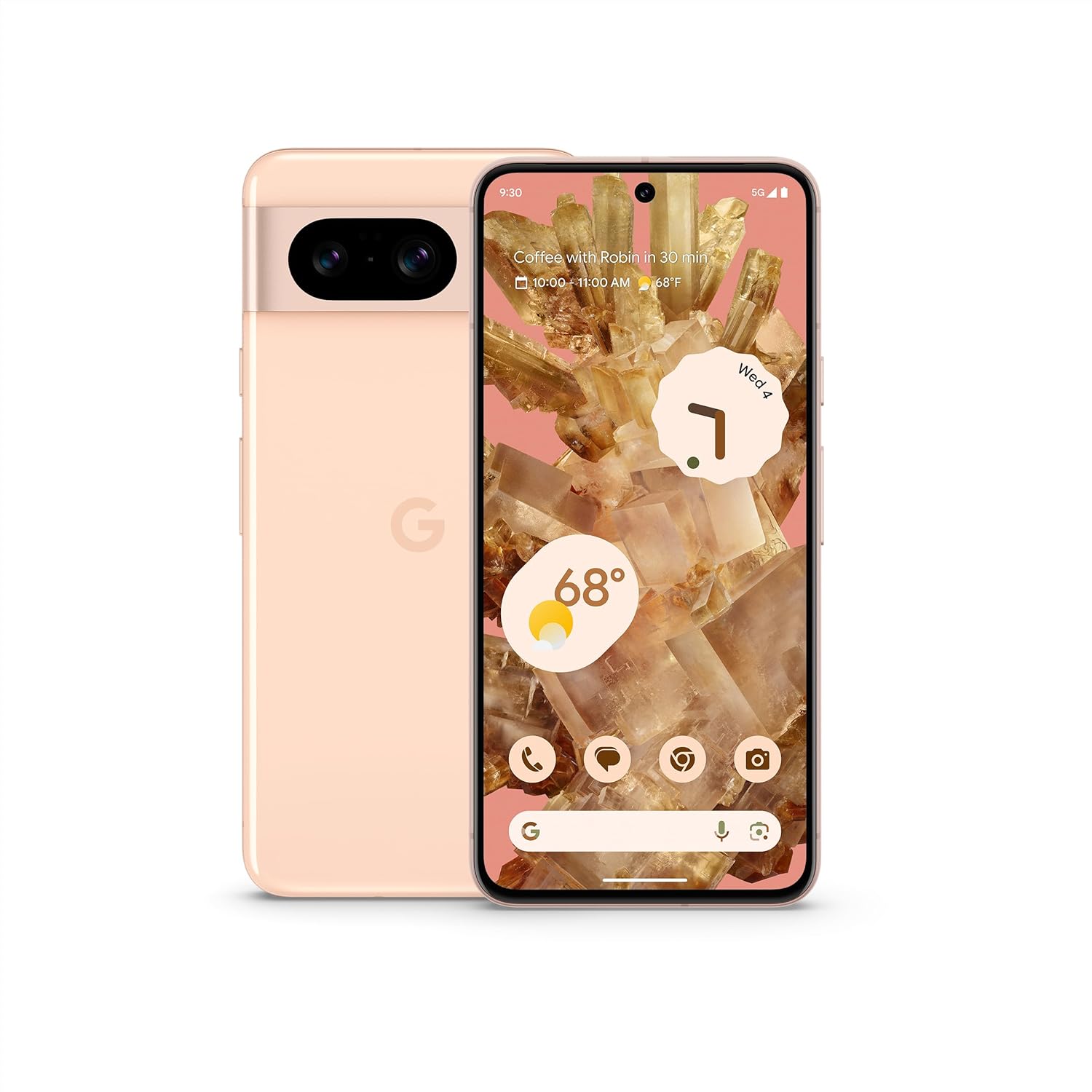
2. Početno podešavanje
2.1. Unboxing and First Power On
Carefully remove your Google Pixel 8 from its packaging. The box typically contains the smartphone, a SIM Tray Ejector, a Quick Switch Adapter, and a USB Cable. To power on your device for the first time, press and hold the Power button located on the right side of the phone until the Google logo appears on the screen.
2.2. Instalacija SIM kartice
- Pronađite ladicu za SIM karticu sa strane vašeg Pixela 8.
- Insert the SIM Tray Ejector into the small hole on the tray and press firmly until the tray pops out.
- Place your nano-SIM card into the tray with the gold contacts facing down and the cut corner aligned with the tray.
- Lagano gurnite ladicu nazad u utor dok se ne poravna sa bočnom stranom telefona.
The Pixel 8 supports Dual SIM functionality, allowing for the use of both a physical nano-SIM and an eSIM.
2.3. Čarobnjak za početno podešavanje
Follow the on-screen prompts to complete the initial setup. This includes selecting your language, connecting to a Wi-Fi network, signing in with your Google account, and setting up security features like fingerprint unlock and face unlock. The Quick Switch Adapter can be used to transfer data from your old phone during this process.
3. Osnovne operacije
3.1. Navigacija
The Pixel 8 utilizes Android 13.0 with intuitive gesture navigation or traditional three-button navigation. You can customize your navigation preference in the device settings. Swipe up from the bottom to go home, swipe up and hold to view recent apps, and swipe from the left or right edge to go back.
3.2. Upućivanje poziva i slanje poruka
To make a call, tap the Phone app icon, enter the number using the dial pad, or select a contact from your list, then tap the call icon. For messaging, open the Messages app, tap 'Start chat', enter the recipient's number or name, and compose your message.

3.3. Upravljanje aplikacijama
Install new applications from the Google Play Store. To uninstall an app, long-press its icon on the home screen or app drawer, then drag it to the 'Uninstall' option. Manage app permissions and notifications through the Settings app under 'Apps'.
4. Karakteristike kamere
The Google Pixel 8 features a fully upgraded camera system with advanced image processing capabilities, designed to capture vivid colors and striking details. It includes a 10.5 MP front camera, a 50 MP rear wide lens, and a 12 MP rear ultrawide lens.
4.1. Macro Focus
With Macro Focus, the Pixel 8 allows you to capture incredibly detailed close-up shots, making even the smallest subjects appear spectacular. Simply bring your camera close to the subject, and the phone will automatically switch to Macro Focus mode.
4.2. Best Take
The Best Take feature combines similar photos into one where everyone looks their best, ideal for group photos where someone might have blinked or looked away. This feature leverages Google AI to analyze and merge facial expressions from multiple shots.
4.3. Audio Magic Eraser
Reduce unwanted noise in your videos, such as car sounds or construction noise, using the Audio Magic Eraser. This AI-powered tool helps to isolate and minimize distracting background sounds, improving the clarity of your video's audio.

5. Sigurnost i privatnost
The Google Pixel 8 is built with powerful security features to protect your data and privacy, including the Titan M2 security chip.
5.1. VPN by Google One
A built-in VPN by Google One helps protect your online activity, encrypting your internet traffic and masking your IP address for enhanced privacy and security when browsing or using apps.
5.2. Security Updates
Your Pixel 8 is guaranteed to receive 7 years of security updates, ensuring your device remains secure against evolving threats over time. These updates provide critical patches and improvements to the operating system.
5.3. Personal Safety Features
The Pixel 8 includes features for added peace of mind:
- Car Crash Detection: Automatically detects severe car crashes and can call 911 and share your location with emergency contacts.
- Emergency Location Service (ELS): Provides more accurate location data to emergency responders when you call or text an emergency number.


6. Battery and Performance
The Pixel 8 is equipped with a 4575 mAh Lithium Ion battery, designed to provide over 24 hours of usage on a single charge. With Extreme Battery Saver mode activated, the battery life can extend up to 72 hours. The device also supports faster charging speeds.
6.1. Google Tensor G3 Chip
The new Google Tensor G3 chip is custom-designed to deliver next-level performance, enabling cutting-edge photo and video features and smarter ways to assist you. This processor enhances the overall speed and efficiency of the device.

6.2. Bežično punjenje
The Pixel 8 supports wireless charging, offering a convenient way to power up your device without the need for cables. Place the phone on a compatible wireless charging pad to begin charging.
7. Održavanje i njega
7.1. Čišćenje uređaja
To clean your Pixel 8, use a soft, lint-free cloth. For stubborn smudges, slightly dampen the cloth with water. Avoid using abrasive cleaners, solvents, or aerosol sprays, as these can damage the screen and finish. Do not submerge the device in water.
7.2. Ažuriranja softvera
Regularly check for and install software updates to ensure your device has the latest features, security patches, and performance improvements. You can check for updates in Settings > System > System update.
7.3. Upravljanje skladištem
Da biste optimizirali performanse, periodično upravljajte memorijom uređaja. Izbrišite nepotrebne files, clear app caches, and offload large media files to cloud storage or a computer. The Pixel 8 comes with 128 GB of internal storage.
8. Rješavanje uobičajenih problema
8.1. Uređaj ne reaguje
If your Pixel 8 becomes unresponsive, press and hold the Power button for about 30 seconds until the device restarts. If this does not resolve the issue, ensure the battery is charged.
8.2. Problemi s mrežnom povezivošću
For Wi-Fi or cellular network problems, try the following:
- Uključite i isključite Wi-Fi ili mobilne podatke.
- Ponovo pokrenite uređaj.
- Resetujte mrežne postavke (Postavke > Sistem > Opcije resetovanja > Resetuj Wi-Fi, mobilne uređaje i Bluetooth).
- Provjerite da li je vaša SIM kartica pravilno umetnuta.
8.3. Brzo pražnjenje baterije
If your battery drains faster than expected, check battery usage in Settings > Battery > Battery usage to identify apps consuming significant power. Reduce screen brightness, disable unnecessary features like Bluetooth or GPS when not in use, and enable Extreme Battery Saver if needed.
8.4. Factory Reset
As a last resort for persistent issues, you may perform a factory reset. This will erase all data on your phone, so ensure you back up important information first. Go to Settings > System > Reset options > Erase all data (factory reset).
9. Tehničke specifikacije
| Feature | Detalj |
|---|---|
| Brand | |
| Naziv modela | Pixel 8 |
| Broj modela stavke | G9BQD |
| Operativni sistem | Android 13.0 (mogućnost nadogradnje) |
| RAM | 8 GB |
| Kapacitet memorije | 128 GB |
| Veličina ekrana | 6.2 inča |
| Rezolucija | 1080 x 2400 piksela |
| Refresh Rate | 120 Hz |
| Kapacitet baterije | 4575 mAh litijum-jonska (uključena) |
| Vrijeme razgovora telefonom | 24 sata |
| Bežične komunikacijske tehnologije | Mobilna mreža (5G) |
| Connectivity Technologies | Bluetooth, Wi-Fi, NFC |
| Posebne karakteristike | Dual SIM, Wireless Charging, GPS |
| Dimenzije proizvoda | 5.92 x 2.79 x 0.35 inča |
| Težina artikla | 6.6 unce |
| Boja | Rose |
| Šta je u kutiji | SIM Tray Ejector, Quick Switch Adapter, USB Cable |
10. Garancija i podrška
The Google Pixel 8 comes with a manufacturer's warranty. For detailed warranty information and terms, please refer to the documentation included with your device or visit the official Google support website. Google provides 7 years of OS updates for the Pixel 8, ensuring long-term software support.
10.1. Planovi zaštite
Additional protection plans may be available for purchase, such as 2-Year Protection Plans or Complete Protect plans. These plans offer extended coverage beyond the standard manufacturer's warranty. Please check with your retailer or service provider for availability and details.
10.2. Online podrška
For further assistance, FAQs, and troubleshooting guides, visit the official Google Store support page: Google Store.


