1. Uvod
Thank you for choosing the ACT AC5101 Wireless Ergonomic Vertical Mouse. This manual provides detailed instructions for setting up, operating, and maintaining your new mouse. Designed for right-handed users, this ergonomic mouse aims to reduce hand and wrist strain during extended computer use, promoting a more natural and comfortable posture.
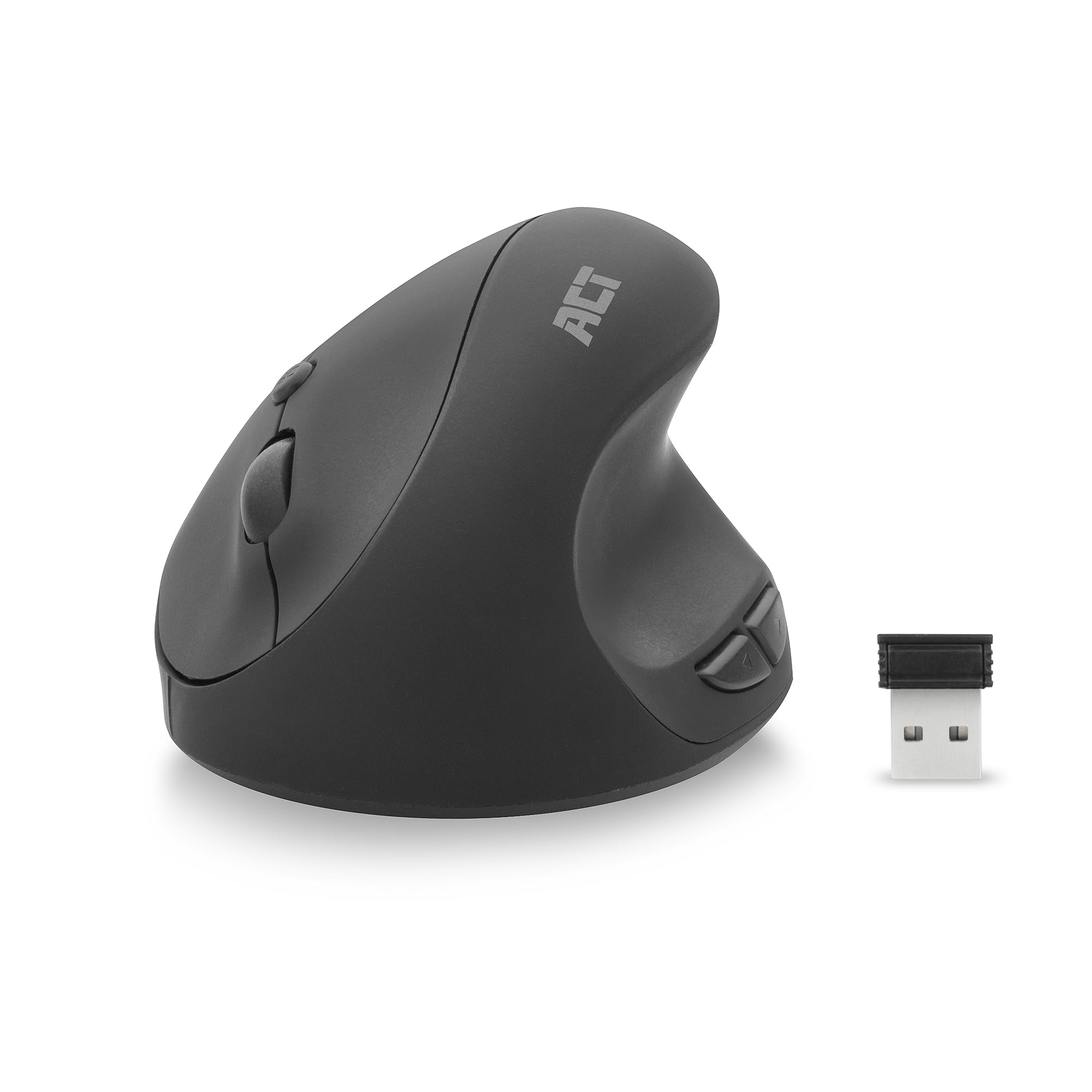
Image 1.1: The ACT AC5101 Wireless Ergonomic Vertical Mouse with its USB receiver.
2. Sadržaj paketa
Molimo Vas da provjerite paket za sljedeće stavke:
- 1 x ACT AC5101 Wireless Ergonomic Vertical Mouse
- 1 x USB-A Nano Receiver (stored in the mouse battery compartment)
- 1 x AA baterija (uključena)
- 1 x Korisnički priručnik (ovaj dokument)
3. Proizvod je gotovview
The ACT AC5101 mouse features a vertical design for improved ergonomics and includes multiple buttons for enhanced functionality.

Image 3.1: Diagram showing the buttons on the ACT AC5101 mouse. These include the Left Key, Right Key, Scroll Wheel, DPI Button, Forward Button, and Back Button.
- Lijevi ključ: Standardna funkcija lijevog klika.
- Desni ključ: Standardna funkcija desnog klika.
- Točak za pomicanje: Za vertikalno skrolovanje i funkciju klika srednjim tasterom miša.
- DPI dugme: Ciklično mijenja postavke DPI-ja (800/1200/1600).
- Dugme naprijed: Navigira naprijed u web pretraživači ili file istraživači.
- Dugme za povratak: Navigacija unazad web pretraživači ili file istraživači.
- Prekidač za uključivanje/isključivanje: Located on the bottom of the mouse to conserve battery life.
4. Upute za postavljanje
Follow these steps to set up your ACT AC5101 Wireless Ergonomic Vertical Mouse:
- Umetnite bateriju:
Locate the battery compartment on the bottom of the mouse. Open the cover and insert the included AA battery, ensuring correct polarity (+/-). Close the battery compartment cover securely.

Image 4.1: The bottom of the mouse showing the battery compartment and the USB-A Nano Receiver storage slot.
- Povežite USB prijemnik:
Remove the USB-A Nano Receiver from its storage slot next to the battery compartment. Plug the receiver into an available USB-A port on your computer.

Image 4.2: The USB-A Nano Receiver.
- Uključeno:
Flip the On/Off switch, located on the bottom of the mouse, to the "On" position. Your computer should automatically detect and install the necessary drivers. The mouse is now ready for use.
5. Uputstvo za upotrebu
5.1 Ergonomic Grip
The vertical design of the ACT AC5101 mouse promotes a natural handshake position, reducing pronation of the forearm and wrist strain. Place your hand over the mouse so your thumb rests comfortably on the thumb rest, and your fingers align with the main buttons.

Image 5.1: Comparison illustrating how a traditional mouse twists the arm and wrist, while the ACT ergonomic mouse allows for a relaxed shoulder and neutral wrist position.
5.2 Podešavanje DPI osjetljivosti
The DPI (Dots Per Inch) button allows you to adjust the mouse cursor speed. Press the Dugme DPI (refer to Image 3.1) to cycle through the available sensitivity settings: 800 DPI, 1200 DPI, and 1600 DPI. Select the setting that best suits your preference and task.
5.3 Korištenje bočnih tipki
The Dugme naprijed i Dugme za povratak are conveniently located for thumb access. These buttons are typically used for navigation in web browsers (e.g., going back or forward a page) or file istraživači.
6. Održavanje
To ensure the longevity and optimal performance of your ACT AC5101 mouse, follow these maintenance guidelines:
- čišćenje: Koristite meku, suhu krpu za brisanje površine miša. Za tvrdokornu prljavštinu, lagano obrišiteampOperite krpu vodom ili blagim rastvorom za čišćenje. Izbjegavajte upotrebu jakih hemikalija ili abrazivnih materijala.
- Zamjena baterije: When the mouse performance degrades or it stops responding, replace the AA battery. Ensure the On/Off switch is in the "Off" position before replacing the battery.
- Skladištenje: When not in use for extended periods, turn off the mouse using the On/Off switch to conserve battery life. Store the USB receiver in its dedicated slot on the bottom of the mouse to prevent loss.
7. Otkrivanje problema
If you encounter issues with your ACT AC5101 mouse, refer to the following common problems and solutions:
| Problem | Mogući uzrok | Rješenje |
|---|---|---|
| Miš ne reaguje |
|
|
| Nepravilno kretanje kursora |
|
|
| Bočne tipke ne rade |
|
|
8. Specifikacije
Technical details for the ACT AC5101 Wireless Ergonomic Vertical Mouse:
- Naziv modela: AC5101
- Brand: ACT
- Tehnologija povezivanja: 2.4 GHz bežična veza (radiofrekvencija)
- Prijemnik: USB-A Nano prijemnik
- Tehnologija detekcije pokreta: Optički
- DPI postavke: 800 / 1200 / 1600 DPI (adjustable via DPI button)
- Broj dugmadi: 6 (Left, Right, Scroll Wheel, DPI, Forward, Back)
- Orijentacija ruke: Desnoruki
- Izvor napajanja: 1 x AA baterija (uključena)
- Boja: Crna
- Kompatibilni uređaji: Personal Computer
- Dimenzije: Approximately 105mm (Length) x 77mm (Height) x 60mm (Width)

Image 8.1: Approximate dimensions of the ACT AC5101 mouse.
9. Garancija i podrška
garancija: The ACT AC5101 Wireless Ergonomic Vertical Mouse comes with a manufacturer's warranty of 2 years. This warranty covers defects in materials and workmanship under normal use.
Podrška: For technical assistance, troubleshooting beyond this manual, or warranty claims, please contact your retailer or visit the official ACT website for support information. Please have your product model number (AC5101) and proof of purchase ready when contacting support.


