Uvod
Thank you for choosing the Cherry KW 3000 Wireless Keyboard. This full-size keyboard is designed for quiet and comfortable typing, featuring 2.4 GHz wireless technology for reliable connectivity with Windows and Mac operating systems. This manual provides essential information for setting up, operating, and maintaining your keyboard.
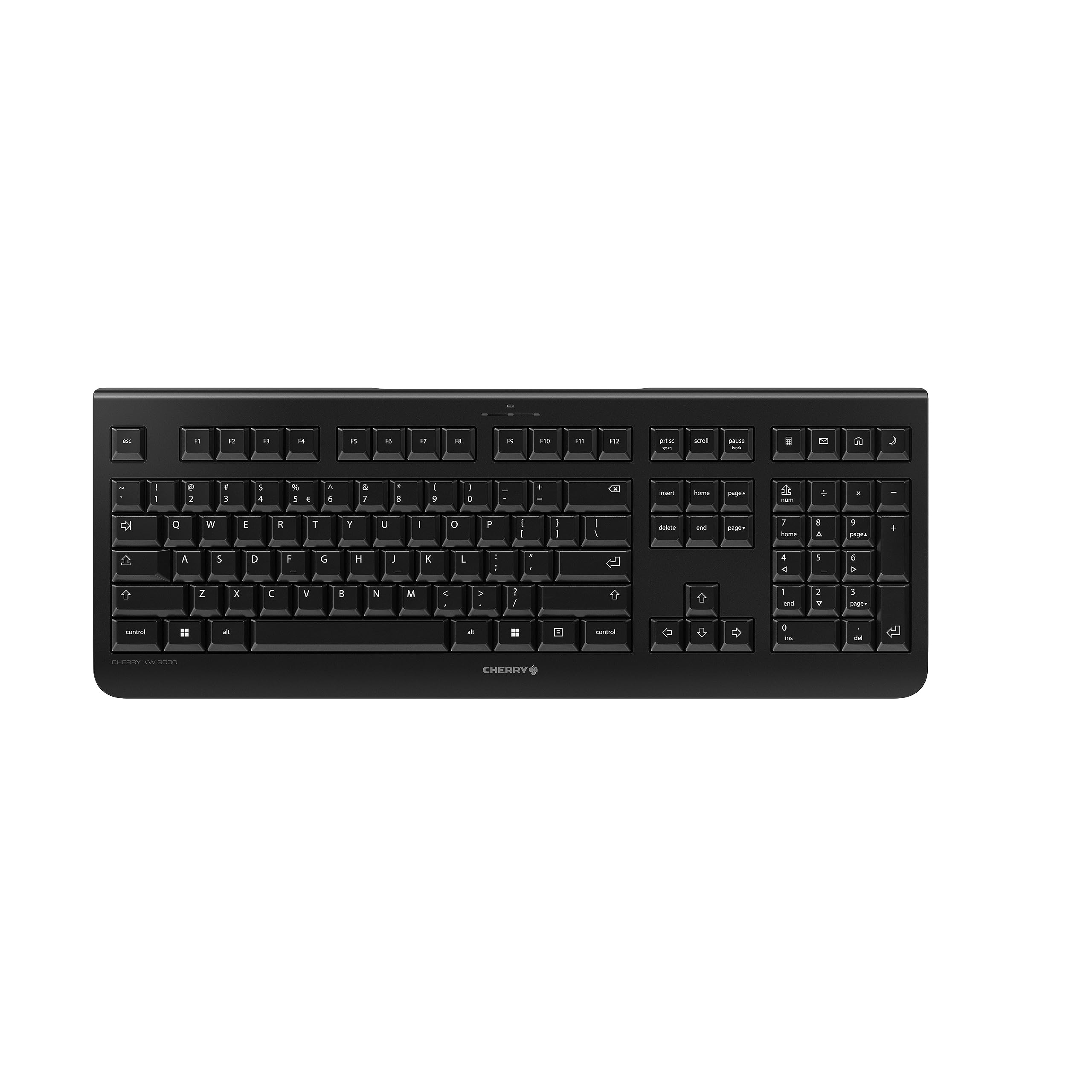
Image: The Cherry KW 3000 Wireless Keyboard, a full-size black keyboard, is shown on a light-colored desk mat. A laptop and an external monitor are visible in the background, indicating a typical office or home workspace setup. A computer mouse is also next to the keyboard.
Sadržaj paketa
Molimo Vas da provjerite paket za sljedeće stavke:
- Cherry KW 3000 Wireless Keyboard
- USB Nano Receiver (dongle)
- 2 x AAA baterije
- Vodič za brzi početak (ovaj dokument)
Setup
Follow these steps to set up your Cherry KW 3000 Wireless Keyboard:
- Umetnite baterije: Locate the battery compartment on the underside of the keyboard. Open the cover and insert the two AAA batteries, ensuring correct polarity (+/-). Close the battery cover securely.
- Povežite USB prijemnik: Plug the USB nano receiver into an available USB-A port on your computer (Windows or Mac). The operating system will automatically detect and install the necessary drivers.
- Počni tipkati: Your keyboard is now ready for use. There is no on/off switch; the keyboard enters a power-saving sleep mode automatically when not in use and wakes up with any key press.

Image: The underside of the keyboard is shown, highlighting the battery compartment. The adjustable feet are also visible in their extended position.

Image: A small black USB nano receiver, labeled 'CHERRY', is shown on a light-colored surface, ready to be plugged into a computer's USB port.
Uputstvo za upotrebu
Osnovna upotreba
The Cherry KW 3000 features a standard full-size QWERTY layout, including a numeric keypad and function keys. Simply begin typing as you would with any standard keyboard.
Hotkeys
The keyboard includes four dedicated hotkeys for quick access to common functions:
- Kalkulator: Otvara aplikaciju kalkulatora.
- E-mail: Pokreće vaš zadani klijent e-pošte.
- Preglednik: Otvara vaše zadane web pretraživač.
- Režim spavanja: Prebacuje vaš računar u režim spavanja.

Slika: Krupni plan view of the upper right section of the keyboard, showing the four dedicated hotkeys with icons for calculator, email, web browser, and sleep mode.
Podesive noge
For ergonomic comfort, the keyboard is equipped with stable fold-out feet on the underside. You can extend these feet to adjust the typing angle to your preference. The keyboard also features a non-slip bottom for stability.
Slika: Sporedni profesionalacfile of the Cherry KW 3000 keyboard, illustrating its slim design and the adjustable feet extended to provide an elevated typing angle.
Karakteristike
- 2.4 GHz Wireless Technology: Provides a stable and reliable connection with a range of up to 10 meters.
- Izgled pune veličine: Includes a numeric keypad and cursor keys for comprehensive functionality.
- Quiet Membrane Keys: Designed for low-noise typing, ideal for office and home environments.
- Izdržljiv dizajn: Built for longevity with a keystroke lifespan of up to 10 million actuations.
- Prečice: Four convenient hotkeys for quick access to essential applications.
- Podesiva ergonomija: Fold-out feet allow for customizable typing angles.
- Plug & Play: Easy installation without the need for complex software.

Image: A close-up of the keyboard keys, emphasizing their low-profile design and durable lettering, indicative of a quiet and long-lasting typing experience.
Održavanje
Čišćenje
To clean your keyboard, disconnect the USB receiver from your computer. Use a soft, lint-free cloth slightly dampened with water or a mild cleaning solution. Avoid excessive moisture and do not spray cleaners directly onto the keyboard. For cleaning between keys, use compressed air or a small brush.
Zamjena baterije
When the keyboard's performance degrades or it stops responding, it's likely time to replace the batteries. Open the battery compartment on the underside, remove the old AAA batteries, and insert new ones, observing the correct polarity. Dispose of old batteries responsibly according to local regulations.
Rješavanje problema
- Tastatura ne reaguje:
- Provjerite je li USB prijemnik sigurno priključen u ispravan USB priključak na vašem računaru.
- Provjerite baterije. Zamijenite ih ako su slabe ili ispražnjene.
- Približite tastaturu USB prijemniku kako biste izbjegli probleme s dometom.
- Pokušajte priključiti USB prijemnik u drugi USB priključak.
- Tipke su ljepljive ili ne reagiraju:
- Clean the keyboard as described in the Maintenance section to remove any debris that might be affecting key presses.
- Povremena veza:
- Provjerite da nema velikih metalnih predmeta ili drugih bežičnih uređaja koji uzrokuju smetnje između tastature i prijemnika.
- Try using the keyboard in a different location to check for environmental interference.
Specifikacije
| Feature | Detalj |
|---|---|
| Broj modela | JK-3000EU-2 |
| Tehnologija povezivanja | 2.4 GHz bežično (USB-A prijemnik) |
| Opis tastature | Membrane |
| Kompatibilni uređaji | Mac, Windows |
| Posebne karakteristike | Durable, Hotkeys and Media Keys, Wireless |
| Boja | Crna |
| Materijal | Plastika |
| Dimenzije proizvoda | 18.03 x 6.69 x 0.79 inča (45.8 x 17 x 2 cm) |
| Težina artikla | 1.11 funte (0.5 kg) |
| Baterije | 2 AAA baterije (uključene) |
| Proizvođač | CHERRY |
Garancija i podrška
Cherry products are manufactured to high-quality standards. This product comes with a standard manufacturer's warranty against defects in materials and workmanship. For specific warranty terms, duration, and to access customer support, please refer to the official Cherry webweb-mjesto ili direktno kontaktirajte njihovu korisničku službu. Sačuvajte dokaz o kupovini za slučaj reklamacije.
Sigurnosne informacije
- Ne izlažite tastaturu tečnostima ili preteranoj vlazi.
- Izbjegavajte ekstremne temperature.
- Ne pokušavajte rastavljati ili modificirati tastaturu. To će poništiti garanciju.
- Držite baterije van domašaja dece. Ako se proguta, odmah potražite medicinsku pomoć.
- Dispose of batteries and electronic waste responsibly.


