Uvod
The Monster Adventurer Max is a portable Bluetooth speaker designed for robust audio performance and versatility. It features 100W powerful stereo sound, IPX7 waterproofing, and comes with two wireless microphones for interactive use. This manual provides essential information for operating and maintaining your device.

Image: The Monster Adventurer Max speaker, two wireless microphones, and a detachable shoulder strap.
Sadržaj paketa
Provjerite da li su sve stavke prisutne u paketu:
- Monster Adventurer Max Bluetooth Speaker (x1)
- USB-C kabl za punjenje (x2)
- AUX kabel (x1)
- Bežični mikrofoni (x2)
- Microphone Batteries (x4)
- Baldric (Shoulder Strap) (x1)
- Vodič za brzi početak (x1)
Product Overview
Kontrole zvučnika

Image: Top panel of the speaker showing control buttons.
- Uključivanje/isključivanje: Pritisnite i držite da biste uključili ili isključili zvučnik.
- Bluetooth način rada: Press to switch to Bluetooth pairing mode.
- Volumen + / Sljedeća pjesma: Kratki pritisak za povećanje jačine zvuka, dugi pritisak za sledeću numeru.
- MFB (višefunkcijski gumb):
- Kratki pritisak za reprodukciju/pauziranje muzike.
- Press and hold to switch between Indoor/Outdoor audio modes.
- Volume - / Previous Track: Kratki pritisak za smanjenje jačine zvuka, dugi pritisak za prethodnu pjesmu.
Speaker Ports

Image: Rear panel of the speaker showing input/output ports.
- USB-C priključak za punjenje: Za punjenje zvučnika.
- Dugme za resetiranje: Use a thin object to press for factory reset.
- AUX-in priključak: Za povezivanje eksternih audio uređaja putem AUX kabla.
- Ulaz za mikrofon: For connecting wired microphones (if applicable, though wireless are included).
- USB-in Port: Za reprodukciju muzike sa USB diska.
- Utor za SD karticu: For playing music from a Micro SD card.
Bežični mikrofoni
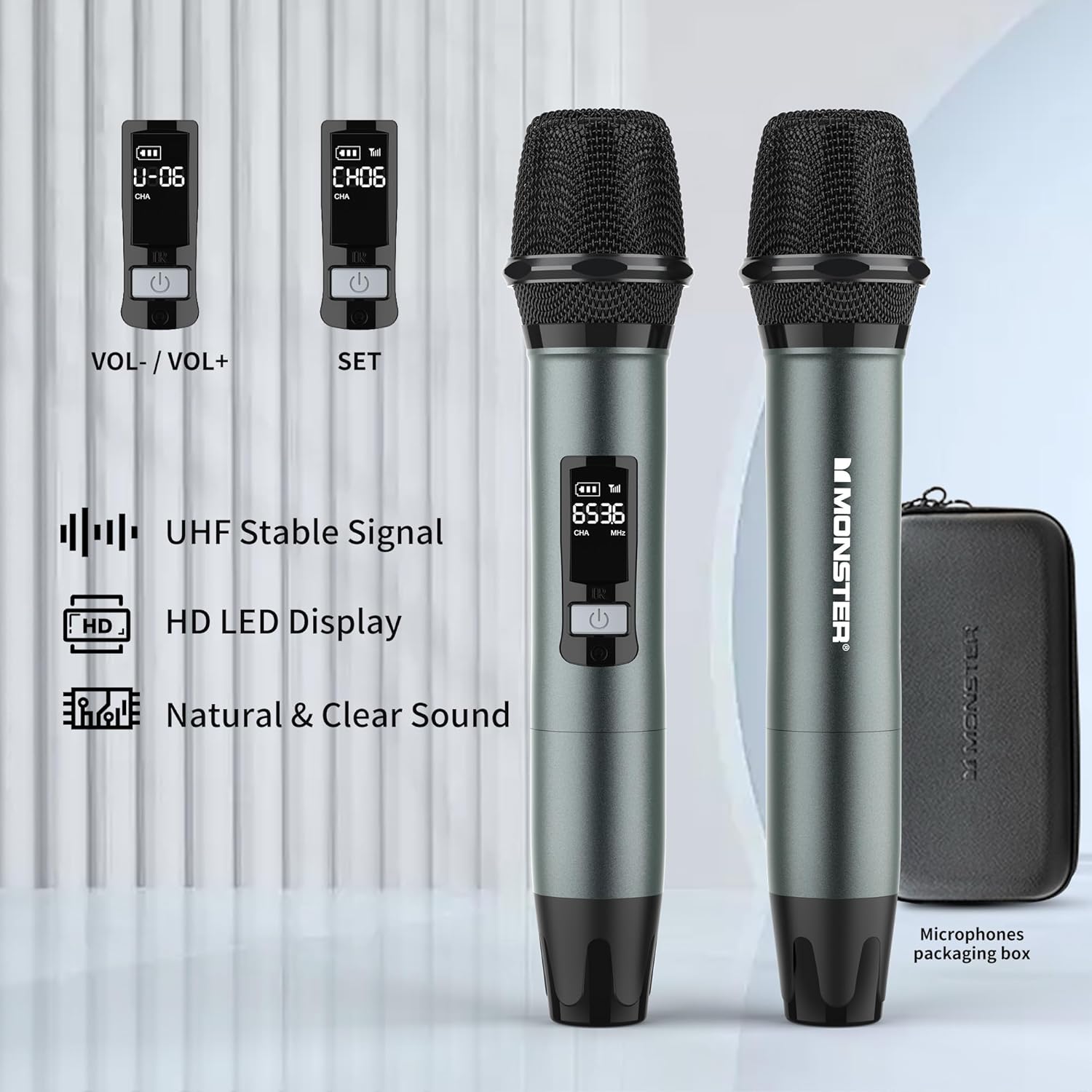
Image: Two wireless microphones with their LED displays showing channel and volume information.
- Dugme za napajanje: Pritisnite i držite za uključivanje/isključivanje.
- Kontrole jačine zvuka: Typically located under a removable cap or cover.
- Dugme SET: For channel adjustment (refer to Quick Start Guide for detailed instructions).
- HD LED Display: Shows battery level, channel, and frequency.
Setup
1. Punjenje zvučnika
- Connect one end of the provided USB-C charging cable to the speaker's USB-C charging port.
- Drugi kraj priključite na kompatibilni USB adapter za napajanje (nije uključen).
- Indikator punjenja će se upaliti. Potpuno punjenje obično traje otprilike 3 sata.
- Zvučnik se može koristiti tokom punjenja.

Image: The speaker being charged via its USB-C port.
2. Umetanje baterija u mikrofon
- Odvrnite donji poklopac svakog bežičnog mikrofona.
- Umetnite dvije AA baterije u svaki mikrofon, pazeći na ispravan polaritet (+/-).
- Čvrsto zavrnite donji poklopac nazad na mikrofon.
3. Uključivanje / isključivanje napajanja
- govornik: Press and hold the Power button on the speaker's top panel for a few seconds.
- mikrofoni: Press and hold the Power button on each microphone.
Uputstvo za upotrebu
1. Bluetooth uparivanje
- Power on the Monster Adventurer Max speaker. It will automatically enter Bluetooth pairing mode (indicated by a flashing Bluetooth indicator light).
- Na pametnom telefonu ili drugom Bluetooth uređaju omogućite Bluetooth i potražite dostupne uređaje.
- Select "Monster Adventurer Max" from the list.
- Nakon uparivanja, indikatorska lampica Bluetootha će početi stalno svijetliti i čut ćete zvučni signal potvrde.
- The speaker maintains a stable connection up to 100 feet (30 meters).

Image: The speaker wirelessly connected to a smartphone via Bluetooth 5.3.
2. Višestruki načini reprodukcije
Zvučnik podržava različite metode audio ulaza:
- Bluetooth 5.3: Za bežični audio streaming sa kompatibilnih uređaja.
- AUX ulaz: Connect an external audio source using the provided AUX cable to the AUX-in port.
- Micro SD kartica: Insert a Micro SD card into the SD card slot to play stored music.
- USB ulaz: Insert a USB drive into the USB-in port to play stored music.
- Ulaz za mikrofon: Use the included wireless microphones or connect a wired microphone to the MIC-in port.
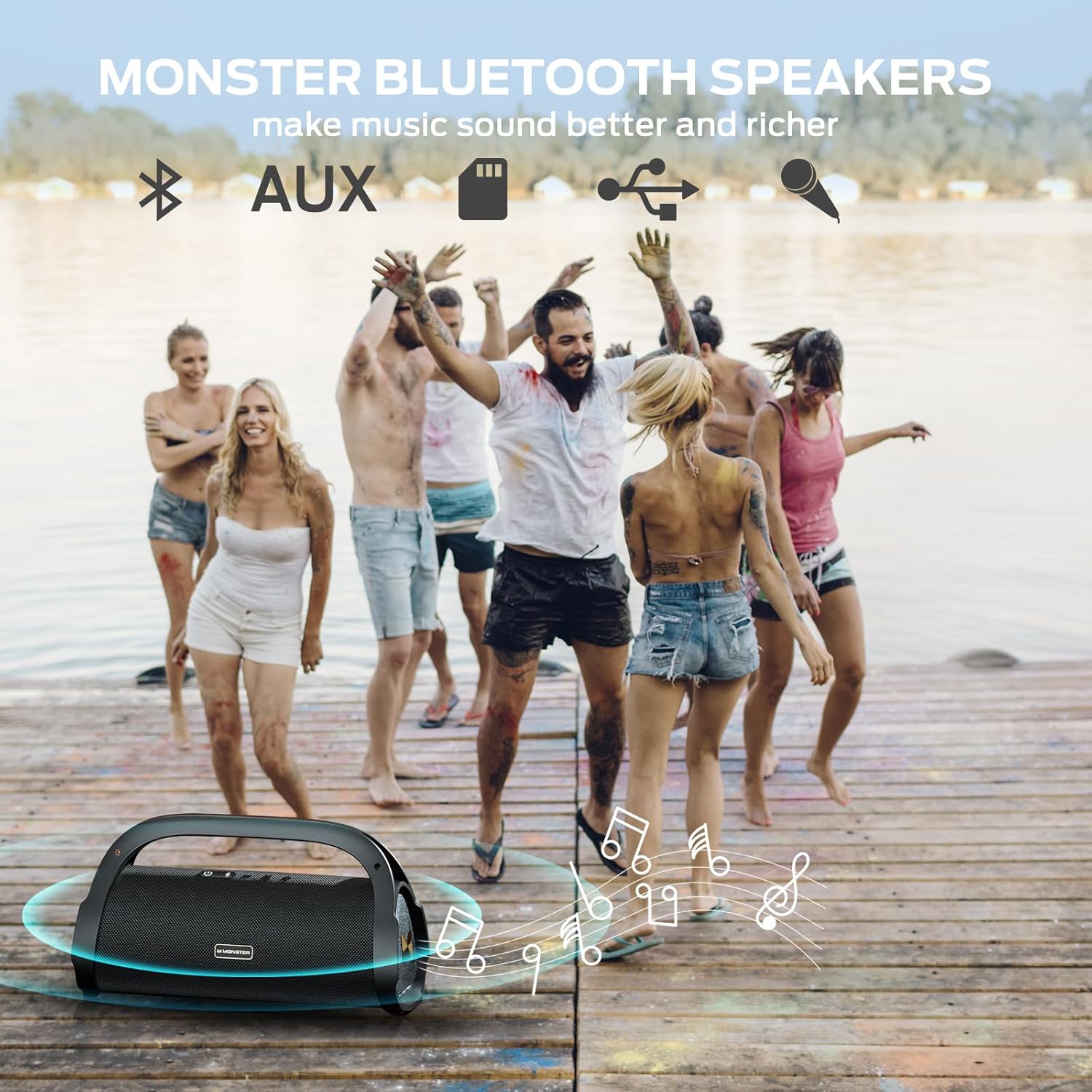
Image: A group of people enjoying music outdoors, symbolizing the speaker's versatile playback options.
3. Korištenje bežičnih mikrofona
After installing batteries and powering on the microphones, they will automatically connect to the speaker. You can use them for karaoke, announcements, or other vocal applications.
- Podešavanje jačine zvuka: Adjust microphone volume directly on the microphone itself (refer to the Quick Start Guide for specific location, often under a removable cap).
- Podešavanje kanala: If interference occurs, use the SET button on the microphone to change channels.

Image: Two children using the wireless microphones for karaoke with the speaker.
4. Sound Modes (Indoor/Outdoor)
The speaker features optimized sound profiles for different environments:
- Press and hold the MFB (Multi-Function Button) on the speaker to toggle between Indoor and Outdoor sound modes.
- The Outdoor mode is designed to project sound more effectively in open spaces.
Održavanje
1. Čišćenje
- Wipe the speaker and microphones with a soft, damp tkanina.
- Ne koristite abrazivna sredstva za čišćenje, alkohol ili hemijske rastvarače.
- Ensure all ports are dry before charging or connecting cables, especially after exposure to water.
2. Vodootpornost (IPX7)
The speaker is IPX7 rated, meaning it can be submerged in up to 1 meter of water for 30 minutes. While designed for outdoor use and water exposure:
- Always ensure the port cover is securely closed before exposing the speaker to water.
- Izbjegavajte produženo uranjanje ili izlaganje mlazovima vode pod visokim pritiskom.
- Nakon izlaganja vodi, zvučnik temeljno osušite prije punjenja.

Image: The speaker floating in water, highlighting its IPX7 waterproof capability.
3. Održavanje baterije
- Charge the speaker regularly to maintain battery health, even if not used frequently.
- Izbjegavajte potpuno pražnjenje baterije tokom dužeg perioda.
- Čuvajte zvučnik na hladnom i suvom mestu kada se ne koristi.
Rješavanje problema
| Problem | Mogući uzrok | Rješenje |
|---|---|---|
| Zvučnik se ne uključuje. | Slaba baterija; Dugme za napajanje nije pravilno pritisnuto. | Charge the speaker for at least 30 minutes. Press and hold the Power button firmly for 3-5 seconds. |
| Nema zvuka iz zvučnika. | Volume too low; Device not paired; Incorrect input mode. | Increase speaker and device volume. Re-pair Bluetooth device. Ensure correct input mode (Bluetooth, AUX, USB, SD). |
| Bluetooth uparivanje nije uspjelo. | Zvučnik nije u režimu uparivanja; Uređaj je previše udaljen; Smetnje. | Ensure speaker is in pairing mode (flashing Bluetooth light). Move device closer. Turn off other Bluetooth devices. Try resetting the speaker. |
| Mikrofoni ne rade. | Low/dead batteries; Microphone not powered on; Channel interference. | Replace microphone batteries. Power on microphones. Use the SET button on the microphone to change channels. |
| Loša kvaliteta zvuka. | Low battery; Source audio quality; Environmental factors. | Charge speaker. Use high-quality audio files. Adjust speaker position. Switch between Indoor/Outdoor sound modes. |
If issues persist, refer to the included Quick Start Guide or contact customer support.
Specifikacije
| Feature | Detalj |
|---|---|
| Brand | Monster |
| Naziv modela | Monster Adventurer Max |
| Broj modela | M159 MIC |
| Tehnologija povezivanja | Bluetooth 5.3, AUX, USB, Micro SD Card |
| Izlazna snaga | 100W (120W vrh) |
| Waterproof Rating | IPX7 |
| Trajanje baterije | Do 24 sati (pri 50% volumena) |
| Vrijeme punjenja | Pribl. 3 sata za potpuno punjenje |
| Dimenzije proizvoda | 13.54"D x 5.63"Š x 7.52"H |
| Težina artikla | 11.28 funti (5.13 kilograma) |
| Microphones Included | 2 bežična mikrofona |
| Kompatibilni uređaji | Smartphone and other Bluetooth-enabled devices |
Korisnička podrška
For further assistance, technical support, or warranty inquiries, please refer to the contact information provided in your Quick Start Guide or visit the official Monster support website.


