1. Proizvod je gotovview
The TCNEWCL 8K 60Hz HDMI KVM Switch allows you to control two computers using a single set of peripherals (keyboard, mouse, etc.) and one high-definition display. This device is designed for efficiency, enabling seamless switching between systems without the need to constantly re-plug cables. It supports high-resolution video and high-speed data transfer, making it suitable for various computing environments.
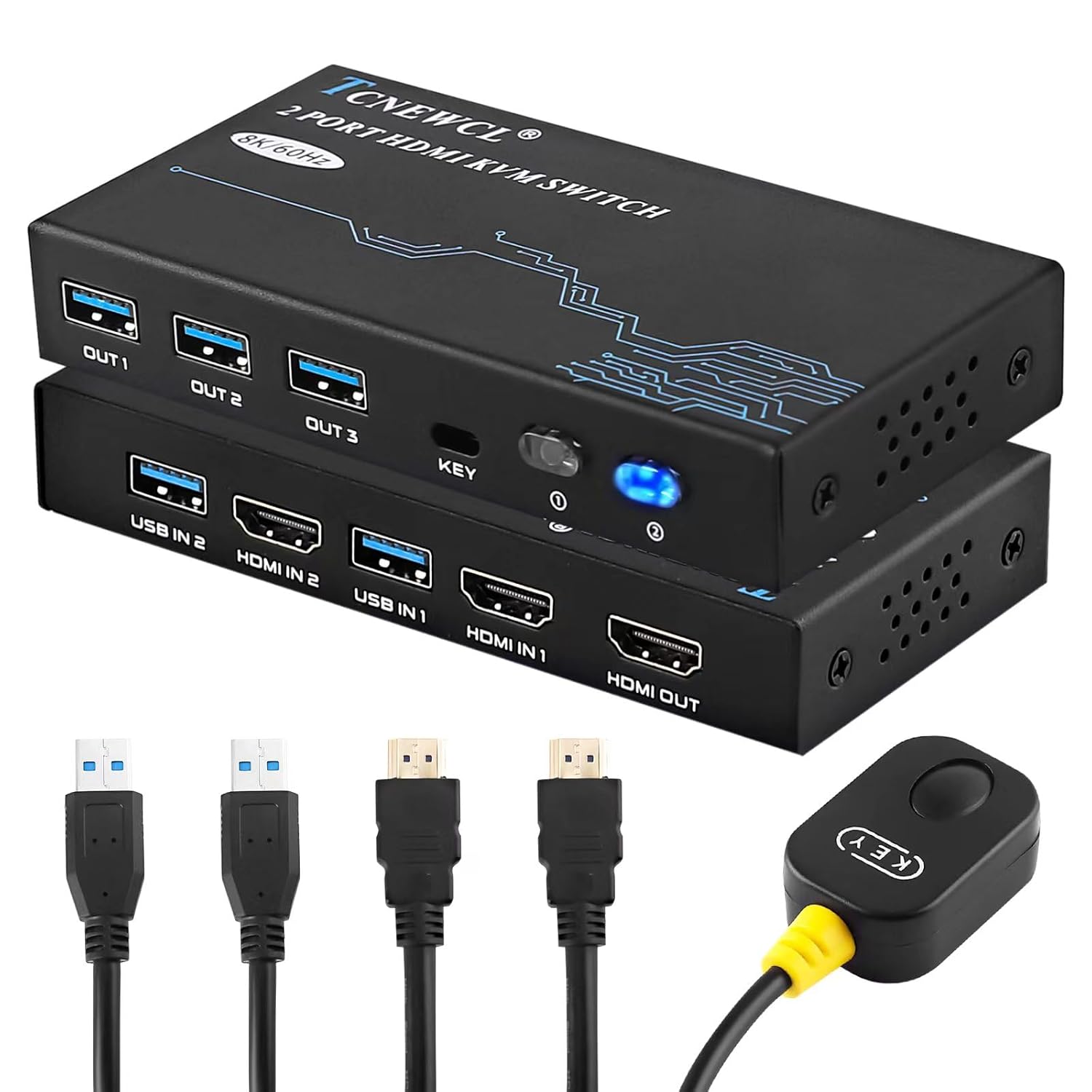
Slika 1.1: The TCNEWCL 8K 60Hz HDMI KVM Switch, showcasing the main unit, included HDMI 2.1 and USB 3.0 cables, and the wired desktop controller.
2. Sadržaj paketa
Molimo Vas da provjerite da li se u Vašem paketu nalaze svi artikli:
- 1x TCNEWCL 8K 60Hz HDMI KVM Switch (Model KS608T)
- 2x HDMI 2.1 Cables
- 2x USB 3.0 Cables
- 1x Wired Desktop Controller
- 1x Korisnički priručnik (ovaj dokument)
3. Karakteristike i specifikacije
3.1 Ključne karakteristike
- 2-Port KVM Functionality: Kontrolirajte dva računara pomoću jednog monitora, tastature i miša.
- HDMI 2.1 Support: Delivers ultra-high-definition video.
- visoka rezolucija: Supports up to 8K (7680x4320) at 60Hz and 4K (3840x2160) at 120Hz.
- Advanced Video Features: Compatible with HDR, 3D effects, and HDCP2.2.
- Superior Audio Support: Includes Dolby Atmos, DTS X, Dolby TrueHD, DTS-HD Master Audio.
- USB 3.0 povezivost: Provides high-speed data transfer up to 5Gbps for peripherals, backward compatible with USB 2.0/1.1/1.0.
- Jednostavno prebacivanje: Switch between connected PCs using the front panel button or the included wired desktop controller.
- Široka kompatibilnost: Works with Windows, Linux, Mac OS, Chrome OS, and gaming consoles like Xbox One X, PS4, and Blu-ray players.
- Plug & Play: No drivers or external power supply required for basic operation.
3.2 Tehničke specifikacije
| Broj modela | KS608T |
| HDMI verzija | HDMI 2.1 |
| Maksimalna rezolucija | 8K@60Hz, 4K@120Hz |
| USB verzija | USB 3.0 |
| USB Transfer Speed | 5Gbps |
| Operating Voltage | 5 Volts |
| Radna struja | 1 A |
| Materijal | Metal |
| Dimenzije (D x Š x V) | 13 x 6.5 x 2 cm |
| Težina | 690 grama |

Slika 3.1: Visual representation of supported resolutions (8K, 4K, 1080P) and HDMI 2.1 bandwidth capabilities.
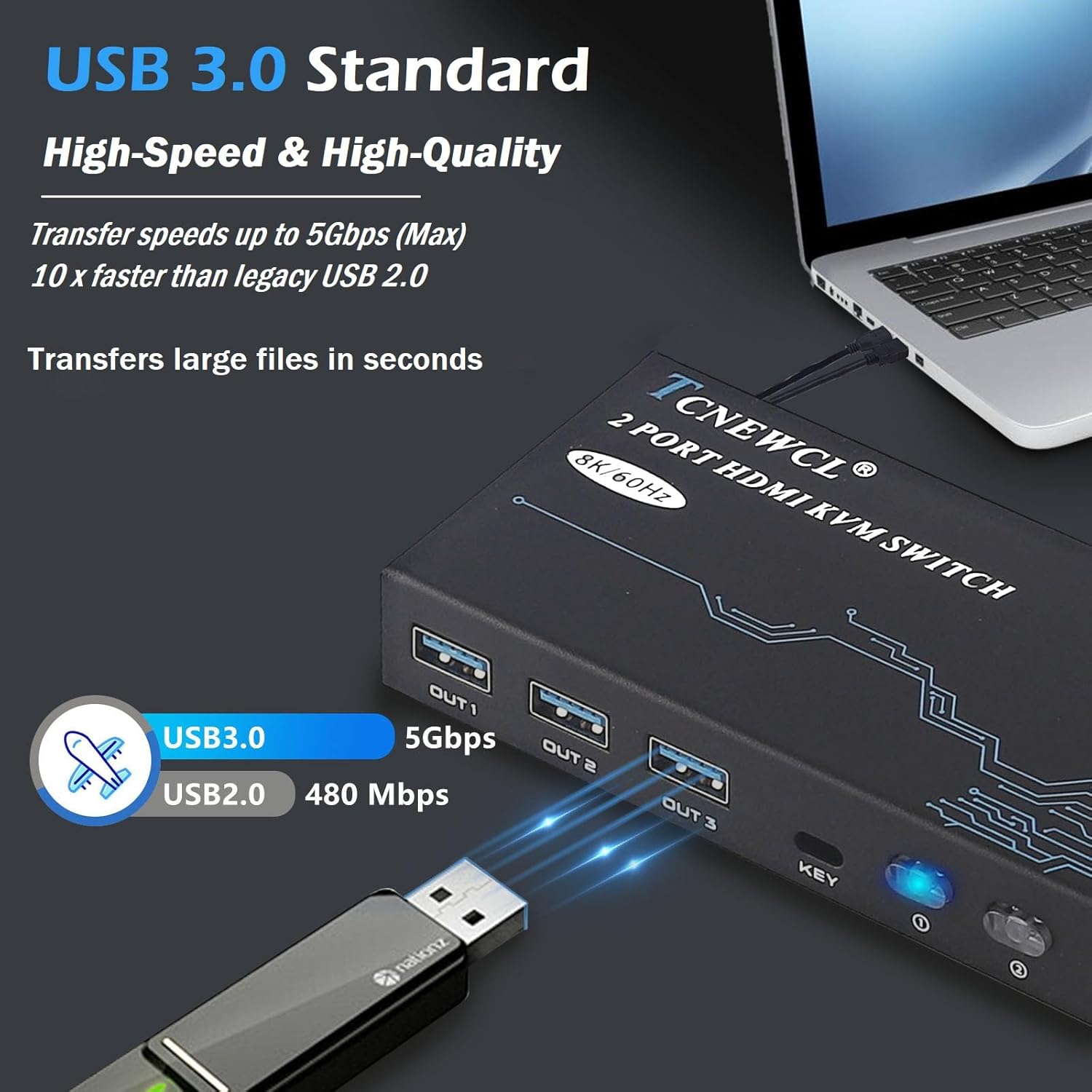
Slika 3.2: Illustration of USB 3.0 high-speed data transfer at 5Gbps, significantly faster than USB 2.0.
4. Upute za postavljanje
Slijedite ove korake za povezivanje KVM prekidača:
- Poveži monitor: Connect your monitor to the 'HDMI OUT' port on the KVM switch using an HDMI 2.1 cable.
- Povežite računare:
- For PC 1: Connect its HDMI output to 'HDMI IN 1' on the KVM switch and its USB output to 'USB IN 1'.
- For PC 2: Connect its HDMI output to 'HDMI IN 2' on the KVM switch and its USB output to 'USB IN 2'.
Napomena: For optimal performance, ensure HDMI 2.1 cables used for input are less than 3 meters in length.
- Povežite periferne uređaje: Connect your keyboard, mouse, and other USB 3.0 peripherals (e.g., USB drive, printer) to the 'OUT 1', 'OUT 2', 'OUT 3' USB ports on the KVM switch.
- Povežite žičani daljinski upravljač (opciono): Plug the wired desktop controller into the 'KEY' port on the KVM switch.
- Uključeno: Ensure all connected devices (computers, monitor) are powered on. The KVM switch is Plug & Play and typically does not require an external power adapter.
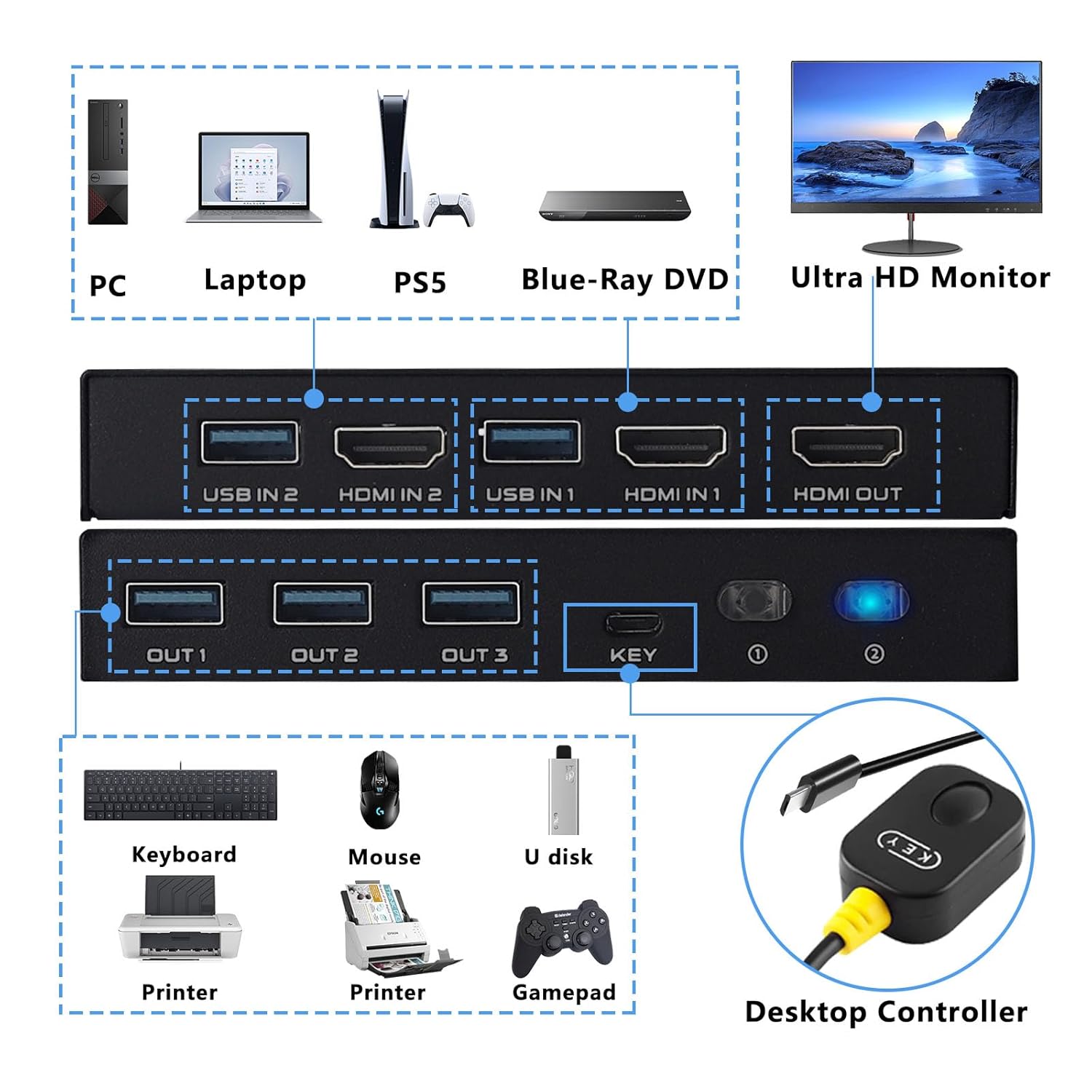
Slika 4.1: Detailed connection diagram illustrating how to connect PCs, monitor, and various USB peripherals to the KVM switch.
5. Uputstvo za upotrebu
Once connected, operating the KVM switch is straightforward:
- Prebacivanje između računara: You have two methods to switch between the connected computers:
- Dugme na prednjoj ploči: Press the 'KEY' button on the front panel of the KVM switch to cycle between PC 1 and PC 2.
- Žičani kontroler za desktop računar: Press the button on the wired remote control to switch between PC 1 and PC 2.
- LED indikator: The LED indicator on the KVM switch will illuminate to show which PC is currently selected and active.

Slika 5.1: Illustration of the two available switching methods: the physical button on the KVM unit and the external wired controller.
6. Otkrivanje problema
Ako naiđete na probleme, pogledajte sljedeće uobičajene korake za rješavanje problema:
- Nema prikaza na monitoru:
- Ensure all HDMI cables are securely connected to both the KVM switch and your devices.
- Verify that the monitor is powered on and set to the correct HDMI input.
- Try using different HDMI cables, especially if experiencing issues with 8K or 4K@120Hz resolutions. Ensure HDMI 2.1 cables are used and are within the recommended length (less than 3 meters).
- Restart the connected computers and the KVM switch.
- Tastatura/miš ne reaguje:
- Check that the USB 3.0 cables from your computers are securely connected to the 'USB IN' ports on the KVM switch.
- Ensure your keyboard and mouse are connected to the 'OUT' USB ports on the KVM switch.
- Pokušajte direktno povezati tastaturu/miš na računar kako biste potvrdili da su funkcionalni.
- Some specialized gaming keyboards/mice with high power requirements or custom drivers may not function optimally through a KVM. Try a standard keyboard/mouse to isolate the issue.
- Intermittent Connection/Flickering Screen:
- This can often be caused by poor quality or excessively long HDMI cables. Replace with certified HDMI 2.1 cables of appropriate length.
- Pazite da u blizini nema jakih izvora elektromagnetskih smetnji.
- Switching Not Working:
- Verify the wired desktop controller is properly plugged into the 'KEY' port.
- Ensure the KVM switch has power (indicated by the LED).
7. Sigurnosne informacije
Molimo pročitajte i slijedite ove sigurnosne smjernice kako biste osigurali siguran rad i produžili vijek trajanja vašeg uređaja:
- Ne izlažite uređaj vodi, vlazi ili ekstremnim temperaturama.
- Izbjegavajte postavljanje uređaja u blizini izvora topline ili na direktnom suncu.
- Do not attempt to open or modify the device. This may void the warranty and pose a safety risk.
- Use only the provided or recommended cables.
- Držite uređaj podalje od djece.
- Osigurajte odgovarajuću ventilaciju oko uređaja kako biste spriječili pregrijavanje.
8. Garancija i podrška
TCNEWCL products are designed for reliability and performance. For specific warranty details, please refer to the warranty card included with your purchase or contact TCNEWCL customer support.
For technical assistance or support, please visit the official TCNEWCL website or contact their customer service department. Please have your model number (KS608T) and purchase information ready when seeking support.
