1. Proizvod je gotovview
The SOVMIKU Wireless Security Camera System provides comprehensive surveillance for indoor and outdoor environments. This system includes a 10-inch NVR monitor with a built-in 1TB HDD, two 3-megapixel wireless cameras, and features such as two-way audio, AI motion detection, and IP66 waterproof rating.

Slika 1: Gotovoview of the SOVMIKU Wireless Security Camera System, including the NVR monitor, two cameras, and 1TB hard drive.
Ključne karakteristike:
- 10-inch NVR Monitor: Integrated display for live viewing i reprodukciju.
- 1TB HDD Built-in: Obezbeđuje ample storage for continuous recording with overwrite function.
- 3-Megapixel Cameras: Delivers clear 1536P video resolution.
- Dvosmjerni zvuk: Ugrađeni mikrofon i zvučnik za komunikaciju.
- Detekcija pokreta umjetnom inteligencijom: Advanced detection to minimize false alarms and optimize recording.
- IP66 vodootporan: Cameras are designed for reliable outdoor use in various weather conditions.
- Daljinsko praćenje: Pristupite snimljenoj hrani i hrani uživotage via smartphone, tablet, or PC application.
- H.265 video kompresija: Efficient storage utilization, reducing capacity requirements by approximately 50% compared to H.264.
2. Sadržaj paketa
Provjerite da li se u vašem paketu nalaze sve dolje navedene stavke:

Figure 2: Illustration of the items included in the SOVMIKU security camera system package.
- NVR Main Unit (with 1TB HDD built-in)
- 3-Megapixel IP66 Waterproof Cameras (Quantity: 2)
- Power Adapters for Cameras
- Adapter za NVR
- USB miš
- LAN kabel
- HDMI kabl
- Mounting Screws and Anti-theft Stickers
- User Manual (Japanese, but this document serves as the English equivalent)
3. Vodič za postavljanje
3.1 Početno podešavanje
The system is designed for simple setup. Cameras are pre-paired with the NVR. Simply power on the devices to begin surveillance.
- Connect NVR: Connect the NVR power adapter to the NVR and plug it into a power outlet.
- Povežite kamere: Connect each camera's power adapter to the camera and plug it into a power outlet.
- Prikaz monitora: The NVR's integrated 10-inch monitor will display the camera feeds automatically.
- Priključak miša: Connect the included USB mouse to the NVR for navigation and configuration.

Figure 3: Diagram illustrating the simple power-on setup for the NVR and cameras, showing automatic wireless connection.
3.2 Instalacija kamere
The cameras are IP66 waterproof, suitable for both indoor and outdoor installation. Ensure a stable power source is available at the installation location.
- Montaža: Koristite priložene vijke za sigurno pričvršćivanje kamera na zid ili plafon.
- Podešavanje ugla: The camera features 180° horizontal and 360° vertical adjustment for optimal viewing angles. Secure the angle after adjustment.
- Waterproofing Connections: For outdoor installations, ensure all cable connections are properly sealed and protected from moisture.
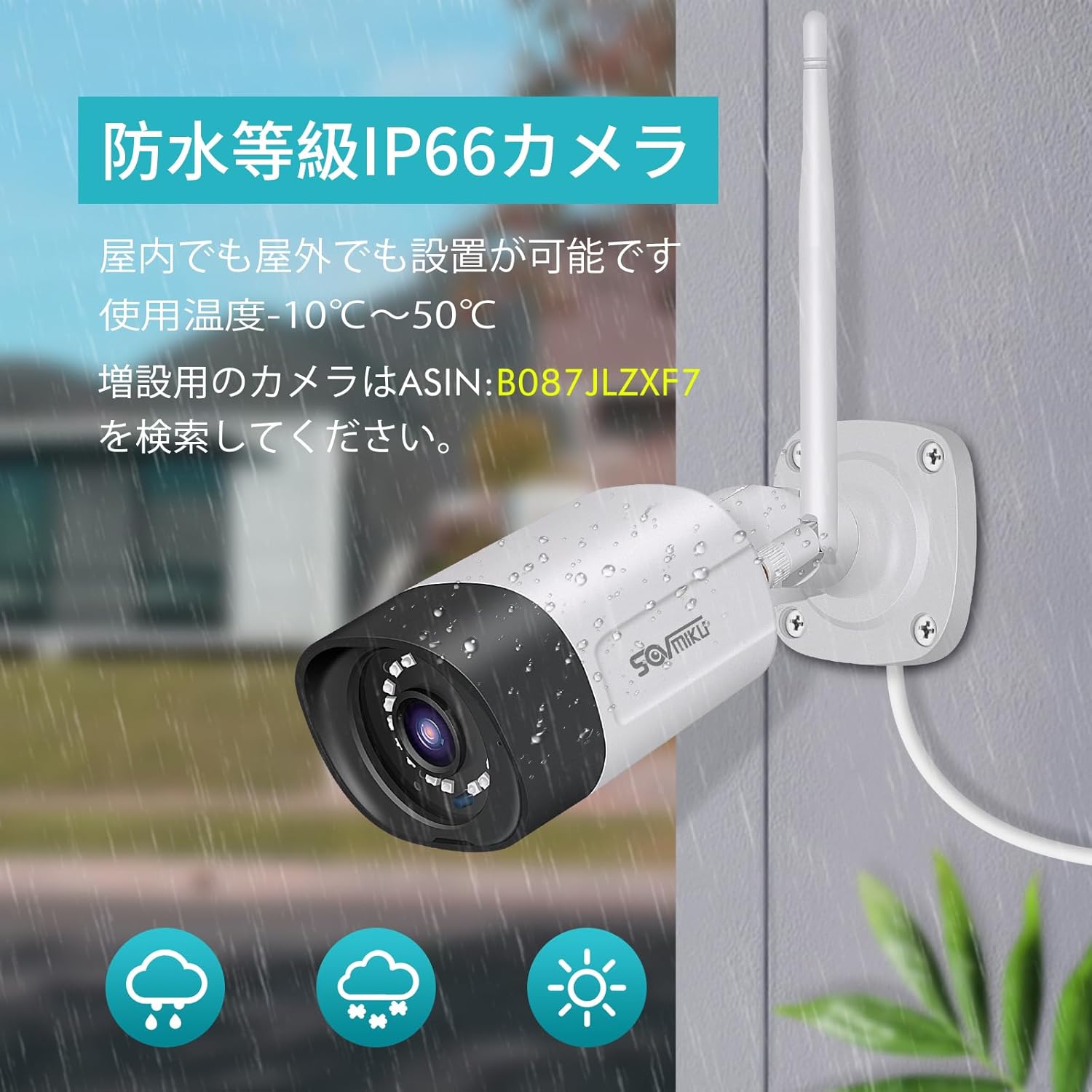
Figure 4: A SOVMIKU camera installed outdoors, demonstrating its IP66 waterproof rating against rain and snow.

Figure 5: Detailed diagram showing the camera components (wireless antenna, LED, lens, microphone, sensor light, speaker, adjustable bracket) and NVR ports (power, USB, HDMI, Ethernet, reset, TF card slot).
4. Uputstvo za upotrebu
4.1 ViewPrijenos uživo i reprodukcija
- On NVR Monitor: The 10-inch NVR monitor displays live feeds from connected cameras. Use the USB mouse to navigate the NVR interface for playback, system settings, and other functions.
- Remote Monitoring (EseeCloud App):
- Connect the NVR to your internet router using the provided LAN cable.
- Download the "EseeCloud" app on your smartphone or tablet (available for iOS).
- Follow the in-app instructions to add your NVR device.
- Kada se povežete, možete view prijenosi uživo, pristup snimljenoj hranitage, and receive notifications from anywhere.
- PC softver: For PC monitoring, download the "EseeCloud" software.
4.2 Načini snimanja
The system supports various recording modes to suit your needs:
- Kontinuirano snimanje: Records 24/7. The 1TB HDD with H.265 compression allows for extended recording periods (e.g., over 2 months for 2 cameras). Older data is automatically overwritten when the HDD is full.
- Planirano snimanje: Podesite određena vremena za snimanje.
- Snimanje otkrivanja pokreta: Records only when motion is detected, saving storage space and making event review efikasniji.

Figure 6: Visual representation of continuous, scheduled, and motion detection recording modes, along with notification options via app or email.
4.3 Dvosmjerni audio
Each camera is equipped with a built-in microphone and speaker, enabling two-way communication.
- Initiating Communication: Use the EseeCloud app on your mobile device to speak through the camera's speaker and listen through its microphone.
- Jasan zvuk: The omnidirectional microphone and optimized algorithms ensure clear sound quality.

Figure 7: Demonstration of the two-way audio function, showing a user communicating with someone at their door via the camera and smartphone app.
4.4 AI Motion Detection and Notifications
The system utilizes AI human detection to accurately identify human movement, reducing false alarms from pets or environmental factors.
- Event Notification: When motion is detected, the system can send instant notifications to your mobile app or email.
- Efficient Search: Recorded events triggered by motion detection can be quickly searched and reviewed.

Figure 8: Illustration of H.265 video compression efficiency (1TB H.265 equals 2TB H.264) and AI human detection identifying a person in a scene.

Figure 9: A visual comparison demonstrating the superior clarity and detail of 5-megapixel resolution compared to 1.3-megapixel resolution, highlighting the system's high-definition capabilities.
5. Održavanje
Redovno održavanje osigurava optimalne performanse i dugotrajnost vašeg sigurnosnog sistema.
- Čišćenje objektiva kamere: Povremeno čistite sočiva kamere mekom,amp krpom kako biste uklonili prašinu, prljavštinu ili mrlje od vode koje mogu prekriti viewIzbjegavajte abrazivna sredstva za čišćenje.
- Provjerite veze: Provjerite jesu li svi kablovi za napajanje i mrežu sigurno spojeni i neoštećeni.
- Ažuriranja firmvera: Check the EseeCloud app or SOVMIKU website for any available firmware updates for the NVR and cameras to ensure the latest features and security patches.
- Stanje tvrdog diska: While the 1TB HDD is built-in, it's good practice to periodically check its status through the NVR settings to ensure it's functioning correctly.
6. Otkrivanje problema
If you encounter issues with your SOVMIKU security camera system, refer to the following common troubleshooting steps:
- Nema slike na monitoru:
- Ensure the NVR and cameras are powered on and their power adapters are securely connected.
- Check if the NVR's internal monitor is functioning. If using an external monitor, ensure the HDMI cable is connected correctly.
- Cameras Not Connecting to NVR:
- Verify that cameras are within range of the NVR's wireless signal. Walls and obstacles can reduce signal strength.
- Restart both the NVR and the cameras.
- If adding new cameras or re-pairing, refer to the NVR's on-screen menu for camera pairing instructions.
- Nema udaljenog pristupa putem aplikacije:
- Ensure the NVR is connected to your internet router via the LAN cable.
- Provjerite internetsku vezu.
- Verify that the NVR is correctly added to the EseeCloud app and has an active network status.
- Loš kvalitet slike:
- Očistite sočivo kamere.
- Provjerite da nema prepreka u vidnom polju kamere view.
- Check the camera's resolution settings in the NVR interface.
- Dvosmjerni audio problemi:
- Ensure the microphone and speaker settings are enabled in the NVR or app.
- Check for any physical obstructions blocking the microphone or speaker on the camera.
- Provjerite stabilnost mreže za jasan prijenos zvuka.
7. Specifikacije
| Feature | Detalj |
|---|---|
| Brand | SOVMIKU |
| Broj modela | SFWK-10V-2HB312-1T |
| Rezolucija video snimanja | 1536p (3 Megapixel) |
| Posebna karakteristika | Vodootporan (IP66) |
| Broj kanala | 8 (Supports up to 8 cameras) |
| Kapacitet memorije | 1 TB HDD (ugrađeni) |
| Izvor napajanja | Corded Electric |
| Operativni sistem (aplikacija) | iOS (and Android compatible via EseeCloud app) |
| Kompatibilni uređaji | Pametni telefon, tablet, računar |
| Ostale karakteristike kamere | Front-facing, Night color (low light technology) |
| Režim snimanja | Continuous, Scheduled, Motion Detection |
| Hardversko sučelje | 802.11 ac/b/g/n (Wireless), Ethernet, HDMI, USB |
| Lens Type | Wide Angle (3.6 mm) |
| Dimenzije proizvoda (NVR) | 29 x 17 x 24 cm |
| Težina artikla | 2.88 kg |
| UPC | 616612550644 |
8. Garancija i podrška
SOVMIKU provides comprehensive support for its products.
- 1-godišnja garancija kvalitete: Proizvod dolazi sa garancijom od 12 mjeseci od datuma kupovine.
- tehnička podrška: Professional technical support is available to assist with setup, operation, and troubleshooting.
- Kontakt informacije: For any questions or issues, please contact SOVMIKU customer support via email or phone. (Specific contact details are usually provided in the physical manual or on the product's official websajt.)
- PSE Certification: Our products have passed PSE certification in accordance with Japanese electrical safety standards, ensuring safe usage.


