1. Uvod
Thank you for choosing BUGANI Open Ear Headphones, Model MH22109. These headphones are designed to provide a comfortable, open-ear listening experience with advanced Bluetooth 5.3 technology, immersive stereo sound, and clear call functionality. This manual will guide you through the setup, operation, and maintenance of your new headphones.
2. Sigurnosne informacije
- Ne izlažite slušalice ili kućište za punjenje ekstremnim temperaturama, direktnoj sunčevoj svjetlosti ili vatri.
- Izbjegavajte korištenje slušalica na pretjerano visokim glasnoćama tokom dužeg perioda kako biste spriječili oštećenje sluha.
- Keep the device away from water and liquids, although it is IPX5 rated for sweat and light splashes, it is not designed for submersion.
- Ne pokušavajte rastavljati ili modificirati uređaj. To će poništiti garanciju.
- Za punjenje koristite samo priloženi kabel za punjenje ili certificirani Type-C kabel.
- Budite svjesni svoje okoline kada koristite slušalice otvorenog tipa, posebno u saobraćaju ili opasnim okruženjima.
3. Sadržaj paketa
The BUGANI Open Ear Headphones package includes the following items:
- BUGANI Open Ear Headphones (Left and Right)
- Futrola za punjenje
- USB Type-C kabel za punjenje (nije eksplicitno naveden, ali je standardan)
- Korisnički priručnik (ovaj dokument)

Image: The BUGANI Open Ear Headphones and their transparent charging case.
4. Proizvod je gotovview
The BUGANI Open Ear Headphones feature a unique design that rests gently on your ears without entering the ear canal, providing comfort and situational awareness. The charging case protects the earbuds and provides extended battery life.

Image: A woman wearing the BUGANI Open Ear Headphones, illustrating the open-ear design and comfortable fit.

Image: A man relaxing and listening to music with the headphones, highlighting the immersive stereo sound.
5. Podešavanje
5.1 Punjenje slušalica i futrole
Prije prve upotrebe, potpuno napunite slušalice i kućište za punjenje.
- Stavite slušalice u kutijicu za punjenje. Provjerite da li su pravilno postavljene.
- Spojite kabel za punjenje Type-C na priključak za punjenje na kućištu, a drugi kraj uključite u USB adapter za napajanje (nije uključen) ili USB priključak računara.
- The LED indicator on the charging case will show the charging status. A full charge for the case typically takes 1-2 hours.
- The earbuds provide up to 6 hours of playtime on a single charge, and the charging case extends total playtime to approximately 30 hours.

Image: The charging case with earbuds, displaying the battery level, next to a smartphone playing music, illustrating the 30-hour playtime.
5.2 Bluetooth uparivanje
Slušalice imaju automatsko uparivanje u jednom koraku radi praktičnosti.
- Otvorite kutijicu za punjenje. Slušalice će se automatski uključiti i ući u način rada za uparivanje.
- Na vašem uređaju (pametnom telefonu, tabletu, računaru) omogućite Bluetooth.
- Traži available Bluetooth devices and select "BUGANI OpenFit" from the list.
- Nakon povezivanja, čut ćete zvučnu potvrdu, a uređaj će prikazati "Povezano".
- Slušalice će se automatski ponovo povezati s posljednjim uparenim uređajem kada se izvade iz futrole, ako je Bluetooth omogućen na uređaju.

Image: A smartphone screen displaying the Bluetooth settings, with "BUGANI OpenFit" listed as a connected device, demonstrating the one-step auto-pairing process.
6. Uputstvo za upotrebu
6.1 Nošenje slušalica
The open-ear design ensures a secure and comfortable fit without blocking your ear canal.
- Identifikujte lijeve (L) i desne (R) slušalice.
- Gently hook the earbud over your ear, ensuring the speaker portion is positioned near your ear canal without entering it.
- Podesite za čvrsto i udobno prianjanje.
6.2 Pametne kontrole na dodir
The headphones feature touch-sensitive areas for controlling various functions:
| Akcija | Slušalica | Funkcija |
|---|---|---|
| Dodirnite x1 | R/L | Reprodukcija/Pauziranje muzike, Odgovor na poziv |
| Dodirnite x2 | R | Volume Up |
| Dodirnite x2 | L | Utišavanje zvuka |
| Dodirnite x3 | R | Next Track |
| Dodirnite x3 | L | Previous Track |
| Pritisnite i držite (2s) | R/L | Završi poziv, odbaci poziv |
| Pritisnite i držite (2s) | L | Aktivirajte glasovnog asistenta |
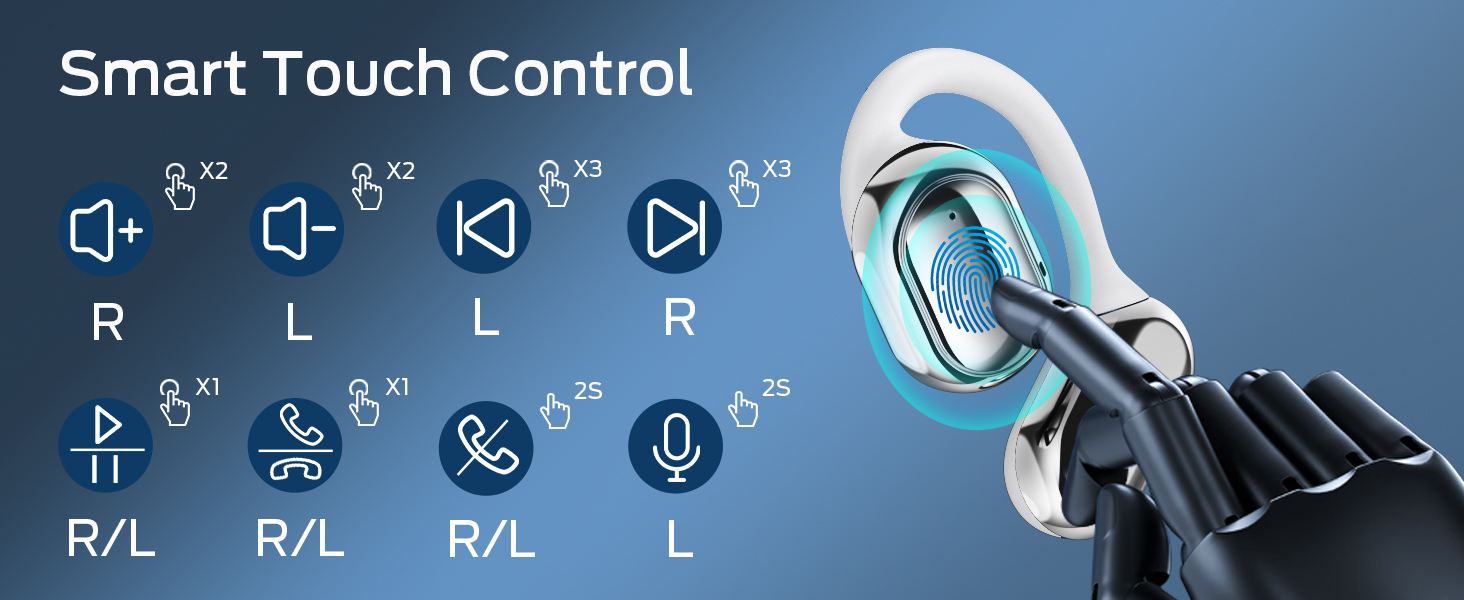
Image: A visual guide to the smart touch controls on the BUGANI Open Ear Headphones, detailing single, double, triple taps, and long presses for various functions.
6.3 Upućivanje i primanje poziva
The built-in dual microphones with environmental noise reduction technology ensure clear calls.
- Odgovori na poziv: Jednom dodirnite bilo koju slušalicu.
- Završi poziv: Pritisnite i držite bilo koju slušalicu 2 sekunde.
- odbiti poziv: Pritisnite i držite bilo koju slušalicu 2 sekunde.

Image: A man using the BUGANI Open Ear Headphones to make a phone call, emphasizing the clear call feature.
7. Održavanje
7.1 Čišćenje
- Obrišite slušalice i kućište za punjenje mekom, suhom krpom koja ne ostavlja dlačice.
- Ne koristite abrazivna sredstva za čišćenje, alkohol ili hemijske rastvarače.
- Provjerite jesu li kontakti za punjenje čisti i suhi.
7.2 Skladištenje
- Kada se ne koriste, slušalice čuvajte u kutijici za punjenje kako biste ih zaštitili i održali napunjenima.
- Čuvati na hladnom i suhom mjestu, dalje od ekstremnih temperatura.
7.3 Otpornost na vodu (IPX5)
The headphones are rated IPX5, meaning they are protected against low-pressure water jets from any direction. This makes them suitable for sports and running, protecting against sweat and light rain. They are not designed for swimming or submersion in water.
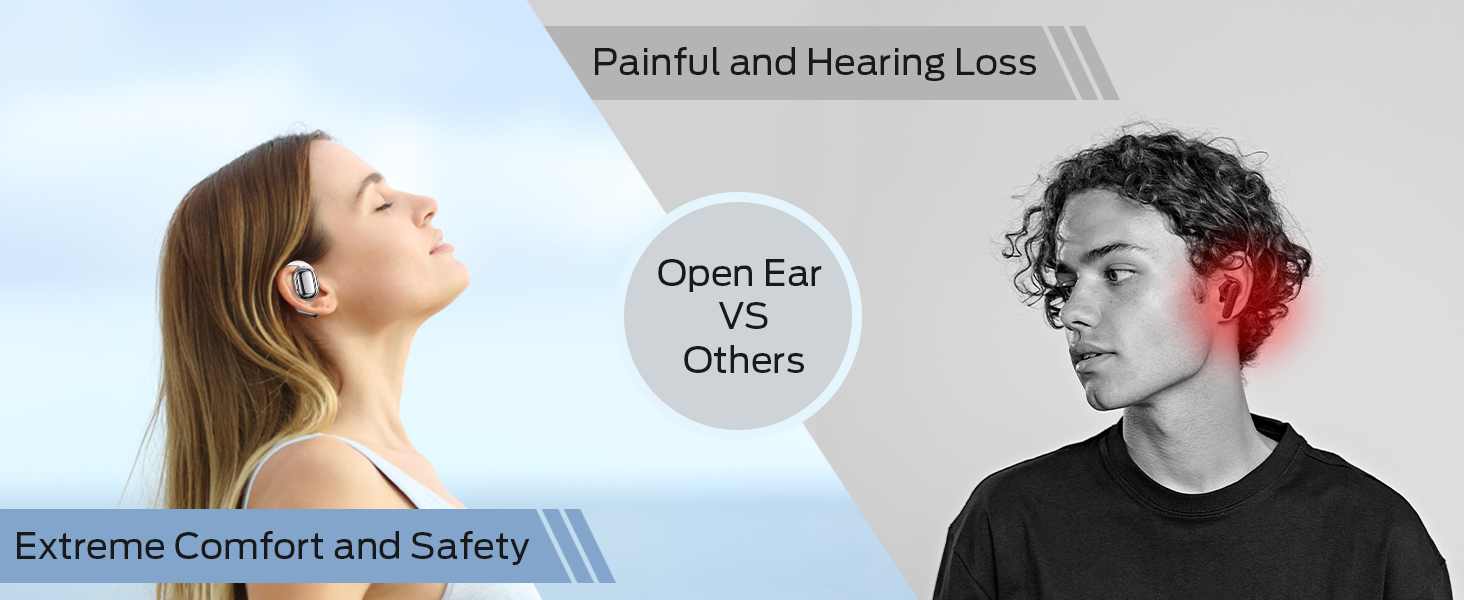
Image: A man running with water splashing on him, demonstrating the IPX5 waterproof feature of the headphones, suitable for active use.
8. Otkrivanje problema
If you encounter issues with your BUGANI Open Ear Headphones, please refer to the following common solutions:
- Nema zvuka: Ensure the headphones are charged, paired correctly, and the volume on both the headphones and your device is turned up.
- Problemi uparivanja: Turn off Bluetooth on your device, then turn it back on. Place the earbuds back in the case, close it, then open it again to re-enter pairing mode. Try pairing again.
- Intermitentna veza: Ensure you are within the Bluetooth range (up to 10 meters) and there are no significant obstacles between the headphones and your device. Avoid strong electromagnetic interference.
- Slušalice se ne pune: Check that the charging cable is securely connected and the charging contacts on the earbuds and case are clean. Ensure the charging case itself has power.
- Jedna slušalica ne radi: Try placing both earbuds back in the case, closing it, and then taking them out again to reset the connection. If the issue persists, try re-pairing.
9. Specifikacije
| Feature | Specifikacija |
|---|---|
| Naziv modela | BUGANI OpenFit |
| Broj modela | MH22109 |
| Tehnologija povezivanja | bežični (Bluetooth) |
| Bluetooth verzija | 5.3 |
| Bluetooth domet | 10 metara |
| Postavljanje uha | Otvori uho |
| Driver Size | 16mm (Dual Large Driver) |
| Trajanje baterije (jedno punjenje) | Do 6 sati |
| Ukupno vrijeme reprodukcije (s kućištem za punjenje) | Do 30 sati |
| Port za punjenje | Tip-C |
| Ocjena vodootpornosti | IPX5 |
| Mikrofoni | Built-in Dual Microphones with Environmental Noise Reduction |
| Kompatibilni uređaji | Uređaji s Bluetooth tehnologijom (pametni telefoni, računari, televizori) |
| Materijal | Plastika |
| Težina artikla | 6.4 unce |
10. Garancija i podrška
BUGANI products are designed for reliability and performance. For warranty information, please refer to the warranty card included with your purchase or visit the official BUGANI website. If you require technical support or have questions not covered in this manual, please contact BUGANI customer service through their official channels.
You can often find support contact information on the BUGANI brand store page: BUGANI Store on Amazon


