Uvod
This manual provides detailed instructions for the setup, operation, maintenance, and troubleshooting of your Divoom Songbird Karaoke Bluetooth Speaker. Please read this manual thoroughly before using the product to ensure proper function and longevity.

Figure 1: The Divoom Songbird Karaoke Bluetooth Speaker system, including the main speaker unit, two wireless microphones, and their charging base.
Sadržaj paketa
Prije nego što nastavite s postavljanjem, provjerite da li su sve komponente prisutne u paketu:
- 1 x SongBird-HQ Speaker Unit
- 2 x bežična mikrofona
- 1 x Microphone Charging Base
- 1 x Korisnički priručnik (ovaj dokument)
- 1 x USB-C kabel za punjenje
- 1 x Aux kabel
- 1 x Giftbag (packaging)

Figure 2: All items included in the Divoom Songbird Karaoke Bluetooth Speaker package, showing the speaker, microphones, cables, and manual.
Setup
1. Punjenje uređaja
The Divoom Songbird speaker and microphones are powered by internal Lithium Ion batteries. For optimal performance, fully charge all components before first use.
- Connect the provided USB-C cable to the charging port on the speaker unit and to a compatible USB power adapter (not included).
- Place the two microphones onto their charging base. Ensure they are seated correctly for charging.
- Charging indicators (LEDs) on the speaker and microphones will illuminate during charging and turn off or change color when fully charged.
2. Početno uključivanje
- To power on the speaker, locate the power button (refer to Figure 3 for control layout) and press and hold it until you hear an audible prompt or see an indicator light.
- To power on the microphones, slide the power switch on each microphone to the 'ON' position.

Figure 3: Top panel of the Divoom Songbird speaker, illustrating the various control knobs and buttons for operation.
Uputstvo za upotrebu
1. Bluetooth veza
The Divoom Songbird speaker uses Bluetooth for wireless audio streaming.
- Ensure the speaker is powered on and in Bluetooth pairing mode (usually indicated by a blinking LED).
- On your mobile device or computer, navigate to the Bluetooth settings.
- Traži available devices and select "Divoom Songbird" from the list.
- Nakon povezivanja, zvučnik će dati zvučnu potvrdu, a LED indikator će početi stalno svijetliti.
2. Pomoćna (AUX) veza
For wired audio playback, use the provided 3.5mm Aux cable.
- Connect one end of the Aux cable to the 3.5mm Aux-in port on the speaker.
- Connect the other end to the headphone jack or audio output of your audio source (e.g., smartphone, MP3 player).
- The speaker will automatically switch to AUX mode or may require manual selection via a mode button.
3. Using the Microphones for Karaoke
The two wireless microphones are designed for karaoke functionality.
- Ensure both the speaker and microphones are powered on.
- The microphones should automatically pair with the speaker. If not, refer to the troubleshooting section.
- Adjust microphone volume and echo effects using the dedicated knobs on the speaker's top panel (refer to Figure 3).
- Sing into the microphone while playing music through the speaker via Bluetooth or AUX.

Figure 4: The two wireless microphones for the Divoom Songbird speaker, shown resting in their charging base.
Održavanje
1. Čišćenje
Da biste održali izgled i funkcionalnost vašeg zvučnika:
- Obrišite vanjske površine mekom, suhom krpom koja ne ostavlja dlačice.
- Ne koristite abrazivna sredstva za čišćenje, alkohol, benzen ili druge hemijske rastvarače, jer mogu oštetiti završnu obradu.
- Izbjegavajte ulazak vlage u bilo kakve otvore.
2. Skladištenje
Kada se ne koristi duži period:
- Store the speaker and microphones in a cool, dry place, away from direct sunlight and extreme temperatures.
- Ensure the batteries are partially charged (around 50%) before long-term storage to preserve battery health.
3. Održavanje baterije
The device contains a built-in rechargeable Lithium Ion battery. To maximize battery lifespan:
- Izbjegavajte često potpuno pražnjenje baterije.
- Avoid leaving the device plugged in constantly after it's fully charged.
- Uređaj punite barem jednom svaka tri mjeseca ako ga ne koristite redovno.
Rješavanje problema
If you encounter issues with your Divoom Songbird speaker, refer to the following common problems and solutions:
| Problem | Mogući uzrok | Rješenje |
|---|---|---|
| Nema napajanja/Uređaj se ne uključuje | Baterija je prazna. | Charge the speaker and microphones fully using the provided USB-C cable. |
| Povezivanje putem Bluetooth-a nije moguće | Zvučnik nije u načinu uparivanja; Bluetooth uređaj je isključen; previše je udaljen od zvučnika. | Ensure speaker is in pairing mode. Turn Bluetooth off and on again on your device. Move closer to the speaker (within 10 meters). Forget the device on your phone and re-pair. |
| Nema zvuka iz zvučnika | Jačina zvuka je preniska; pogrešan način unosa; problem s izvorom zvuka. | Increase volume on both the speaker and your audio source. Ensure the correct input mode (Bluetooth/AUX) is selected. Check if the audio source is playing correctly. |
| Mikrofoni ne rade | Microphones are off; not charged; not paired with speaker. | Ensure microphones are powered on and charged. Power cycle both the speaker and microphones. They should automatically pair. |
Specifikacije
Detailed technical specifications for the Divoom Songbird Karaoke Bluetooth Speaker:
- Broj modela: 90100058218
- Brand: Divoom
- Dimenzije proizvoda: 28 x 10 x 25 cm
- Težina artikla: 1.3 kg
- Izvor napajanja: Napaja se baterijama (1 litijum-jonska baterija uključena)
- Zvučna snaga: 50 Watt
- mikrofoni: Dual Microphone 24bit
- Trajanje baterije: Približno 8 sata
- Tehnologija povezivanja: Pomoćni, Bluetooth
- Tip konektora: 3.5 mm Jack
- Posebne karakteristike: Bluetooth, prenosivi
- Boja: Zeleno
- Preporučena upotreba: For music players, Karaoke
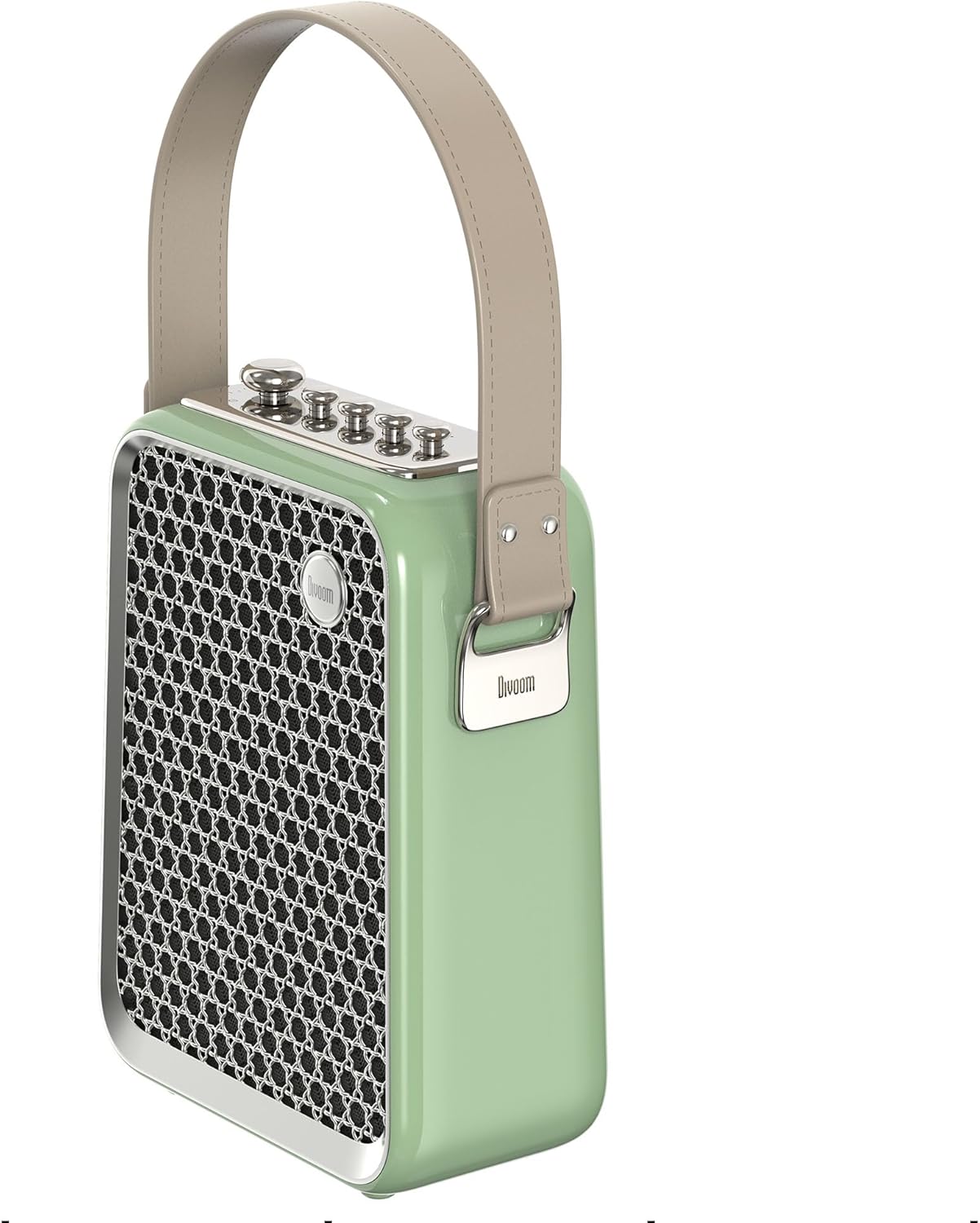
Slika 5: Bočni profesionalacfile of the Divoom Songbird speaker, highlighting its compact dimensions and integrated carrying handle.
Garancija i podrška
Informacije o garanciji
This product may be eligible for extended warranty plans and accidental damage protection plans. Please refer to your purchase documentation or contact your retailer for specific warranty terms and conditions applicable to your region.
- Plan produžene garancije od 1 godine: Dostupno za kupovinu.
- 1 Year Accidental Damage Protection Plan: Dostupno za kupovinu.
- Plan produžene garancije od 2 godine: Dostupno za kupovinu.
Korisnička podrška
For technical assistance, troubleshooting beyond this manual, or warranty claims, please contact Divoom customer support. Visit the official Divoom website for contact information or refer to the support details provided with your product packaging.
Također možete posjetiti Divoom brand page on Amazon za više informacija.


