1. Uvod
Thank you for choosing the iFFALCON 43-inch 4K Ultra HD Smart QLED Google TV, model iFF43Q73. This manual provides essential information for the safe and efficient use of your television. Please read it thoroughly before operating the device and retain it for future reference.
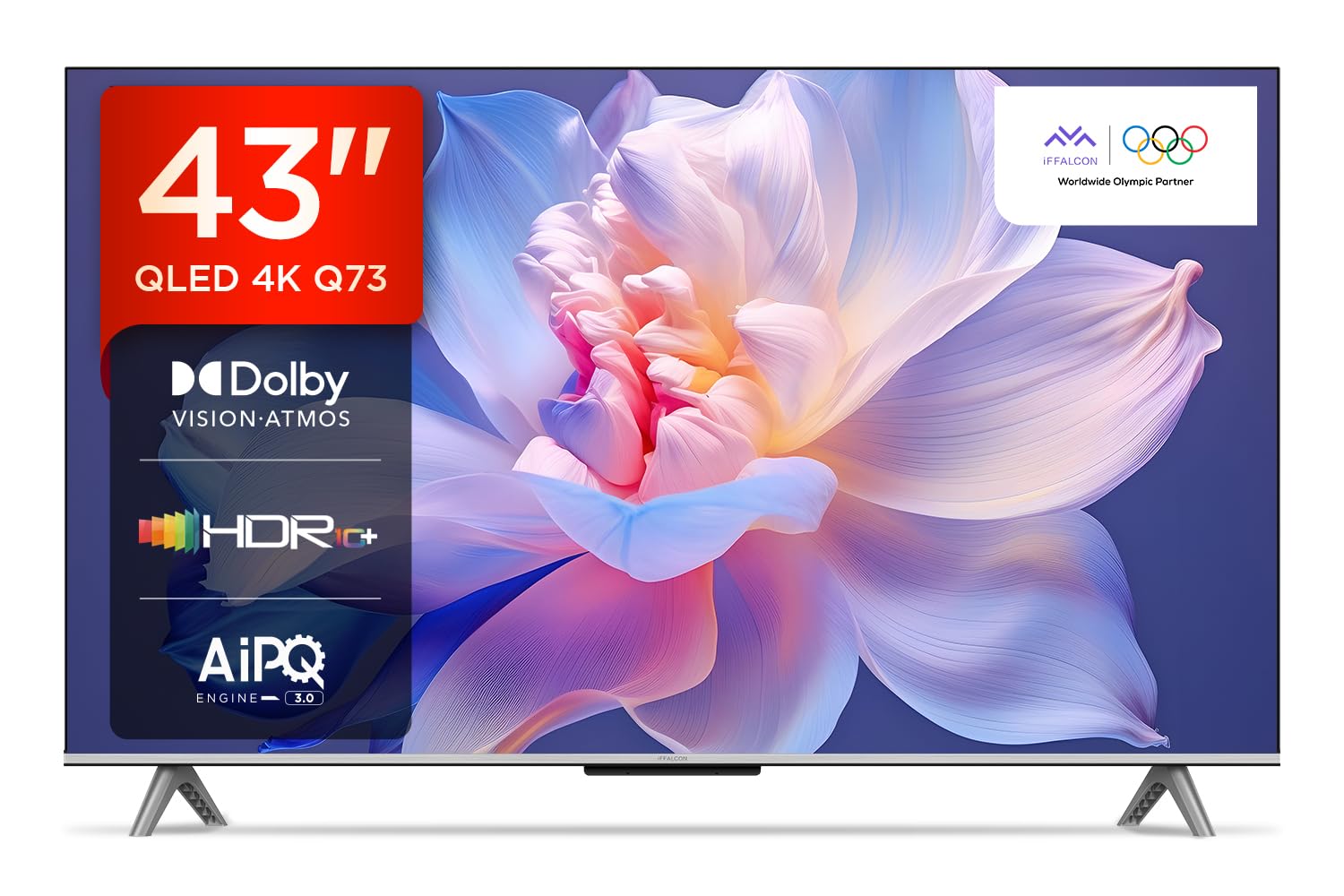
Slika: Front view of the iFFALCON 43-inch 4K Ultra HD Smart QLED Google TV.
2. Sigurnosne informacije
Always adhere to the following safety guidelines to prevent electric shock, fire, or damage to the television:
- Ne izlažite televizor kiši ili vlazi.
- Osigurajte odgovarajuću ventilaciju; ne blokirajte ventilacijske otvore.
- Koristite samo dodatke/pribor koje je odredio proizvođač.
- Isključite televizor iz struje tokom oluje sa grmljavinom ili kada ga ne koristite duži period.
- Sav servis prepustite kvalifikovanom serviseru.
3. Šta se nalazi u kutiji
Prilikom raspakivanja, provjerite da li su svi artikli prisutni:
- 1N LED TV
- 1N audio kabl
- 1N Stand (for table mounting)
- 1N korisnički priručnik
- 1N daljinski upravljač
- 1N garantni list
- 2N AAA baterije (za daljinski upravljač)
4. Podešavanje
4.1 Fizička instalacija
Your iFFALCON TV can be installed on a table stand or wall-mounted. Ensure the installation surface is stable and can support the TV's weight.

Image: The iFFALCON TV placed on a media console, illustrating a typical table-top setup.
Montaža na sto:
- Pažljivo postavite televizor licem prema dolje na meku, ravnu površinu.
- Attach the provided stand legs to the designated slots on the bottom of the TV using the screws included.
- Ensure the stand is securely fastened before carefully lifting the TV to its upright position.
Montaža na zid:
For wall mounting, a compatible VESA wall mount kit (not included) is required. Follow the instructions provided with your wall mount kit. Professional installation is recommended.

Image: The iFFALCON TV displayed as wall-mounted in a modern living room setting.
4.2 Početno uključivanje i konfiguracija
- Spojite kabel za napajanje na TV, a zatim na utičnicu.
- Umetnite priložene AAA baterije u daljinski upravljač.
- Pritisnite dugme za napajanje na daljinskom upravljaču ili TV-u da ga uključite.
- Slijedite upute na ekranu da biste dovršili početno podešavanje, uključujući odabir jezika, mrežnu vezu (Wi-Fi ili Ethernet) i prijavu na Google račun.
5. Upravljanje televizorom
5.1 Daljinski upravljač
The smart remote control provides quick access to various functions and streaming services.

Image: The iFFALCON smart remote control, highlighting dedicated buttons for Netflix, Prime Video, YouTube, and TCL Channel, along with Google Assistant functionality.
5.2 Interfejs Google TV-a
Your TV runs on Google TV, offering a personalized experience with content recommendations and easy access to apps.

Slika: Početni ekran Google TV-a koji prikazuje razne aplikacije za streaming i preporuke sadržaja.

Image: A visual representation of the Google TV platform, emphasizing its user-friendly interface.
Ključne karakteristike:
- Hands-free glasovno upravljanje: Use "Ok Google" to search for content, control smart home devices, and get information.
- Google Watchlist: Add movies and TV shows to a unified watchlist from various services.
- Google Kids: Access curated content suitable for children.
- Google Meet: Conduct video calls directly from your TV (requires compatible camera, not included).

Image: A user interacting with the TV using the "Ok Google" voice command to check the weather.

Image: The Google Watchlist feature shown across both a mobile device and the TV screen.

Image: The Google Kids interface, displaying child-friendly content and shows.

Image: A video call in progress using Google Meet on the iFFALCON TV.
6. Povezivanje
The iFFALCON iFF43Q73 offers multiple connectivity options for external devices and networks.

Slika: Detaljna view of the TV's side panel, illustrating the various input and output ports.
- HDMI portovi (3): Connect set-top boxes, Blu-ray players, and gaming consoles. HDMI 3 supports eARC/ARC for enhanced audio return.
- USB priključak (1): Za povezivanje USB uređaja za pohranu podataka za reprodukciju medija.
- LAN (Ethernet): Za žičanu internet vezu.
- Izlaz za slušalice: Za spajanje slušalica ili eksternih zvučnika.
- Digitalni audio izlaz (optički): Za povezivanje sa soundbarovima ili kućnim kinima.
- Antenski/kablovski ulaz: Za povezivanje antene ili kablovskog TV signala.
- AV ulazni adapter: Za povezivanje starijih uređaja koji koriste kompozitni video i stereo audio.
- Wi-Fi: Built-in for wireless internet access.
- Bluetooth: Za povezivanje bežične dodatne opreme poput slušalica ili kontrolera za igre.

Image: An illustration of an HDMI 2.1 cable connecting to the TV, highlighting its advanced capabilities.

Image: A laptop screen being cast to the iFFALCON TV, demonstrating low latency casting functionality.
7. Karakteristike ekrana
Doživite zapanjujuće vizuale uz napredne tehnologije prikaza.

Slika: Prekoview of the iFFALCON TV's key display and audio features, including QLED, Dolby Vision Atmos, HDR10+, MEMC, High Brightness, DTS:X, Gaming in Dolby Vision, Game Master, and Edgeless Design.
- QLED ekran: Quantum Dot technology delivers vibrant colors and improved brightness.
- 4K Ultra HD (3840 x 2160): Provides four times the resolution of Full HD for incredible detail.
- Dolby Vision & HDR10+: Advanced HDR formats for enhanced contrast, brightness, and color accuracy.
- 4K HDR Pro: Optimizes HDR content for a superior viewing iskustvo.
- AIPQ 3.0 Engine: AI-powered picture quality engine for intelligent optimization of color, contrast, and clarity.
- MEMC (Procjena pokreta, Kompenzacija pokreta): Reduces motion blur and makes fast-moving scenes smoother.
- High Brightness (300 nits): Obezbjeđuje jasnu vidljivost čak i u dobro osvijetljenim prostorijama.
- Širok 178 stepeni Viewugao ugla: Consistent picture quality from various viewing pozicije.

Image: An illustration demonstrating the layers and technology behind a QLED display.

Image: The Dolby Vision logo displayed over a vibrant, colorful abstract image, representing enhanced visual quality.

Image: The HDR10+ logo positioned next to an image of a colorful, explosive visual effect, symbolizing dynamic range.

Image: A split image demonstrating the difference between standard and high brightness, showing a more vivid landscape on the right.

Image: A comparison showing a skier with motion blur (Without MEMC) versus a clear image (With MEMC), illustrating the motion compensation technology.
8. Audio karakteristike
Immersive sound experience with integrated speaker boxes.
- Izlazna snaga 30 W: Powerful audio for clear sound.
- MS12Z with Dolby Atmos: Pruža višedimenzionalni zvuk koji se kreće oko vas.
- DTS Virtual:X: Creates an immersive audio experience without the need for additional speakers.
- Integrated Speaker Boxes (Bottom Side): Optimized speaker placement for enhanced sound delivery.

Image: An illustration of the Dolby Atmos sound experience, showing sound waves emanating from the TV and surrounding the viewer.

Image: A visual representation of Dolby Atmos audio filling a living room, with sound waves surrounding the TV.

Image: The DTS:X logo with an illustration of dolphins jumping out of water, depicting immersive sound.

Image: A visual representation of DTS:X audio, showing sound waves emanating from the TV and surrounding a viewer on a couch.
9. Karakteristike igranja
Poboljšajte svoje igračko iskustvo uz pomoć namenskih funkcija.
- Majstor igre: A suite of features designed for gamers.
- Gaming in Dolby Vision: Experience games with enhanced visuals and dynamic range.
- ALLM (Automatski način niske latencije): Automatski prebacuje TV u način rada s niskom latencijom kada se detektuje igraća konzola, smanjujući ulazno kašnjenje.
- Traka igre: Quick access to game-related settings and information during gameplay.

Image: The Game Master feature displayed on the TV screen, showing icons for Game Bar, ALLM, and Aiming Aid.

Image: A gaming scene displayed on the TV with the 'Gaming in Dolby Vision' logo, indicating enhanced visual quality for games.

Image: The Game Master logo with icons for Game Bar, ALLM, and Aiming Aid, illustrating the gaming optimization features.

Image: The Game Bar interface displayed at the bottom of the TV screen during gameplay, showing options like HGIG, StatsBar, Boost, and Toolbox.

Image: A split screen comparison of a racing game with ALLM Mode OFF (left) and ALLM Mode ON (right), demonstrating reduced input lag.
10. Održavanje
Pravilna njega osigurava dugotrajnost i performanse vašeg televizora.
- Čišćenje ekrana: Use a soft, lint-free cloth specifically designed for electronics. Do not use abrasive cleaners or solvents.
- Čišćenje okvira: Wipe with a soft, dry cloth. For stubborn marks, a slightly damp Može se koristiti krpa, a zatim suha krpa.
- ventilacija: Ensure the TV's ventilation openings are clear of dust and obstructions.
- Kabl za napajanje: Redovno provjeravajte kabel za napajanje da li ima oštećenja.
11. Otkrivanje problema
Pogledajte ovaj odjeljak za uobičajene probleme i njihova rješenja.
| Problem | Mogući uzrok | Rješenje |
|---|---|---|
| Nema struje | Power cord disconnected, no power from outlet. | Provjerite priključak kabla za napajanje. Testirajte utičnicu s drugim uređajem. |
| Nema slike, ali je zvuk prisutan | Incorrect input source, faulty cable. | Verify correct input source. Check HDMI/AV cable connections. |
| Nema zvuka, ali je slika prisutna | Volume muted, external audio device issue. | Unmute volume. Check audio settings. Ensure external audio devices are connected correctly. |
| Daljinski upravljač ne radi | Prazne baterije, prepreka, daljinski upravljač nije uparen. | Replace batteries. Remove obstructions. Re-pair Bluetooth remote if applicable. |
| Problemi sa Wi-Fi vezom | Incorrect password, router issue, signal interference. | Ponovo unesite lozinku za Wi-Fi. Ponovo pokrenite ruter. Približite TV ruteru ili smanjite smetnje. |
12. Specifikacije
Detailed technical specifications for the iFFALCON 43-inch 4K Ultra HD Smart QLED Google TV.

Image: A diagram illustrating the dimensions and weight of the iFFALCON 43-inch TV, both with and without the stand.
| Feature | Detalj |
|---|---|
| Model | iFF43Q73 |
| Veličina ekrana | 43 inča (108 cm) |
| Display Technology | QLED |
| Rezolucija | 4K Ultra HD (3840 x 2160) |
| Refresh Rate | 60 Hz |
| Operativni sistem | Google TV |
| Procesor | 64-bitni četverojezgreni procesor |
| RAM | 2 GB |
| Skladištenje | 16 GB |
| Audio izlaz | 30 Watts |
| Tehnologija zvuka | Dolby Atmos, DTS Virtual:X |
| Povezivanje | 3 HDMI Ports, 1 USB Port, Wi-Fi, Bluetooth, Ethernet |
| Potrošnja energije (uključeno) | 130 Watts |
| Dimenzije proizvoda (sa postoljem) | 8 x 95.7 x 60.3 cm |
| Težina artikla (sa postoljem) | 6.7 kg |
13. Garancija i podrška
Vaš iFFALCON TV dolazi sa 2 godine garancije provided by the manufacturer from the date of purchase. For warranty claims, please use your Amazon e-invoice as proof of purchase.
For technical support or service inquiries, please refer to the contact information provided on the warranty card or visit the official iFFALCON support website.


