1. Uvod
Welcome to the user manual for your new DOVIICO Military Smart Watch HK87. This manual provides essential information for setting up, operating, and maintaining your device. Please read it thoroughly to ensure optimal performance and longevity of your smartwatch.
The DOVIICO HK87 is designed for durability and functionality, featuring IP68 waterproofing, shock resistance, and dust protection, making it suitable for various outdoor activities. It offers comprehensive health monitoring, multiple sports modes, and convenient communication features.
2. Šta se nalazi u kutiji
Nakon raspakivanja, molimo Vas da provjerite da li su prisutni svi dolje navedeni artikli:
- 1 x DOVIICO Smart Watch HK87
- 1 x magnetni kabel za punjenje
- 1 x Korisnički priručnik (ovaj dokument)
3. Proizvod je gotovview
Familiarize yourself with the components of your DOVIICO Smart Watch HK87.
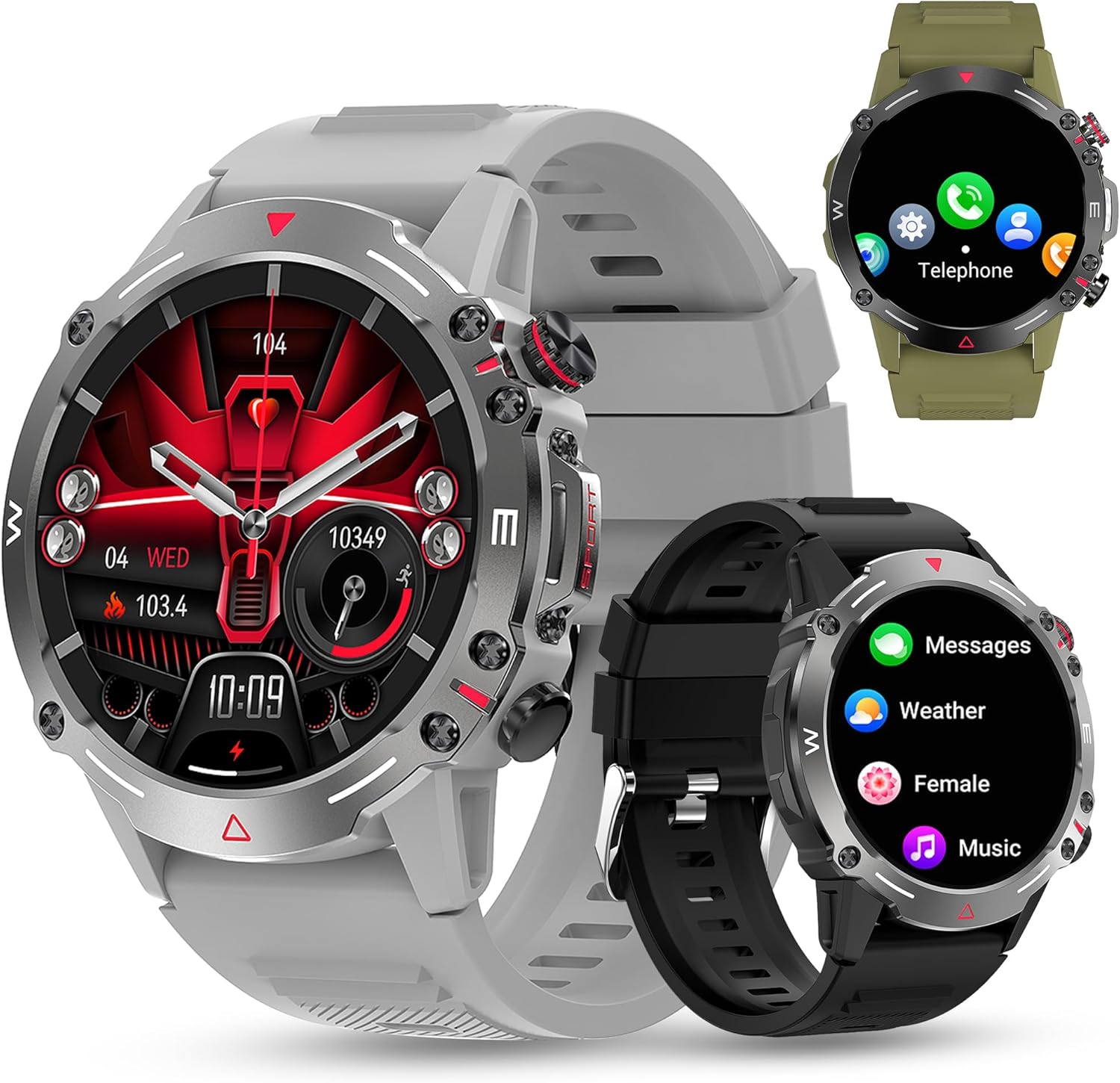
Slika 3.1: Front view of the DOVIICO Smart Watch HK87, illustrating its robust design and various display options.

Slika 3.2: Detaljno view of the 1.43-inch AMOLED HD screen and the integrated heart rate sensor located on the watch's underside.
Ključne komponente:
- 1.43" AMOLED HD Display: High-resolution touch screen for clear visuals and easy navigation.
- Bočna dugmad: For power, menu access, and quick functions.
- Senzor otkucaja srca: Nalazi se na poleđini za kontinuirano praćenje otkucaja srca.
- Kontakti za punjenje: Magnetne tačke na poleđini za spajanje kabla za punjenje.
- Zvučnik i mikrofon: For Bluetooth calls and AI voice assistant.
4. Podešavanje
4.1 Punjenje pametnog sata
Prije prve upotrebe, potpuno napunite svoj pametni sat.
- Connect the USB end of the magnetic charging cable to a power adapter (not included) or a computer's USB port.
- Align the magnetic end of the charging cable with the charging contacts on the back of the watch. The magnets will snap it into place.
- Ekran sata će prikazivati status punjenja. Potpuno punjenje obično traje otprilike 2 sata.

Slika 4.1: The watch display showing the charging indicator and battery life expectations.
4.2 Instalacija i uparivanje aplikacije
To unlock the full functionality of your smartwatch, you need to install the companion app on your smartphone and pair the devices. The watch is compatible with Android 4.4 and above, and iOS 8.4 and above.
- Preuzmite aplikaciju: Scan the QR code provided in the watch's quick start guide or search for the designated app (e.g., "FitCloudPro" or similar, check packaging for exact name) in your phone's app store (Google Play Store for Android, Apple App Store for iOS).
- Omogući Bluetooth: Provjerite je li Bluetooth omogućen na vašem pametnom telefonu.
- Otvorite aplikaciju: Pokrenite instaliranu aplikaciju i slijedite upute na ekranu da biste kreirali račun ili se prijavili.
- Dodaj uređaj: Unutar aplikacije, idite na odjeljak "Uređaj" ili "Dodaj uređaj". Aplikacija će pretražiti dostupne pametne satove.
- Odaberite svoj sat: Select "HK87" or the corresponding device name from the list. Confirm the pairing request on both your phone and the watch if prompted.
- Dajte dozvole: Grant all necessary permissions requested by the app (e.g., location, notifications, contacts) to ensure full functionality.
Važno: If you experience pairing issues, ensure the watch is sufficiently charged and not paired with another device. Restarting both the watch and your phone can often resolve connectivity problems.
5. Uputstvo za upotrebu
5.1 Osnovna navigacija
- Uključivanje/isključivanje: Pritisnite i držite bočno dugme da biste uključili ili isključili uređaj.
- Ekran za buđenje: Podignite zglob ili pritisnite bočno dugme da biste probudili ekran.
- Prevlačenje gore/dolje/lijevo/desno: Navigacija kroz menije, obavještenja i brza podešavanja.
- Dodirnite: Odaberite stavku ili potvrdite radnju.
5.2 Bluetooth pozivi i obavještenja
Nakon uparivanja, vaš pametni sat može primati pozive i prikazivati obavještenja.
- Odgovaranje na pozive/Biranje: Use the watch's dial pad or contact list to make calls. When a call comes in, you can answer or reject it directly from the watch.
- Obavještenja o poruci: Receive alerts for SMS, WhatsApp, Instagram, Facebook, and other app messages. Swipe down from the main screen to view nedavna obavještenja.
5.3 sportskih modova
The watch offers over 100 sports modes to track your physical activity.

Slika 5.1: A visual representation of the diverse sports modes available on the smartwatch.
- Idite na meni "Sport" na vašem satu.
- Select your desired activity (e.g., Running, Cycling, Hiking).
- Tap to start tracking. The watch will record data such as steps, distance, calories burned, and heart rate.
- Tap again to pause or hold to end the activity.
5.4 Monitoring zdravlja
The DOVIICO HK87 provides continuous monitoring of key health metrics.
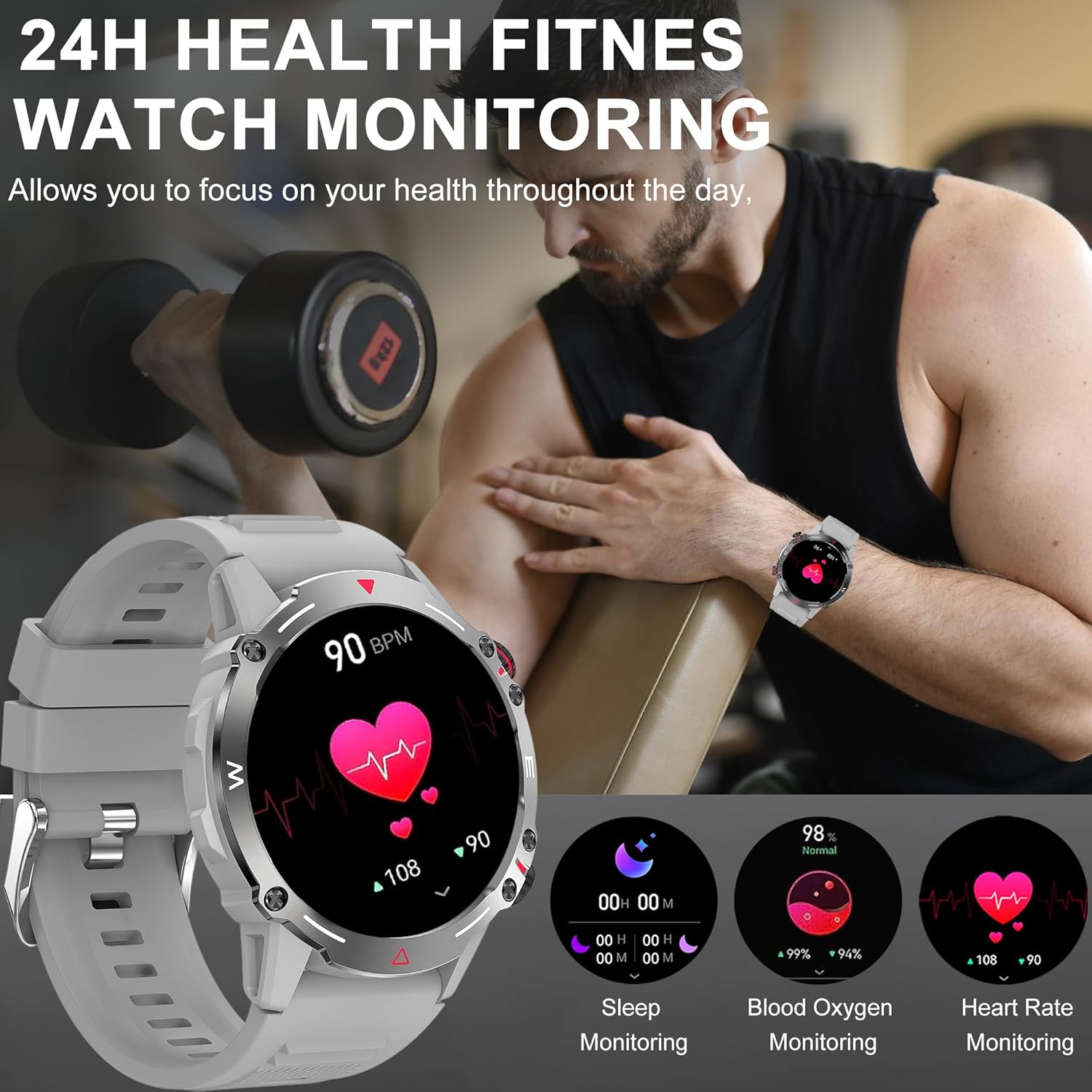
Slika 5.2: The watch interface showing real-time health data, including heart rate, blood oxygen, and sleep.
- Praćenje srčanog ritma: The watch continuously tracks your heart rate. View current and historical data in the app.
- Praćenje kiseonika u krvi: Izmjerite nivo zasićenosti krvi kisikom.
- Praćenje spavanja: Automatically tracks your sleep patterns (deep sleep, light sleep, wake time). Review detaljna analiza sna u aplikaciji.
- Praćenje krvnog pritiska: Provides an estimate of blood pressure. Napomena: This is not a medical device. Measurement data is for reference only and should not be used for medical diagnosis or treatment.

Slika 5.3: The sleep monitoring screen on the smartwatch, providing insights into sleep duration and quality.
5.5 Dodatne funkcije
- AI glasovni asistent: Activate the voice assistant for hands-free control.
- NFC: For compatible NFC functions (e.g., access control, check local availability and setup).
- Kontrola muzike: Kontrolirajte reprodukciju muzike na svom pametnom telefonu (reprodukcija, pauza, preskakanje pjesama).
- Daljinska kamera: Koristite svoj sat kao daljinski okidač za kameru vašeg telefona.
- Vremenska prognoza: Get real-time weather updates (requires app synchronization).
- Alarmi i podsjetnici: Set alarms, sedentary reminders, and drink water reminders through the app.
- Fiziološki ciklus žena: Track and monitor physiological cycles (requires setup in the app).
6. Prilagodba
6.1 Promjena izgleda sata
Personalizirajte svoj sat pomoću raznih izgleda sata.
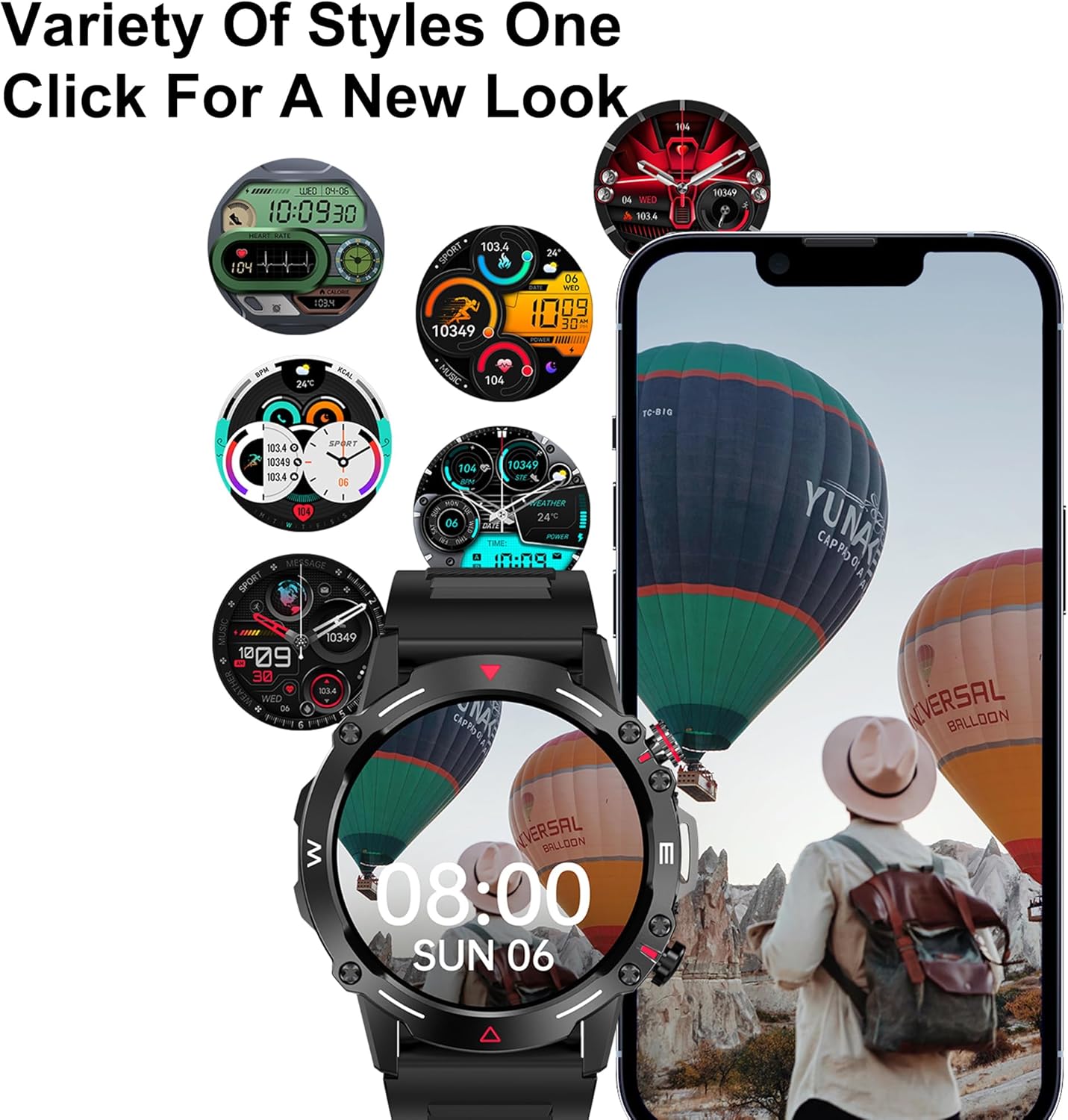
Slika 6.1: Izbor prilagodljivih brojčanika dostupnih za pametni sat.
- Na Satu: Press and hold the main screen, then swipe left or right to browse pre-installed watch faces. Tap to select.
- Putem aplikacije: Open the companion app, navigate to the "Dial Market" or "Watch Faces" section. You can download and apply additional watch faces, and even customize some with your own photos.
7. Baterija i punjenje
The DOVIICO HK87 is equipped with a 410mAh battery, offering extended usage.
- Trajanje baterije: Expect 7-10 days of typical daily use and up to 45 days of standby time.
- Vrijeme punjenja: Približno 2 sata za potpuno punjenje.
- Način punjenja: Use the provided magnetic charging cable. Ensure proper alignment of the charging contacts.
To maximize battery life, consider adjusting screen brightness, reducing notification frequency, and disabling features not actively in use.
8. Održavanje
8.1 Vodootpornost (IP68)
The DOVIICO HK87 has an IP68 waterproof rating, meaning it is resistant to dust and can withstand immersion in water up to 1.5 meters for up to 30 minutes.
- Pogodan je za svakodnevnu upotrebu, kao što je pranje ruku, kiša i plivanje u plitkoj vodi.
- Izbjegavajte vruću vodu, saune ili ronjenje, jer para i visoki pritisak mogu oštetiti zaptivanje.
- Ne koristite dugmad pod vodom.
- Nakon izlaganja vodi, obrišite sat suhom mekom krpom.
8.2 Čišćenje
- Regularly clean your watch and strap to prevent skin irritation and maintain appearance.
- Obrišite ekran i kućište mekom,amp, krpa koja ne ostavlja dlačice.
- Za remen, po potrebi koristite blagi sapun i vodu, a zatim temeljno isperite i potpuno osušite prije nošenja.
- Izbjegavajte korištenje jakih kemikalija ili abrazivnih materijala.
9. Otkrivanje problema
| Problem | Moguće rješenje |
|---|---|
| Sat se ne uključuje. | Provjerite je li sat potpuno napunjen. Povežite ga na punjač najmanje 10 minuta. |
| Nije moguće uparivanje sa pametnim telefonom. |
|
| Obavještenja se ne primaju. |
|
| Netačni zdravstveni podaci. |
|
| Kratko trajanje baterije. |
|
10. Specifikacije
Detailed technical specifications for the DOVIICO Military Smart Watch HK87.

Slika 10.1: Physical dimensions of the DOVIICO Smart Watch HK87.
| Feature | Detalj |
|---|---|
| Broj modela | HK87 |
| Display | 1.43-inch AMOLED HD Touch Screen, 466*466 Resolution |
| Dimenzije | 1.93 x 1.93 x 0.47 inches (49mm diameter, 11.5mm thickness) |
| Težina artikla | 5 unce |
| Kapacitet baterije | 410mAh Lithium Ion |
| Trajanje baterije | 7-10 dana (tipična upotreba), 45 dana (u stanju pripravnosti) |
| Vrijeme punjenja | Pribl. 2 sati |
| Povezivanje | Bluetooth 5.0 |
| Waterproof Rating | IP68 |
| Kompatibilnost | Android 4.4 i noviji, iOS 8.4 i noviji |
| Senzori | Puls, kisik u krvi, monitor sna |
| Posebne karakteristike | Bluetooth Call, AI Voice Control, NFC, Alipay offline payment, Custom Dials, 100+ Sports Modes, Weather Forecast, Music Control, Remote Camera, Female Physiological Cycle Tracking |
11. Sigurnosne informacije
- Ne pokušavajte rastaviti ili modificirati sat.
- Čuvajte sat podalje od ekstremnih temperatura i direktne sunčeve svjetlosti.
- Izbjegavajte izlaganje sata jakim magnetnim poljima.
- This device is not a medical instrument. Health data is for reference only and should not be used for medical diagnosis or treatment. Consult a medical professional for health concerns.
- Čuvati van domašaja djece.
12. Garancija i podrška
DOVIICO products are designed for quality and reliability. For warranty information, please refer to the warranty card included with your purchase or contact DOVIICO customer support.
If you encounter any issues or have questions regarding your DOVIICO Smart Watch HK87, please contact our customer support team.
- Korisnička podrška: Refer to your product packaging or the DOVIICO official webweb mjesto za kontakt detalje.
- Online resursi: Visit the DOVIICO webstranica za često postavljana pitanja, ažurirane priručnike i preuzimanje softvera.


