1. Uvod
This manual provides detailed instructions for the setup, operation, and maintenance of your TECLAST N15 Mini PC. Please read this manual thoroughly before using the device to ensure proper functionality and to prevent damage.
The TECLAST N15 is a compact desktop computer featuring an Intel Celeron N5095 processor, 16GB DDR4 RAM, and a 512GB SSD. It supports triple 4K monitor output and comes with Windows 11 Pro pre-installed, making it suitable for various applications including office work, creative design, and multimedia entertainment.
2. Šta se nalazi u kutiji
Provjerite da li su sve stavke prisutne u paketu:
- 1 x TECLAST N15 Mini PC
- 1 x adapter za napajanje
- 1 x VESA nosač
- 1 x HDMI kabl
- 1 x Uputstvo za upotrebu

Image: Contents of the TECLAST N15 Mini PC package.
3. Proizvod je gotovview
3.1. Dimensions and Design
The TECLAST N15 Mini PC is designed for compactness and portability, measuring approximately 4.5 x 1.6 x 4.5 inches (115 x 43 x 115 mm) and weighing around 400g. Its aluminum body ensures a sturdy structure.
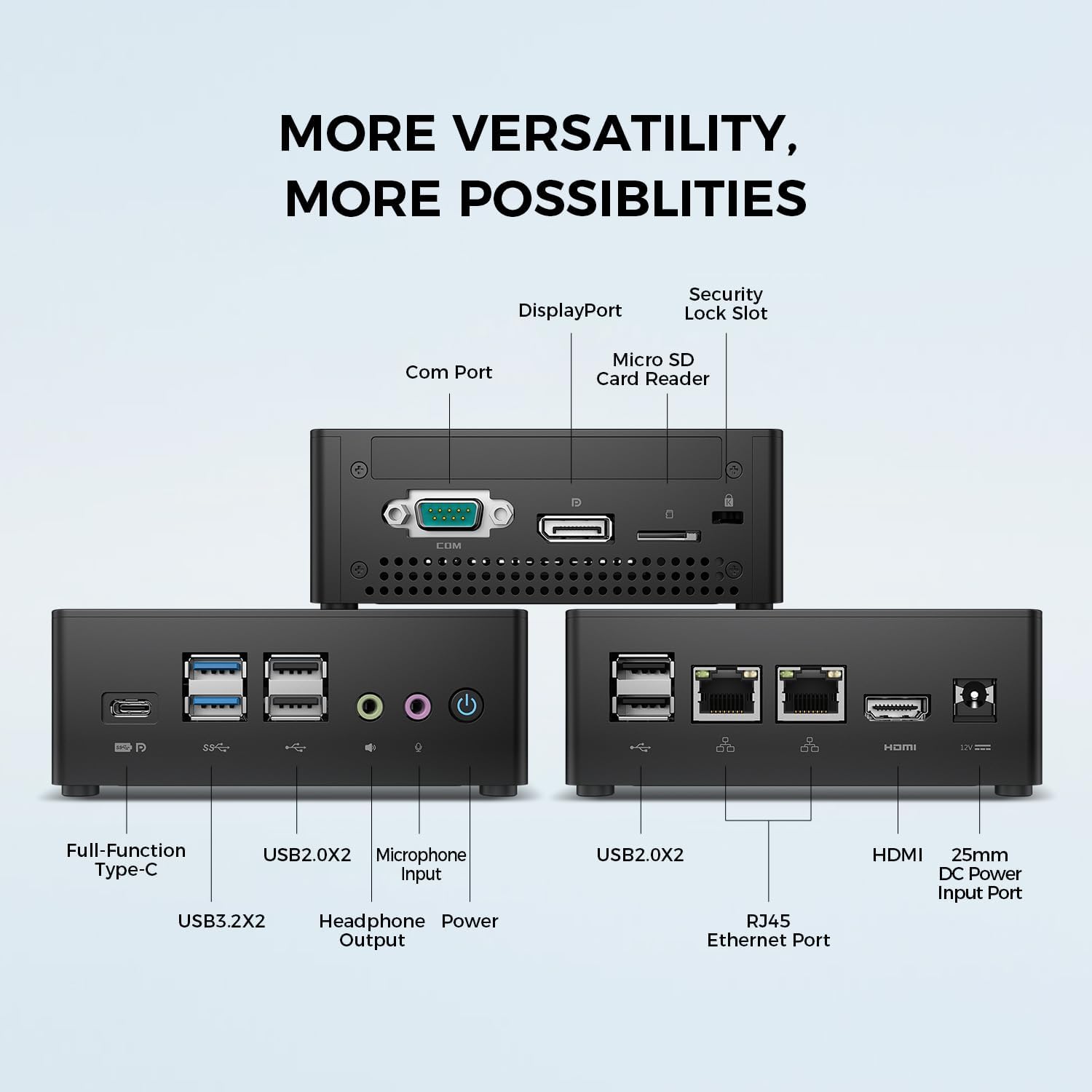
Image: TECLAST N15 Mini PC dimensions and compact design.
3.2. Portovi i povezivanje
The N15 Mini PC offers extensive connectivity options to support various peripherals and displays.
- Prednji portovi: 1x Full-Function Type-C, 2x USB 3.0, 2x USB 2.0, 1x Headphone Output, 1x Microphone Input, Power Button.
- Bočni portovi: 1x COM Port, 1x DisplayPort, 1x Micro SD Card Reader, 1x Security Lock Slot.
- Stražnji portovi: 2x RJ45 Ethernet Ports (2.5Gbps), 2x USB 2.0, 1x HDMI Port, 1x DC Power Input.

Slika: Prekoview of the TECLAST N15 Mini PC's various connectivity ports.

Image: Front panel ports of the TECLAST N15 Mini PC.

Image: Side panel ports of the TECLAST N15 Mini PC.

Image: Rear panel ports of the TECLAST N15 Mini PC.
3.3. Unutrašnje komponente
The N15 features an Intel Gen 11 N5095 processor, 16GB DDR4 RAM, and a 512GB PCIe 3.0 SSD. It also includes an M.2 E-slot for function expansion (pre-occupied by a wireless network card by default).

Image: Internal components of the TECLAST N15 Mini PC.
4. Upute za postavljanje
4.1. Povezivanje perifernih uređaja
- Poveži ekran: Use the HDMI, DisplayPort, or Full-Function Type-C port to connect your monitor(s). The N15 supports up to three 4K displays simultaneously.
- Povežite tastaturu i miš: Priključite USB tastaturu i miš u dostupne USB portove.
- Povežite mrežu: For a wired connection, connect an Ethernet cable to one of the two RJ45 ports. For wireless, ensure your Wi-Fi network is available during initial setup.
- Priključite napajanje: Plug the power adapter into the DC power input port on the Mini PC, then connect the adapter to a power outlet.
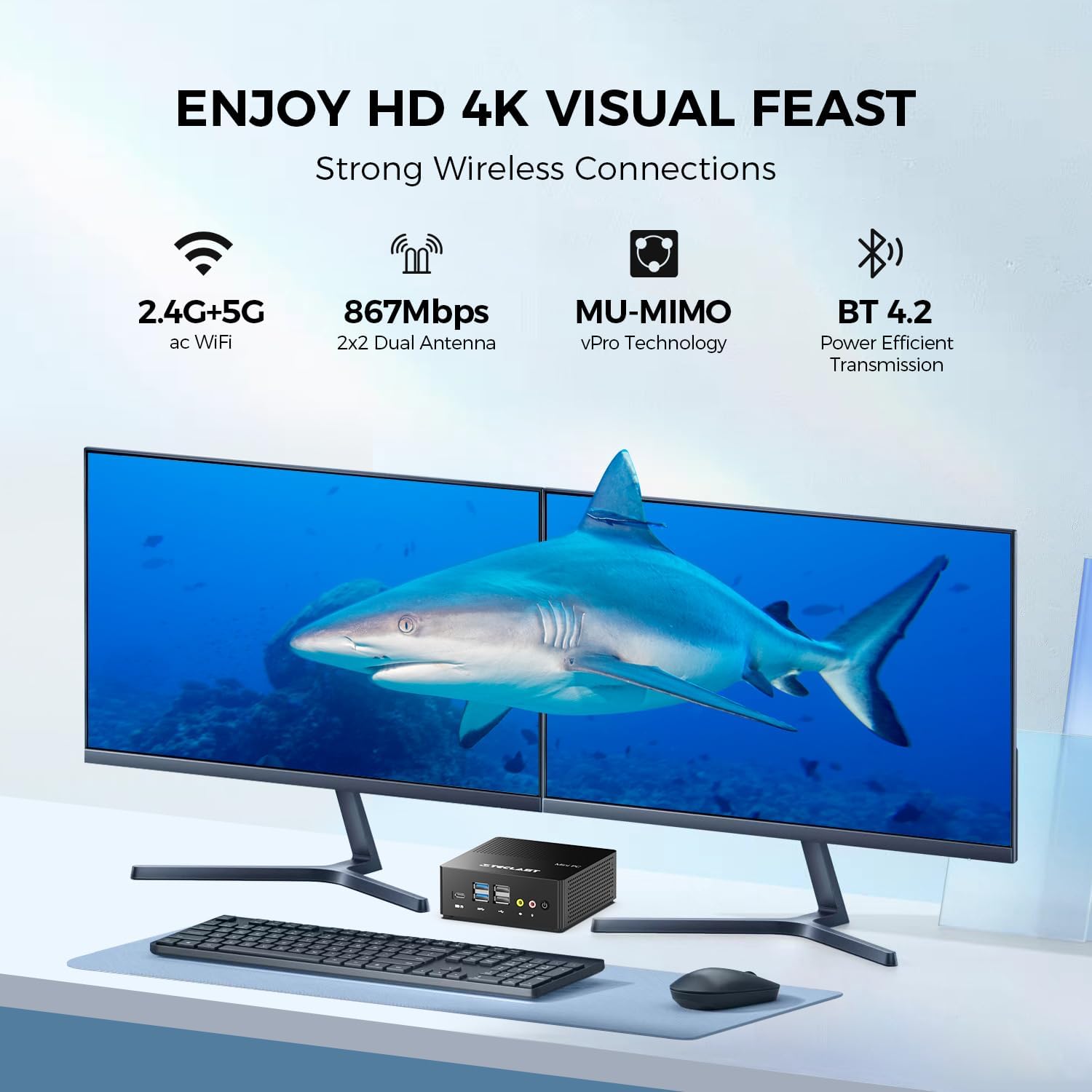
Slika: prample setup with the TECLAST N15 Mini PC connected to multiple displays and peripherals.
4.2. Početno uključivanje
Press the power button on the front of the Mini PC. The device will boot into Windows 11 Pro. Follow the on-screen instructions to complete the initial Windows setup, including language, region, network connection, and user account creation.
4.3. Instalacija VESA nosača (opciono)
The included VESA mount allows you to attach the Mini PC to the back of a compatible monitor or to a wall, saving desk space. Refer to the VESA mount instructions for detailed installation steps.

Image: TECLAST N15 Mini PC with VESA mount for space-saving installation.
5. Uputstvo za upotrebu
5.1. Windows 11 Pro
Your TECLAST N15 Mini PC comes with Windows 11 Pro pre-installed. This operating system provides a secure and versatile environment for various tasks, from productivity to entertainment. Ensure Windows updates are regularly installed to maintain system security and performance.

Image: Windows 11 Pro interface on the TECLAST N15 Mini PC.
5.2. Podešavanje više monitora
The Mini PC supports connecting up to three displays simultaneously at 4096x2160@60Hz via HDMI, DisplayPort, and the Full-Function Type-C port. This allows for an extended workspace, enhancing productivity for tasks like creative design, data analysis, or multi-tasking.
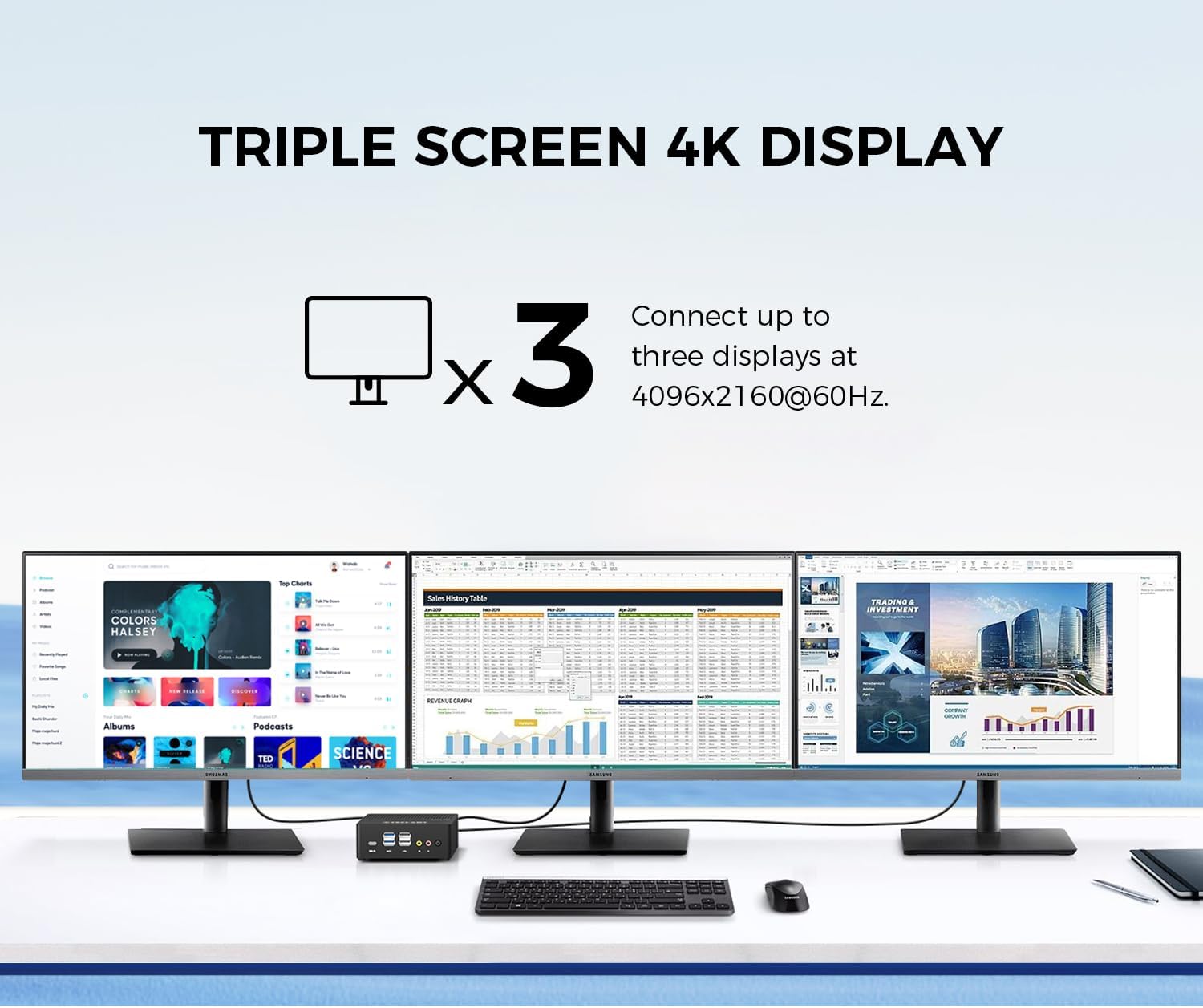
Image: Triple 4K monitor setup with the TECLAST N15 Mini PC.
5.3. Upravljanje napajanjem
- Isključi: Kliknite na dugme Start, zatim Napajanje > Isključi.
- Ponovno pokretanje: Kliknite dugme Start, zatim Napajanje > Ponovo pokreni.
- spavanje: Kliknite na dugme Start, zatim Napajanje > Spavanje.
- Automatsko uključivanje: The device supports Auto Power On, RTC Wake Settings, and Wake On LAN, which can be configured in the BIOS settings.
6. Performanse i hlađenje
The TECLAST N15 is equipped with an Intel Celeron N5095 processor, offering a turbo frequency of up to 2.9 GHz. It features Intel UHD Graphics with 16 Execution Units (EU) and Quick Sync Video technology for efficient hardware video encoding and decoding.

Image: Key performance specifications of the TECLAST N15 Mini PC.
6.1. Sistem hlađenja
The Mini PC incorporates a built-in fan cooling system with a nickel-plated heat pipe and a large heat dissipation area (over 16000mm²). This design ensures efficient heat transfer and silent operation, preventing overheating during multitasking.

Image: Internal cooling system and noise level illustration.
7. Održavanje
- čišćenje: Use a soft, dry cloth to clean the exterior of the Mini PC. For vents, use compressed air to remove dust buildup. Do not use liquid cleaners directly on the device.
- Ažuriranja softvera: Redovno provjeravajte i instalirajte ažuriranja za Windows i upravljačke programe kako biste osigurali optimalne performanse i sigurnost.
- Upravljanje skladištem: Povremeno čistite nepotrebno files and applications to free up storage space and improve system responsiveness.
- Uslovi okoline: Koristite Mini PC u dobro prozračenom prostoru, dalje od direktne sunčeve svjetlosti, prekomjerne toplote i vlage.
8. Otkrivanje problema
| Problem | Mogući uzrok | Rješenje |
|---|---|---|
| Nema struje | Adapter za napajanje nije priključen, problem sa utičnicom. | Provjerite je li adapter za napajanje sigurno priključen na Mini PC i ispravnu utičnicu. Pokušajte s drugom utičnicom. |
| Nema prikaza | Monitor nije povezan, pogrešan ulazni izvor, neispravan kabel. | Check HDMI/DP/Type-C cable connections. Ensure monitor is on and set to the correct input source. Try a different cable or monitor if possible. |
| Nema internetske veze | Ethernet cable disconnected, Wi-Fi disabled, router issue. | For wired: Check Ethernet cable. For Wi-Fi: Ensure Wi-Fi is enabled in Windows settings and connected to your network. Restart your router/modem. |
| Peripherals not recognized | Loose connection, driver issue, incompatible device. | Reconnect the peripheral. Try a different USB port. Check Device Manager for driver issues. Ensure the peripheral is compatible with Windows 11. |
9. Specifikacije
| Feature | Detalj |
|---|---|
| Procesor | Intel Celeron N5095 (2.9 GHz Turbo Frequency) |
| RAM | 16GB DDR4 |
| Skladištenje | 512GB PCIe x4 SSD |
| Grafika | Intel UHD grafika (integrirana) |
| Operativni sistem | Windows 11 Pro (unaprijed instaliran) |
| Video izlaz | HDMI, DisplayPort, Full-Function Type-C (Supports Triple 4K @ 60Hz) |
| USB portovi | 2x USB 3.0, 4x USB 2.0, 1x Full-Function Type-C |
| Mreža | 2x 2.5Gbps RJ45 Ethernet, 802.11ac Wi-Fi (Dual-band) |
| Bluetooth | Bluetooth 4.2 |
| Ostale luke | COM Port, Micro SD Card Reader, Headphone Output, Microphone Input, Security Lock Slot |
| Dimenzije (DxŠxV) | 4.5 x 1.6 x 4.5 inča (115 x 43 x 115 mm) |
| Težina | 14.6 unci (otprilike 400 g) |
| Hlađenje | Built-in fan cooling with nickel-plated heat pipe |
10. Garancija i podrška
The TECLAST N15 Mini PC comes with a 1-year product satisfaction warranty and lifetime technical support. For any questions or assistance, please contact TECLAST customer support.
You can find contact information and further resources on the official TECLAST webweb-stranice ili putem vaše platforme za kupovinu.
11. Video demonstracija proizvoda
Pogledajte službeni video proizvoda za vizualni pregledview of the TECLAST N15 Mini PC's features and capabilities.
Video: Official demonstration of the TECLAST N15 Mini PC, highlighting its design, ports, and usage scenarios.


