Uvod
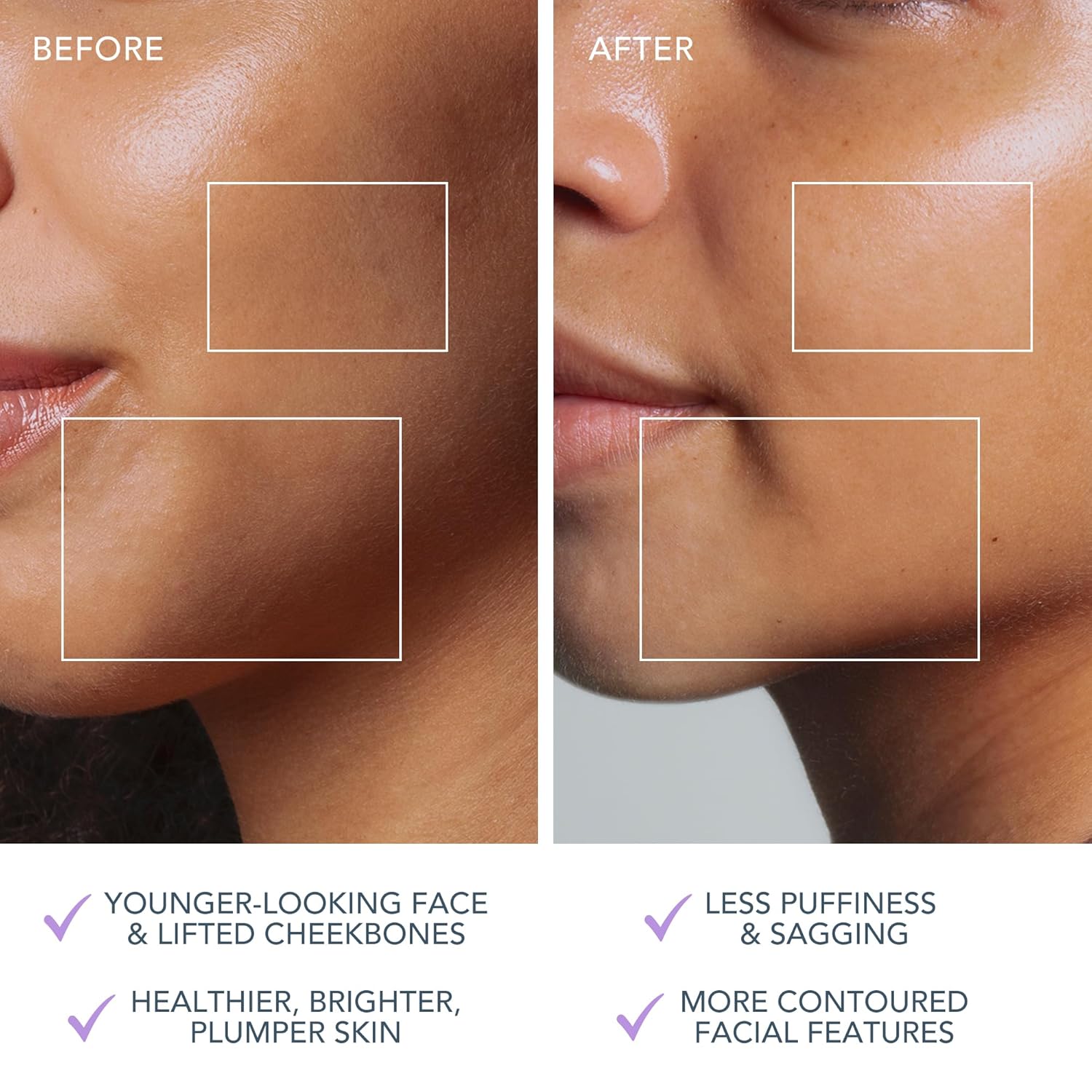
The FOREO BEAR 2 go is a travel-friendly microcurrent facial device designed to tone and firm the skin. This compact and lightweight device is clinically proven to improve the appearance of fine lines and skin firmness, offering a non-invasive solution for facial sculpting and anti-aging care.

The FOREO BEAR 2 go device in use, highlighting its microcurrent toning capabilities for reducing wrinkles, puffiness, and sagging.

Key technologies of the device include Advanced Microcurrent for muscle strengthening, Lifting Microcurrent for contoured appearance, and T-Sonic Massage for smoothing fine lines.
Šta je u kutiji?
Your FOREO BEAR 2 go package includes the following items:
- FOREO BEAR 2 go Device (Lavander)
- Vodič za brzi početak
- General Manual
- USB kabl za punjenje
The complete package contents of the FOREO BEAR 2 go, showing the device, quick start guide, general manual, and USB charging cable.
Setup
Punjenje uređaja
Before first use, ensure your FOREO BEAR 2 go device is fully charged. Connect the provided USB charging cable to the device and a suitable power source. The device will indicate charging status, typically taking up to 2 hours for a full charge.
Unlocking and Pairing Your Device
To unlock and register your device, follow these simple steps:
- Download the FOREO For You mobile app on your mobile phone. You can find the app on the App Store or Google Play.
- Prijavite se na svoj račun ili se prijavite za novi.
- Add device (located at the top of your screen within the app).
- Odaberite seriju uređaja.
- Pritisnite i držite dugme za napajanje na uređaju da biste ga povezali s mobilnom aplikacijom.
- Fill in the purchase information as prompted.
Once these steps are completed, your device is ready for use.
For app download, visit: foreo.com/app
Uputstvo za upotrebu
The FOREO BEAR 2 go is designed for ease of use, integrating seamlessly into your skincare routine. Always ensure your face is clean before use.
Application of Conductive Serum
For optimal conductivity and to ensure a smooth glide, it is essential to apply a suitable serum or conductive gel to your face and neck before using the device. FOREO recommends their Serum Serum Serum, which is lightweight, hydrating, and specifically formulated to enhance microcurrent transfer.

The Supercharged Serum 2.0 is recommended for use with the BEAR 2 go to improve microcurrent transfer and maximize treatment benefits.
Koraci upotrebe
- Clean your face thoroughly.
- Apply a suitable serum or conductive gel to enhance conductivity.
- Turn on the device and select the desired intensity level.
- Gently glide the device over your face and neck, focusing on areas with fine lines and wrinkles.
- Use in a circular motion for about 5 minutes.
- Rinse your face and follow with your regular skincare routine.
The device offers adjustable intensity levels, allowing you to customize the treatment to your comfort and skin needs. The accompanying FOREO For You app provides guided routines and allows for personalized settings, acting as a personal beauty coach.
Održavanje
Čišćenje uređaja
Cleaning your FOREO BEAR 2 go is simple due to its durable and waterproof material. After each use, wipe the device down with a damp cloth. For thorough sanitization, you may occasionally spritz it with a sanitizing spray. This ensures hygiene and longevity of your device.
Rješavanje problema
Precautions to be taken in the event of changes in the performance of FOREO devices:
- If your FOREO device is not activated when pressing the center button:
- Baterija je prazna. Punite pomoću USB kabla za punjenje do 2 sata dok se potpuno ne napuni, a zatim ponovo pokrenite uređaj držeći pritisnuto dugme za napajanje.
- If device cannot be switched off and/or interface buttons do not respond: Microprocessor is temporarily malfunctioning. Press and hold the power button to restart the device.
- Ako se vaš FOREO uređaj ne sinhronizuje sa FOREO aplikacijom:
- Uvjerite se da je vaš uređaj potpuno napunjen i da li je vaš Bluetooth uključen.
- Isključite Bluetooth, a zatim ga ponovo uključite da pokušate ponovo da se povežete.
- Zatvorite aplikaciju FOREO, a zatim je ponovo otvorite da biste započeli postupak iznova.
- Izbrišite i ponovo instalirajte aplikaciju - možda je aplikacija jednostavno potrebno ažurirati.
- Nakon brisanja i ponovne instalacije aplikacije, obavezno ponovo pokrenite telefon.
- Izbrišite kolačiće i keš memoriju vašeg telefona.
- Uvjerite se da je operativni sistem vašeg mobilnog telefona ažuriran na najnoviju verziju.
Specifikacije
| Feature | Detalj |
|---|---|
| Dimenzije proizvoda | 1.46 x 3.78 x 3.43 inča |
| Težina artikla | 2.12 unci (0.06 kilograma) |
| Broj modela stavke | F1825 |
| Odjel | Unisex |
| Baterije | Potrebne 1 litijum-jonske baterije (uključene) |
| Proizvođač | FOREO |
| Boja | Lavanda |
| Tip kože | Sve |
| Naziv modela | BEAR 2 idi |
Garancija i podrška
The FOREO BEAR 2 go device comes with a 2 godine garancije from the date of purchase. For any product support, warranty claims, or additional information, please visit the official FOREO support page.
Zvanična podrška: foreo.com/support
No specific safety warnings are required for this product.


