1. Uvod
Thank you for choosing the DOOMAY Digital Alarm Clock. This compact and modern alarm clock is designed for convenience and reliability, featuring an LCD display, adjustable volume, snooze function, weekend mode, and indoor temperature display. This manual provides detailed instructions to help you set up and operate your new alarm clock effectively.

Slika 1: Prednja strana view of the DOOMAY Digital Alarm Clock.
2. Sadržaj paketa
- DOOMAY digitalni budilnik (1 jedinica)
- AAA baterije (2 komada)
- Uputstvo za upotrebu (ovaj dokument)
3. Podešavanje
3.1 Instalacija baterije
The DOOMAY Digital Alarm Clock is powered by two AAA batteries. These batteries are included in the package.
- Pronađite poklopac pretinca za baterije na stražnjoj strani budilnika.
- Pomaknite poklopac prema dolje da biste otvorili pretinac.
- Umetnite dvije AAA baterije, pazeći na ispravan polaritet (+ i -) kao što je naznačeno unutar odjeljka.
- Vratite poklopac pretinca za baterije tako što ćete ga pomaknuti prema gore dok ne klikne na svoje mjesto.

Slika 2: Natrag view with battery compartment and control buttons.
Napomena: When the display flashes '8888' and the clock beeps, it indicates that the batteries are low and need to be replaced.
4. Uputstvo za upotrebu
The DOOMAY Digital Alarm Clock offers various functions for timekeeping, alarming, and environmental monitoring. Refer to the buttons on the back of the clock for settings.
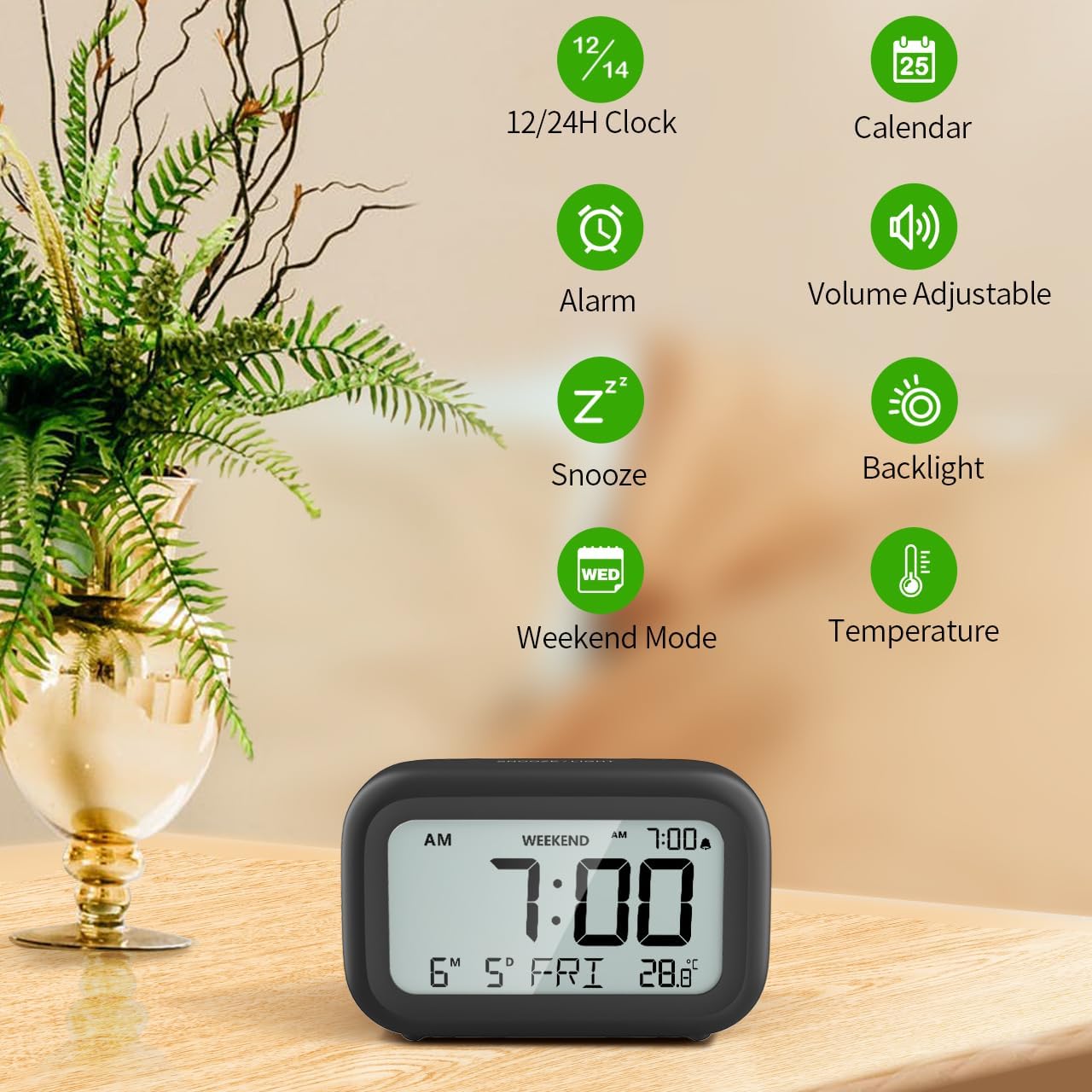
Slika 3: Gotovoview of clock features.
4.1 Podešavanje vremena i datuma
Da biste podesili trenutno vrijeme i datum:
- Pritisnite i držite SET button (usually represented by a clock icon or '12/24H' button) on the back of the clock until the numbers on the display begin to flash.
- Koristite + i - buttons to adjust the flashing value (Year, Month, Day, Hour, Minute).
- Pritisnite SET button again to confirm the setting and move to the next value.
- Once all values are set, the display will stop flashing. The day of the week will automatically update based on the date.
For a visual guide, refer to the video below, specifically from 0:18 for Date Setting i 0:32 for Time Setting.
4.2 Postavka alarma
To set your alarm time:
- Pritisnite ALARM button (bell icon) on the back of the clock. The alarm time will appear and flash.
- Koristite + i - buttons to adjust the desired alarm hour and minute.
- Pritisnite ALARM button again to confirm the alarm setting.
- Da biste uključili ili isključili alarm, jednostavno pritisnite ALARM button once. An alarm icon will appear on the display when the alarm is active.
For a visual guide, refer to the video below, specifically from 0:13 for turning alarm ON/OFF i 0:37 for Alarm Setting.
4.3 Funkcija odgode
When the alarm sounds, gently touch the SNOOZE / LIGHT button located on the top of the clock. This will activate the snooze function, providing an additional 9 minutes of sleep before the alarm sounds again. You can repeat this process multiple times.

Figure 4: Activating the snooze function.
To turn off the alarm completely after it sounds, press any button on the back of the clock.
For a visual guide, refer to the video below, specifically from 0:46 for Snooze function.
4.4 Vikend način rada
The Weekend Mode allows you to set the alarm to only sound from Monday to Friday, preventing it from disturbing you on weekends.
- Pritisnite VIKEND button (calendar icon) on the back of the clock to toggle Weekend Mode ON or OFF.
- When Weekend Mode is active, 'WEEKEND' will be displayed on the screen, and the alarm will be automatically disabled on Saturday and Sunday.

Figure 5: Weekend Mode and Alarm Volume Levels.
For a visual guide, refer to the video below, specifically from 0:50 for Weekend Mode ON/OFF.
4.5 Funkcija pozadinskog osvjetljenja
The clock features a convenient 5-second on-demand backlight for viewing the time in low-light conditions.
- Simply touch the SNOOZE / LIGHT button on the top of the clock to activate the backlight.
- Pozadinsko osvjetljenje će svijetliti otprilike 5 sekundi, a zatim se automatski isključiti radi uštede baterije.

Figure 6: Backlight in use.
For a visual guide, refer to the video below, specifically from 0:54 for 5 Seconds Backlight.
4.6 Prikaz temperature
Sat prikazuje unutrašnju temperaturu. Možete birati između Celzijusovih (°C) i Fahrenheitovih (°F) jedinica.
- Pritisnite ° C / ° F button on the back of the clock to toggle between Celsius and Fahrenheit.

Figure 7: Indoor Temperature Display.
4.7 12/24-satni format vremena
You can switch the time display between 12-hour (with AM/PM indicator) and 24-hour formats.
- Pritisnite 12/24H button on the back of the clock to switch between the two formats.
For a visual guide, refer to the video below, specifically from 0:58 for 12/24Hr Time Format Switchable.
4.8 Alarm Volume Adjustment
The alarm clock offers two volume levels for the alarm sound: LOW (70dB) and HIGH (85dB).
- While setting the alarm, or when the alarm is sounding, you can cycle through the volume levels by pressing the appropriate button (often the + or - button, or a dedicated volume button if available). Refer to the icons on the back of your clock.
For a visual guide, refer to the video below, specifically from 0:42 for 2 Levels of Volume Adjustable.
Operating Instructions Video Guide
Video 1: Comprehensive guide on setting up and operating the DOOMAY Digital Alarm Clock. This video demonstrates battery installation, setting time and date, alarm functions, snooze, weekend mode, backlight, and volume adjustment.
5. Održavanje
- čišćenje: Obrišite sat mekom, suhom krpom. Ne koristite abrazivna sredstva za čišćenje ili rastvarače.
- Zamjena baterije: Replace batteries when the low battery indicator appears (flashing '8888' and beeping). Always use new AAA batteries.
- Skladištenje: Ako sat skladištite duži period, izvadite baterije kako biste spriječili curenje.
6. Otkrivanje problema
| Problem | Mogući uzrok | Rješenje |
|---|---|---|
| Prikaz sata je prazan ili taman. | Baterije su prazne ili nepravilno instalirane. | Zamijenite baterije novim AAA baterijama, pazeći na ispravan polaritet. |
| Alarm se ne oglašava. | Alarm is not activated or Weekend Mode is ON. | Press the ALARM button to activate. Check if Weekend Mode is active and disable if necessary. |
| Vrijeme/datum je netačan. | Nije pravilno podešeno ili su baterije izvađene. | Follow instructions in Section 4.1 to reset time and date. |
| Pozadinsko osvjetljenje ne ostaje upaljeno. | Ovo je normalan rad. | The backlight is designed to illuminate for 5 seconds to conserve battery life. It is not a continuous backlight. |
7. Specifikacije
- Model: 5293B
- Vrsta prikaza: Digitalni LCD
- Izvor napajanja: 2 x AAA baterije (uključene)
- Dimenzije proizvoda: 4.29"W x 2.72"H (approx. 10.9cm x 6.9cm)
- Materijal: akrilonitril butadien stiren (ABS)
- Karakteristike: Alarm, Snooze, Weekend Mode, Indoor Temperature (°C/°F), 12/24H Time Format, 5-second Backlight
- Jačina alarma: 2 levels (70dB, 85dB)
- Težina artikla: 4.48 unci (otprilike 127 g)
8. Garancija i podrška
DOOMAY products are manufactured with high-quality materials and craftsmanship. For any questions, concerns, or technical support regarding your DOOMAY Digital Alarm Clock, please contact the seller or refer to the product listing on the platform where it was purchased. Please retain your proof of purchase for warranty claims.


