1. Uvod
This manual provides detailed instructions for the installation, operation, and maintenance of your Cuifati HD6770 Gaming Graphics Card. Please read this manual thoroughly before installation and use to ensure optimal performance and longevity of your product. The Cuifati HD6770 is designed to enhance your computing experience with its dedicated graphics processing capabilities.

Slika 1: Gotovoview of the Cuifati HD6770 Gaming Graphics Card.
2. Postavljanje i instalacija
2.1 Sistemski zahtjevi
- PCI Express 2.0 x16 slot on motherboard.
- Compatible operating system (Windows, Linux).
- Sufficient power supply unit (PSU).
- Monitor with HDMI, VGA, or DVI input.
2.2 Fizička instalacija
- Isključite i odspojite: Provjerite da li je računar potpuno isključen i iskopčan iz zidne utičnice.
- Otvorite kućište računara: Uklonite bočnu ploču kućišta računara da biste pristupili matičnoj ploči.
- Pronađite PCIe slot: Pronađite dostupan PCI Express 2.0 x16 slot na vašoj matičnoj ploči. Ovo je obično najduži slot.
- Uklonite poklopac utora: Carefully remove the metal slot cover from the back of your computer case corresponding to the chosen PCIe slot.
- Umetnite grafičku karticu: Align the graphics card with the PCIe slot and press down firmly and evenly until it is securely seated. You should hear a click as the retention clip engages.
- Sigurna kartica: Use a screw to secure the graphics card bracket to the computer case.
- Zatvori slučaj: Zamijenite bočnu ploču kućišta računara.
- Priključite napajanje (ako je primjenjivo): This model typically draws power directly from the PCIe slot. If your specific variant includes an auxiliary power connector, connect the appropriate power cable from your PSU.
- Poveži monitor: Connect your monitor to one of the output ports (HDMI, VGA, or DVI) on the graphics card.

Figure 2: Available display output ports on the graphics card (HDMI, VGA, DVI).
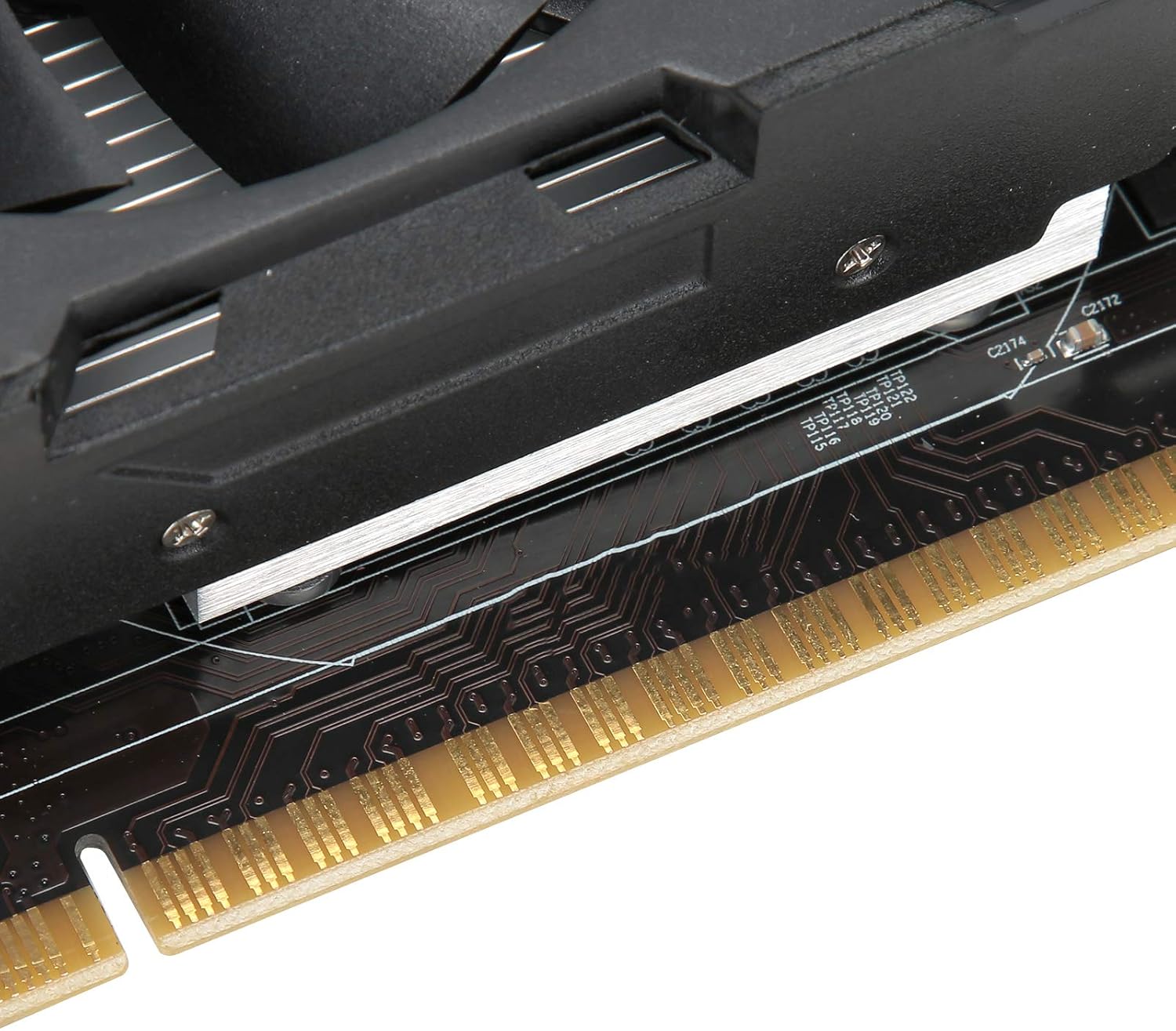
Figure 3: Close-up of the PCI Express connector for motherboard installation.
2.3 Instalacija drajvera
After physical installation, you will need to install the appropriate drivers for the graphics card. Drivers are essential for the operating system to communicate effectively with the hardware and utilize its full capabilities.
- Uključeno: Plug in your computer and power it on.
- Početni prikaz: Your computer may boot with a basic display driver.
- Install from CD (if provided): If a driver CD was included, insert it into your optical drive and follow the on-screen instructions.
- Download Latest Drivers: For optimal performance and compatibility, it is recommended to download the latest drivers directly from the AMD official website (as the card uses an AMD Radeon HD 6770 coprocessor). Traži "AMD Radeon HD 6770 drivers" and select your operating system.
- Follow Installation Prompts: Run the downloaded driver installer and follow the instructions. This may require a system restart.
3. Operacija
Once installed and drivers are updated, your Cuifati HD6770 graphics card will automatically handle graphics processing for your system. You can verify its operation through your operating system's device manager or graphics control panel.
- Postavke ekrana: Adjust resolution, refresh rate, and multiple monitor configurations through your operating system's display settings or the AMD Radeon Software.
- Igre i aplikacije: The card is designed to provide improved performance for gaming and graphically intensive applications. Ensure your games and software are configured to use the dedicated graphics card.
- Rad sa niskim nivoom buke: The card features a cooling system designed for low noise operation, contributing to a quieter computing environment.

Figure 4: Key operational features of the graphics card.
4. Održavanje
Pravilno održavanje osigurava dugotrajnost i optimalne performanse vaše grafičke kartice.
- Uklanjanje prašine: Periodically clean dust from the fan and heatsink using compressed air. Ensure the computer is powered off and unplugged before cleaning.
- ventilacija: Ensure your computer case has adequate airflow to prevent overheating. Avoid blocking air vents.
- Ažuriranja drajvera: Regularly check for and install the latest graphics drivers from the AMD website to benefit from performance improvements and bug fixes.
- Praćenje temperature: Use system monitoring software to keep an eye on the graphics card's temperature, especially during heavy load.

Figure 5: The cooling fan, which should be kept clear of dust.
5. Otkrivanje problema
If you encounter issues with your graphics card, refer to the following common problems and solutions:
| Problem | Mogući uzrok | Rješenje |
|---|---|---|
| Nema prikaza na monitoru |
|
|
| System instability or crashes |
|
|
| Poor performance in games/applications |
|
|
6. Specifikacije
Key technical specifications for the Cuifati HD6770 Gaming Graphics Card:
- grafički koprocesor: AMD Radeon HD 6770
- Video Memory Capacity: 4GB DDR5
- Core Bit Width: 128bit
- Frekvencija jezgre: 650 MHz
- Video Memory Frequency: 1000 MHz
- Video izlazni interfejs: PCI Express 2.0
- 3D API Support: DirectX 12
- Izlazni portovi: HDMI, VGA, DVI
- Težina artikla: Otprilike 15.8 unci (448 grama)
- Dimenzije paketa: Približno 8.66 x 5.91 x 2.36 inča
7. Garancija i podrška
For warranty information and technical support, please refer to the documentation included with your purchase or visit the official Cuifati webSačuvajte dokaz o kupovini za slučaj reklamacije.
Kontaktirajte podršku:
- Proizvođač: CUIFATI
- Webstranica: Cuifati Store on Amazon (za opšte informacije o proizvodu)
- Refer to your product packaging or included documentation for specific warranty terms and direct support contact details.