Uvod
This manual provides detailed instructions for the setup, operation, and maintenance of your DOVIICO H13 Smart Watch. Please read this manual thoroughly to ensure proper use and to maximize the benefits of your device. The DOVIICO H13 Smart Watch features a 1.69-inch full touch screen, comprehensive fitness tracking, and health monitoring capabilities, compatible with both iOS and Android smartphones.

Image: The DOVIICO H13 Smart Watch, showcasing its vibrant display and user interface with various application icons.
Šta je uključeno
The DOVIICO H13 Smart Watch package contains the following items:
- 1 x DOVIICO H13 Smart Watch
- 1 x Remen za zglob
- 1 x Kabl za punjenje
- 1 x Korisnički priručnik (ovaj dokument)
Vodič za postavljanje
1. Punjenje uređaja
Before first use, fully charge your DOVIICO H13 Smart Watch. Connect the provided charging cable to the charging port on the back of the watch and to a standard USB power adapter (not included). A full charge typically takes approximately 2.5 hours.
2. Instalacija aplikacije
To unlock the full functionality of your smart watch, download and install the companion mobile application on your smartphone. The app is compatible with iOS 9.0 and above, and Android 5.0 and above devices. Traži the app name (usually mentioned in the quick start guide or on the watch screen during initial setup) in your phone's app store (Apple App Store for iOS, Google Play Store for Android).
3. Uparivanje uređaja
- Provjerite je li vaš pametni sat napunjen i uključen.
- Omogućite Bluetooth na svom pametnom telefonu.
- Open the installed companion app on your smartphone.
- Follow the in-app instructions to search for and connect to your DOVIICO H13 Smart Watch. The watch will typically appear as "H13" or "DOVIICO H13" in the list of available devices.
- Potvrdite zahtjev za uparivanje i na satu i na pametnom telefonu ako se to od vas zatraži.
Nakon uparivanja, sat će sinhronizirati podatke s vašim telefonom, a postavke možete prilagoditi putem aplikacije.
Uputstvo za upotrebu
Osnovna navigacija
- Prevucite gore/dolje: Skrolajte kroz menije i obavještenja.
- Prevucite lijevo/desno: Pristupite brzim funkcijama ili različitim ekranima s podacima.
- Dodirnite: Odaberite stavku ili potvrdite radnju.
- Bočno dugme: Typically used to return to the home screen or power on/off the device (long press).
Prilagođeni brojčanici sata
The DOVIICO H13 Smart Watch allows for extensive customization of its watch face. Through the companion mobile application, you can browse and download a variety of pre-designed dials. Additionally, you can upload your own photos to personalize the watch background.

Slika: pramples of customizable watch faces available for the DOVIICO H13 Smart Watch, including digital and analog styles.
Monitoring zdravlja
The DOVIICO H13 Smart Watch provides comprehensive health data tracking to help you monitor your well-being.
Praćenje otkucaja srca
The watch continuously monitors your heart rate throughout the day. You can view real-time heart rate data directly on the watch or access historical data and trends in the companion app.
Blood Pressure and Blood Oxygen (SpO2) Tracking
The device is equipped to measure your blood pressure and blood oxygen saturation levels. For accurate readings, ensure the watch is worn snugly on your wrist. Consult the app for detailed insights and historical data.
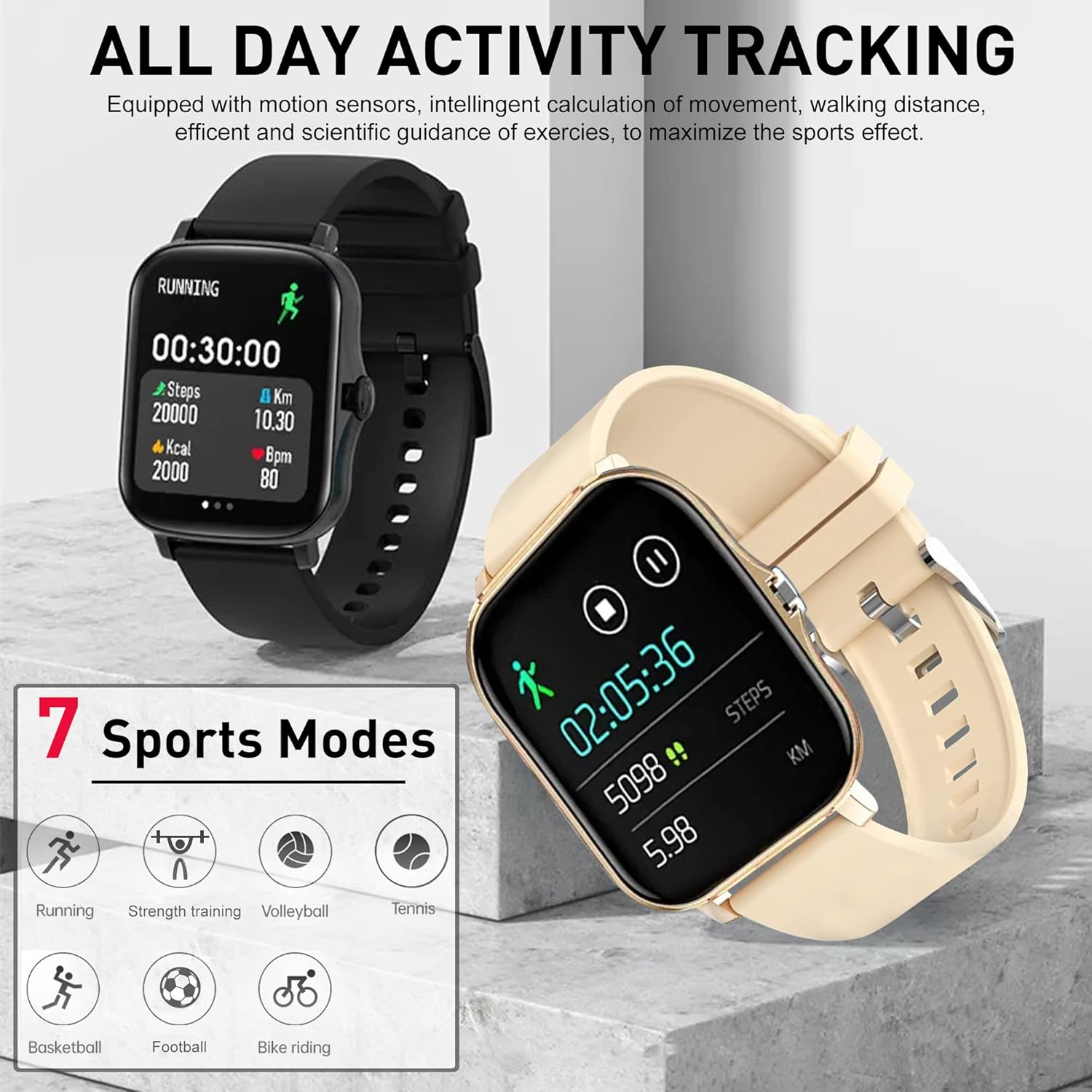
Image: The DOVIICO H13 Smart Watch showing real-time blood pressure (128/90 mmHg) and blood oxygen (98% SpO2) measurements.
Sleep Monitoring
Wear your smart watch to bed to track your sleep patterns. It records deep sleep, light sleep, and awake times, providing a comprehensive analysis of your sleep quality in the mobile application.

Image: The DOVIICO H13 Smart Watch displaying sleep duration and a breakdown of sleep stages (dubok, lagan, budan).
Praćenje aktivnosti
The DOVIICO H13 Smart Watch is designed to track your daily activities and workouts, helping you stay motivated and achieve your fitness goals.
All-Day Activity Monitoring
The watch automatically tracks your steps, distance traveled, and calories burned throughout the day. This data is synchronized with the mobile app for detailed analysis and progress tracking.
Sportski modovi
The DOVIICO H13 supports 7 different sports modes to provide more accurate tracking for specific activities. These include:
- Trčanje
- Vožnja biciklom
- Tenis
- Trening snage
- Košarka
- Odbojka
- Fudbal
Select the appropriate mode before starting your workout for optimized data collection.

Image: The DOVIICO H13 Smart Watch showing a running activity screen with duration, steps, distance, calories, and heart rate, alongside icons representing the 7 supported sports modes.
Smart Features
Beyond health and fitness, the DOVIICO H13 Smart Watch offers a range of smart features to keep you connected and organized.
Pametna obavještenja
Receive alerts for incoming calls, SMS messages, and notifications from social media applications (e.g., WeChat, QQ, Facebook, Twitter, Line, WhatsApp, Instagram) directly on your wrist. The watch will vibrate to notify you, ensuring you don't miss important updates.

Image: Two DOVIICO H13 Smart Watches showing real-time message notifications from social media platforms.
Dodatni alati
The watch includes several convenient tools for daily use:
- Tajmer i štoperica: Za aktivnosti mjerenja vremena.
- Alarm: Postavite tihe vibrirajuće alarme.
- muzički kontroler: Kontrolišite reprodukciju muzike na svom pametnom telefonu.
- Vrijeme: View trenutni vremenski uslovi.
- Sedentarni podsjetnik: Podstiče vas da se krećete nakon perioda neaktivnosti.
- Pronađite svoj telefon: Pomaže u lociranju vašeg uparenog pametnog telefona.
- Daljinsko fotografisanje: Daljinski upravljajte kamerom svog telefona.
- Bluetooth pozivanje: Make and receive calls directly from the watch.
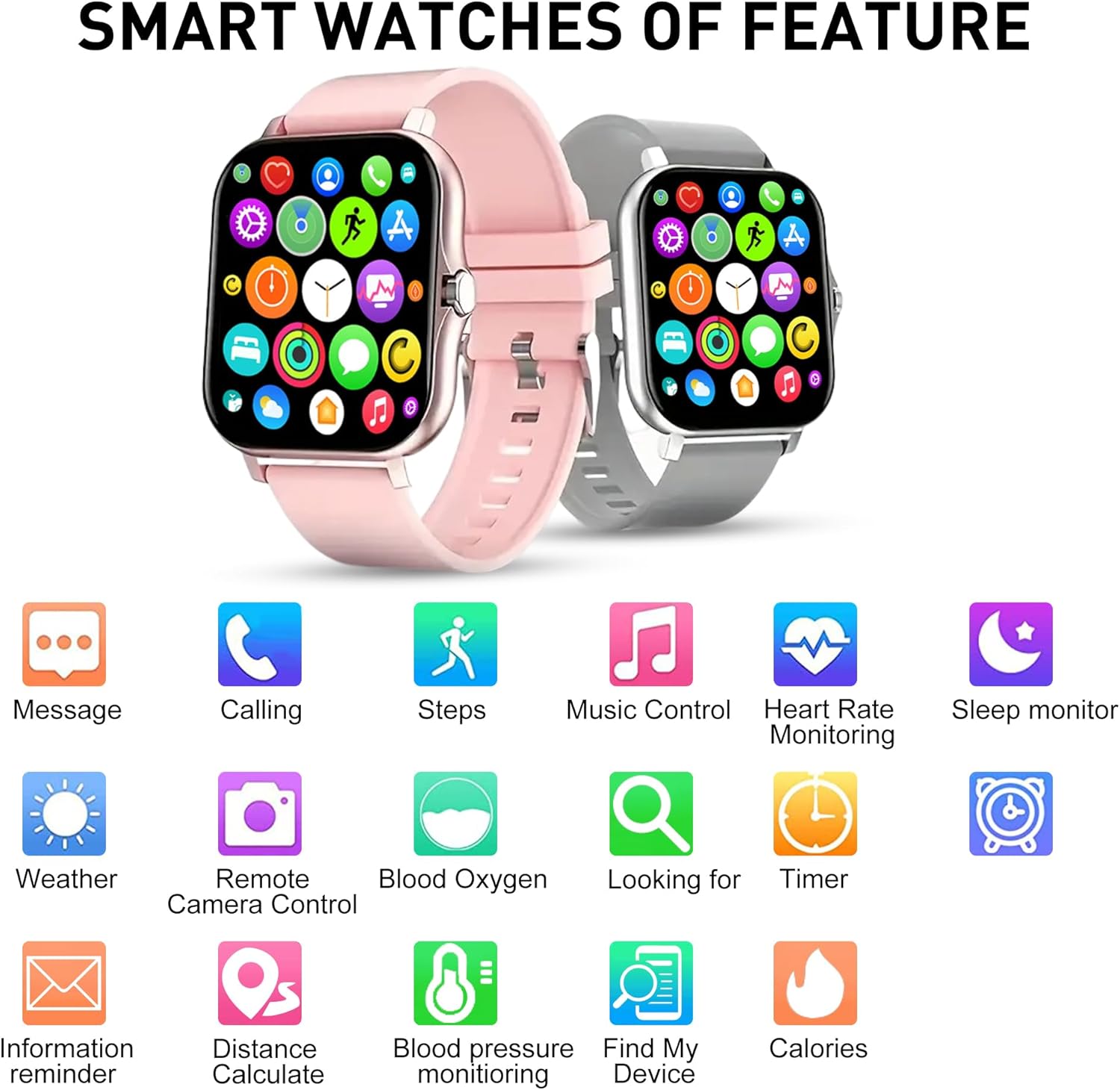
Slika: Prekoview of the DOVIICO H13 Smart Watch's key features, represented by various icons for functions such as messaging, calling, step tracking, music control, and health monitoring.
Održavanje
Čišćenje pametnog sata
- Redovno brišite ekran i remen sata mekom,amp, krpa koja ne ostavlja dlačice.
- Izbjegavajte upotrebu jakih hemikalija, abrazivnih sredstava za čišćenje ili rastvarača, jer oni mogu oštetiti završnu obradu i komponente sata.
- Prije punjenja provjerite jesu li kontakti za punjenje čisti i suhi kako biste spriječili koroziju.
Battery Care
- Da biste produžili vijek trajanja baterije, izbjegavajte često potpuno pražnjenje sata.
- Čuvajte sat na hladnom i suhom mjestu kada ga ne koristite duži period.
- The watch has a battery capacity of 160 mAh and typically lasts for 7 days with normal use, with a standby time exceeding 30 days.
Opća njega
- Avoid exposing the watch to extreme temperatures, direct sunlight for prolonged periods, or high humidity.
- While the watch may have some water resistance, avoid submerging it in water or exposing it to high-pressure water jets unless explicitly stated in product specifications.
Rješavanje problema
Sat se ne uključuje
- Provjerite je li sat potpuno napunjen. Spojite ga na punjač na najmanje 30 minuta.
- Pritisnite i držite bočni gumb nekoliko sekundi da biste ga uključili.
Unable to Pair with Smartphone
- Provjerite je li Bluetooth omogućen na vašem pametnom telefonu.
- Ensure the watch is within Bluetooth range of your phone (typically 10 meters).
- Ponovo pokrenite i pametni telefon i pametni sat.
- Provjerite je li prateća aplikacija ažurirana na najnoviju verziju.
- Ako je prethodno bio uparen, pokušajte odvojiti uređaj od Bluetooth postavki telefona, a zatim ga ponovo upariti putem aplikacije.
Netačna očitanja zdravlja
- Pazite da sat čvrsto prianja uz vaš zglob, ali ne previše stegnut.
- Keep your wrist still during measurements.
- Redovno čistite senzor na poleđini sata.
- Imajte na umu da su očitanja pametnog sata samo za referencu i ne bi se trebala koristiti za medicinsku dijagnozu.
Obavještenja se ne prikazuju
- Provjerite da li je sat uspješno uparen s vašim telefonom.
- Provjerite dozvole za obavještenja za prateću aplikaciju u postavkama telefona.
- Ensure that notification alerts are enabled within the companion app settings for the specific applications you wish to receive alerts from.
- Disable "Do Not Disturb" mode on both your watch and phone.
Specifikacije
| Feature | Detalj |
|---|---|
| Brand | DOVIICO |
| Model | H13 |
| Veličina ekrana | 1.69 inča |
| Display Type | LCD |
| Rezolucija | 240 x 240 |
| Kompatibilnost operativnog sistema | Android 5.0+, iOS 9.0+ |
| Povezivanje | Bluetooth |
| Kapacitet baterije | 160 Milliamp Sati (mAh) |
| Vrijeme punjenja | Približno 2.5 sata |
| Trajanje baterije (tipična upotreba) | Do 7 dana |
| Vrijeme pripravnosti | Preko 30 dana |
| Dimenzije proizvoda | 14.99 x 7.49 x 3 cm |
| Težina artikla | 80 g |
| Posebne karakteristike | Heart Rate, Blood Pressure, Blood Oxygen, Sleep Monitoring, Step/Distance/Calorie Tracking, 7 Sports Modes, Call/SMS/Social App Alerts, Alarm, Sedentary Reminder, Music Control, Weather, Remote Camera, Find Phone, Bluetooth Calling. |
Garancija i podrška
For information regarding warranty coverage and customer support for your DOVIICO H13 Smart Watch, please refer to the warranty card included in your product packaging or visit the official DOVIICO website. If you encounter any issues not covered in this manual, please contact DOVIICO customer service for assistance.


