1. Uvod
This manual provides detailed instructions for the pamu Fit T28 Half-in-Ear Wireless Earbuds. Please read this manual thoroughly before using the product to ensure proper operation and to maximize your listening experience. The pamu Fit T28 earbuds combine a comfortable half-in-ear design with advanced Active Noise Cancelling (ANC) technology, Bluetooth 5.3 connectivity, and intuitive touch controls.
2. Sadržaj paketa
Provjerite da li se u paketu vašeg proizvoda nalaze svi artikli:
- pamu Fit T28 Wireless Earbuds (Left and Right)
- Futrola za punjenje
- USB-C kabl za punjenje
- Uputstvo za upotrebu

Image: pamu Fit T28 earbuds securely placed within their charging case, with the lid open, showcasing the sleek design and the 'pamu' branding on each earbud.
3. Proizvod je gotovview
The pamu Fit T28 earbuds are designed for comfort and high-quality audio. Key features include:
- Half-in-Ear Design: Ensures a comfortable and stable fit for extended wear.
- Aktivno poništavanje buke (ANC): Reduces ambient noise by up to 20dB for an immersive audio experience.
- Dual Microphones with AI Noise Reduction: Enhances call clarity by separating voice from background noise.
- Bluetooth 5.3: Pruža stabilnu i efikasnu bežičnu vezu.
- Režim igre sa niskom latencijom: Reduces audio delay to as low as 70ms for gaming.
- Super Bass Sound Quality: Delivers powerful and rich low-frequency response.
- Kontrole na dodir: Manage playback, calls, and modes directly from the earbuds.
- Vodootporan dizajn: Offers protection against sweat and splashes.

Image: A graphic illustrating the key features of the pamu Fit T28 Wireless Bluetooth Earbuds, including Active Noise Cancellation, Strong Bass, Dual MIC AI Noise Reduction, Ergonomic Design, Great Sound Quality, Game Mode Low Latency, Bluetooth 5.3, Low Power Consumption, and Power Optimization.
4. Podešavanje
4.1 Punjenje slušalica i kutijice
Before first use, fully charge the earbuds and the charging case. The charging case is ultra-thin and designed for portability.
- Stavite slušalice u kutijicu za punjenje. Provjerite da li su pravilno smještene u odgovarajuće utore (L za lijevu, R za desnu).
- Spojite USB-C kabel za punjenje na priključak za punjenje na kućištu, a drugi kraj na USB izvor napajanja (npr. računar, adapter za struju).
- The LED indicators on the charging case will show the charging status. A full charge typically takes approximately 1.5 hours for the case.

Image: The pamu Fit T28 earbuds in their open, ultra-thin charging case, highlighting its minimalist design and portability.

Image: A visual representation indicating 18 hours of playing time and 1.5 hours of charging time for the pamu Fit T28 earbuds and case.
4.2 Uparivanje s uređajem
Slušalice će automatski ući u način uparivanja kada se izvade iz kućišta za punjenje.
- Otvorite kutijicu za punjenje i izvadite obje slušalice. One će se automatski uključiti i ući u način rada za uparivanje.
- Na svom uređaju (pametnom telefonu, tabletu, računaru) omogućite Bluetooth i potražite dostupne uređaje.
- Select "Pamu Fit T28" from the list of discovered devices.
- Nakon povezivanja, čut ćete zvučni signal, a indikatorska svjetla na slušalicama će se promijeniti.
The earbuds feature Bluetooth 5.3 for a stable and efficient connection.

Image: A visual indicating "one step automatic connection" for the pamu Fit T28 earbuds, showing them removed from the case and ready to pair with a smartphone.

Image: A stylized depiction of a microchip with "Bluetooth 5.3" prominently displayed, representing the advanced connectivity technology of the earbuds.
5. Uputstvo za upotrebu
5.1 Nošenje slušalica
The pamu Fit T28 earbuds feature a half-in-ear ergonomic design for a secure and comfortable fit.
- Identifikujte lijeve (L) i desne (R) slušalice.
- Gently insert each earbud into your ear canal, rotating slightly until it feels snug and stable.

Slika: Krupni plan view of a pamu Fit T28 earbud comfortably seated in an ear, illustrating its semi-in-ear design for stability.

Image: A diagram showing the pamu Fit T28 earbud positioned in an ear, emphasizing its comfortable and ergonomic fit.
5.2 Kontrole na dodir
The pamu Fit T28 earbuds feature intuitive touch controls on each earbud. Specific functions may vary slightly depending on the device and application.
| Akcija | Funkcija |
|---|---|
| Jednostruki dodir (bilo slušalica) | Reprodukcija/Pauziranje muzike, Odgovor na poziv |
| Double Tap (Either Earbud) | Završi poziv |
| Dugi pritisak (lijeva slušalica) | Utišavanje zvuka |
| Dugi pritisak (desna slušalica) | Volume Up |
| Trostruki dodir (bilo koja slušalica) | Activate Voice Assistant / Switch ANC Mode (if applicable) |
5.3 Aktivno poništavanje buke (ANC)
The pamu Fit T28 earbuds feature Active Noise Cancelling to reduce ambient sounds. This technology actively analyzes and counteracts external noise, providing a quieter listening environment.

Image: A person wearing pamu Fit T28 earbuds in a public setting, with text overlay indicating "Active Noise Cancellation: Personal space is everywhere. Adaptive Noise Cancellation recognizes noise levels around you and adjusts to your surroundings."

Image: A diagram illustrating how the pamu Fit T28 earbuds achieve noise reduction, showing sound waves being cancelled out by the ANC microphone and the fitted in-ear design.
5.4 Upućivanje poziva
The earbuds utilize dual microphones with AI noise reduction for clear call quality.
- Odgovori na poziv: Jednom dodirnite bilo koju slušalicu.
- Završi poziv: Dvaput dodirnite bilo koju slušalicu.
- odbiti poziv: Dugo pritisnite bilo koju slušalicu.
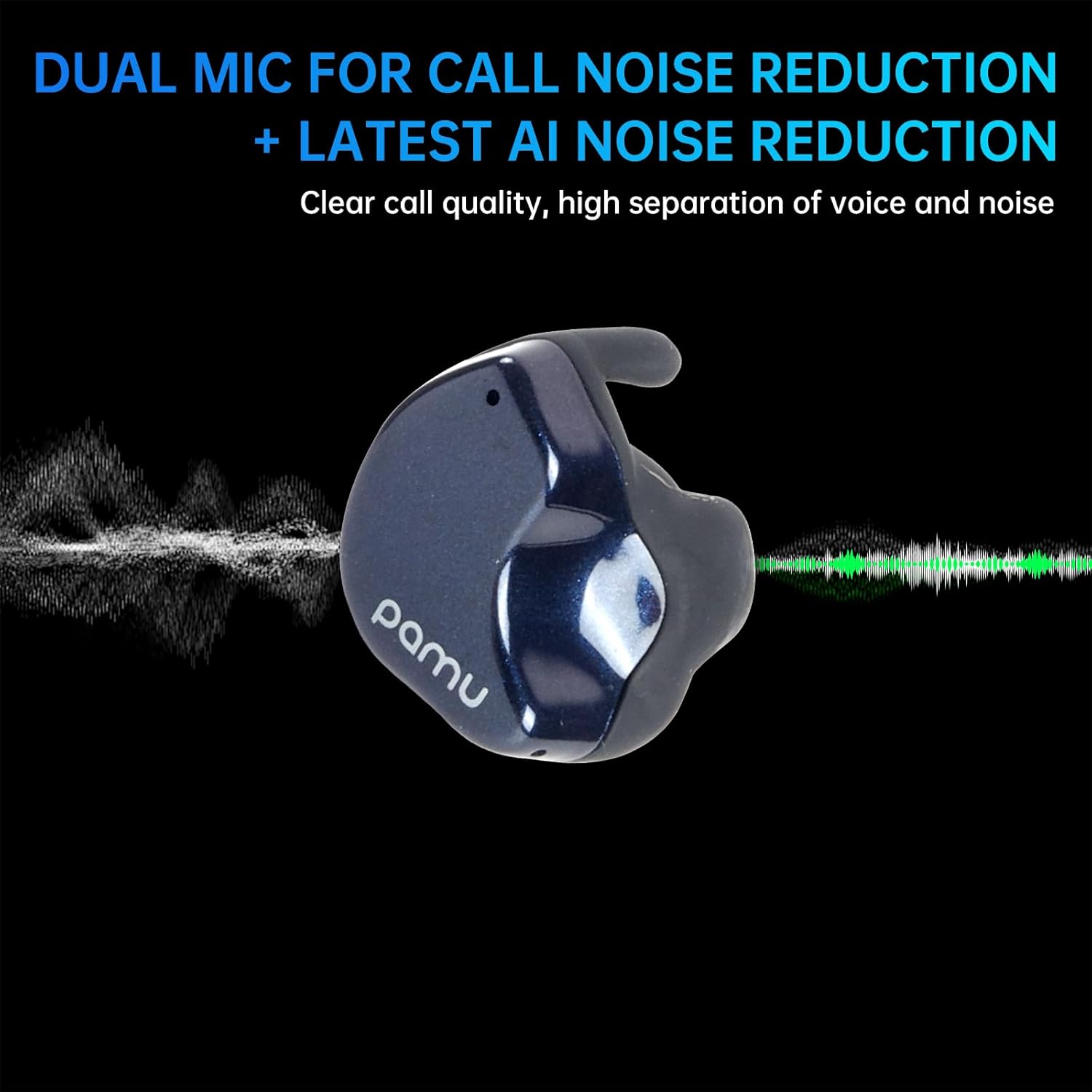
Image: A visual representation of the pamu Fit T28 earbud's dual microphone system and AI noise reduction, illustrating how it separates voice from background noise for clear calls.

Image: A person wearing pamu Fit T28 earbuds, with text overlay emphasizing "High-quality calls, dual MIC call noise reduction + the latest AI noise reduction" for comfortable sound quality.
5.5 Način igre (niska latencija)
For an optimized gaming experience, activate the low latency game mode. This reduces audio delay to approximately 70ms, ensuring real-time audio synchronization.
- Refer to the touch control table or product specifications for the specific gesture to activate/deactivate Game Mode.

Image: A person playing a mobile game on a smartphone, with pamu Fit T28 earbuds depicted nearby, illustrating the "Super-Bass Gaming with Low Latency" feature.

Image: A graphic showing pamu Fit earbuds and a smartphone displaying a game, with text explaining "Pamu Fit Earbuds-Ultra-low Latency Game Mode" and its benefit for seamless gaming.
6. Održavanje
6.1 Čišćenje
Redovno čišćenje pomaže u održavanju kvalitete zvuka i higijene.
- Nježno obrišite slušalice i kućište za punjenje mekom, suhom krpom koja ne ostavlja dlačice.
- Ne koristite abrazivne materijale, rastvarače ili hemijska sredstva za čišćenje.
- Provjerite jesu li kontakti za punjenje na slušalicama i kutijici čisti i suhi.
6.2 Otpornost na vodu
The pamu Fit T28 earbuds are waterproof, offering protection against sweat and splashes. They are not designed for submersion in water.
- Izbjegavajte produženo izlaganje vodi.
- Dry the earbuds thoroughly before placing them back in the charging case to prevent damage.

Image: Two pamu Fit T28 earbuds covered in water droplets, illustrating their waterproof, sweatproof, and dustproof capabilities.
7. Otkrivanje problema
If you encounter issues with your pamu Fit T28 earbuds, refer to the following common solutions:
- Nema zvuka:
- Provjerite jesu li slušalice napunjene.
- Provjerite Bluetooth vezu s vašim uređajem.
- Podesite jačinu zvuka i na slušalicama i na uređaju.
- Slušalice se ne uparuju:
- Place earbuds back in the case, close the lid, then open and remove them to re-enter pairing mode.
- Forget "Pamu Fit T28" from your device's Bluetooth settings and attempt to pair again.
- Provjerite da li su slušalice dovoljno napunjene.
- Loš kvalitet poziva:
- Pazite da mikrofoni nisu blokirani.
- Move to a quieter environment if possible, as AI noise reduction has limits.
- Check device's network signal strength.
- Ispadanje slušalica:
- Ensure earbuds are correctly inserted and rotated for a snug fit.
- The half-in-ear design may not be suitable for all ear shapes or high-impact activities.
8. Specifikacije
| Feature | Detalj |
|---|---|
| Naziv modela | Pamu Fit T28 |
| Tehnologija povezivanja | bežični (Bluetooth) |
| Bluetooth verzija | 5.3 |
| Bluetooth domet | 10 metara |
| Kontrola buke | Aktivno poništavanje buke |
| Postavljanje uha | In Ear (Half-in-ear shape) |
| Tip kontrole | Touch Control |
| Trajanje baterije (Slušalice + Futrola) | Up to 24 Hours (Total) |
| Frekvencijski opseg | 20 Hz - 20,000 Hz |
| Nivo vodootpornosti | Vodootporan |
| Težina artikla | 7.4 ounces (Product + Package) |
| UPC | 768443999120 |
9. Garancija i podrška
For warranty information and customer support, please refer to the official pamu webweb-mjesto ili kontaktirajte prodavača. Sačuvajte dokaz o kupovini za bilo kakve reklamacije u vezi s garancijom.
Za dodatnu pomoć, molimo vas da posjetite pamu Store on Amazon.


