1. Važne informacije o sigurnosti
Molimo pažljivo pročitajte sva uputstva prije korištenja ovog proizvoda. Sačuvajte ovaj priručnik za buduću upotrebu.
- Ne izlažite soundbar kiši, vlazi ili ekstremnim temperaturama.
- Osigurajte odgovarajuću ventilaciju oko uređaja. Ne blokirajte ventilacijske otvore.
- Use only the power adapter supplied with this device.
- Do not attempt to disassemble or modify the soundbar. Refer all servicing to qualified personnel.
- Držite soundbar dalje od jakih magnetskih polja.
2. Sadržaj paketa
Provjerite da li su sve stavke prisutne u paketu:
- Supersonic SC-1420SB Soundbar
- Daljinski upravljač
- Adapter za napajanje
- Uputstvo za upotrebu
3. Proizvod je gotovview
The Supersonic SC-1420SB is a 30-inch 2.0 channel soundbar designed to enhance your audio experience. It features Bluetooth 5.0 connectivity, HDMI ARC, Optical input, and dual 3.5mm Aux inputs for versatile connection options. Five pre-set EQ modes allow for customized sound profiles.
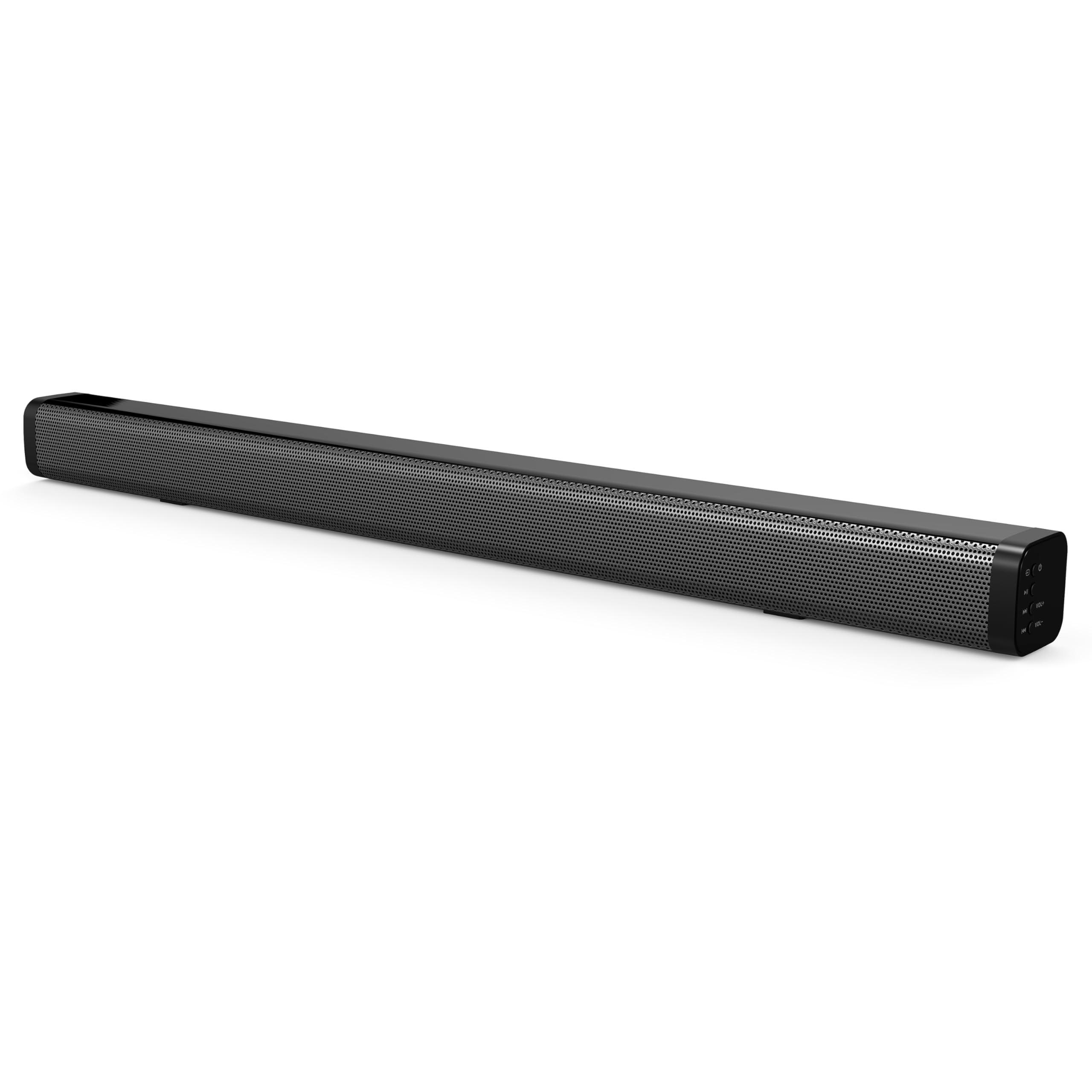
The soundbar's low-profile design (2.5" height) allows it to fit comfortably in front of most televisions without obstructing the screen.
4. Podešavanje
4.1 Postavljanje
Place the soundbar on a flat, stable surface directly in front of your television. Ensure there is adequate space for cable connections at the rear of the unit.

4.2 Priključivanje na napajanje
- Spojite adapter za napajanje na DC IN priključak na stražnjoj strani soundbara.
- Uključite drugi kraj adaptera za napajanje u zidnu utičnicu.
4.3 Audio veze
Choose one of the following methods to connect the soundbar to your audio source:
- HDMI ARC: Connect an HDMI cable (not included) from the HDMI ARC port on the soundbar to the HDMI ARC port on your television. This allows audio to be sent from the TV to the soundbar and enables control of the soundbar's power and volume using your TV remote (if supported by your TV).
- optički ulaz: Connect an optical cable (not included) from the OPTICAL IN port on the soundbar to the optical audio output on your television or other audio device.
- Dual 3.5mm Aux Inputs: Use a 3.5mm audio cable (not included) to connect external devices such as smartphones, tablets, or MP3 players to either of the AUX IN ports on the soundbar.
5. Operacija
5.1 Uključivanje/isključivanje napajanja
Pritisnite Snaga dugme na soundbaru ili daljinskom upravljaču da biste uključili ili isključili uređaj.

5.2 Odabir ulaznog izvora
Pritisnite Input button on the remote control or the soundbar to cycle through the available input sources: HDMI ARC, Optical, Bluetooth, and Aux.
5.3 Bluetooth uparivanje
- Uključite soundbar i odaberite Bluetooth način rada. Indikatorska lampica će treptati, što ukazuje na to da je u načinu uparivanja.
- Na uređaju koji podržava Bluetooth (npr. pametni telefon) potražite dostupne Bluetooth uređaje.
- Select "SC-1420SB" from the list.
- Once paired, the indicator light on the soundbar will stop flashing and remain solid.
- To unpair a device, press the UNPAIR dugme na daljinskom upravljaču.
5.4 Kontrola jačine zvuka
Koristite VOL+ i VOL- buttons on the remote control or the soundbar to adjust the volume. Press the Mute dugme za privremeno utišavanje zvuka.
5.5 EQ moda
Pritisnite EQ button on the remote control to cycle through the 5 pre-set equalizer modes. These modes optimize the sound profile for different content types (e.g., Music, Movie, News).
6. Održavanje
Da biste osigurali dugotrajnost i optimalne performanse vašeg soundbara, slijedite ove smjernice za održavanje:
- čišćenje: Za čišćenje površine zvučne trake koristite meku, suhu krpu. Nemojte koristiti tekuća sredstva za čišćenje ili abrazivne materijale.
- Skladištenje: Ako skladištite soundbar duži period, isključite ga iz struje i čuvajte ga na hladnom i suhom mjestu.
- Izbjegavajte prepreke: Ensure that the speaker grilles are not obstructed by dust or debris.
7. Otkrivanje problema
If you encounter issues with your soundbar, refer to the following troubleshooting steps:
| Problem | Mogući uzrok | Rješenje |
|---|---|---|
| Nema struje | Kabl za napajanje nije priključen; utičnica nije aktivna | Ensure power cable is securely connected; test outlet with another device. |
| Nema zvuka | Incorrect input selected; volume too low; cables loose | Select correct input source; increase volume; check all audio cable connections. |
| Bluetooth se ne uparuje | Soundbar not in pairing mode; device too far; previously paired device connected | Ensure soundbar is in Bluetooth mode and flashing; move device closer (within 10m); unpair from other devices. |
| Daljinski upravljač ne radi | Batteries low/dead; obstruction; too far from soundbar | Replace batteries; remove obstructions; ensure remote is pointed at the soundbar within effective range. |
8. Specifikacije
| Naziv modela | SC-1420SB |
| Vrsta zvučnika | Soundbar |
| Konfiguracija kanala surround zvuka | 2.0 |
| Tehnologija povezivanja | Bluetooth, HDMI ARC, Optical, Dual Aux (3.5mm) |
| Bluetooth verzija | 5.0 |
| Bluetooth domet | Do 10 metara (33 stope) |
| Veličina zvučnika | 30 inča |
| Dimenzije proizvoda (D x Š x V) | 2.6" x 2.36" x 35.42" |
| Težina artikla | 6.04 funti |
| Izvor napajanja | Corded Electric |
| Materijal | Plastika |
| Kontrolni metod | Dodir, daljinski upravljač |
9. Garancija i podrška
This Supersonic product comes with a limited warranty. For specific warranty terms and conditions, please refer to the warranty card included in your package or contact Supersonic customer support.
For technical assistance or customer service inquiries, please visit the official Supersonic webstranicu ili direktno kontaktirajte njihov tim za podršku.


