1. Uvod
This manual provides comprehensive instructions for the setup, operation, maintenance, and troubleshooting of your Havit MS951GT Wireless Mouse. Please read this manual carefully before using the product to ensure optimal performance and longevity.
2. Sadržaj paketa
Molimo Vas da provjerite da li se u Vašem paketu nalaze svi artikli:
- Bežični miš Havit MS951GT
- USB prijemnik
- Korisnički priručnik (ovaj dokument)
Note: An AA battery is typically not included and must be purchased separately.
3. Proizvod je gotovview
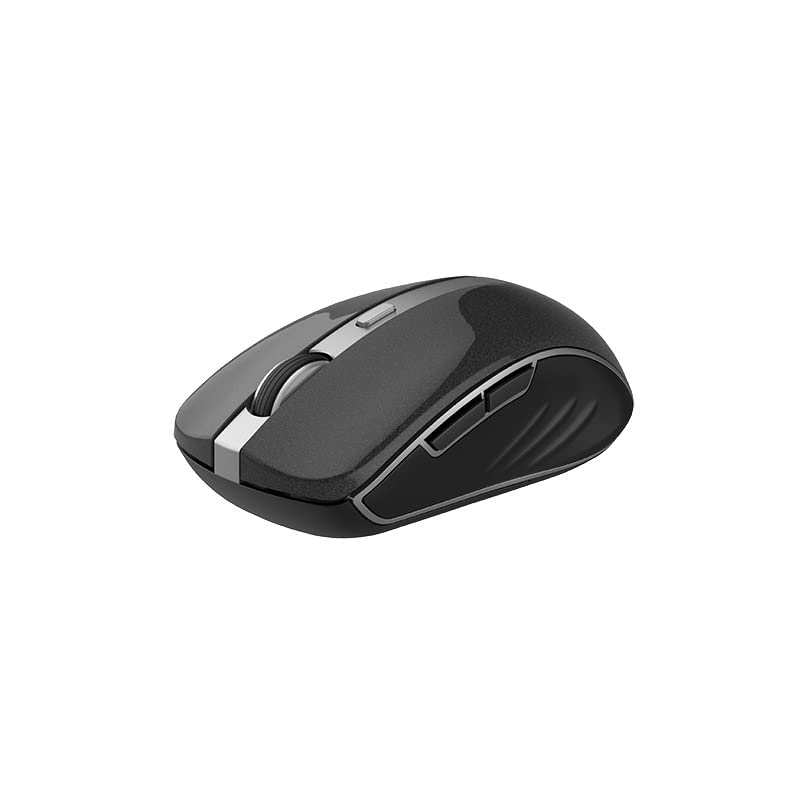
The Havit MS951GT is a wireless optical mouse designed for comfortable and precise control. It features symmetrical ergonomics, making it suitable for both left and right-handed users, and includes multi-level DPI adjustment for varied sensitivity needs.

Slika 3.1: Havit MS951GT Wireless Mouse highlighting key features such as DPI adjustment and side buttons.
Ključne komponente:
- Lijevi/Desni klik: Standard mouse functionality.
- Točak za pomicanje: Za vertikalno skrolovanje i funkcionalnost klika srednjim tasterom miša.
- Dugme za podešavanje DPI-ja: Cycles through sensitivity settings (800-1200-1600 DPI).
- Bočna dugmad: Multi-functional, typically used for forward/backward page navigation.
- Pretinac za baterije: Located on the underside of the mouse.
- Pohrana USB prijemnika: A dedicated slot on the underside for the USB receiver when not in use.
4. Podešavanje
4.1. Instaliranje baterije
- Turn the mouse over to access the underside.
- Locate the battery compartment cover and gently slide or lift it off.
- Insert one AA battery into the compartment, ensuring the polarity (+/-) matches the indicators inside.
- Vratite poklopac pretinca za baterije dok ne klikne sigurno na svoje mjesto.
4.2. Povezivanje USB prijemnika
- Locate the USB receiver, which is typically stored in a slot on the underside of the mouse or within the packaging.
- Uključite USB prijemnik u slobodan USB port na vašem računaru.
- Your computer should automatically detect and install the necessary drivers. This is a plug-and-play device, so no additional software installation is usually required.
Slika 4.1: The underside of the Havit MS951GT mouse, illustrating the battery compartment and the storage slot for the USB receiver.
5. Uputstvo za upotrebu
5.1. Osnovne funkcije miša
- Lijevi klik: Select items, open files, activate links.
- Desni klik: Access context menus.
- Točak za pomicanje: Pomičite se gore ili dolje kroz dokumente i web pages. Pressing the scroll wheel often acts as a middle-click.
5.2. DPI podešavanje
The DPI (Dots Per Inch) button, located behind the scroll wheel, allows you to adjust the mouse's sensitivity. Pressing this button will cycle through the available DPI settings:
- 800 DPI: Lower sensitivity for precise tasks.
- 1200 DPI: Standardna osjetljivost za opću upotrebu.
- 1600 DPI: Veća osjetljivost za brže kretanje kursora.
Choose the DPI setting that best suits your preference and task requirements.
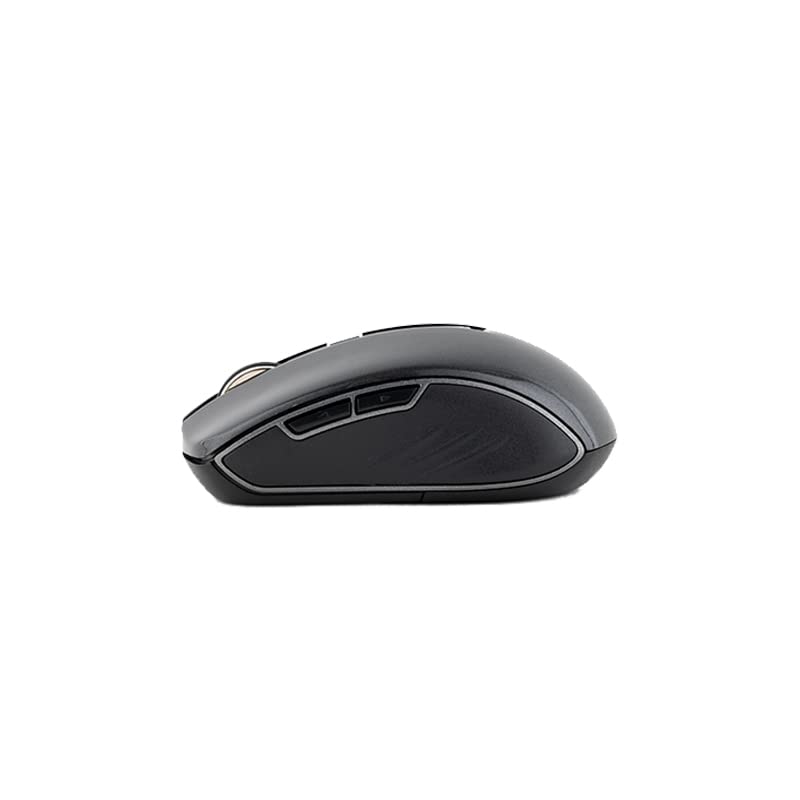
5.3. Bočne tipke
The Havit MS951GT features multi-function side buttons, typically located on the left side of the mouse. By default, these buttons are configured for:
- Dugme naprijed: Navigira naprijed u web pretraživači ili file istraživači.
- Dugme za nazad: Navigacija unazad web pretraživači ili file istraživači.
Slika 5.1: Side view of the Havit MS951GT mouse, illustrating the position of the multi-function side buttons.
6. Održavanje
6.1. Čišćenje
Da biste održali optimalne performanse i higijenu, redovno čistite miš:
- Disconnect the USB receiver from your computer.
- Koristite meku krpu koja ne ostavlja dlačiceampvodom ili blagim rastvorom za čišćenje obrišite površinu miša.
- Izbjegavajte korištenje jakih kemikalija ili abrazivnih materijala.
- Koristite pamučni štapić ili komprimirani zrak za čišćenje oko kotačića za pomicanje i optičkog senzora.
6.2. Zamjena baterije
When the mouse performance degrades or it stops responding, it is likely time to replace the AA battery. Refer to Section 4.1 for battery installation instructions.
6.3. Skladištenje
When not in use for an extended period, the mouse features a built-in auto-sleep function to conserve battery life. For transport or long-term storage, it is recommended to:
- Remove the AA battery to prevent leakage.
- Store the USB receiver in its dedicated slot on the underside of the mouse to prevent loss.
7. Otkrivanje problema
If you encounter issues with your Havit MS951GT Wireless Mouse, please refer to the following common solutions:
7.1. Miš ne reaguje
- Provjerite bateriju: Ensure the AA battery is correctly inserted and has sufficient charge. Replace if necessary.
- Provjerite USB prijemnik: Provjerite je li USB prijemnik sigurno priključen u ispravan USB priključak na vašem računaru. Pokušajte s drugim USB priključkom.
- Ciklus napajanja: Turn off the mouse (if it has a power switch), remove the battery, wait a few seconds, then reinsert the battery and turn it back on.
7.2. Nepravilno kretanje kursora
- Očistite optički senzor: Dust or debris on the optical sensor can cause erratic movement. Clean the sensor on the underside of the mouse with a soft, dry cloth or compressed air.
- Provjerite površinu: Pazite da miš koristite na čistoj, nereflektirajućoj i ujednačenoj površini. Izbjegavajte staklo ili površine s visokom reflektirajućom površinom.
7.3. Connection Issues / Lag
- Smanjite smetnje: Move the mouse closer to the USB receiver. Avoid placing the receiver near other wireless devices (e.g., Wi-Fi routers, cordless phones) that might cause interference.
- Re-plug Receiver: Unplug and re-plug the USB receiver.
8. Specifikacije
| Feature | Specifikacija |
|---|---|
| Brand | Havit |
| Model | MS951GT |
| Bežična tehnologija | 2.4GHz |
| Wireless Distance | 10m |
| DPI nivoi | 800-1200-1600 DPI |
| Broj ključa | 6 (Left, Right, Scroll, DPI, 2 Side Buttons) |
| Napajanje | 1 * AA Battery |
| Dimenzije (DxŠxV) | 50 x 50 x 50 mm (približno) |
| Težina artikla | 100 g |
| Kompatibilnost operativnog sistema | Windows XP and above (PC, Laptop) |
| Materijal | Plastika |
| Hand Orientation | Ambidextrous |
9. Garancija i podrška
Havit products are designed for reliability and performance. For information regarding warranty coverage, please refer to the warranty card included with your product or visit the official Havit website. If you require technical assistance or have questions not covered in this manual, please contact Havit customer support through their official channels.
Molimo sačuvajte svoj dokaz o kupovini za zahtjeve u vezi s garancijom.


