1. Uvod
Hvala na kupoviniasing the Audizio Adria DAB/Internet Radio Tuner. This device offers a versatile audio experience, combining Internet Radio, DAB+, FM radio, Bluetooth connectivity, and Spotify Connect. This manual provides essential information for setting up, operating, and maintaining your tuner to ensure optimal performance and longevity.
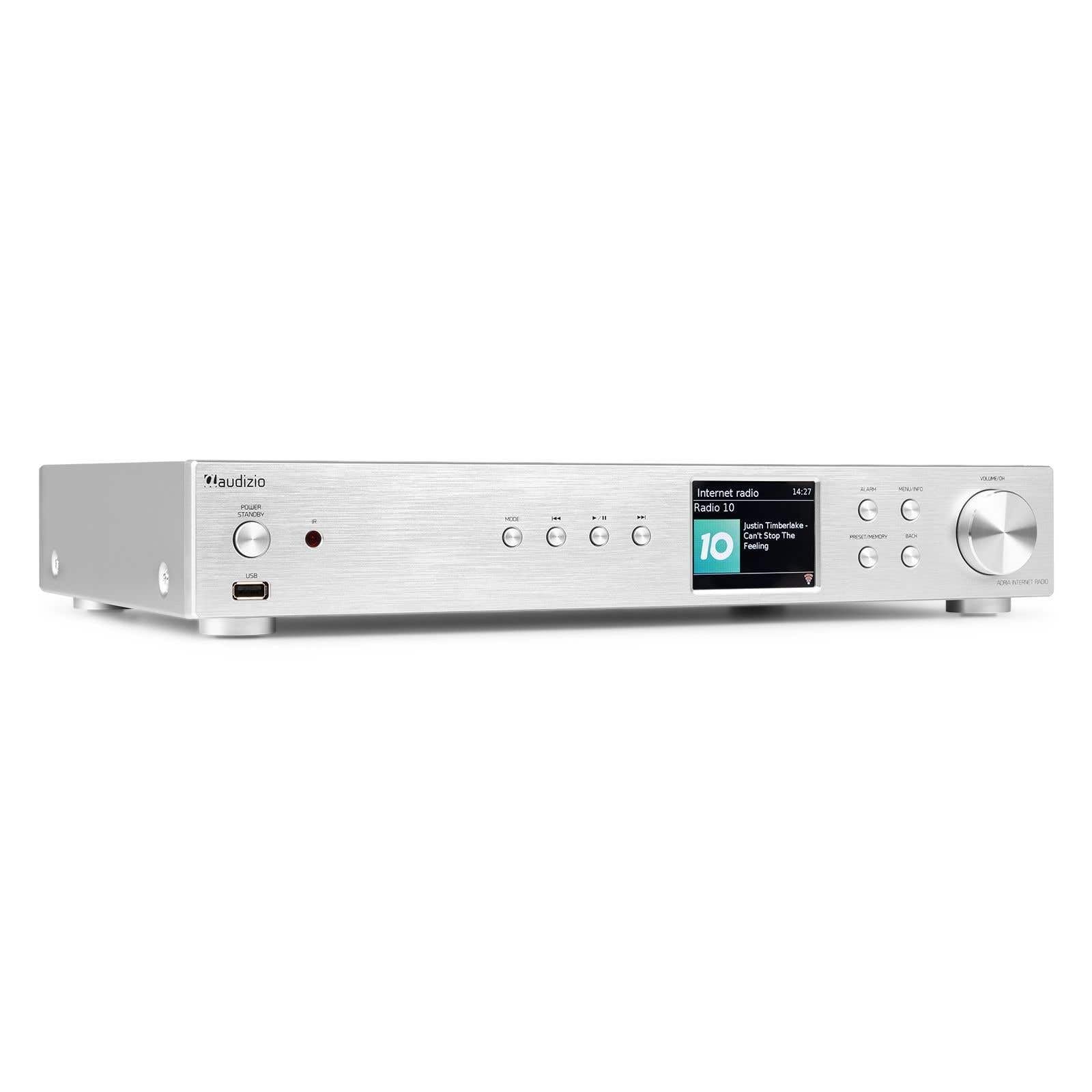
Figure 1.1: Audizio Adria DAB/Internet Radio Tuner with included remote control and antenna.
2. Sigurnosne informacije
- Prije upotrebe pažljivo pročitajte sva uputstva.
- Keep the unit away from water, moisture, and direct heat sources.
- Ne blokirajte ventilacijske otvore. Osigurajte dovoljno prostora oko uređaja za pravilan protok zraka.
- Koristite samo strujni adapter koji je isporučen s jedinicom.
- Ne pokušavajte sami popravljati ili modificirati uređaj. Sve servisne radove prepustite kvalificiranom osoblju.
- Dispose of batteries responsibly. The remote control uses 1 AAA battery.
3. Sadržaj paketa
Provjerite da li su sve stavke prisutne u paketu:
- Audizio Adria DAB/Internet Radio Tuner Unit
- Remote Control (requires 1x AAA battery, included)
- Adapter za napajanje
- DAB/FM antena
- Uputstvo za upotrebu
4. Proizvod je gotovview
4.1 Prednja ploča

Slika 4.1: Kontrole i ekran na prednjoj ploči
- Power / Standby Button: Uključuje ili isključuje jedinicu.
- USB port: Za reprodukciju medija s USB uređaja za pohranu podataka.
- Dugme za način rada: Switches between Internet Radio, DAB+, FM, Bluetooth, and Media Player modes.
- Dugme za reprodukciju/pauzu: Kontrolira reprodukciju u medijskim načinima rada.
- Dugmad za preskakanje/podešavanje: Navigates tracks or tunes radio frequencies.
- Zaslon: Prikazuje informacije o stanici, menije i postavke.
- Dugme alarma: Pristupa postavkama alarma.
- Dugme Meni/Informacije: Enters menu or displays information.
- Preset/Memory Button: Saves or recalls favorite stations.
- Dugme za povratak: Povratak na prethodni meni ili ekran.
- Volume / OK Knob: Rotates to adjust volume or navigate menus; presses to confirm selections.
4.2 Zadnja ploča

Slika 4.2: Priključci na zadnjoj ploči
- Ulazna snaga: Ovdje povežite isporučeni adapter za napajanje.
- DAB/FM antenski ulaz: Connect the included DAB/FM antenna.
- Analogni izlaz (RCA): Povežite se na an amppojačalo ili aktivne zvučnike pomoću RCA kablova.
- AUX ulaz: Povežite eksterne audio izvore putem 3.5 mm priključka.
- USB port za punjenje: Za punjenje eksternih uređaja.
- Optički digitalni izlaz: Povežite se na an amplifier or DAC with an optical cable.
- Coaxial Digital Output: Povežite se na an amplifier or DAC with a coaxial cable.
5. Podešavanje
5.1 Connecting Power and Antennas
- Connect the supplied DAB/FM antenna to the DAB/FM Antenna Input on the rear panel. Extend the antenna fully for best reception.
- Connect the power adapter to the Power Input on the rear panel, then plug it into a wall outlet.
5.2 Povezivanje sa audio sistemom
Choose one of the following methods to connect the Adria tuner to your ampaktivni zvučnici ili zvučnici:
- Analogni izlaz (RCA): Use RCA cables to connect the Analog Output ports on the Adria to the corresponding input on your amplifier.
- Optički digitalni izlaz: Use an optical cable to connect the Optical Digital Output to an optical input on your amplifier ili DAC.
- Coaxial Digital Output: Use a coaxial cable to connect the Coaxial Digital Output to a coaxial input on your amplifier ili DAC.
5.3 Početno uključivanje i podešavanje mreže
- Press the Power/Standby button on the front panel or remote control to turn on the unit.
- The display will show the Audizio logo, then guide you through the initial setup wizard.
- Follow the on-screen prompts to select your language, time zone, and connect to your Wi-Fi network. You will need your Wi-Fi network name (SSID) and password.
- Use the Volume/OK knob to navigate menus and confirm selections.
6. Uputstvo za upotrebu
6.1 Odabir načina rada
Pritisnite Mode button on the front panel or remote control to cycle through available modes: Internet Radio, DAB+, FM, Bluetooth, and Media Player (USB).
6.2 Internet radio
Figure 6.1: Internet Radio Mode Display
- Odaberite način rada Internet radija.
- Use the Volume/OK knob to browse stations by location, genre, or search.
- Press the Volume/OK knob to select a station.
- Da biste sačuvali stanicu kao predefinisanu, pritisnite i držite Preset/Memorija dugme. Izaberite predefinisani broj i potvrdite.
- Da biste pozvali unaprijed postavljenu postavku, pritisnite Preset/Memorija button briefly, then select the desired preset.
6.3 DAB/DAB+ Radio

Figure 6.2: DAB Radio Mode Display
- Select DAB+ mode. The unit will automatically scan for available stations on first use.
- Use the Volume/OK knob to scroll through the list of stations.
- Press the Volume/OK knob to select a station.
- Saving and recalling presets works the same as for Internet Radio.
6.4 FM radio
In FM mode, use the Skip/Tune buttons to manually tune frequencies or press and hold to auto-scan. Saving and recalling presets works the same as for Internet Radio.
6.5 Bluetooth povezivost
- Select Bluetooth mode. The unit will enter pairing mode automatically.
- On your smartphone, tablet, or other Bluetooth device, search for available devices and select "Audizio Adria".
- Once paired, you can stream audio from your device to the tuner.
6.6 Spotify Connect
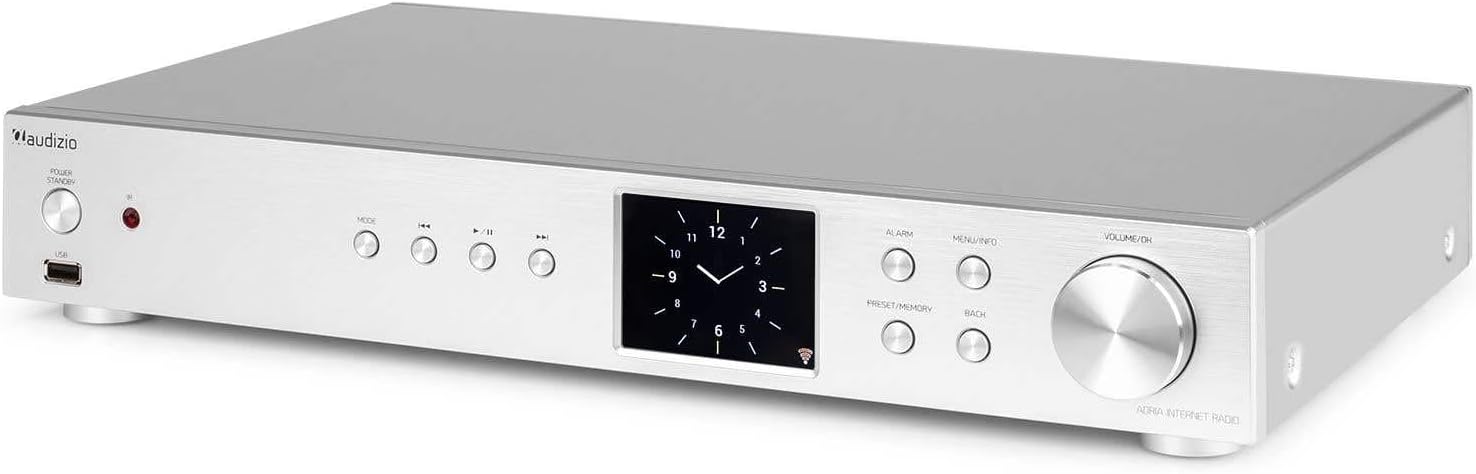
Figure 6.3: Spotify Connect Display
To use Spotify Connect:
- Ensure your Audizio Adria is connected to the same Wi-Fi network as your smartphone or tablet running the Spotify app.
- Open the Spotify app on your device and play a song.
- Tap the "Devices Available" icon (usually a speaker or computer icon) at the bottom of the screen.
- Select "Audizio Adria" from the list of available devices. The music will now play through your tuner.
6.7 Funkcija alarma

Figure 6.4: Clock and Alarm Display
Pritisnite Alarm button to access and set up alarms. You can configure alarm time, source (buzzer, Internet Radio, DAB, FM), and frequency (daily, once, weekends, weekdays).
7. Daljinski upravljač

Slika 7.1: Raspored daljinskog upravljača
The remote control provides full functionality for operating your Audizio Adria tuner. Ensure the included AAA battery is correctly inserted. Point the remote control directly at the unit's front panel for optimal response.
- ODGODI: Privremeno utišava alarm.
- Dugme za napajanje: Uključuje ili isključuje jedinicu.
- Navigacijski tasteri (Gore, Dole, Lijevo, Desno, OK): Za navigaciju i odabir menija.
- VOL +/-: Podešava jačinu zvuka.
- UPUTE: Ciklično prelazi kroz načine unosa.
- MENI: Pristup glavnom meniju.
- POVRATAK: Vraća se na prethodni ekran.
- INFO: Displays detailed information about the current station or track.
- SKENIRAJ: Initiates a scan for radio stations.
- EQ: Pristupa postavkama ekvilajzera.
- Numerička tastatura (0-9): For direct input or selecting presets.
- PRESET: Saves or recalls favorite stations.
8. Održavanje
To ensure the longevity and optimal performance of your Audizio Adria tuner, follow these maintenance guidelines:
- čišćenje: Use a soft, dry cloth to clean the unit's exterior. Do not use abrasive cleaners, waxes, or solvents.
- ventilacija: Ensure that the ventilation openings are not blocked. Dust accumulation can be removed with a soft brush or vacuum cleaner.
- Skladištenje: Ako uređaj skladištite duži period, isključite ga iz napajanja i čuvajte ga na hladnom i suhom mjestu.
- Održavanje antene: Handle the antenna gently to avoid damage.
9. Otkrivanje problema
If you encounter issues with your Audizio Adria tuner, consult the following table for common problems and solutions:
| Problem | Mogući uzrok | Rješenje |
|---|---|---|
| Nema struje | Kabl za napajanje nije priključen; utičnica je neispravna. | Provjerite priključak kabela za napajanje; pokušajte s drugom utičnicom. |
| Nema zvuka | Volume too low; incorrect audio output selected; ampZvučnici/aparat isključeni ili odspojeni. | Increase volume; check audio cable connections; ensure amplifier/speakers are on and set to correct input. |
| Nije moguće povezati se na Wi-Fi | Incorrect password; weak signal; router issue. | Verify Wi-Fi password; move unit closer to router; restart router. |
| Loš DAB/FM prijem | Antena nije ispružena; područje slabog signala. | Fully extend and reposition the antenna; consider an external antenna if available. |
| Bluetooth uparivanje nije uspjelo | Device not in pairing mode; device too far; interference. | Ensure both devices are in pairing mode; move devices closer; turn off other Bluetooth devices. |
10. Specifikacije
| Feature | Specifikacija |
|---|---|
| Brand | Audizio |
| Broj modela | Adria |
| Boja | Srebro |
| Veličina ekrana | 3.2 inča |
| Tehnologija povezivanja | Optical, Coaxial, Bluetooth |
| Posebne karakteristike | Bluetooth, Internet Radio, DAB+, FM, Spotify Connect |
| Podržani radio opsezi | DAB, DAB+, FM |
| Izvor napajanja | Corded Electric |
| Dimenzije proizvoda (D x Š x V) | 43.4 x 7.5 x 31 cm |
| Težina artikla | 3.2 kilograma |
| Uključene komponente | Daljinski upravljač |
| Kompatibilni uređaji | Pametni telefon, tablet, laptop |
11. Informacije o garanciji
This product is covered by a manufacturer's warranty. Please refer to the warranty card included in your package or contact your retailer for specific terms and conditions. Keep your proof of purchase for warranty claims.
12. Podrška
For technical assistance, troubleshooting beyond this manual, or service inquiries, please contact Audizio customer support or your local dealer. Contact information can typically be found on the manufacturer's webweb-mjesto ili vašu dokumentaciju o kupovini.


