1. Uvod
This manual provides essential information for the proper setup, operation, and maintenance of your KTC M27T20 27-inch 2K Mini-LED Computer Monitor. Please read this guide thoroughly before using the product and retain it for future reference.
2. Značajke proizvoda
- 27-inch QHD (2560x1440) Display: Offers crisp and detailed visuals.
- Mini-LED Backlight: Features 576 zones and 2304 LEDs for precise local dimming, enhancing contrast and black levels.
- Brzina osvježavanja od 165Hz: Provides ultra-fast and fluid motion for gaming and dynamic content.
- Vrijeme odziva 1ms (MPRT): Minimizes motion blur and ghosting for clear, sharp images.
- HDR 1000 Certification: Delivers stunning details with high brightness (1000 nits peak) and a 1,000,000:1 contrast ratio.
- Tehnologija kvantnih tačaka: Achieves wide color gamut coverage (93% DCI-P3, 150% sRGB) for vibrant and accurate colors.
- Fleksibilno povezivanje: Includes 2x HDMI 2.0, 1x DisplayPort 1.4, 1x Type-C (90W reverse charging), and USB 3.0 ports.
- Ugrađeni KVM prekidač: Allows control of multiple devices with a single keyboard and mouse setup.
- Ergonomsko postolje: Offers tilt, swivel, height, and pivot adjustments for optimal viewudobnost.
- GameAssist Mode: Features like Black Equalizer, FPS Counter, and Crosshair for enhanced gaming.
- Less Blue Light, No Flicker: Smanjuje naprezanje očiju tokom duže upotrebe.
3. Sadržaj paketa
Molimo Vas da se prilikom raspakivanja uvjerite da su svi predmeti prisutni i neoštećeni:
- Monitor x 1
- Stand x 1 set (includes Neck and Base)
- Garantni list x 1
- Vodič za brzi početak (QSG) x 1
- Uputstvo za upotrebu x 1
- Color Correction Report x 1
- Adapter za napajanje x 1
- Kabl za napajanje x 1
- DisplayPort (DP) Cable x 1
- HDMI kabel x 1
- USB-B na USB-A kabl x 1

4. Postavljanje i instalacija
4.1 Sastavljanje postolja
The monitor stand features a tool-less design for easy assembly.
- Insert the neck into the base and secure it with the captive screw at the bottom of the base.
- Align the top of the assembled stand with the mounting slot on the back of the monitor panel.
- Lagano gurnite postolje u utor dok se sigurno ne učvrsti na mjestu.
4.2 Wall Mounting (VESA Compatible)
The KTC M27T20 monitor supports VESA mounting with a 100mm x 100mm pattern. To wall mount:
- Remove the pre-assembled stand by pressing the quick-release button (if applicable) or unscrewing it from the monitor back.
- Attach your VESA-compatible wall mount or arm to the monitor using appropriate screws (not included).
- Ensure the mount is securely fastened to the wall or desk according to the mount manufacturer's instructions.
5. Povezivanje
The KTC M27T20 offers a variety of input and output ports for versatile connectivity:
- 2x HDMI 2.0 porta: Connect to gaming consoles (PS5, Xbox Series X), Blu-ray players, or other HDMI-enabled devices.
- 1x DisplayPort 1.4: Ideal for connecting to PCs for high refresh rate and resolution.
- 1x Type-C Port (90W PD): Connect compatible laptops for video, data, and power delivery (up to 90W reverse charging).
- 3x USB 3.0 Ports (1x Upstream, 2x Downstream): For connecting peripherals like keyboards, mice, and USB drives.
- 1x Priključak za slušalice: Povežite slušalice ili spoljne zvučnike.
- DC 24V Ulaz napajanja: Za spajanje priloženog adaptera za napajanje.
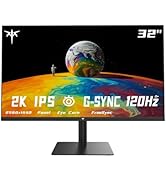
5.1 Funkcionalnost KVM prekidača
The built-in KVM switch allows you to control multiple devices (e.g., PC, laptop) connected to the monitor using a single set of keyboard and mouse. Connect your keyboard and mouse to the USB 3.0 downstream ports on the monitor, and connect your devices to the respective video inputs and the USB-B upstream port.

6. Adjustability and Ergonomics
The KTC M27T20 monitor stand offers comprehensive ergonomic adjustments to optimize your viewiskustvo:
- Podešavanje visine: Podignite ili spustite monitor do nivoa očiju.
- Nagib: Adjust the screen angle forwards or backwards to reduce glare and find a comfortable viewing position.
- Okretni: Rotate the monitor left or right without moving the base, ideal for sharing your screen.
- Pivot: Rotirajte ekran za 90 stepeni za portretni režim viewing, useful for coding, reading, or social media.
7. Display Modes and Settings
The monitor features various display modes and settings accessible via the OSD (On-Screen Display) menu, typically controlled by buttons or a joystick on the monitor.
- Mini-LED Backlight with Local Dimming: The 576 local dimming zones provide deeper blacks and brighter whites.
- HDR 1000: Certified for high dynamic range content, offering superior contrast and color.
- Tehnologija kvantnih tačaka: Poboljšava tačnost i živost boja.
- GameAssist Mode: Access features like Black Equalizer to brighten dark areas, an FPS Counter, and a Crosshair overlay.
- Freesync & G-Sync Compatible: Synchronizes the display's refresh rate with your GPU's frame rate to eliminate screen tearing and stuttering.
- Less Blue Light, No Flicker: Smanjuje naprezanje očiju tokom duže upotrebe.


8. Specifikacije
| Feature | Specifikacija |
|---|---|
| Veličina ekrana | 27 inča |
| Rezolucija | 2560 x 1440 (QHD širokokutni ekran 1440p) |
| Aspect Ratio | 16:9 |
| Refresh Rate | 165Hz |
| Vrijeme odgovora | 1ms (MPRT) |
| Tehnologija pozadinskog osvetljenja | Mini-LED (576 Zones, 2304 LEDs) |
| HDR certifikat | DisplayHDR 1000 |
| HDR Peak Brightness | 1000 cd/m² |
| SDR Typical Brightness | 350 cd/m² |
| HDR Contrast Ratio | 1,000,000:1 |
| Gamut boja | 93% DCI-P3, 150% sRGB |
| Povezivanje | 2x HDMI 2.0, 1x DisplayPort 1.4, 1x Type-C (90W PD), 3x USB 3.0, 1x Earphone Jack |
| KVM prekidač | Da |
| Ergonomija | Visina, nagib, okretanje, okretanje |
| VESA Mount | 100mm x 100mm |
| Dimenzije proizvoda | 8.86 x 34.5 x 19.68 inča |
| Težina artikla | 23.6 funte |
9. Otkrivanje problema
If you encounter any issues with your KTC M27T20 monitor, please refer to the following common troubleshooting steps:
- Nema napajanja: Ensure the power adapter is securely connected to both the monitor and a working power outlet. Check the power indicator light on the monitor.
- Nema signala: Verify that the video cable (HDMI, DisplayPort, or Type-C) is correctly connected to both the monitor and your source device. Ensure the correct input source is selected in the monitor's OSD menu.
- Treperenje/iskrivljena slika: Check the video cable for damage or loose connections. Try a different cable or input port. Ensure your graphics card drivers are up to date.
- Problemi sa bojom: Reset the monitor's display settings to factory defaults via the OSD menu. Check your graphics card color settings.
- KVM ne radi: Ensure all USB cables (upstream and downstream) are correctly connected. Verify the KVM function is enabled and configured in the OSD menu.
For more detailed troubleshooting, please consult the full User Guide included in your package or visit the KTC support website.
10. Garancija i podrška
Your KTC M27T20 monitor comes with a manufacturer's warranty. Please refer to the Warranty Card included in your package for specific terms and conditions.
For technical support, product inquiries, or warranty claims, please contact KTC customer service through the official KTC website or the contact information provided in your User Guide.


