1. Uvod
This manual provides comprehensive instructions for the installation, operation, maintenance, and troubleshooting of your Anpviz 4K PoE Turret IP Camera, Model IPC-D3A83W-S. Please read this manual thoroughly before using the product to ensure proper functionality and safety. Keep this manual for future reference.
2. Proizvod je gotovview
The Anpviz 4K PoE Turret IP Camera is designed for both indoor and outdoor security surveillance, offering high-resolution video and advanced detection capabilities.
Ključne karakteristike:
- 4K Ultra HD (8MP) Resolution: Provides clear video at 3840x2160 pixels.
- 2.8mm širokokutni objektiv: Nudi polje od 110 stepeni view.
- Napajanje preko Etherneta (PoE): Pojednostavljuje instalaciju s jednim kablom za napajanje i podatke.
- Detekcija ljudi i vozila putem umjetne inteligencije: Smanjuje lažne alarme preciznom identifikacijom kretanja ljudi i vozila.
- Smart Dual Light Color Night Vision: Features infrared night vision (up to 98ft) and warm lights for color night vision upon motion detection.
- Ugrađeni mikrofon: Omogućava jednosmjerno praćenje zvuka.
- IP66 vodootporna ocjena: Ensures durability for outdoor use.
- Daljinski pristup: View live footage and recordings via mobile app or PC client.
Sadržaj paketa:
- 1x Anpviz 4K PoE Turret IP Camera (Model IPC-D3A83W-S)
- 1x Vodootporni poklopac
- 1x uputstvo za upotrebu
- Screw Packs for installation
- 1x After-sales Card
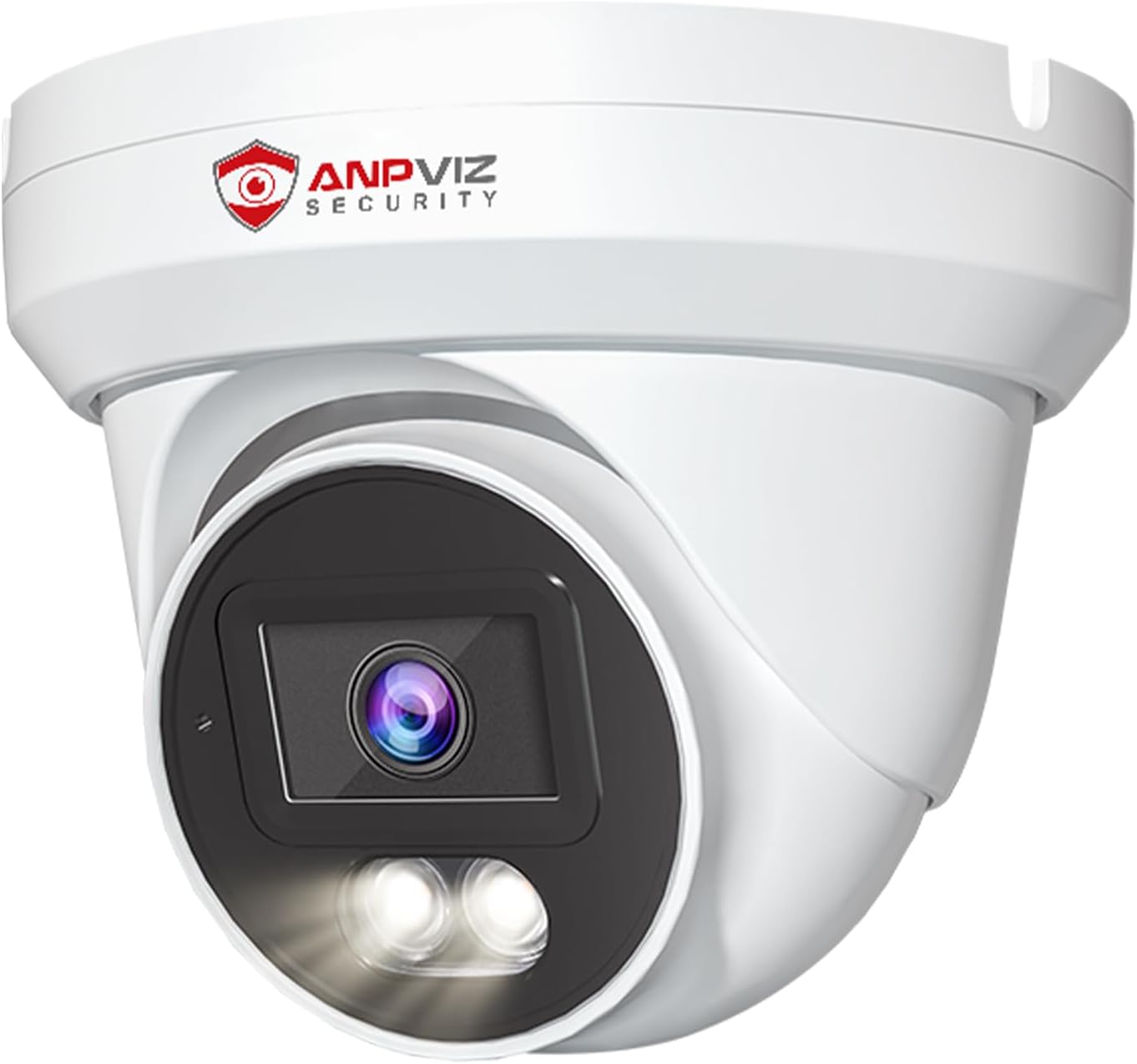
Slika 1: Prednja strana view of the Anpviz 4K PoE Turret IP Camera, showcasinzbog njegovog kompaktnog dizajna i objektiva.
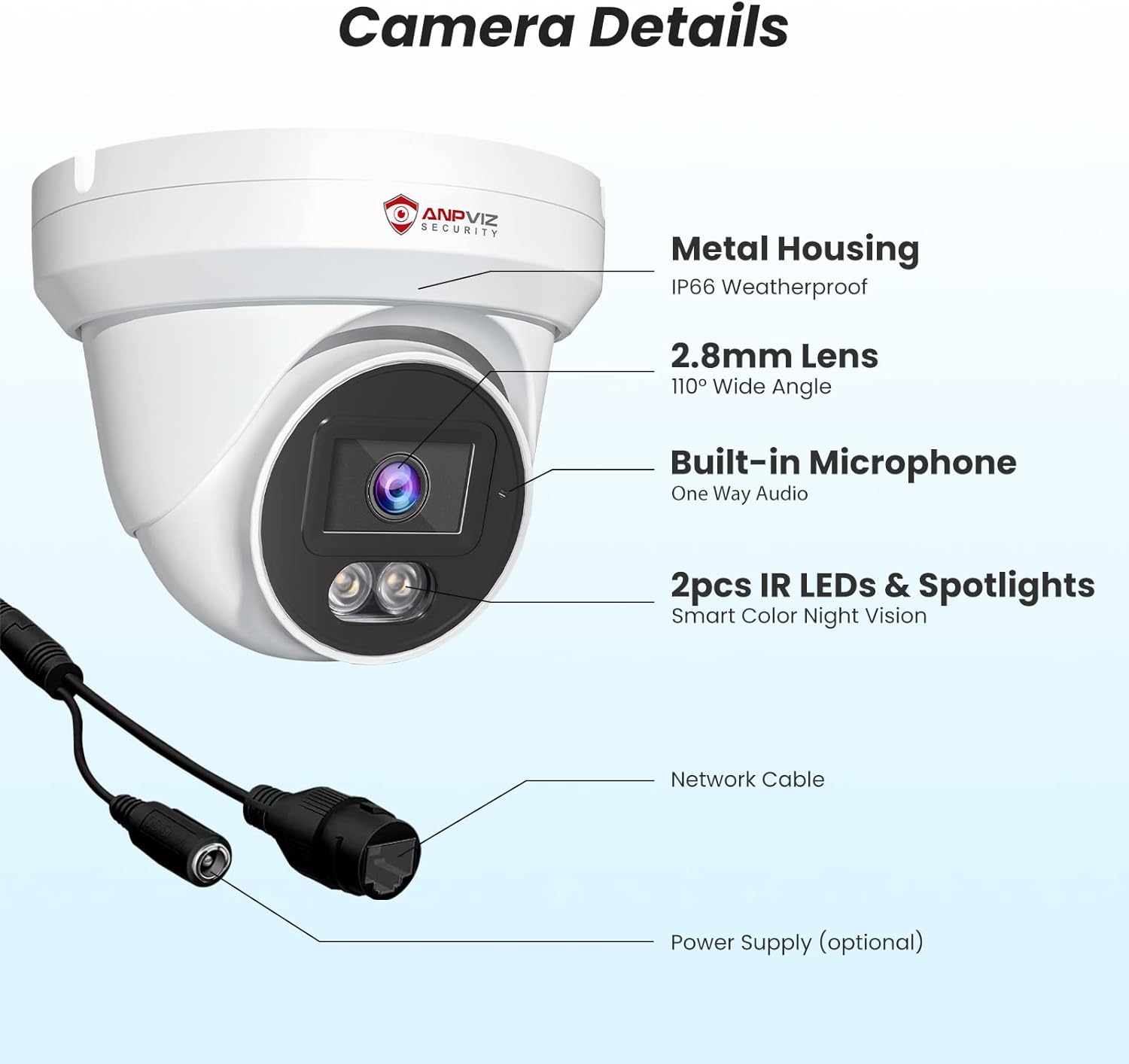
Slika 2: Detaljno view of the camera components, including the metal housing, 2.8mm lens, built-in microphone, IR LEDs, spotlights, network cable, and optional power supply port.
3. Postavljanje i instalacija
The Anpviz 4K PoE Turret IP Camera supports Power over Ethernet (PoE) for simplified installation. A single Ethernet cable provides both power and data connection to a compatible PoE NVR or PoE switch.
3.1 Fizička instalacija
- Odaberite lokaciju za montažu: The camera can be ceiling-mounted or wall-mounted. Ensure the chosen location provides the desired field of view and is within range of your PoE network.
- Pripremite površinu: Use the provided screw packs and waterproof lid for secure outdoor installation. Drill pilot holes as needed.
- Povežite Ethernet kabel: Connect a standard Ethernet cable from your PoE NVR or PoE switch to the camera's network port. Ensure the waterproof lid is properly installed over the connection for outdoor use.
- Osigurajte kameru: Mount the camera securely using the provided screws. Adjust the camera's angle to cover the desired surveillance area.

Image 3: Diagram illustrating the PoE Plug & Play setup, showing the camera connected to an NVR and router via a single Ethernet cable.
3.2 Initial Configuration (NVR Connected)
If connecting to an Anpviz U-Series NVR, the camera should be automatically detected. For initial setup and configuration, refer to the NVR's user manual. The following video demonstrates how to preview the PoE camera via a monitor connected to the NVR:
Video 1: Instructions on how to preview the PoE camera feed using a monitor connected to an NVR, including initial NVR configuration steps like setting a new password and accessing camera settings.
4. Uputstvo za upotrebu
4.1 4K Ultra HD Video Monitoring
The camera delivers 4K (3840x2160) resolution video, providing detailed and clear images for surveillance. The 110-degree wide-angle lens ensures a broad coverage area.

Image 4: Visual comparison demonstrating the superior clarity and detail of 4K Ultra HD (8MP) resolution compared to 1080P resolution.

Image 5: Illustration of the 110-degree wide-angle lens coverage, showing how it captures a larger area.
4.2 AI Human & Vehicle Detection
The camera features advanced AI technology to distinguish between human and vehicle movements and other environmental factors like leaves or insects. This reduces false alarms and ensures you receive relevant alerts.
- Konfiguracija: Enable human and vehicle detection settings through the NVR interface or mobile application.
- Upozorenja: Receive notifications on your smartphone or email when human or vehicle activity is detected.
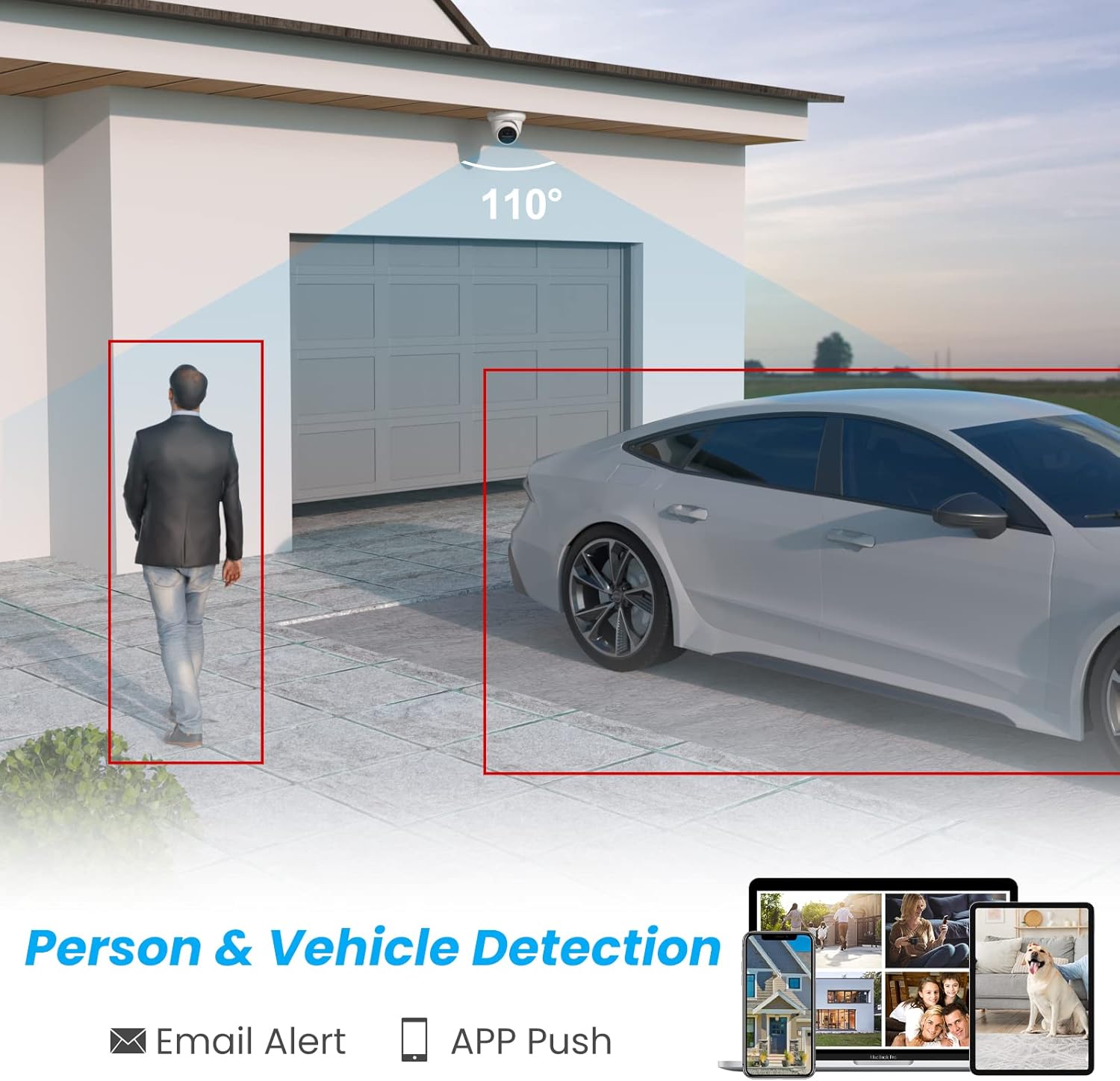
Image 6: Graphic demonstrating the camera's ability to detect and highlight human and vehicle presence within its field of view, triggering email and app push notifications.

Image 7: Illustration showing how the AI detection system filters out irrelevant alerts, focusing only on people and vehicles.
4.3 Smart Dual Light Color Night Vision
Kamera nudi fleksibilne opcije noćnog vida:
- IR noćni vid: Pruža crno-bijeli video u uslovima slabog osvjetljenja pomoću infracrvenih LED dioda.
- Noćni vid u boji: When motion is detected, the camera's warm lights illuminate the area, providing full-color video.
- Prilagodba: You can customize the night vision mode to suit your preferences via the camera settings.
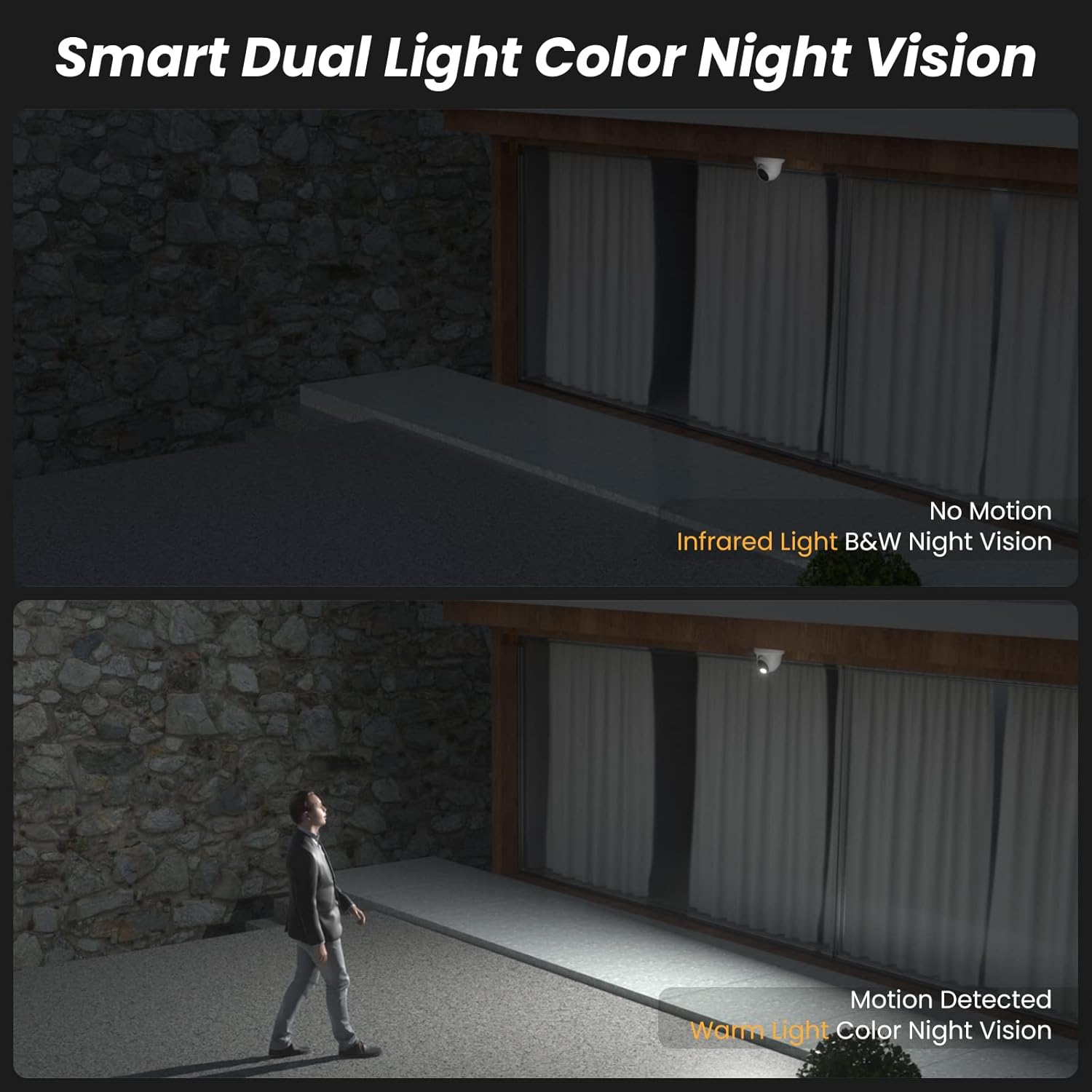
Image 8: Comparison showing infrared black and white night vision without motion, and color night vision with warm light activation upon motion detection.
Video 2: A short demonstration of the camera's infrared black and white night vision mode when no motion is detected.
Video 3: A short demonstration of the camera's white light color night vision mode activating upon motion detection.
4.4 One-Way Audio
The integrated microphone allows for one-way audio monitoring, capturing sounds from the camera's vicinity. This feature enhances situational awareness.

Image 9: Illustration showing the camera's built-in microphone capturing audio, which can be monitored remotely via an NVR or mobile device.
4.5 Remote Access and Live View
Pristupite prijenosu uživo i snimljenoj hrani vaše kameretage from anywhere using the dedicated mobile app (VideoLink) or PC client (LMS).
- Mobilna aplikacija: Download the VideoLink app from the App Store or Google Play.
- PC klijent: Download the LMS client from the Anpviz support website.
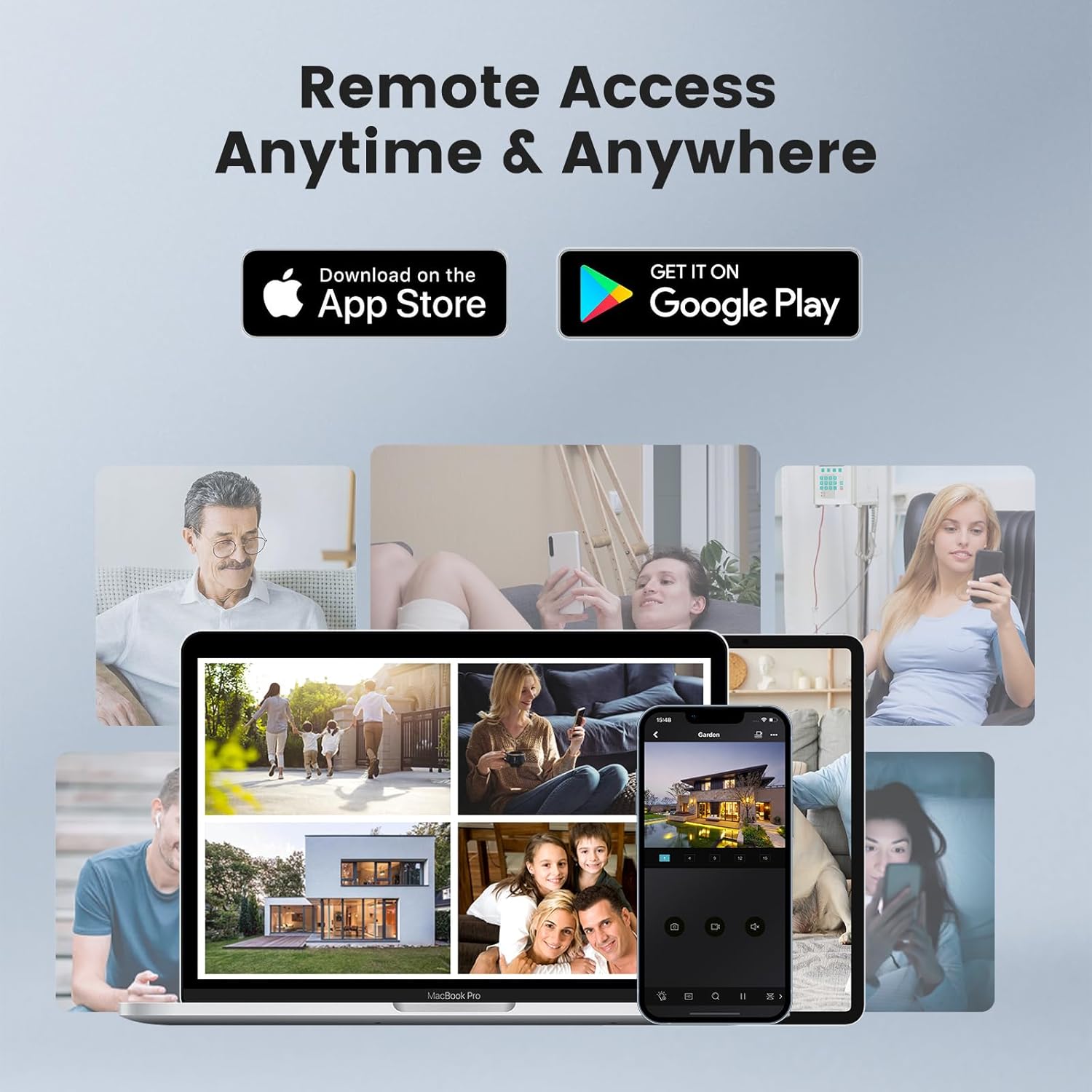
Image 10: Depiction of remote access capabilities, showing live camera feeds on various devices like smartphones, tablets, and laptops.

Slika 11: Gotovoview of multi-platform remote access, highlighting the VideoLink mobile app and LMS PC client for various operating systems and browsers.
The following video demonstrates how to download the VideoLink and LMS applications for PC:
Video 4: A short instructional video on how to download the VideoLink and LMS applications for PC from the Anpviz support website.
5. Održavanje
- Redovno čišćenje: Povremeno čistite objektiv kamere mekom, suhom krpom kako biste osigurali jasnu sliku. Izbjegavajte abrazivna sredstva za čišćenje.
- Ažuriranja firmvera: Check the Anpviz support website regularly for firmware updates. Keeping your camera's firmware up-to-date ensures optimal performance and security.
- Inspekcija kablova: For outdoor installations, periodically inspect the Ethernet cable and waterproof connections for any signs of wear or damage.
- Ciklus napajanja: If the camera experiences issues, try power cycling it by disconnecting and reconnecting the PoE cable.
6. Otkrivanje problema
- Nema video feeda:
- Ensure the PoE connection is secure and the NVR/switch is powered on.
- Provjerite mrežnu povezanost.
- Check if the camera is properly added and configured in your NVR or viewing software.
- Loš kvalitet slike:
- Očistite sočivo kamere.
- Ensure sufficient lighting in the area, especially at night.
- Check video resolution settings in your NVR or app.
- Lažna upozorenja pokreta:
- Adjust the sensitivity settings for human/vehicle detection.
- Osigurajte vidno polje kamere view nije ometan pokretnim predmetima poput grana drveća.
- Problemi s daljinskim pristupom:
- Provjerite svoju internetsku vezu.
- Ensure the NVR or camera is properly connected to the internet and port forwarding (if applicable) is configured correctly.
- Update the mobile app or PC client to the latest version.
7. Specifikacije
| Feature | Specifikacija |
|---|---|
| Naziv modela | IPC-D3A83W-S |
| Rezolucija video snimanja | 4K (3840x2160) |
| Efektivna rezolucija mirovanja | 8 MP |
| Viewing Angle | 110 stepeni |
| Objektiv | 2.8mm |
| Noćni vid | 98 stopa |
| Low Light Technology | Smart Color Night Vision (Default), Infrared Night Vision (Optional), Color Night Vision (Optional) |
| Tehnologija povezivanja | Žičano (PoE) |
| Connectivity Protocol | Ethernet |
| Audio | Built-in Microphone (One-way audio) |
| Vrsta upozorenja | Motion Only (AI Human & Vehicle Detection) |
| Međunarodna ocjena zaštite | IP66 (vodootporni) |
| Unutrašnja/vanjska upotreba | Unutarnji, vanjski |
| Vrsta montaže | Ceiling Mount, Wall-Mounted |
| Materijal | Metal |
| Dimenzije proizvoda (D x Š x V) | 4.72 x 4.72 x 4.92 inča |
| Težina artikla | 1.01 funti (0.46 kilograma) |
| Izvor napajanja | Električno napajanje (putem PoE) |
| Kompatibilni uređaji | Smartphone, PC, Monitor, Computer, Laptop |
8. Garancija i podrška
Anpviz provides a 1-year warranty and lifetime technical support for this product. For any questions or issues, please contact our professional technical staff.
Kontakt informacije:
- Prodavac na Amazonu: Contact through the Amazon platform.
- Podrška putem e-pošte: support@anpvizsecurity.com
- Radno vrijeme: Monday - Friday, 9:00 AM - 6:00 PM (Time Zone not specified, assume PST or EST based on Amazon.com)

Image 12: Graphic detailing Anpviz's 1-year warranty and lifetime technical support, including contact methods and operating hours.


