1. Proizvod je gotovview
The Dexnor Heavy Duty Protective Case is engineered to provide comprehensive protection for your Samsung Galaxy S21 FE 5G. This case features a multi-layered design, including a built-in screen protector and a versatile kickstand, ensuring durability and functionality.
2. Kompatibilnost
This case is designed exclusively for the Samsung Galaxy S21 FE 5G (6.4 inches). It is not compatible with other models such as the Samsung Galaxy S21 5G (6.2 inches), Samsung Galaxy S21+ 5G (6.7 inches), or Samsung Galaxy S21 Ultra 5G (6.8 inches).

Image: This diagram illustrates that the case is specifically designed for the Samsung Galaxy S21 FE 5G (6.4 inches) and is not suitable for other Galaxy S21 series phones.
3. Ključne karakteristike
- 360° Heavy Duty Protection: Features reinforced corners and raised edges around the camera and screen to protect against drops, cracks, and scratches. The multi-layered design includes a hard front frame with a screen protector, soft TPU edges, and a hard PC back cover for shock absorption.
- Multifunctional Back Kickstand: A retractable and stable kickstand allows for hands-free viewing in both portrait and landscape orientations. It also provides an additional grip point for single-hand phone manipulation.
- Kompatibilno s bežičnim punjenjem: The case is designed to not interfere with wireless charging functionality, allowing you to charge your device conveniently without removal.
- Touch-sensitive Screen Protector: The integrated screen protector is resistant to scratches and smudges while maintaining high touch responsiveness for smooth operation.

Image: An exploded diagram illustrating the various protective layers of the case, including the front frame with screen protector, soft TPU edges, and hard PC back cover.

Image: The case is shown protecting a phone, emphasizing its bumper shock cushions and military-grade certification for ultimate drop protection.

Image: This image details the raised edges around the phone's screen and camera, along with the integrated screen shield for enhanced protection.
4. Setup (Installation Instructions)
- Separate the Case: Gently pry apart the front frame from the back cover. There may be small notches or a seam designed for this purpose.
- Očistite svoj telefon: Ensure your Samsung Galaxy S21 FE 5G screen and back are clean and free of dust or smudges.
- Install Phone into Back Cover: Place your phone into the back cover, ensuring all buttons and ports align correctly.
- Attach Front Frame: Carefully align the front frame, with its built-in screen protector, over your phone. Press firmly around the edges until the front frame snaps securely into place with the back cover.
- Provjerite uklapanje: Verify that the case is fully sealed around your phone and that all buttons are functional.
5. Uputstvo za upotrebu
5.1 Korištenje stalka
To use the kickstand, locate the retractable stand on the back of the case. Gently pull it outwards until it locks into position. You can adjust the angle for optimal viewing in either portrait or landscape mode. To retract, push the kickstand back into its recess until it is flush with the case.

Image: The kickstand is demonstrated in both portrait and landscape orientations, providing hands-free viewing for various activities.
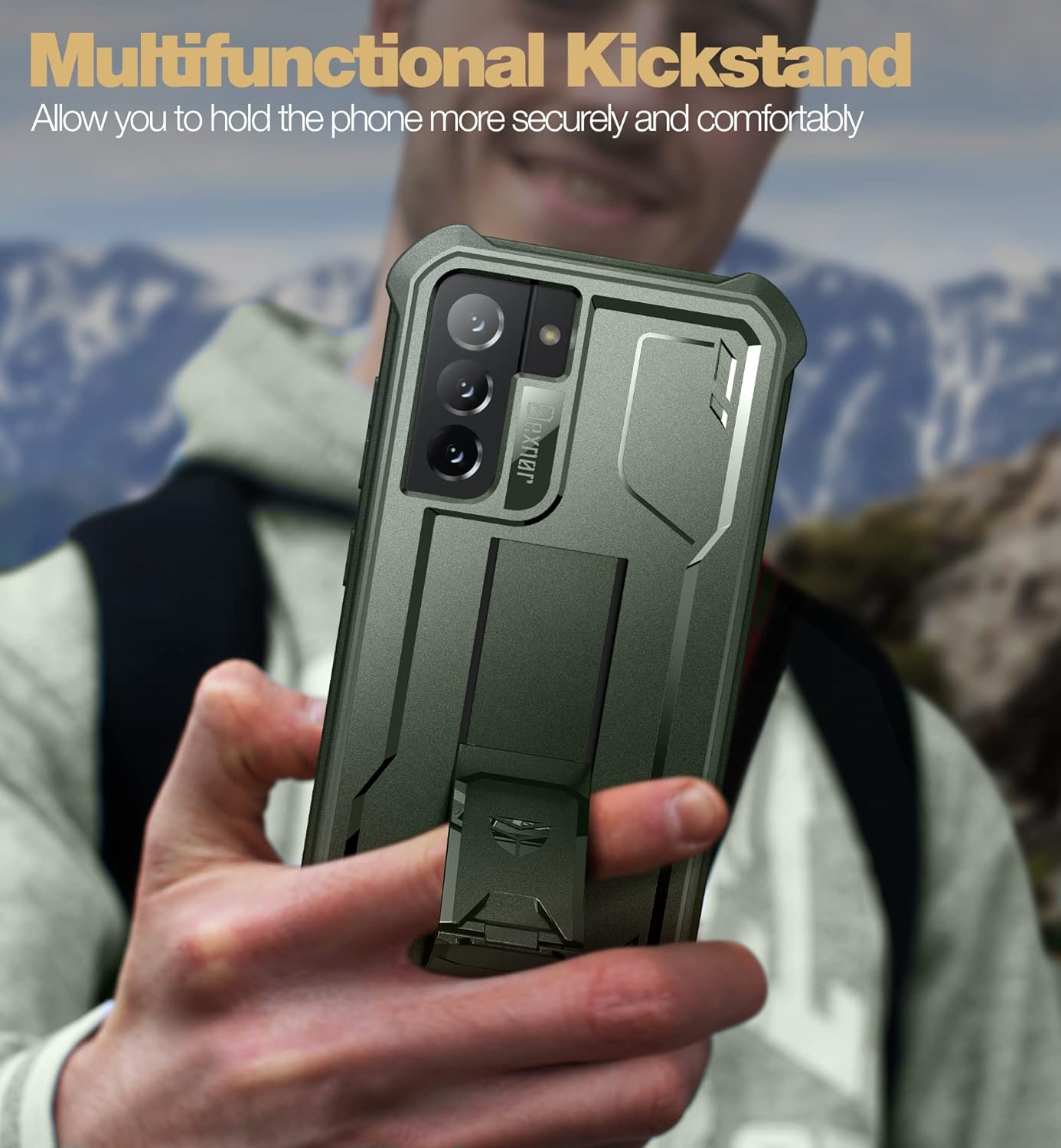
Image: A user is shown holding the phone with the kickstand extended, illustrating its use as a secure grip for one-handed operation.
5.2 Bežično punjenje
The Dexnor case supports wireless charging. Simply place your Samsung Galaxy S21 FE 5G, with the case installed, onto a compatible wireless charging pad. Ensure the phone is centered on the charging pad for optimal performance.

Image: The phone, enclosed in the Dexnor case, is shown actively charging on a wireless pad, confirming compatibility.
6. Održavanje
- čišćenje: To clean the case, wipe it with a soft, slightly damp cloth. Avoid using harsh chemicals, abrasive cleaners, or solvents, as these may damage the case material or finish.
- Njega zaštitne folije za ekran: For the built-in screen protector, use a microfiber cloth to gently wipe away fingerprints or smudges. If necessary, a small amount of screen cleaner designed for electronics can be used.
- Redovni pregled: Periodically inspect the case for any signs of wear or damage, especially after significant drops. Replace the case if its protective integrity is compromised.
7. Otkrivanje problema
- Screen Protector Responsiveness Issues: If you experience reduced touch sensitivity, ensure there are no air bubbles or dust trapped between your phone screen and the built-in screen protector. Re-installing the case after cleaning both surfaces may resolve the issue.
- Kickstand Not Functioning Properly: If the kickstand feels loose or does not stay extended, check for any debris obstructing its mechanism. Ensure it is fully extended until it clicks into place for stable support.
- Difficulty with Button Press: If buttons are hard to press, ensure the phone is correctly seated within the case and that the case is fully assembled.
8. Specifikacije
| Dimenzije proizvoda | 7.03 x 4.13 x 0.55 inča |
| Težina artikla | 2.65 unce |
| Kompatibilni modeli telefona | Samsung Galaxy S21 FE 5G |
| Materijal | Polycarbonate, Thermoplastic Polyurethane |
| Proizvođač | Dexnor |
9. Garancija i podrška
Dexnor is committed to providing quality products and customer satisfaction. This product comes with a 10 godine garancije for phone and tablet cases, covering manufacturing defects and material flaws under normal use.
- Politika povrata: Za kupovinu koja ispunjava uslove dostupna je politika povrata u roku od 60 dana.
- Customer Support Response: We aim to respond to inquiries within 24 hours on business days and 48 hours on weekends/holidays.
For support, warranty claims, or further assistance, please contact Dexnor customer service through the retailer's platform or the official Dexnor website.

Image: This graphic outlines Dexnor's commitment to customer service, including response times, return policy, and warranty duration.


