1. Uvod
This manual provides detailed instructions for the safe and effective use of your TOPTRO X5 Projector. Please read this manual thoroughly before operating the device and retain it for future reference. The TOPTRO X5 Projector is designed to deliver a high-quality visual experience with advanced connectivity features.

Image 1.1: TOPTRO X5 Projector with accessories and a sample projection.
2. Ključne karakteristike
- Izvorna podrška za 1080P i 4K: Delivers clear, high-definition images with support for 4K video input and a 15000:1 dynamic contrast ratio.
- High Brightness & Color Range: Features 460 ANSI lumens (18000 Lumens) and 90% NTSC technology for vibrant colors.
- Ultra-fast 5G WiFi: Equipped with an advanced 5G WiFi chip for stable and smooth wireless screen mirroring.
- Dvosmjerni Bluetooth 5.1: Connects to external Bluetooth speakers/headphones or functions as a Bluetooth speaker for mobile devices.
- Large Screen & Keystone Correction: Supports 50-300 inch projection size with 4:3/16:9 aspect ratio and 4P/4D keystone correction for image alignment.
- Široka kompatibilnost: Connects to TV sticks, PCs, laptops, Android/iOS phones, PS4, Switch, and supports direct playback of Microsoft Office and Adobe PDF files sa USB -a.

Slika 2.1: Gotovoview of TOPTRO X5 Projector's core features.
3. Vodič za postavljanje
3.1 Postavljanje
Position the projector on a stable, flat surface. Ensure adequate ventilation around the device. The projection distance will determine the screen size, with support for 50 to 300 inches. For optimal image quality, project onto a smooth, light-colored surface or a dedicated projector screen.
3.2 Priključak za napajanje
- Spojite kabel za napajanje na ulazni priključak za napajanje projektora.
- Drugi kraj kabla za napajanje uključite u odgovarajuću električnu utičnicu.
- Pritisnite dugme za napajanje na projektoru ili daljinskom upravljaču da uključite uređaj.
3.3 Podešavanje fokusa
After powering on, adjust the focus ring on the projector lens until the projected image appears sharp and clear. This may need to be re-adjusted if the projector's distance to the screen changes.
4. Povezivanje
4.1 Wireless Screen Mirroring (5G WiFi)
The TOPTRO X5 supports both 2.4G and 5G WiFi for stable and fast screen mirroring from compatible devices (iOS, Android, Windows). To connect:
- Navigate to the 'Screen Mirroring' or 'WiFi Display' option in the projector's menu.
- Ensure your mobile device or computer is connected to the same WiFi network as the projector.
- On your device, activate its screen mirroring function (e.g., 'Screen Mirroring' for iOS, 'Smart View'/'Cast' for Android, 'Project' for Windows).
- Izaberite naziv projektora sa liste dostupnih uređaja da biste uspostavili vezu.

Image 4.1: Wireless screen mirroring via 2.4G/5G dual-band WiFi.
4.2 Dvosmjerni Bluetooth 5.1
The projector's Bluetooth 5.1 allows for both transmitting and receiving audio.
Transmitter Mode (Connect to external audio devices):
- Go to the Bluetooth settings in the projector's menu.
- Omogućite Bluetooth i pretražite uređaje u blizini.
- Izaberite Bluetooth zvučnik ili slušalice sa liste za uparivanje.
Receiver Mode (Use projector as a Bluetooth speaker):
- Activate 'Speaker Mode' in the projector's Bluetooth settings.
- On your mobile device, search for Bluetooth devices and select the projector's name (e.g., 'X5-Bluetooth-XXXX').
- Pair your device to play audio through the projector's built-in speakers.

Image 4.2: Bidirectional Bluetooth 5.1 connectivity options.
4.3 Žičane veze
The projector features multiple ports for wired connectivity:
- HDMI: Connects to laptops, gaming consoles (PS4, Switch), TV sticks, and other HDMI-enabled devices.
- USB: Za reprodukciju medija files directly from a USB flash drive. Supports Microsoft Office (Excel, Word, PPT) and Adobe PDF files.
- AV priključak: Za povezivanje starijih uređaja pomoću AV kabla.
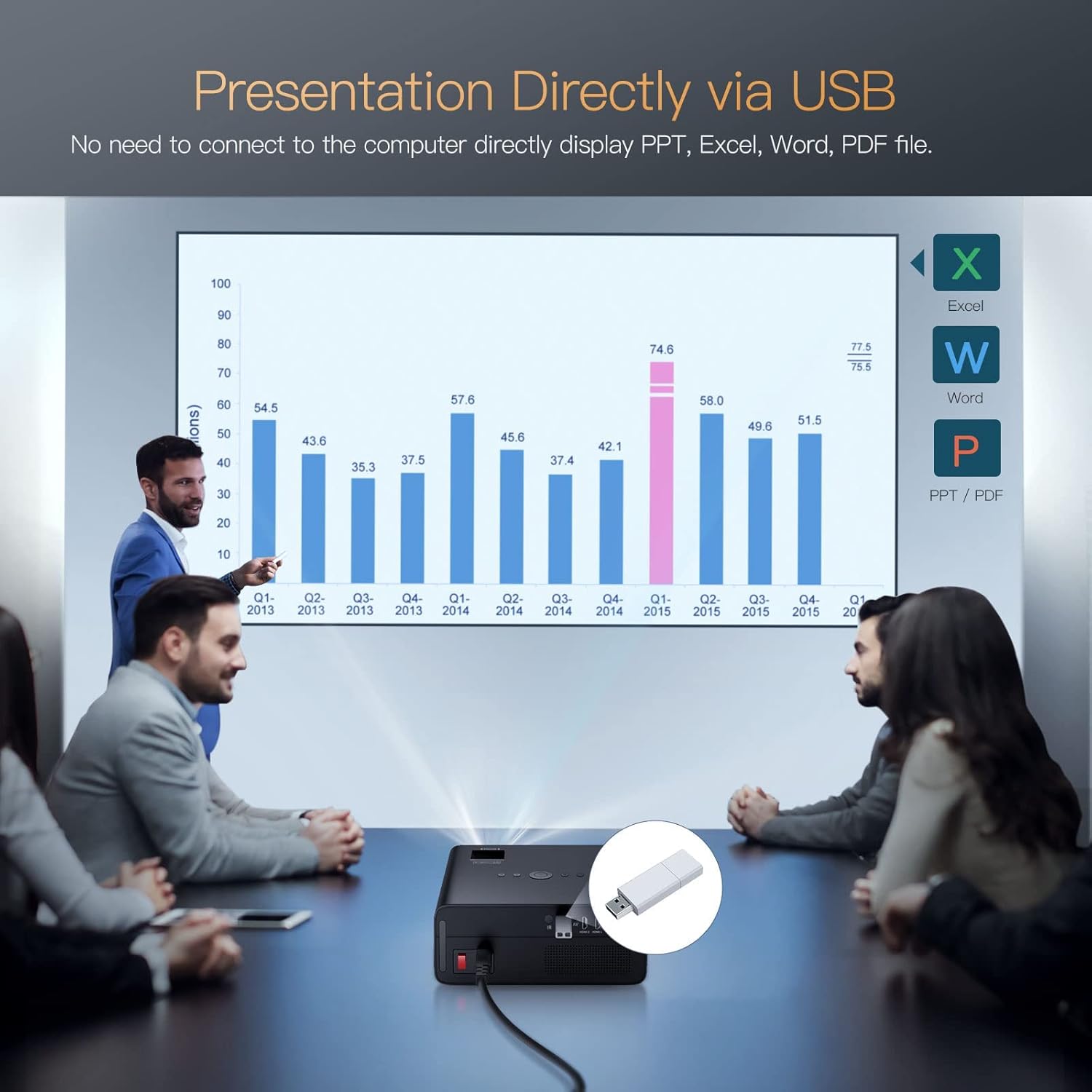
Image 4.3: Direct presentation from USB drive.
5. Operacija
5.1 Osnovna navigacija
Use the included remote control to navigate the projector's menu, select input sources, adjust volume, and access various settings. The projector also has physical buttons for basic controls.
5.2 Image Adjustment (Keystone & Zoom)
The TOPTRO X5 features 4P/4D keystone correction to adjust the image shape and size, ensuring a rectangular projection even when the projector is not perfectly aligned with the screen. Use the remote control to access these settings and make adjustments. The projector also supports a zoom function to resize the image without moving the unit.

Image 5.1: 4D and 4P Digital Keystone Correction in action.
6. Održavanje
6.1 Čišćenje
- Objektiv: Koristite meku krpu koja ne ostavlja dlačice, posebno dizajniranu za optička sočiva, kako biste nježno obrisali sočivo projektora. Izbjegavajte abrazivne materijale ili jake hemikalije.
- Eksterijer: Obrišite vanjski dio projektora mekom, suhom krpom. Ne koristite tekuća sredstva za čišćenje direktno na uređaju.
- Otvori: Periodically check and clean the ventilation openings to ensure proper airflow and prevent overheating. Use a soft brush or compressed air to remove dust.
6.2 Skladištenje
Kada se projektor ne koristi duži period, čuvajte ga na hladnom, suhom i mjestu bez prašine. Koristite originalno pakovanje ili zaštitnu futrolu kako biste spriječili oštećenja.
7. Otkrivanje problema
- Nema napajanja: Provjerite je li kabel za napajanje sigurno spojen i na projektor i na utičnicu. Provjerite je li utičnica ispravna.
- Nema slike: Verify the input source is correctly selected in the projector's menu. Check all cable connections (HDMI, AV, USB) for proper seating.
- Zamućena slika: Adjust the focus ring on the lens. Ensure the projection surface is flat and the projector is within the recommended distance. Use keystone correction if the image is distorted.
- Nema zvuka: Check the volume settings on both the projector and the connected source device. If using Bluetooth, ensure it's correctly paired. If using wired audio, check cable connections.
- Problemi s WiFi/Bluetooth vezom: Ensure both devices are within range. Restart the projector and the connected device. Check for any interference from other wireless devices.
- Image Discoloration or Burn-in: If you observe persistent discoloration or 'burn-in' on the projected image, this may indicate an issue with the internal components. If this occurs, please contact TOPTRO customer support for assistance.
8. Specifikacije
| Feature | Specifikacija |
|---|---|
| Brand | TOPTRO |
| Model | X5 |
| Native Resolution | 1920 x 1080 (izvorno 1080P) |
| Podržana rezolucija | Up to 3840 x 2160 Pixels (4K) |
| Osvetljenost | 18000 lumena (460 ANSI lumena) |
| Kontrast Ratio | 15000:1 |
| Display Technology | LCD |
| Image Aspect Ratio | 16:9, 4:3 |
| Bežično povezivanje | 2.4G & 5G Dual-band WiFi, Bluetooth 5.1 (Bidirectional) |
| Hardversko sučelje | AV Port, HDMI, USB (2 ports) |
| Posebne karakteristike | 90% NTSC Wide Color Gamut, 4P/4D Keystone Correction, Wireless Screen Mirroring, Direct USB File Playback (Office/PDF) |
| Vrsta montaže | Prednji/stražnji na stolu, prednji/pozadi na plafonu |
| Dimenzije proizvoda | 26 x 22.75 x 11.2 cm |
| Težina artikla | 3.17 kg |
| Izvor napajanja | Električni sa kablom (220 vata) |
| Refresh Rate | 60 Hz |
9. Garancija i podrška
TOPTRO provides comprehensive support for your X5 Projector:
- Politika povrata: 6-Month return period.
- Usluga popravka: 3-Year repair warranty.
- tehnička podrška: Lifetime professional technical support.
For any inquiries or assistance, please contact TOPTRO customer service through the official channels provided at the point of purchase or on the TOPTRO website.