Uvod
Thank you for choosing the LC-dolida Bluetooth Headband Headphones. This manual provides detailed instructions on how to set up, operate, and maintain your device. Please read this manual thoroughly before use to ensure optimal performance and longevity of your product.
Sadržaj paketa
Molimo Vas da provjerite paket za sljedeće stavke:
- LC-dolida Bluetooth Headband Headphones (Model LC001)
- USB kabl za punjenje
- Uputstvo za upotrebu
Ako bilo koji artikl nedostaje ili je oštećen, obratite se korisničkoj podršci.
Product Overview
The LC-dolida Bluetooth Headband Headphones (Model LC001) are designed for versatile use, combining a comfortable headband with integrated audio technology. They are suitable for various activities including sleep, sports, and general audio listening.

Slika: Front view of the LC-dolida Bluetooth Headband Headphones, highlighting the control panel.
Ključne karakteristike:
- 3-u-1 dizajn: Functions as a sports headband, sleep mask, and Bluetooth headphones.
- Udoban materijal: Made from highly elastic, breathable, and sweat-wicking fabric.
- Ultra-Thin Speakers: Designed for comfort, especially for side sleepers, with adjustable positioning.
- Bluetooth 5.2 povezivanje: Provides stable connections and clear audio.
- Ugrađeni mikrofon: Omogućava pozivanje bez upotrebe ruku.

Image: Visual representation of the headband's material properties: soft, sweat-absorbing, elastic, and breathable.

Image: Depiction of the headband's comfort for side sleepers, highlighting the super thin speakers and zero pressure design.
Setup
1. Početno punjenje
- Connect the provided USB charging cable to the charging port on the headband.
- Drugi kraj USB kabla priključite na USB adapter za napajanje (nije uključen) ili na USB port računara.
- The LED indicator light will illuminate during charging.
- Potpuno punjenje obično traje 1-2 sata. LED indikator će se promijeniti ili ugasiti nakon što je punjenje završeno.

Image: Visual guide for charging time (2 hours) and approximate playtime (14 hours).
2. Bluetooth uparivanje
- Provjerite je li traka za glavu potpuno napunjena.
- Press and hold the Power button on the control panel until the LED indicator light flashes blue and red, indicating pairing mode.
- Na svom uređaju (pametnom telefonu, tabletu itd.) omogućite Bluetooth i potražite dostupne uređaje.
- Select "LC-dolida" from the list of devices.
- Nakon povezivanja, LED indikator će obično pokazivati stalno plavo svjetlo ili će sporo treptati plavo.
- Automatsko ponovno povezivanje: After the initial pairing, the headband will automatically attempt to connect to the last paired device when powered on, provided the device's Bluetooth is active and within range.
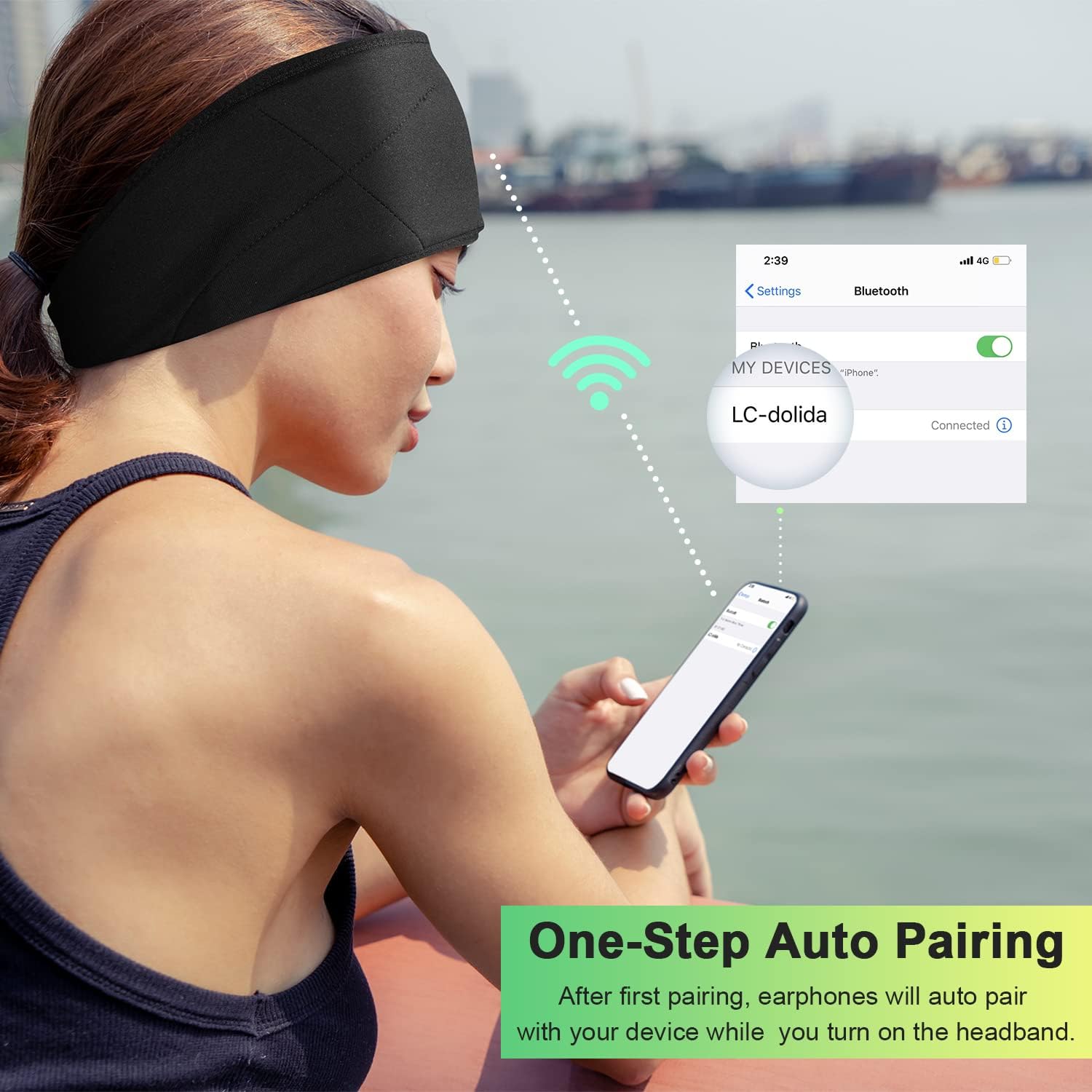
Image: Illustration of the one-step auto pairing process with a smartphone.

Image: Visual confirmation of strong compatibility with various Bluetooth-enabled devices (Android, iOS, Windows).
Uputstvo za upotrebu
Funkcije kontrolne table
The control panel on the headband allows you to manage power, music playback, and calls.
- Uključivanje/isključivanje: Press and hold the Power button (center button) for approximately 3 seconds.
- Pusti/pauziraj muziku: Pritisnite dugme za uključivanje jednom.
- Povećavanje glasnoće: Pritisnite dugme "+".
- Smanjivanje jačine zvuka: Pritisnite dugme "-".
- Sljedeća pjesma: Pritisnite i držite dugme "+" 2 sekunde.
- Prethodni zapis: Pritisnite i držite dugme "-" 2 sekunde.
- Odgovori/Završi poziv: Pritisnite dugme za uključivanje jednom.
- odbiti poziv: Pritisnite i držite dugme za napajanje 2 sekundi.
- Ponovno biranje zadnjeg broja: Dvaput pritisnite dugme za napajanje.

Image: Visual highlighting of the HIFI music and HD stereo sound capabilities.
Podešavanje zvučnika
The ultra-thin speakers inside the headband can be gently moved to align with your ears for optimal sound and comfort. Simply slide them within the fabric casing to find your preferred position.
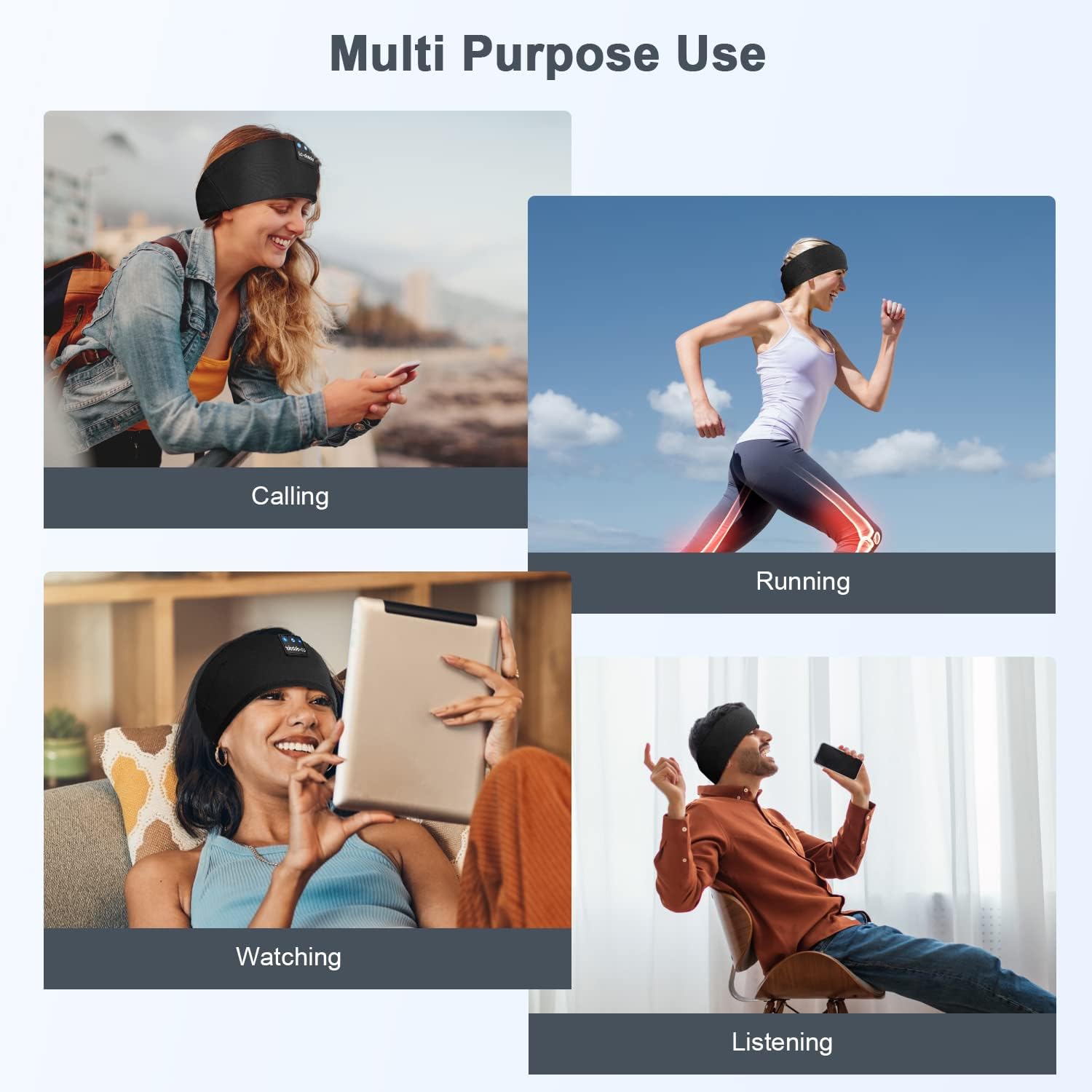
Slika: pramples of multi-purpose use, including hands-free calling, running, watching media, and general listening.
Održavanje
Cleaning the Headband
- Before cleaning, ensure the headband is powered off and disconnected from any charging source.
- Gently remove the electronic module (control panel and speakers) from the fabric headband.
- The fabric headband can be hand-washed with mild soap and cold water. Do not machine wash or tumble dry.
- Allow the fabric headband to air dry completely before reinserting the electronic module.
- Wipe the electronic module with a dry, soft cloth. Do not immerse it in water.
Skladištenje
- Store the headband in a cool, dry place away from direct sunlight and extreme temperatures.
- Avoid placing heavy objects on the headband to prevent damage to the speakers or internal components.
Rješavanje problema
| Problem | Mogući uzrok | Rješenje |
|---|---|---|
| Headband does not power on. | Niska baterija. | Charge the headband for 1-2 hours. |
| Nije moguće uparivanje s uređajem. | Bluetooth is off on your device; headband is not in pairing mode; device is too far. | Ensure Bluetooth is enabled on your device. Put the headband into pairing mode (flashing blue/red LED). Move device closer to the headband. |
| Nema zvuka ili je jačina zvuka niska. | Volume too low on headband or device; speakers misaligned; connection issue. | Increase volume on both the headband and your device. Adjust speaker position within the headband. Re-pair the device. |
| Povremena veza. | Uređaj je previše udaljen; smetnje; slaba baterija. | Move closer to your device. Avoid strong electromagnetic interference. Charge the headband. |
| Mikrofon ne radi. | Mikrofon blokiran; postavke uređaja. | Ensure the microphone area is clear. Check your device's audio input settings. |
If you encounter issues not listed here, please refer to the Warranty and Support section for assistance.
Specifikacije
| Naziv modela | LC001 |
| Tehnologija povezivanja | bežični (Bluetooth) |
| Bluetooth verzija | 5.2 |
| Bluetooth domet | 45 stopa |
| Vrsta audio drajvera | Dynamic Driver |
| Frekvencijski opseg | 20Hz - 20,000Hz |
| Trajanje baterije | Do 13 sati (reprodukcija) |
| Vrijeme punjenja | 1-2 sati |
| Tip kontrole | Media Control (Buttons) |
| Nivo vodootpornosti | Nije vodootporan |
| Težina artikla | 2.89 unce |
| Dimenzije paketa | 7.95 x 3.98 x 0.94 inča |
Napomena: Specifikacije se mogu promijeniti bez prethodne najave.
Garancija i podrška
Garancija proizvođača
This LC-dolida product comes with a one-year manufacturer's warranty from the date of purchase, covering defects in materials and workmanship under normal use.
Additionally, a 30-day satisfaction guarantee allows for a refund within 30 days of purchase if you are not satisfied with the product.
Korisnička podrška
For any questions, technical assistance, or warranty claims, please contact our after-sales team via email. We aim to provide a satisfactory solution within 6 hours.
Please visit the official LC-dolida webweb-stranicu ili vašu platformu za kupovinu za određene kontakt podatke.


