Product Overview
The DEPOW Black Surge Protector Power Strip (Model: QT560-CU) is designed to provide power and protection for multiple electronic devices. It features 5 grounded AC outlets and 4 USB ports (2 USB-A, 2 USB-C) to charge up to 9 devices simultaneously. The ultra-thin flat plug and 5-foot extension cord offer flexible placement options, while its 1700 Joules surge protection safeguards your electronics from power fluctuations.
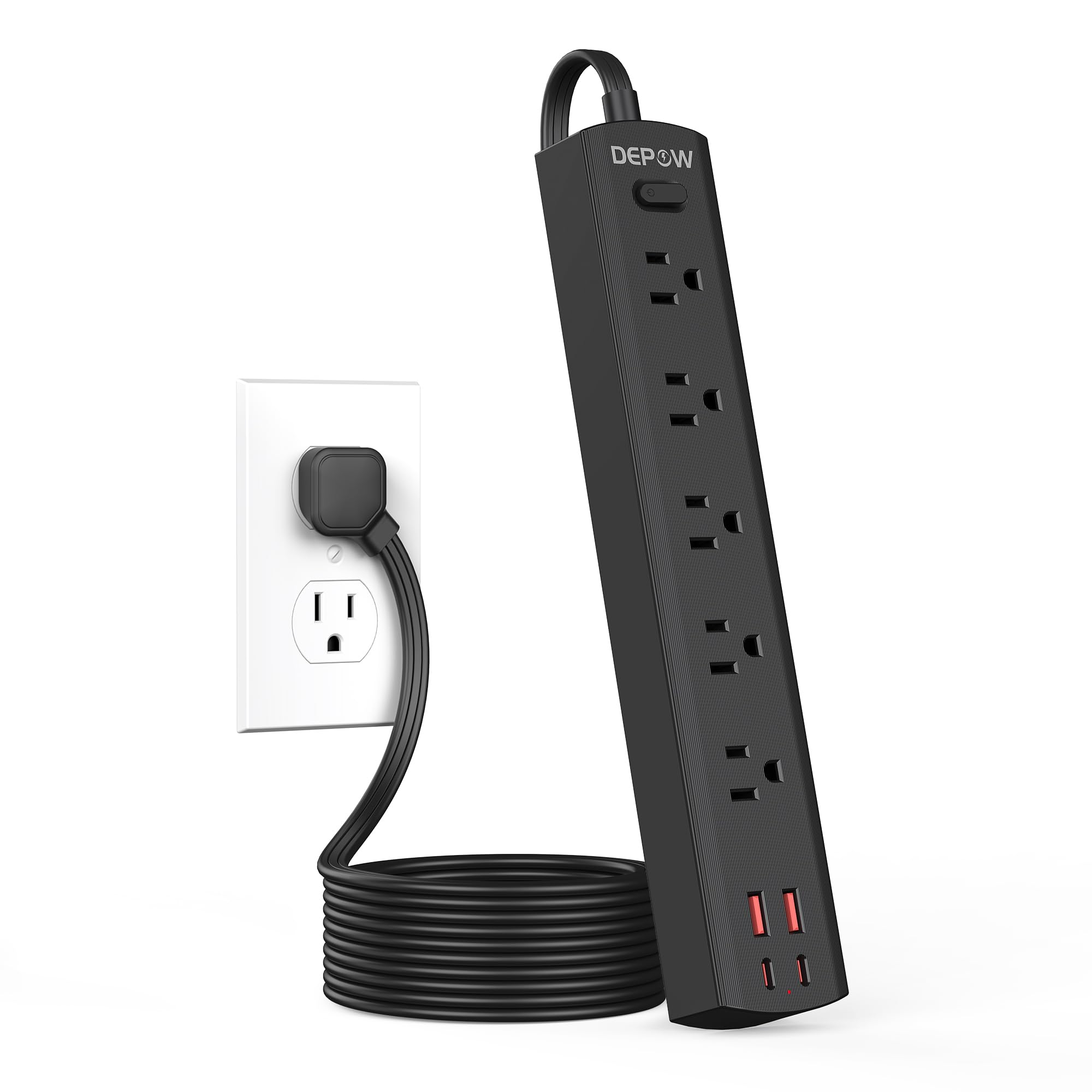
Image: The DEPOW Black Surge Protector Power Strip, showcasing its 5 AC outlets and 4 USB ports (2 USB-A, 2 USB-C) on a flat surface.
Ključne karakteristike:
- 9-u-1 rješenje za napajanje: 5 AC outlets and 4 USB ports (2 USB-A, 2 USB-C) for simultaneous charging.
- Napredna zaštita od prenapona: 1700 Joules rating protects devices from power surges and spikes.
- Dizajn koji štedi prostor: Ultra-thin flat plug (0.33-inch profile) with a 45° right-angle design allows placement behind furniture without blocking other outlets.
- Fleksibilan plasman: 5-foot flat extension cord and wall-mountable design with 2 mounting holes.
- Pametno USB punjenje: USB ports deliver optimized charging (Max 3.4A/17W Shared) for smartphones, tablets, and other USB-powered devices.
- Sveobuhvatna sigurnost: Features overload, short-circuit, grounded, USB over-voltage, USB over-current, USB over-heat, and flame retardant protection.
Uputstva za postavljanje
Follow these steps to set up your DEPOW Surge Protector Power Strip:
1. Raspakivanje i pregled:
- Pažljivo izvadite produžni kabel iz ambalaže.
- Pregledajte uređaj na bilo kakve znakove oštećenja. Ne koristite ga ako je oštećen.
- Ensure all components are present: power strip, mounting screws (if applicable).

Image: The underside of the DEPOW power strip, highlighting the two mounting holes and product dimensions (10.83in length, 1.97in width).
2. Choosing a Location:
- Select a dry indoor location away from water sources and heat.
- Consider using the wall-mount feature for a tidy setup, especially in offices or behind furniture.
3. Povezivanje na napajanje:
- Plug the power strip's flat plug into a standard 125V AC wall outlet. The 45° right-angle design ensures it doesn't block adjacent outlets.
- The power indicator light on the strip will illuminate, confirming it is receiving power.

Image: A visual comparison demonstrating how the ultra-thin flat plug (0.33 inches) of the DEPOW power strip fits flush against a wall, unlike a thicker standard plug (2.04 inches).
4. Wall Mounting (Optional):
- Identify the two mounting holes on the back of the power strip.
- Mark the desired screw locations on the wall, ensuring they align with the mounting holes.
- Drill pilot holes if necessary and insert the provided screws, leaving them slightly protruding.
- Align the power strip's mounting holes with the screws and slide the strip down to secure it.
Uputstvo za upotrebu
This section details how to use your DEPOW Surge Protector Power Strip effectively.
1. Uključivanje/isključivanje:
- The power strip features an On/Off switch. Press the switch to toggle power to all connected devices.
- The switch also acts as an overload protection reset button. If the strip experiences an overload (exceeding 1625W), it will automatically shut off. Press the switch to reset after reducing the load.
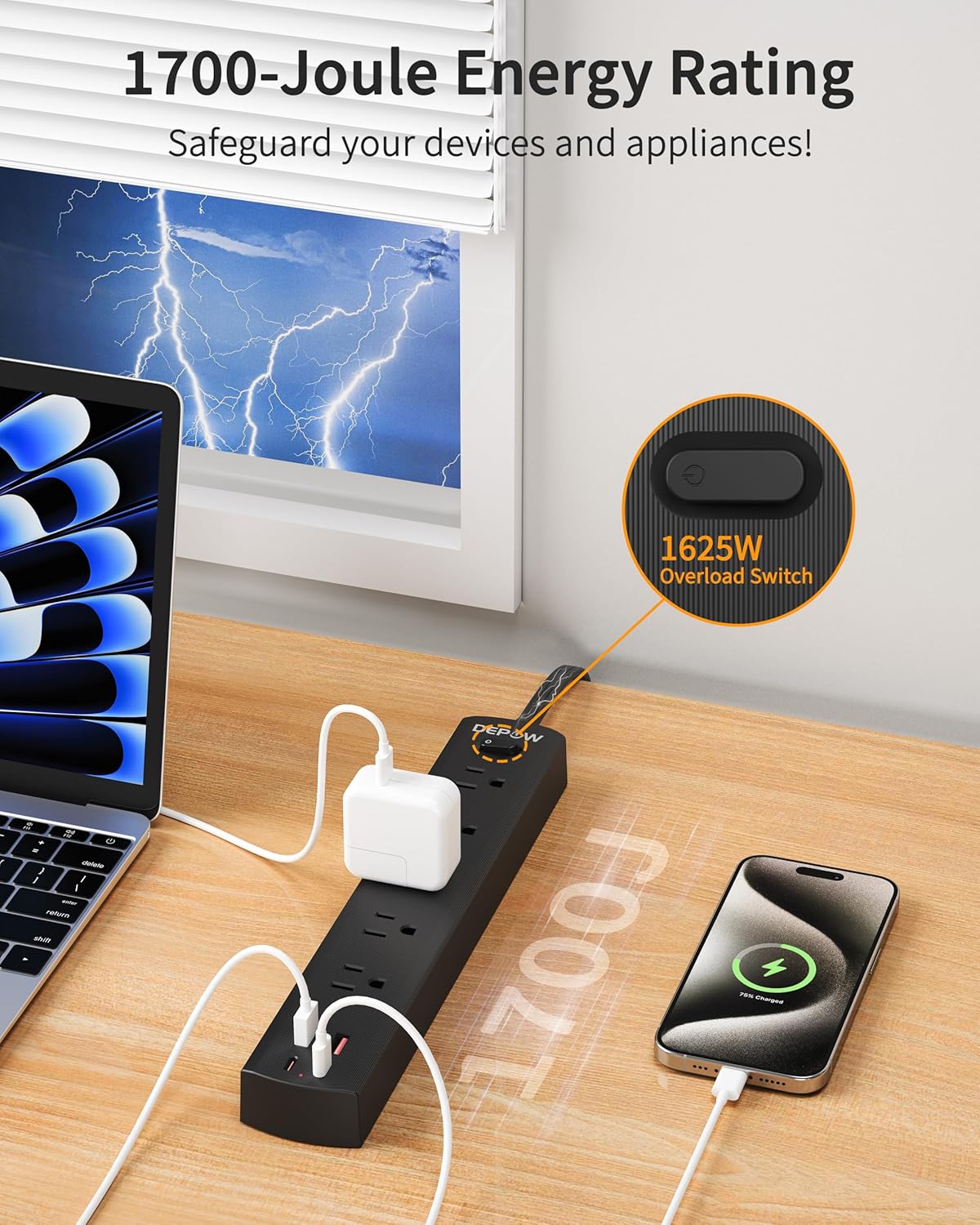
Image: The DEPOW power strip in use, highlighting the 1625W overload switch and indicating 1700 Joules of surge protection.
2. Connecting AC Devices:
- Plug your AC-powered devices into any of the 5 grounded AC outlets.
- The widely spaced outlets accommodate larger power adapters without blocking adjacent ports.
- Ensure the total power consumption of all connected AC devices does not exceed 1625W (13A at 125V).

Image: The DEPOW power strip on a desk, with various devices like laptops, phones, and chargers plugged into its AC and USB ports, demonstrating its multi-device charging capability.
3. Using USB Charging Ports:
- Connect your USB-powered devices (smartphones, tablets, smartwatches, etc.) to the 2 USB-A or 2 USB-C ports.
- The USB ports provide optimized charging with a maximum shared output of 3.4A/17W.

Image: A close-up of the DEPOW power strip's USB ports, illustrating the charging capabilities for USB-A (12W Max) and USB-C (15W Max) with a total shared output of 17W.
4. Video demonstracija:
Video: An official DEPOW video demonstrating the features and usage of the power strip, including its multiple outlets and USB ports. Note: This video title mentions "10 Ft" but the product is "5 Ft". The video content is generally applicable to the product's features.
Održavanje
Proper maintenance ensures the longevity and safe operation of your power strip.
- čišćenje: Prije čišćenja isključite produžni kabel iz zidne utičnice. Za brisanje površine koristite suhu, meku krpu. Ne koristite tekuća sredstva za čišćenje ili aerosole.
- Skladištenje: Kada se ne koristi duži period, produžni kabl čuvajte na hladnom i suhom mjestu.
- Redovni pregled: Periodically check the power cord and the unit for any signs of damage, such as frayed wires, cracks, or loose connections. If any damage is found, discontinue use immediately.
- Izbjegavajte preopterećenje: Always ensure the total wattage of connected devices does not exceed the maximum rating of 1625W to prevent tripping the overload protection.
Rješavanje problema
If you encounter issues with your DEPOW Surge Protector Power Strip, refer to the following common problems and solutions:
| Problem | Mogući uzrok | Rješenje |
|---|---|---|
| Nema napajanja uređaja. |
|
|
| Uređaji se ne pune putem USB-a. |
|
|
| Produžna traka je topla na dodir. |
|
|
Tehničke specifikacije
| Feature | Detalj |
|---|---|
| Broj modela | QT560-CU |
| AC utičnice | 5 uzemljenih utičnica |
| USB portovi | 2 USB-A, 2 USB-C |
| USB izlaz | Max 3.4A/17W Shared |
| AC ulaz/izlaz | 125V~, 60Hz, 13A, 1625W Max |
| Zaštita od prenapona | 1700 džula |
| Dužina kabla | 5 Feet (Flat Plug) |
| Dimenzije (D x Š x V) | 10.83 x 1.97 x 0.1 inča |
| Težina artikla | 10.8 unce |
| Sigurnosne karakteristike | Overload, Short-circuit, Grounded, USB Over-voltage, USB Over-current, USB Over-heat, Flame Retardant Protection |
Garancija i podrška
Informacije o garanciji:
DEPOW products are designed for reliability and performance. This product comes with a standard manufacturer's warranty. Please refer to the product packaging or the official DEPOW webstranicu za specifične uslove i odredbe garancije.
Korisnička podrška:
For technical assistance, troubleshooting, or warranty claims, please contact DEPOW customer support through the following channels:
- Online: Visit the official DEPOW webstranica za često postavljana pitanja i resurse podrške.
- Email: Refer to your product packaging for the customer service email address.
- Telefon: Contact details may be available on the DEPOW webdokumentaciju o lokaciji ili proizvodu.
Please have your model number (QT560-CU) and purchase information ready when contacting support.


