Uvod
The Fanvil W611W is a robust wireless portable phone designed for enhanced communication mobility. Featuring a 2.4-inch color LCD, dual SIP lines, and support for Wi-Fi 6 (2.4GHz & 5GHz) and Bluetooth 5.0, it offers reliable and clear communication. Its IP67 rating ensures durability against water, dust, and drops, making it suitable for various environments.
Ključne karakteristike:
- 2.4" 240 x 320 color screen with intuitive user interface.
- High protection level of IP67, which is waterproof, dustproof, and drop-safe from 1.8-meter height.
- Supports dual-band Wi-Fi 802.11 a/b/g/n/ac/ax (Wi-Fi 6, 2.4GHz & 5GHz).
- Supports IEEE802.11k/v/r roaming for seamless connectivity.
- Supports WPA / WPA2-PSK and 802.1X EAP encryption to ensure communications security.
- 10 hours talk time and 200 hours standby time.
- Type-C USB and 3.5mm 4-pole jack for versatile connectivity.
- Comes with a charging base, belt clip, and power adapter.
Sadržaj paketa
- Fanvil W611W Wireless Portable Phone
- Baza za punjenje
- Belt Clip
- Adapter za napajanje
- Litijum-jonska baterija
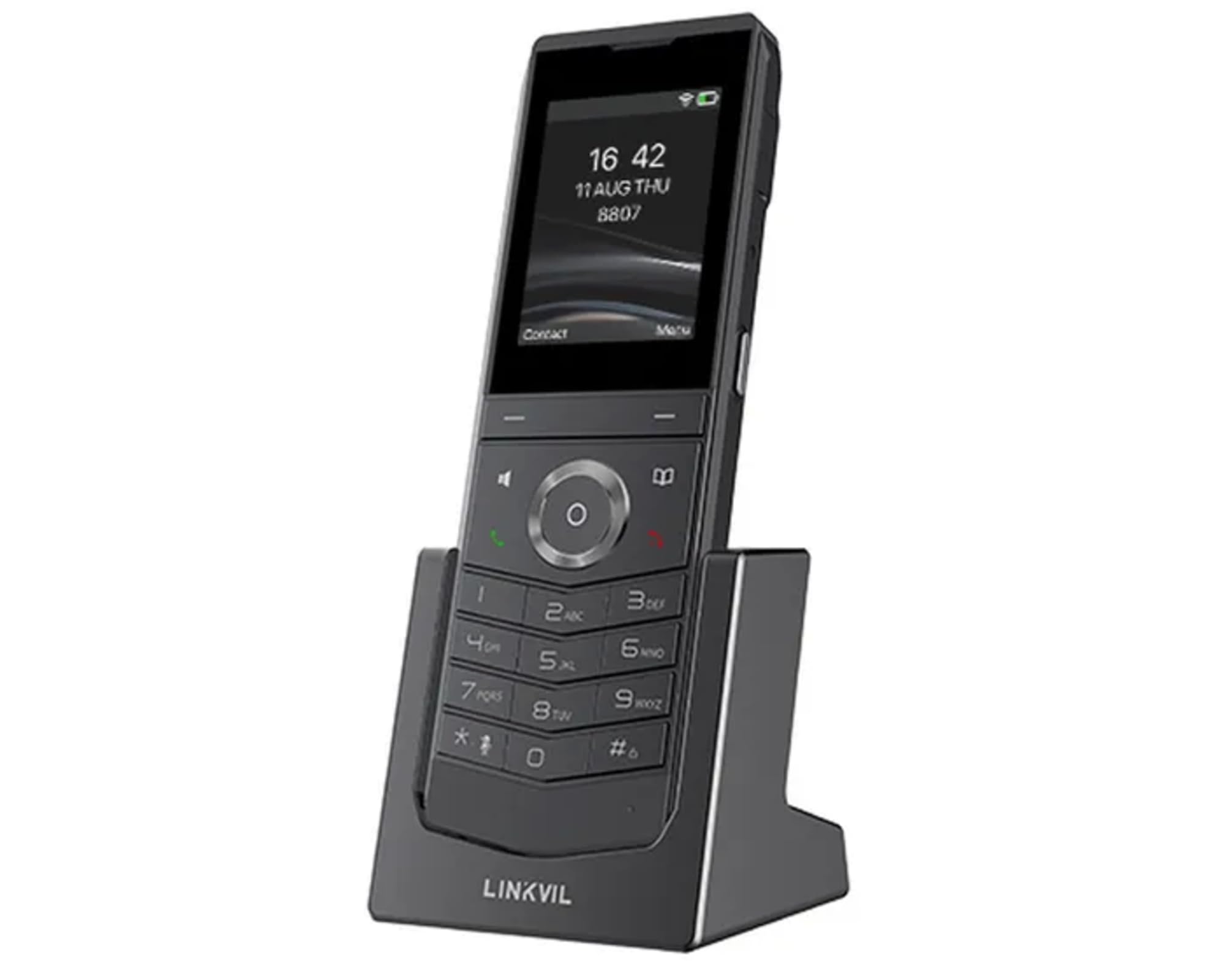
Image: Fanvil W611W Wireless Portable Phone, showcasing the handset and its charging base.
Vodič za postavljanje
- Napunite bateriju: Insert the Lithium Ion battery into the handset. Place the handset on the charging base and connect the power adapter to the charging base and a power outlet. Allow the phone to charge fully before first use (approximately 4 hours).
- Povežite baznu stanicu: Connect the charging base to a power source using the provided power adapter.
- Mrežna veza: The W611W connects via Wi-Fi. Access the phone's menu to navigate to Wi-Fi settings. Select your desired Wi-Fi network and enter the password if prompted. The phone supports both 2.4GHz and 5GHz bands, including Wi-Fi 6.
- Konfiguracija SIP računa: Access the phone's settings menu to configure your SIP accounts. You will need your SIP server address, user ID, password, and other relevant details provided by your VoIP service provider. The phone supports up to 2 SIP lines.
- Uparivanje (ako je potrebno): If your handset is not pre-paired with a base station, follow the instructions in the phone's menu to initiate the pairing process.
Uputstvo za upotrebu
Upućivanje poziva:
- biranje: Unesite broj telefona pomoću tastature i pritisnite Zovi dugme (ikona zelene slušalice).
- Iz Kontakata: Idite do Kontakti menu, select the desired contact, and press the Zovi dugme.
- Ponovno biranje: Pritisnite Ponovno biranje dugme za view recent outgoing calls and select a number to redial.
Primanje poziva:
- Kada telefon zazvoni, pritisnite Zovi dugme za odgovor.
- Da biste odbili poziv, pritisnite Završi poziv dugme (ikona crvene slušalice).
Tokom poziva:
- Podesite glasnoću: Use the volume buttons on the side of the handset.
- spikerfon: Pritisnite Zvučnik button to activate/deactivate speakerphone mode.
- Isključi zvuk: Pritisnite Mute button to mute/unmute your microphone.
- Zadržite: Use the menu options to place a call on hold.
- Transfer: Use the menu options to transfer a call to another extension or number.
Govorna pošta:
- When you have new voicemail messages, an indicator will appear on the screen. Dial your voicemail access number (usually *97 or *98, consult your service provider) to retrieve messages.
Održavanje
- čišćenje: Koristite meku, damp cloth to clean the phone's surface. Avoid harsh chemicals or abrasive cleaners.
- Održavanje baterije: To prolong battery life, avoid extreme temperatures. If the phone will not be used for an extended period, store it with a partial charge.
- Ažuriranja softvera: Periodically check for firmware updates through the phone's settings menu or your service provider's instructions to ensure optimal performance and security.
Rješavanje problema
- Nema tona biranja:
- Ensure the phone is charged and powered on.
- Verify Wi-Fi connection is active and stable.
- Check SIP account registration status in the phone's settings.
- Poor Call Quality/Range:
- Move closer to your Wi-Fi access point.
- Ensure there are no major obstructions (thick walls, metal objects) between the phone and the access point.
- Check for interference from other 2.4GHz or 5GHz devices.
- Baterija se brzo prazni:
- Ensure the phone is charging correctly on the base.
- Reduce screen brightness or disable unnecessary features to conserve power.
- Ako je baterija stara, razmislite o zamjeni.
- Handset Not Registering:
- Restart the phone and the Wi-Fi access point.
- Re-enter SIP account details carefully.
- Consult your service provider for specific registration steps.
Specifikacije
| Feature | Detalj |
|---|---|
| Naziv modela | W611W |
| Brand | Fanvil |
| Veličina ekrana | 2.4 inča |
| Rezolucija | 240 x 320 |
| Tehnologija povezivanja | Bluetooth, WiFi |
| Bežična mrežna tehnologija | Wi-Fi 802.11 a/b/g/n/ac/ax (Wi-Fi 6, 2.4GHz & 5GHz) |
| SIP linije | 2 |
| Vrijeme razgovora | 10 sati |
| Vrijeme pripravnosti | 200 sati |
| Vrsta baterije | Lithium Ion |
| Kapacitet baterije | 1900 Milliamp Sati |
| Nivo zaštite | IP67 (Waterproof, Dustproof, Drop-safe from 1.8m) |
| Dimenzije proizvoda | 5.91 x 5.91 x 3.15 inča |
| Težina artikla | 15.8 unce |
Garancija i podrška
Za informacije o garanciji i tehničkoj podršci, molimo vas da se obratite službenom Fanvil servisu. website or contact your authorized Fanvil dealer. Keep your purchase receipt as proof of purchase for warranty claims.
Dodatni resursi
No relevant product videos from the seller were found for the Fanvil W611W in the provided data. Please refer to the official Fanvil website for any available video tutorials or additional support materials.


