Uvod
This manual provides comprehensive instructions for the installation, operation, and maintenance of your Ecolink WST-232 Wireless Home Security Door Window Sensor. This device is designed to enhance the security of your home by detecting the opening and closing of doors and windows. It is compatible with Honeywell 5800 Wireless and 2GIG security systems.
Važne informacije o sigurnosti
- Prije instalacije i upotrebe pažljivo pročitajte sva uputstva.
- Do not attempt to repair or modify the sensor. Refer all servicing to qualified personnel.
- Držite baterije van dohvata djece. Istrošene baterije odložite u skladu s lokalnim propisima.
- Ensure the sensor is installed in a location where it will not be exposed to extreme temperatures or moisture.
Sadržaj paketa
Provjerite da li su sve stavke prisutne u paketu:
- Ecolink WST-232 Wireless Door/Window Sensor (Main Unit)
- Magnet (for contact detection)
- Pribor za montažu (vijci, ljepljiva traka)
- Interchangeable Brown Case
- Korisnički priručnik (ovaj dokument)
Product Overview
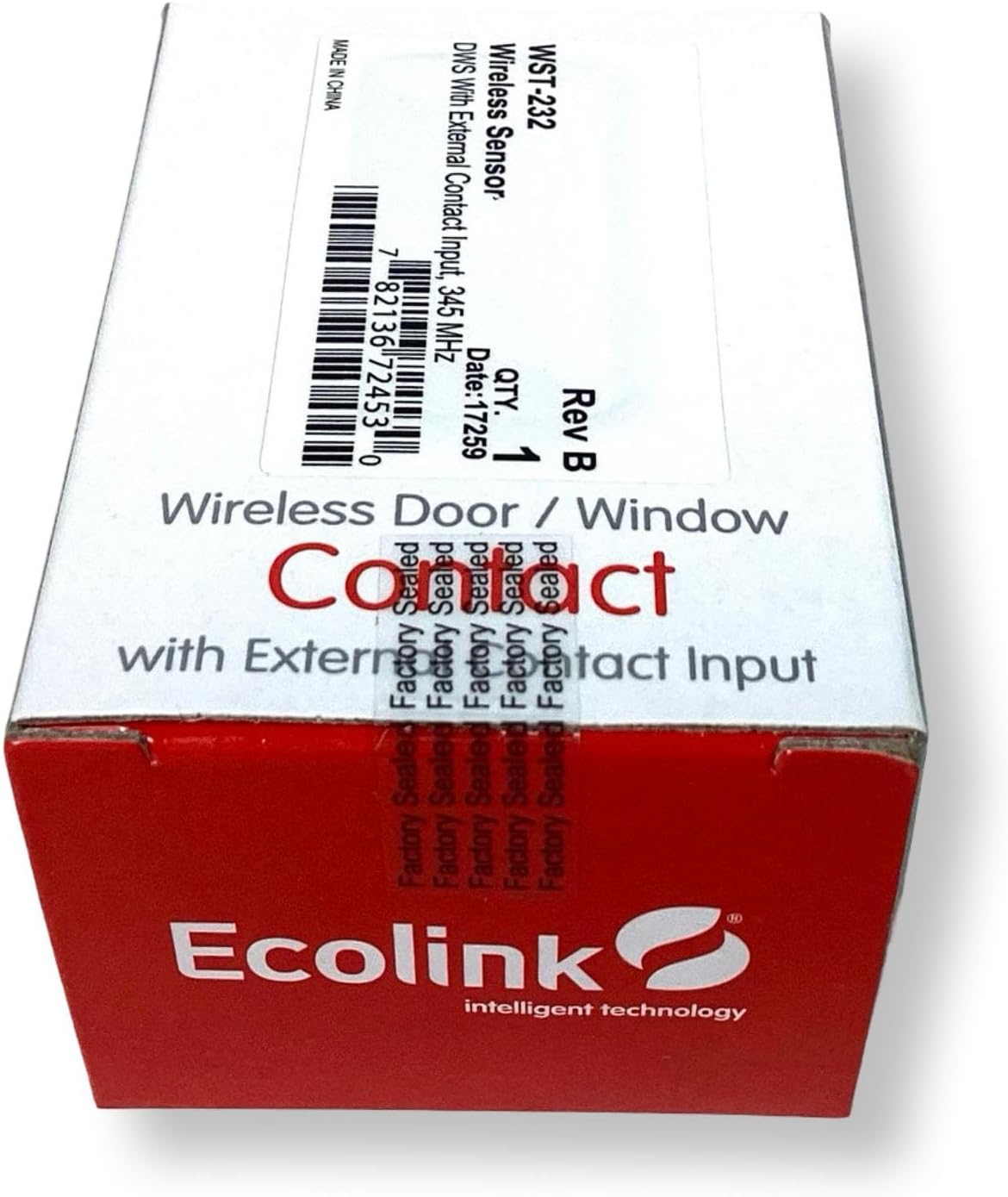
The Ecolink WST-232 is a compact wireless sensor designed for monitoring the open/closed status of doors and windows. It features an internal reed switch for standard magnetic contact detection and an external contact input for connecting wired devices.

slika: Ecolink WST-232 Wireless Door/Window Sensor showing the main unit and the external contact wires.
Ključne komponente:
- Main Sensor Unit: Contains the battery, wireless transmitter, and internal reed switch.
- magnet: Triggers the internal reed switch when separated from the main unit.
- External Contact Input: Two wires (typically red and black) for connecting an external wired contact.
- Pretinac za baterije: Located on the back of the main unit.
Postavljanje i instalacija
1. Instalacija baterije
- Otvorite senzor casing by gently prying it open from the side notch.
- Insert the CR2032 lithium battery, ensuring the positive (+) side faces up.
- Zatvorite senzor casing sigurno.
2. Enrolling the Sensor with Your Security Panel
The WST-232 sensor is compatible with Honeywell 5800 Wireless and 2GIG security systems. Refer to your security panel's manual for specific enrollment procedures. General steps are as follows:
- Put your security panel into programming mode for adding new wireless zones.
- Activate the sensor by separating the magnet from the main unit, or by connecting/disconnecting the external contact wires. This sends a signal to the panel.
- Confirm the sensor's serial number is learned by the panel.
- Assign the sensor to an appropriate zone type (e.g., "Entry/Exit," "Perimeter").
- Exit programming mode on your panel.
3. Montiranje senzora
Choose a suitable location on your door or window frame. The sensor and magnet should be mounted within 0.5 inches (1.27 cm) of each other when the door/window is closed.
slika: Ecolink WST-232 sensor components including the main unit, magnet, and mounting screws.
Korištenje vijaka:
- Position the main sensor unit on the stationary frame and the magnet on the moving part (door/window).
- Označite rupe za vijke.
- Izbušite pilot rupe ako je potrebno.
- Secure both the sensor and magnet with the provided screws.
Using Adhesive Tape (not recommended for long-term security):
- Temeljno očistite površine za montažu.
- Apply adhesive tape to the back of the sensor and magnet.
- Press firmly onto the desired surfaces for at least 30 seconds.
4. External Contact Input
The WST-232 includes an external contact input for integrating other wired devices, such as recessed door contacts or pressure mats. Connect the two wires from your external device to the red and black wires of the WST-232 sensor. The sensor will transmit a signal when the external contact opens or closes.
Upravljanje senzorom
Once installed and enrolled, the Ecolink WST-232 sensor operates automatically. When the door or window it is monitoring opens, separating the magnet from the main unit (or opening the external contact), the sensor will transmit a signal to your security panel. This signal indicates an "open" state. When the door or window closes, bringing the magnet back into proximity (or closing the external contact), the sensor transmits a "closed" state signal.
Your security panel will then react according to its programming (e.g., trigger an alarm if the system is armed, log the event).
Održavanje
Zamjena baterije
The sensor uses one CR2032 lithium battery. When the battery level is low, your security panel will typically display a low battery warning for the corresponding zone. To replace the battery:
- Put your security panel into disarm or test mode to prevent false alarms.
- Lagano otvorite senzor casing.
- Uklonite staru CR2032 bateriju.
- Umetnite novu CR2032 bateriju, pazeći na ispravan polaritet (+ strana prema gore).
- Zatvorite senzor casing sigurno.
- Test the sensor to ensure it communicates with the panel.
Čišćenje
Clean the sensor and magnet with a soft, dry cloth. Do not use liquid cleaners or abrasive materials, as these can damage the device.
Rješavanje problema
| Problem | Mogući uzrok | Rješenje |
|---|---|---|
| Sensor not enrolling with panel. | Incorrect panel programming mode; sensor not activated; battery low/dead. | Ensure panel is in correct enrollment mode. Activate sensor multiple times. Replace battery. Check panel manual for specific steps. |
| Sensor not detecting open/close. | Magnet too far from sensor; incorrect mounting; dead battery. | Verify magnet is within 0.5 inches of the sensor. Re-mount if necessary. Replace battery. |
| External contact not working. | Incorrect wiring; faulty external device. | Check wiring connections to the WST-232. Test the external device independently. |
| Low battery warning on panel. | Battery is nearing end of life. | Replace the CR2032 battery as soon as possible. |
Specifikacije
- Model: WST-232
- Kompatibilnost: Honeywell 5800 Wireless, 2GIG
- Dimenzije: 3 x 1.7 x 1 inča (približno)
- baterija: 1 x CR2032 Lithium Coin Cell
- Radna frekvencija: 345 MHz
- Proizvođač: Ecolink Intelligent Technology Inc
- UPC: 657479755391
Garancija i tehnička podrška
For warranty information and technical assistance, please refer to the official Ecolink webweb-stranicu ili direktno kontaktirajte njihovu korisničku podršku. Sačuvajte račun kao dokaz o kupovini.
Ecolink Webstranica: www.ecolink.com


