1. Uvod
This manual provides comprehensive instructions for the safe and efficient use of your MARKLIFE P50 Portable Bluetooth Thermal Label Printer. Please read this manual thoroughly before operating the device and retain it for future reference.
2. Sigurnosne informacije
- Nemojte rastavljati, popravljati ili modificirati uređaj.
- Držite uređaj dalje od vode, vlage i visokih temperatura.
- Use only MARKLIFE approved labels and accessories.
- Izbjegavajte dodirivanje glave za štampanje odmah nakon štampanja, jer može biti vruća.
- Čuvati van domašaja djece.
3. Sadržaj paketa
Provjerite da li se sve stavke nalaze u vašem paketu:
- MARKLIFE P50 štampač etiketa
- 3 Rolls of Labels (2x 1.57"x1.18" white gap labels, 1x 2"x2" circle gap label)
- USB-C kabl za punjenje
- Korisnički priručnik (ovaj dokument)
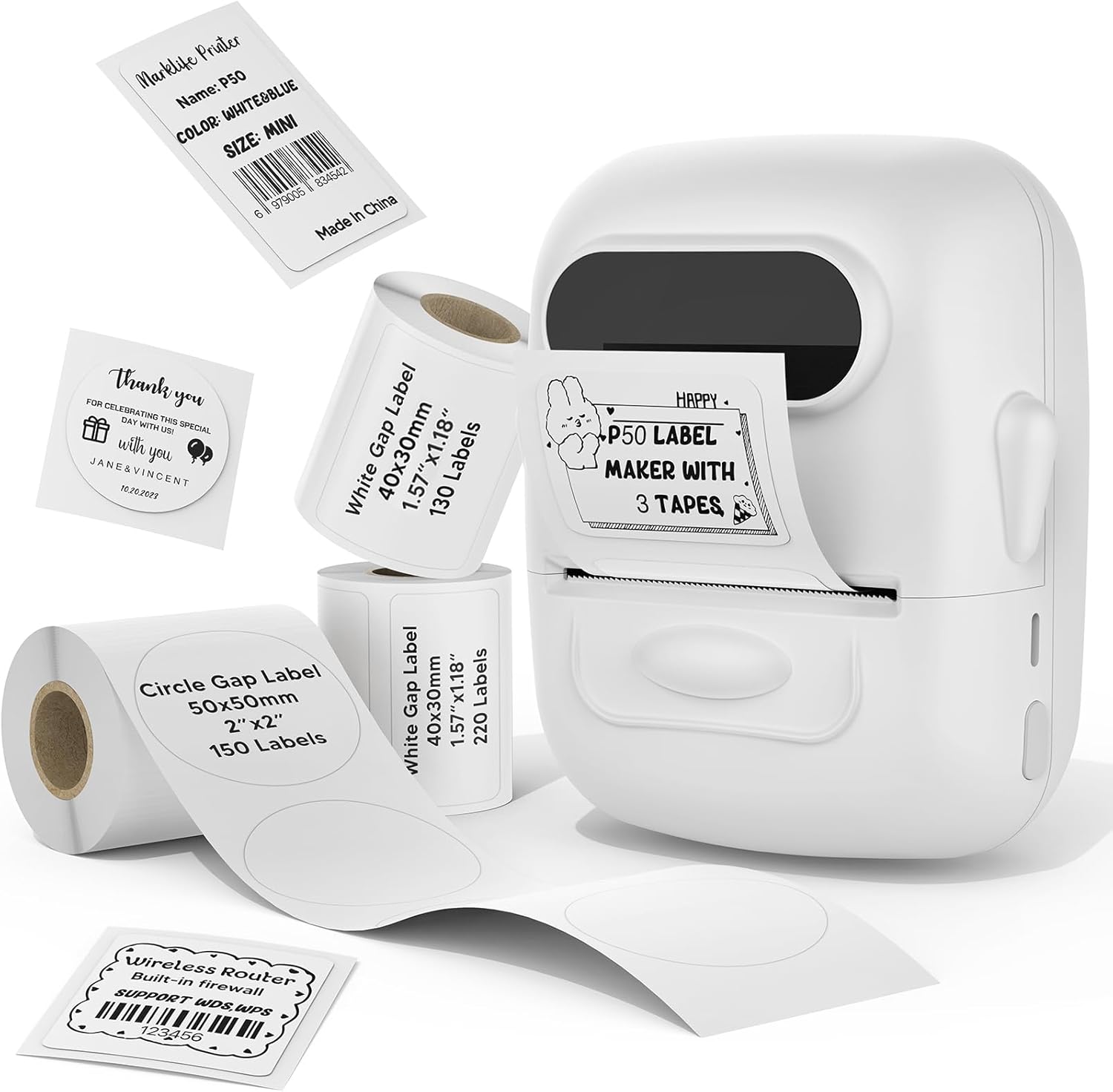
Image: MARKLIFE P50 Label Printer and various label rolls included in the package.
4. Proizvod je gotovview
The MARKLIFE P50 is a compact, portable thermal label printer designed for various labeling needs. It connects wirelessly via Bluetooth to your smartphone or tablet and can also connect to a Windows PC via USB. It utilizes thermal printing technology, requiring no ink, and supports black and white printing only.

Image: The MARKLIFE P50 printer being placed into a handbag, highlighting its portable design and built-in 1200mAh battery with Type-C charging.
5. Podešavanje
5.1 Punjenje uređaja
Before first use, fully charge the printer using the provided USB-C cable and a compatible power adapter (not included). The charging indicator light will show the charging status.
5.2 Učitavanje etiketa
- Otvorite poklopac odjeljka za etikete.
- Insert the label roll with the printing surface facing upwards.
- Ensure the label edge is aligned and extends slightly out of the printer slot.
- Close the cover firmly. The printer will automatically detect the label type and size.

Image: Illustration of label loading and compatible label widths (0.59 to 2.24 inches) for the P50 printer.
5.3 App Installation and Bluetooth Pairing (for Mobile Devices)
- Download the "Marklife" app from your device's app store (iOS or Android).
- Turn on the P50 printer.
- Omogućite Bluetooth na pametnom telefonu ili tabletu.
- Open the Marklife app and follow the on-screen instructions to connect to your P50 printer. The app will typically detect the printer automatically.
5.4 PC Connection (for Windows)
For Windows PC connectivity, download the official software from the MARKLIFE website. Connect the printer to your PC using the USB-C cable. The software will guide you through the printing process.

Image: The P50 label printer connected to both a laptop and a smartphone, illustrating its support for mobile and PC devices.
6. Operacija
6.1 Basic Printing (via App)
- Ensure the printer is powered on and connected to the Marklife app.
- Select a template or create a new label design within the app.
- Unesite željeni tekst, dodajte slike, barkodove ili QR kodove.
- Adjust print settings (e.g., quantity, density) as needed.
- Dodirnite dugme "Štampaj" u aplikaciji da biste započeli štampanje.

Image: Various label applications, such as clothing tags with barcodes, handmade soap labels, and price tags for baked goods, demonstrating the printer's versatility.
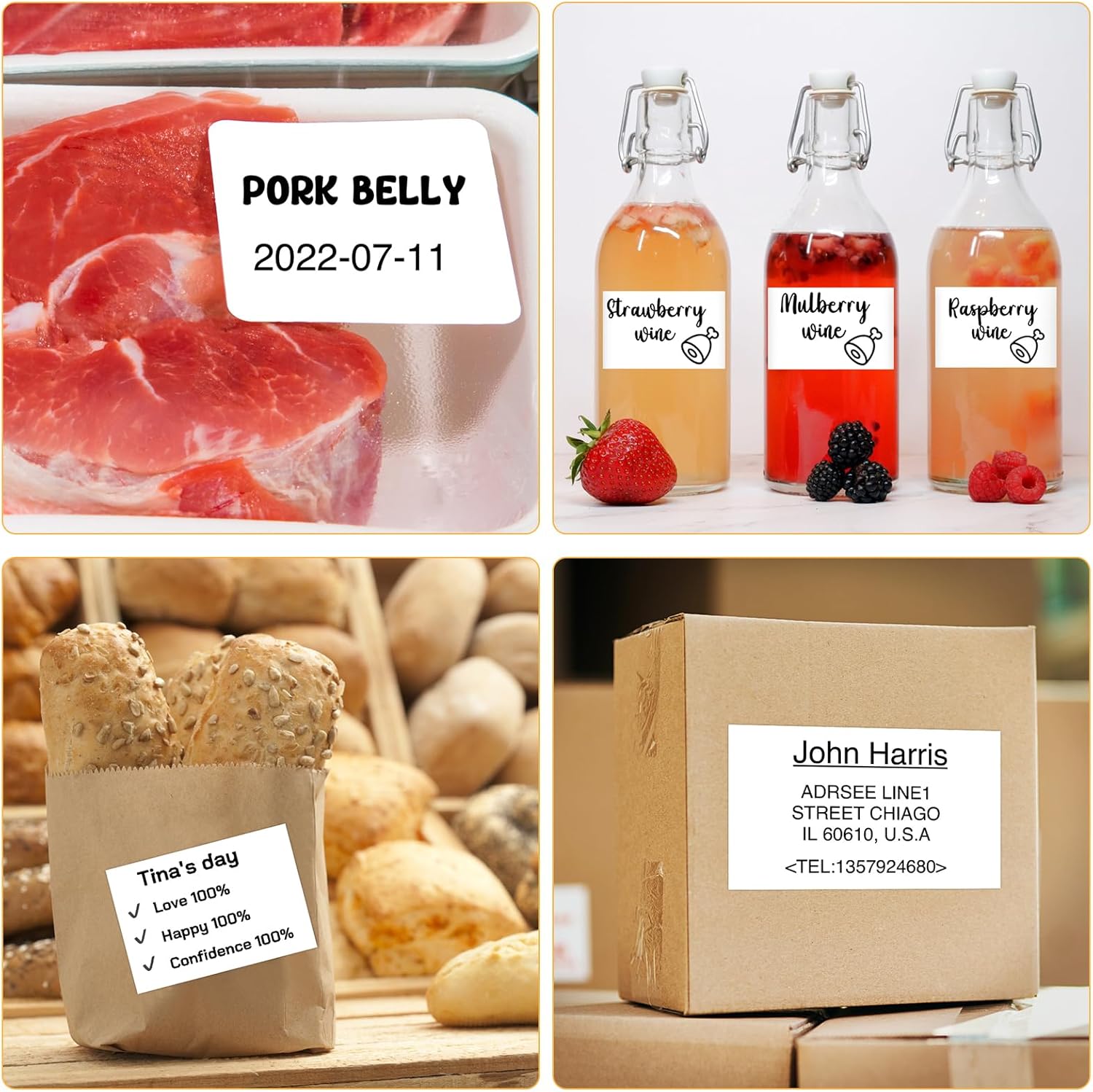
Slika: pramples of labels for food items (pork belly, beverages) and a shipping address label, showcasing different label content possibilities.
6.2 Paketno štampanje
The Marklife app supports batch printing for multiple copies of the same label or sequential labels. Refer to the app's specific instructions for detailed steps on batch printing functionality.

Image: The MARKLIFE P50 printer actively printing multiple barcode labels in a batch, demonstrating stable printing over a long duration.
7. Održavanje
- Čišćenje glave štampača: Lagano koristite meku krpu koja ne ostavlja dlačice dampened with alcohol to gently wipe the print head. Ensure the printer is off and cooled down before cleaning.
- Čišćenje eksterijera: Wipe the printer's exterior with a soft, dry cloth. Do not use harsh chemicals.
- Skladištenje etiketa: Store label rolls in a cool, dry place away from direct sunlight to preserve their quality.
8. Otkrivanje problema
| Problem | Mogući uzrok | Rješenje |
|---|---|---|
| Štampač se ne uključuje | Problem sa niskom baterijom ili napajanjem | Charge the printer using the USB-C cable. |
| Povezivanje putem Bluetooth-a nije moguće | Bluetooth off, app issue, or printer not discoverable | Ensure Bluetooth is enabled on your device. Restart the printer and the app. Try re-pairing. |
| Loš kvalitet štampe | Dirty print head, incorrect label loading, or low print density setting | Clean the print head. Re-load labels correctly. Adjust print density in the app. |
| Etikete se ne uvlače ispravno | Improper label loading or label jam | Open the cover, re-seat the label roll, ensuring it's aligned. Clear any jammed labels. |
9. Specifikacije
| Feature | Detalj |
|---|---|
| Model | P50 |
| Tehnologija štampe | Thermal |
| Povezivanje | Bluetooth, USB |
| Kompatibilni uređaji | Android, iOS, Windows PC |
| Maksimalna veličina medija | 2 inča (57 mm) |
| Print Width Range | 0.59" - 2.24" (15 mm - 57 mm) |
| Izlaz štampača | Monohromatski (crno-bijelo) |
| Baterija | Built-in 1200mAh (rechargeable) |
| Port za punjenje | USB-C |
| Dimenzije proizvoda | 4 cm D x 3 cm Š x 2 cm V (približno) |
| Težina artikla | 6 unce (približno) |
10. Garancija i podrška
The MARKLIFE P50 Label Printer comes with a limited warranty. For warranty details, technical support, or customer service inquiries, please refer to the official MARKLIFE webweb-stranicu ili direktno kontaktirajte njihovu korisničku podršku. Sačuvajte račun kao dokaz o kupovini.
Proizvođač: MARKLIFE


