Uvod
The INVZI MagHub 12-in-2 USB-C Docking Station is designed to expand the connectivity of your MacBook Pro or MacBook Air, transforming it into a powerful workstation. This manual provides detailed instructions for setup, operation, maintenance, and troubleshooting to ensure optimal performance and longevity of your device.
Sadržaj paketa
- INVZI MagHub 12-in-2 Pop-up USB-C Docking Station
- Magnetska traka
- SSD kućište
- Korisnički priručnik (ovaj dokument)
Karakteristike proizvoda
The MagHub offers extensive connectivity and features:
- Pop-up SSD Enclosure: Compatible with M.2 SATA SSD and NVMe SSD, supporting up to 4TB of storage. This enclosure can be used independently.
- Dual 4K@60Hz Display Output: Includes 2x HDMI 2.0 ports and 1x DisplayPort 1.4 for connecting multiple external monitors.
- USB portovi velike brzine: 1x USB-C 3.2 Gen 2 (10Gbps), 1x USB-C 3.1 Gen 1 (5Gbps), 1x USB-A 3.2 Gen 2 (10Gbps), 1x USB-A 3.1 Gen 2 (5Gbps).
- Isporuka struje: 100W PD charging port for your MacBook.
- Gigabitni Ethernet: RJ45 port for stable wired network connection.
- Čitači kartica: SD and Micro SD card slots (UHS-I 104MB/s).
- Dugme za uključivanje/isključivanje: For power management of the docking station.

Slika: Prekoview of the INVZI MagHub 12-in-2 USB-C Docking Station, highlighting its various ports including USB-C, HDMI, DisplayPort, Ethernet, USB-A, SD/Micro SD slots, and the pop-up SSD enclosure.
Vodič za postavljanje
- Povežite se s MacBookom: Align the MagHub with the USB-C ports on your MacBook Pro or MacBook Air. Gently push the MagHub until it is securely connected. The magnetic strip can be used to further secure the connection.
- Priključak za napajanje: Connect your MacBook's power adapter to the 100W PD USB-C port on the MagHub to provide power to both your MacBook and the docking station.
- External Display Setup:
- Connect your external monitors to the HDMI or DisplayPort outputs on the MagHub.
- For optimal performance, ensure your monitors support 4K@60Hz.
- Note on Display Compatibility: MagHub supports two extended displays on MacBook Pro and MacBook Air with Intel chips. For Apple M1/M2 chip MacBooks, only a single extended display is supported.
- SSD Installation (Optional):
- To install an M.2 SSD, gently slide out the pop-up SSD enclosure from the MagHub.
- Open the enclosure and insert your M.2 SATA or NVMe SSD (supported sizes: 22x42, 22x60, 22x80).
- Close the enclosure and reinsert it into the MagHub, or connect it directly to any USB-C device using a USB-C cable.
- Periferne veze: Connect your USB devices, Ethernet cable, and SD/Micro SD cards to their respective ports on the MagHub.

Image: The INVZI MagHub's pop-up SSD enclosure, compatible with M.2 NVMe and SATA SSDs, shown being inserted into the main docking station unit.
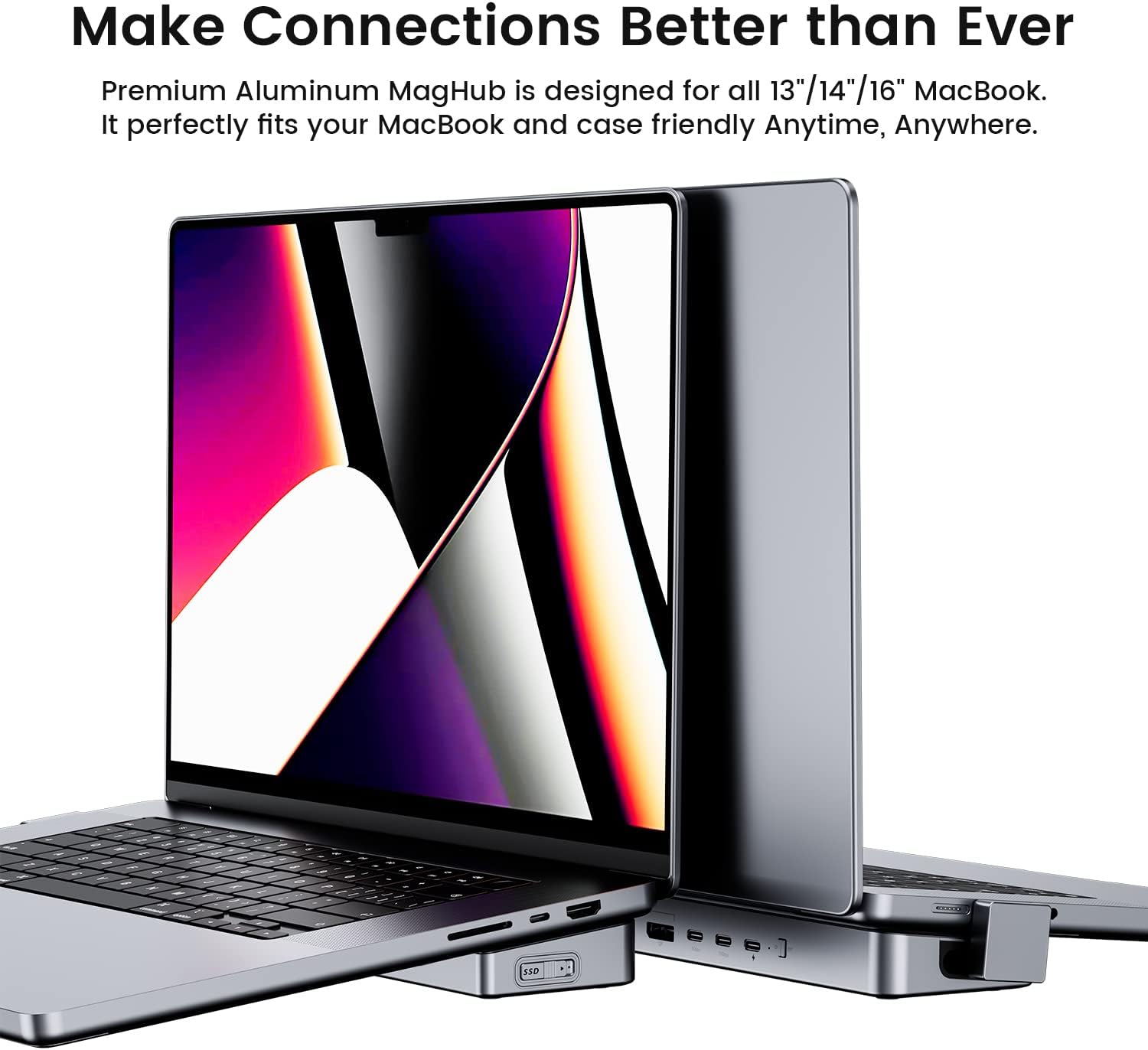
Image: The INVZI MagHub connected to a MacBook Pro, illustrating its seamless integration and compact design, fitting alongside the laptop.
Uputstvo za upotrebu
Upravljanje napajanjem
The MagHub features an ON/OFF button. Press this button to power on or off the docking station. This can help conserve your MacBook's battery when the hub's functions are not needed.
Using External Displays
Once connected, your MacBook should automatically detect the external displays. You can configure display settings (mirror mode, extend mode, resolution) through your MacBook's System Settings > Displays.
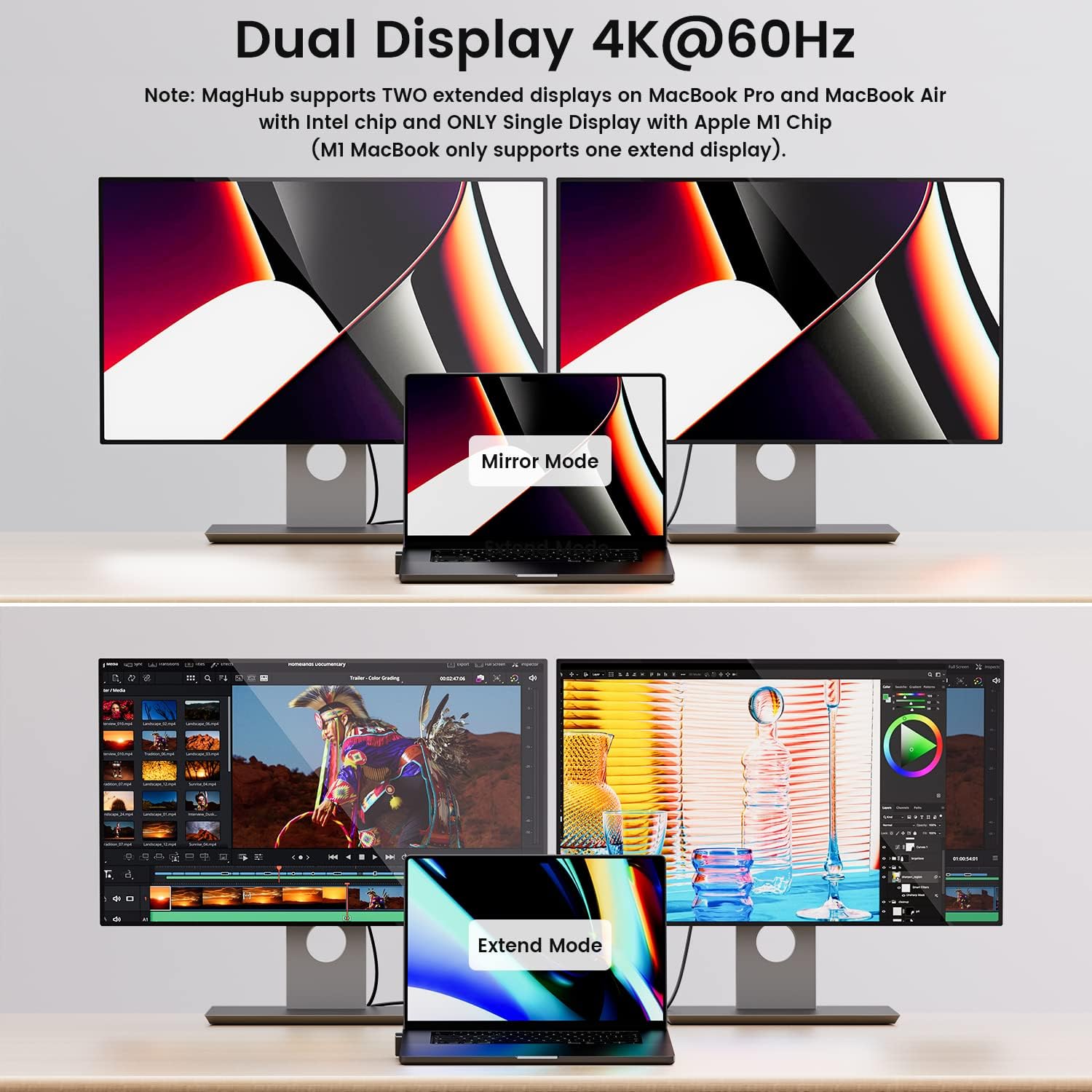
Image: A MacBook Pro connected to two external 4K@60Hz monitors, demonstrating both mirror mode (displaying the same content) and extend mode (extending the desktop across multiple screens).
Prijenos podataka
Utilize the USB 3.2 Gen 2 ports for high-speed data transfer up to 10Gbps. The pop-up SSD enclosure also supports fast data transfers when connected directly or through the hub.
Mrežna veza
Connect an Ethernet cable to the RJ45 port for a stable and high-speed wired internet connection, bypassing potential Wi-Fi interference.
Održavanje
- čišćenje: Use a soft, dry cloth to clean the exterior of the MagHub. Avoid liquid cleaners or abrasive materials.
- Skladištenje: When not in use, store the MagHub in a cool, dry place away from direct sunlight and extreme temperatures.
- Upravljanje kablovima: Ensure cables are not excessively bent or strained to prevent damage to the ports or cables.
- Rukovanje SSD-om: When removing the pop-up SSD enclosure, handle it carefully to avoid dropping or damaging the SSD.
Rješavanje problema
| Problem | Mogući uzrok | Rješenje |
|---|---|---|
| Nema prikaza na vanjskom monitoru | Incorrect cable connection, incompatible display settings, M1/M2 MacBook limitation. |
|
| SSD not detected or disconnecting | Loose connection, SSD not properly installed, power issue. |
|
| Spore brzine prijenosa podataka | Using incorrect USB port, cable limitation, external drive performance. |
|
| Ethernet connection unstable | Loose cable, network configuration issue. |
|
Specifikacije
| Feature | Detalj |
|---|---|
| Broj modela | MagHub |
| Luke | 2x HDMI 2.0 (4K@60Hz), 1x DisplayPort 1.4 (4K@60Hz), 1x USB-C 3.2 Gen 2 (10Gbps), 1x USB-C 3.1 Gen 1 (5Gbps), 1x USB-A 3.2 Gen 2 (10Gbps), 1x USB-A 3.1 Gen 2 (5Gbps), 1x RJ45 Gigabit Ethernet, 1x SD Card Slot (UHS-I), 1x Micro SD Card Slot (UHS-I), 1x 100W PD USB-C Charging Port |
| SSD kompatibilnost | M.2 SATA SSD, NVMe SSD (up to 4TB), sizes 22x42, 22x60, 22x80 |
| Power Delivery | Do 100W |
| Dimenzije | 15.55 x 3.82 x 1.54 inča (pakovanje) |
| Težina | 1.5 funte |
| Kompatibilni uređaji | MacBook Pro, MacBook Air |
Garancija i podrška
The INVZI MagHub 12-in-2 Pop-up USB-C Docking Station comes with a 12-mjesečna garancija from INVZI. For technical support, warranty claims, or any inquiries, please contact INVZI customer service. Refer to the official INVZI webstranicu za najnovije kontakt informacije.
Official INVZI Store: INVZI Store on Amazon
Video o proizvodu
Video: An official INVZI video demonstrating the features and usage of the MagHub 12-in-2 USB-C Docking Station, including the pop-up SSD, multiple display connectivity, and various ports.
