1. Uvod
Hvala na kupoviniasing the Admiral 50 Inch 4K Smart LED TV, model ADL50UMSACN. This manual provides essential information for the safe and efficient use of your new television. Please read this manual thoroughly before operating the TV and retain it for future reference.
This television features a 50-inch 4K UHD display, integrated Google Android TV for smart functionality, Dolby Sound System, built-in Chromecast, Bluetooth, and Wi-Fi connectivity, offering a comprehensive home entertainment experience.
2. Sigurnosne informacije
Važna sigurnosna uputstva:
- Prije upotrebe televizora pročitajte sva uputstva.
- Keep the TV away from heat sources, direct sunlight, and water.
- Osigurajte odgovarajuću ventilaciju oko televizora kako biste spriječili pregrijavanje. Ne blokirajte ventilacijske otvore.
- Use only the power cord supplied with the TV. Do not overload power outlets.
- Zaštitite kabl za napajanje od gaženja ili priklještenja.
- Isključite televizor iz struje tokom oluje sa grmljavinom ili kada ga ne koristite duži period.
- Ne pokušavajte sami servisirati TV. Za sve popravke obratite se kvalifikovanom servisnom osoblju.
- Držite male dijelove i baterije van dohvata djece.
3. Sadržaj paketa
Molimo Vas da provjerite da li su svi artikli prisutni i u dobrom stanju:
- Admiral 50 Inch 4K Smart LED TV
- TV stalak (2 komada)
- Daljinski upravljač
- Power Cable
- Korisnički priručnik (ovaj dokument)
- Vijci za montažu postolja
4. Podešavanje
4.1 Raspakivanje TV-a
Carefully remove the TV from its packaging. It is recommended to have two people for this process due to the size and weight of the television. Place the TV screen-down on a soft, flat surface (like a blanket or foam) to prevent damage during stand installation.
4.2 Instaliranje TV postolja
To attach the included stand:
- Odredite lijevi i desni dio postolja.
- Poravnajte svaki dio postolja s odgovarajućim utorima na donjoj strani televizora.
- Pričvrstite svaki dio postolja pomoću priloženih vijaka. Pazite da su čvrsto zategnuti, ali nemojte ih previše zategnuti.
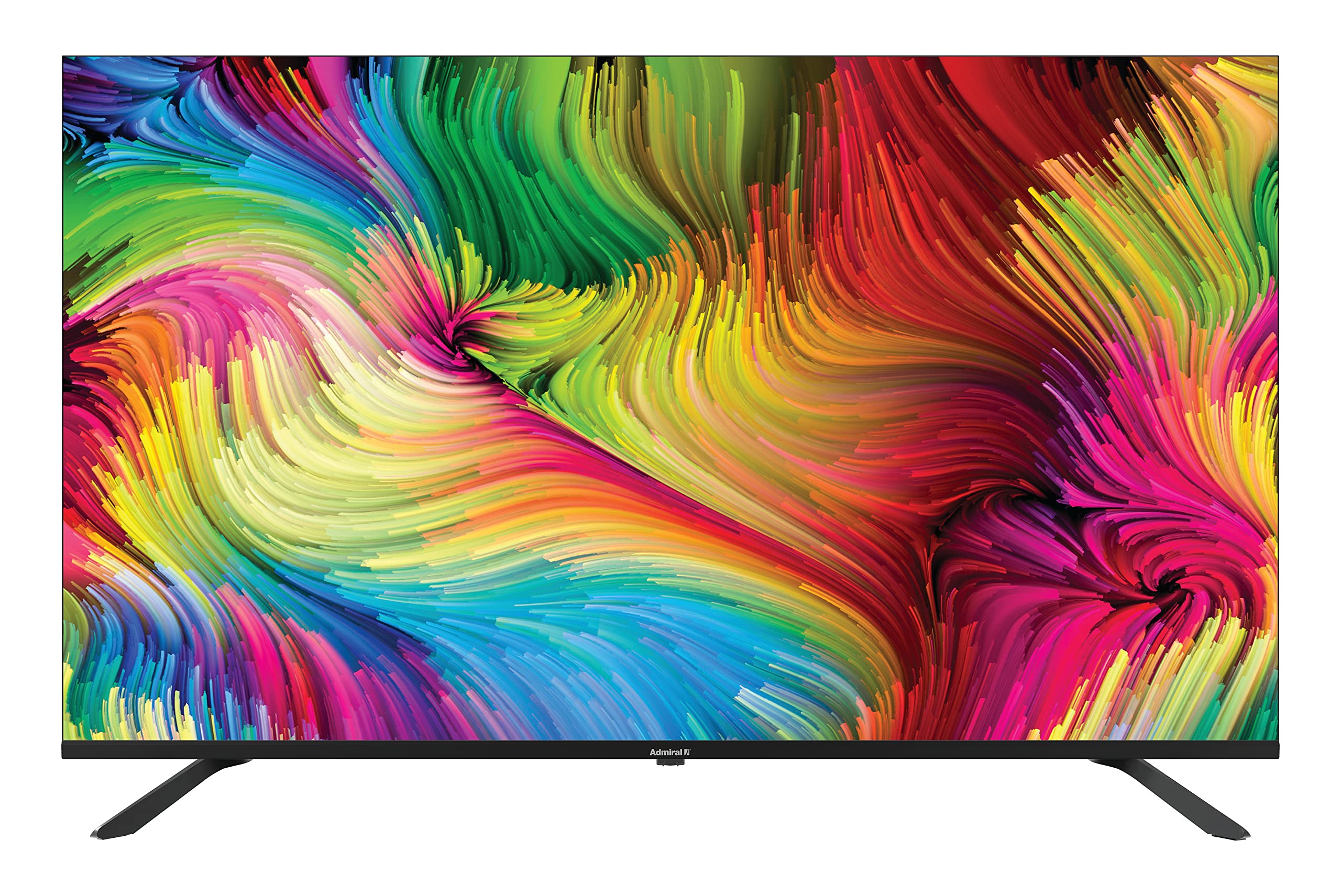
Image: Admiral 50 Inch 4K Smart LED TV with its stand attached, viewed iz ugla.
4.3 Montiranje na zid (opciono)
If you choose to wall mount your TV, please consult a professional installer. The TV uses a VESA compatible mounting pattern. Ensure the wall mount can support the weight of the TV (approximately 9.3 kg) and is installed securely.
4.4 Povezivanje uređaja
Connect your external devices (e.g., cable box, Blu-ray player, gaming console) to the appropriate ports on the back or side of the TV. Common connections include HDMI for high-definition video and audio.

Slika: Sa strane view of the Admiral 50 Inch 4K Smart LED TV, illustrating the slim profile and potential locations for connectivity ports.
4.5 Povezivanje napajanja i početno podešavanje
After connecting all devices, plug the power cable into the TV and then into a wall outlet. Press the power button on the TV or remote control. The TV will guide you through the initial setup process, including language selection, network connection (Wi-Fi), and channel scanning.
5. Uputstvo za upotrebu
5.1 Funkcije daljinskog upravljača
The remote control allows you to access all TV functions. Familiarize yourself with the buttons for power, volume, channel selection, input source, and smart TV navigation.

Image: A person comfortably seated, operating the Admiral 50 Inch 4K Smart LED TV with a remote control.
5.2 Smart TV Features (Google Android TV)
Your Admiral TV runs on Google Android TV, providing access to a wide range of applications and services:
- Pristup aplikaciji: Navigate to the home screen to find pre-installed apps like Netflix, YouTube, and Amazon Instant Video. You can download more apps from the Google Play Store.
- Ugrađen Chromecast: Stream content (videos, music, photos) directly from your compatible smartphone, tablet, or computer to the TV screen.
- Wi-Fi povezivanje: Povežite se na kućnu bežičnu mrežu za pristup internetu i pametne funkcije.
- Bluetooth: Pair Bluetooth-enabled devices such as headphones or game controllers for enhanced audio or gaming experiences.
- upravljanje glasom: Use the voice assistant feature (if available on your remote) to search for content, control playback, and more.
5.3 Osnovne funkcije televizora
- Uključivanje/isključivanje: Pritisnite dugme za napajanje na daljinskom upravljaču ili televizoru.
- Kontrola jačine zvuka: Koristite tipke za pojačavanje/smanjivanje jačine zvuka.
- Odabir kanala: Koristite tipke za odabir kanala gore/dolje ili numeričku tastaturu.
- Izvor ulaza: Press the 'Input' or 'Source' button to switch between HDMI, AV, TV, etc.
- Izbornik postavki: Access picture, sound, network, and system settings via the 'Settings' button on your remote.
6. Održavanje
6.1 Čišćenje ekrana
Da biste očistili ekran, nježno ga obrišite mekom krpom koja ne ostavlja dlačice. Za tvrdokorne mrlje, lagano prebrišiteampobrišite krpu vodom ili specijaliziranim sredstvom za čišćenje ekrana. Do not use harsh chemicals, abrasive cleaners, or alcohol-based solutions as they can damage the screen surface.
6.2 Cleaning the TV Cabinet
Wipe the TV cabinet with a soft, dry cloth. If necessary, a slightly damp Može se koristiti krpa, a zatim suha krpa. Pazite da tekućina ne uđe u ventilacijske otvore.
6.3 Skladištenje
If you need to store the TV for an extended period, unplug it from the power outlet, remove batteries from the remote, and cover it to protect against dust. Store in a cool, dry place.
7. Otkrivanje problema
Prije nego što kontaktirate korisničku podršku, pogledajte sljedeće uobičajene probleme i rješenja:
- Nema napajanja: Provjerite je li kabel za napajanje sigurno priključen i na TV i na ispravnu zidnu utičnicu. Pokušajte uključiti drugi uređaj u istu utičnicu kako biste provjerili ima li napajanja.
- Nema slike ili zvuka:
- Check that the correct input source is selected (e.g., HDMI 1, AV).
- Provjerite jesu li svi kablovi sigurno spojeni.
- Povećajte jačinu zvuka.
- Daljinski upravljač ne radi:
- Zamijenite baterije novima.
- Provjerite da nema prepreka između daljinskog upravljača i IR senzora televizora.
- Smart Features/Internet Not Working:
- Provjerite svoju Wi-Fi vezu u mrežnim postavkama televizora.
- Ponovo pokrenite kućni ruter/modem.
- Ponovo pokrenite TV tako što ćete ga isključiti iz električne utičnice na nekoliko minuta, a zatim ga ponovo uključiti.
- Loš kvalitet slike:
- Check the resolution settings of your connected device.
- Podesite postavke slike (svjetlinu, kontrast, oštrinu) u TV meniju.
- Ensure the signal source (antenna, cable, streaming) is strong and clear.
8. Specifikacije
| Feature | Specifikacija |
|---|---|
| Brand | Admirale |
| Broj modela | ADL50UMSACN |
| Veličina ekrana | 50 inča |
| Display Technology | LED |
| Rezolucija | 4K UHD (3840 x 2160) |
| Refresh Rate | 60 Hz |
| Operativni sistem | Google Android TV |
| Tehnologija povezivanja | Wi-Fi, Bluetooth |
| Posebne karakteristike | Browser, Chromecast Built-in |
| Podržane Internet usluge | Amazon Instant Video, Netflix, YouTube |
| Dimenzije proizvoda (sa postoljem) | 111 x 31 x 69.7 cm |
| Težina artikla | 9.3 kilograma |
| Uključene komponente | Postolje, TV |
9. Garancija i podrška
Your Admiral 50 Inch 4K Smart LED TV ADL50UMSACN comes with a 2 godine garancijeMolimo sačuvajte dokaz o kupovini za potrebe reklamacije.
For technical assistance, troubleshooting beyond this manual, or warranty service, please contact Admiral customer support. Refer to the contact information provided with your purchase documentation or visit the official Admiral webstranica za detalje o podršci.


