Uvod
This manual provides detailed instructions for the operation and maintenance of your Victor VHRP-1100 Lakeshore 5-in-1 Turntable System. This versatile audio system integrates a record player, Bluetooth connectivity, USB playback and recording, and an FM radio, all within a compact unit with built-in stereo speakers. Please read this manual thoroughly before use to ensure proper function and longevity of your device.
Važne informacije o sigurnosti
- Izvor napajanja: Koristite samo navedeni adapter za napajanje. Osigurajte jačinu zvukatage odgovara vašem lokalnom izvoru napajanja.
- Voda i vlaga: Ne izlažite uređaj kiši, vlazi ili kapanju/prskanju tekućina. Ne stavljajte predmete napunjene tekućinom, poput vaza, na uređaj.
- ventilacija: Osigurajte adekvatnu ventilaciju. Ne blokirajte ventilacijske otvore.
- toplina: Držite uređaj dalje od izvora toplote kao što su radijatori, grijalice, peći ili drugi uređaji (uključujući ampLifiers) koji proizvode toplotu.
- čišćenje: Čistite samo suhom krpom.
- servisiranje: Ne pokušavajte sami servisirati ovaj proizvod. Sve servise prepustite kvalificiranom servisnom osoblju.
- plasman: Postavite uređaj na stabilnu, ravnu površinu kako biste spriječili oštećenja u slučaju pada.
Sadržaj paketa
Provjerite da li se u vašem paketu nalaze sve dolje navedene stavke:
- Victor VHRP-1100 Lakeshore 5-in-1 Turntable System
- UL Approved Adaptor
- Korisnički priručnik (ovaj dokument)
- Vodič za brzo postavljanje
Product Overview
Familiarize yourself with the components of your Victor VHRP-1100 Lakeshore turntable system.

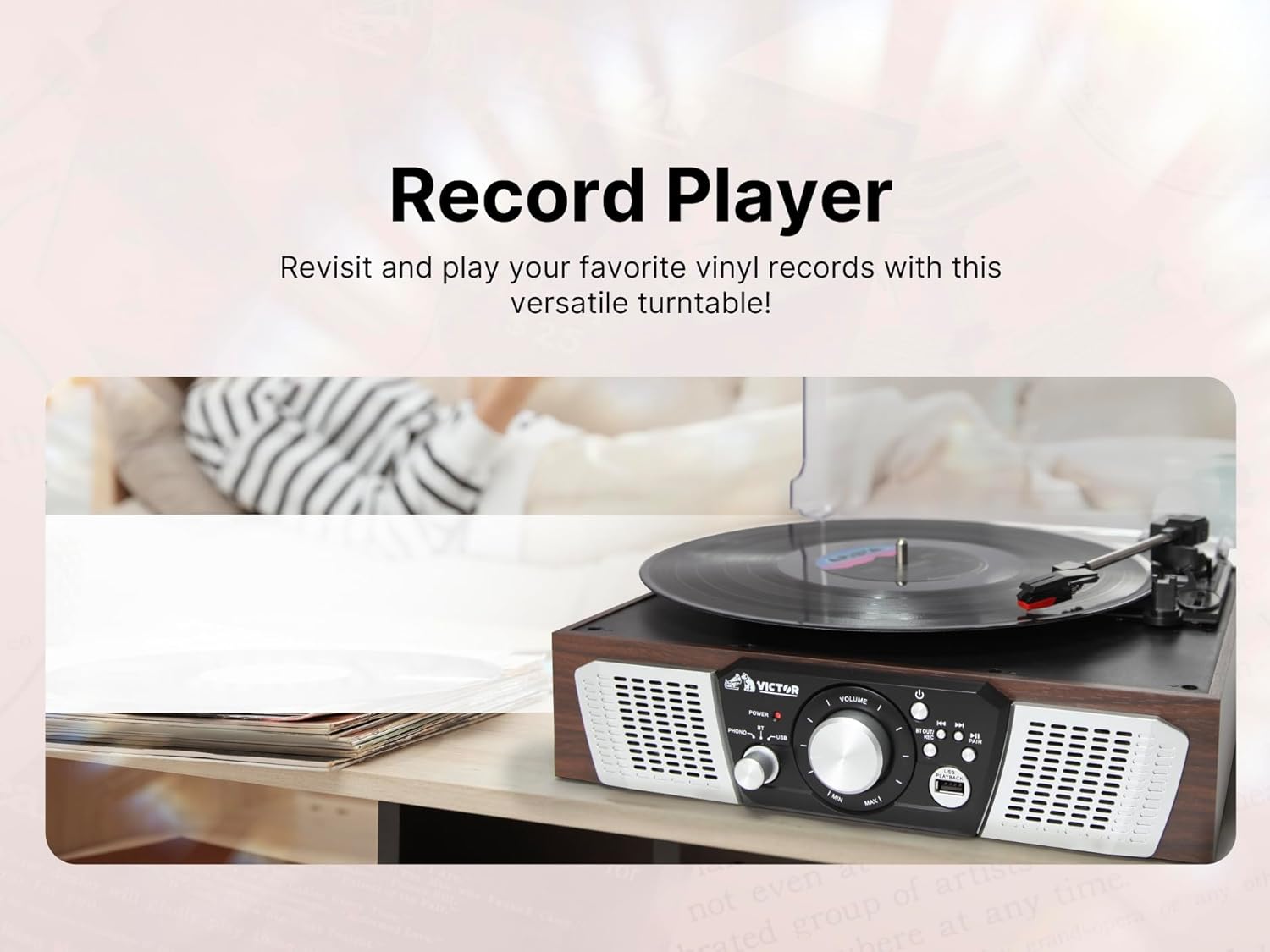
Slika 1: Odozgo view of the Victor VHRP-1100 Lakeshore turntable system with a record on the platter and the dust cover open. This image shows the overall layout of the unit, including the control panel at the front.
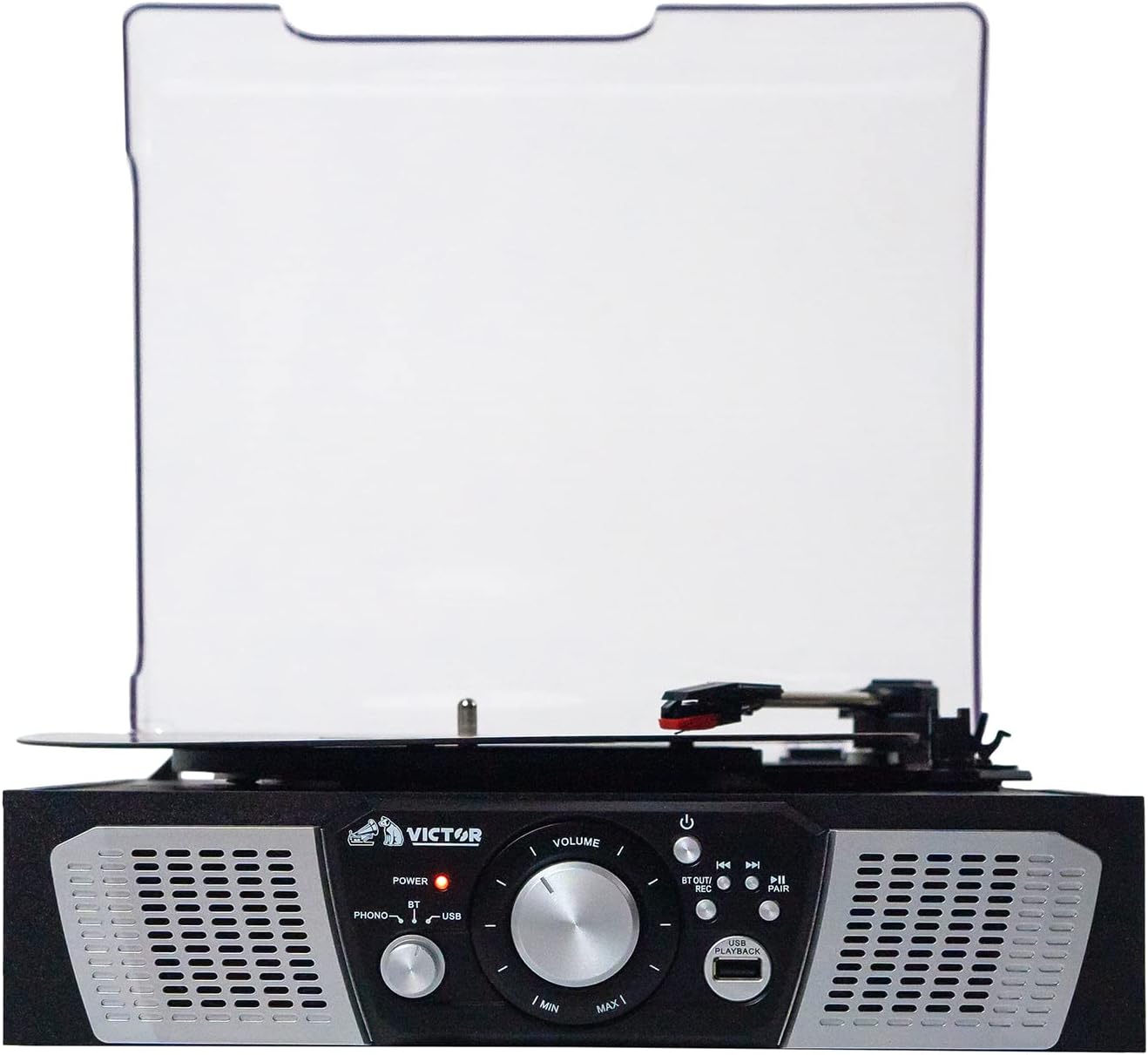
Slika 2: Front view of the Victor VHRP-1100 Lakeshore turntable system, highlighting the control panel with the power button, volume knob, function selector, and USB port. The built-in stereo speakers are visible on either side.

Slika 3: Pozadi view of the Victor VHRP-1100 Lakeshore turntable system, showing the DC 9V power input and the AUX OUT (RCA L/R) ports for connecting to external audio systems.
Kontrole na prednjoj ploči:
- Dugme za napajanje: Uključuje ili isključuje jedinicu.
- Gumb za jačinu zvuka: Podešava nivo audio izlaza.
- Birač funkcija: Switches between Phono, Bluetooth, USB, and FM Radio modes.
- USB port: Za reprodukciju i snimanje putem USB-a.
- Playback/Recording Controls: Buttons for play, pause, skip tracks, and initiate recording.
- Dugme za uparivanje: Pokreće Bluetooth uparivanje.
Priključci na stražnjoj ploči:
- DC 9V ulaz: Connects to the provided UL Approved Adaptor.
- AUX OUT (RCA L/R): Povezuje se s vanjskim amplifiers ili pojačani zvučnici.
Setup
- Raspakivanje: Carefully remove the unit from its packaging. Retain all packaging materials for future transport or storage.
- plasman: Place the turntable on a flat, stable surface away from direct sunlight, heat sources, and excessive dust or vibration.
- Priključak za napajanje: Connect the provided UL Approved Adaptor to the DC 9V input on the rear of the unit. Plug the adaptor into a standard wall outlet.
- Poklopac za prašinu: The unit comes with a clear dust cover. Carefully attach it to the hinges at the back of the turntable.
- Vanjski audio priključak (opciono): Ako želite spojiti gramofon na vanjski uređaj amplifier or powered speakers, use RCA cables (not included) to connect the AUX OUT (R/L) ports on the back of the unit to the corresponding audio inputs on your external system.
Klip 1: A short video demonstrating the Victor Lakeshore VHRP-1100-ES turntable system in a room setting, providing a visual context for its size and appearance.
Klip 2: 360 stepeni view of the Victor Lakeshore VHRP-1100-ES turntable system, allowing users to observe all angles and details of the product before or during setup.
Uputstvo za upotrebu
1. Turntable Operation (Playing Vinyl Records)
- Uključeno: Pritisnite dugme za napajanje da biste uključili jedinicu.
- Odaberite Phono način rada: Use the Function Selector to choose "Phono" mode.
- Otvorite poklopac za prašinu: Podignite poklopac za prašinu.
- Zapis mjesta: Carefully place a vinyl record on the turntable platter.
- Odaberite brzinu: Adjust the speed selector (usually a switch near the platter) to match the record's RPM (33 1/3, 45, or 78 RPM). For 45 RPM records, place the included 45 RPM adapter on the spindle.
- Otpuštanje tonske ručice: Gently move the tone arm from its rest and position the stylus over the desired track on the record.
- Donja tonska ručica: Slowly lower the tone arm onto the record. The platter will begin to spin, and audio will play through the built-in speakers or connected external speakers.
- Podesite glasnoću: Use the Volume knob to adjust the listening level.
- Kraj igre: At the end of the record, the tone arm may automatically return to its rest (auto-stop feature, if present). If not, manually lift the tone arm and return it to its rest.
Slika 4: An image depicting a hand carefully placing a vinyl record onto the platter of the Victor VHRP-1100 Lakeshore turntable, illustrating the initial step of playing a record.
2. Bluetooth Operation (Wireless Streaming)
- Uključeno: Pritisnite dugme za napajanje da biste uključili jedinicu.
- Odaberite Bluetooth način rada: Use the Function Selector to choose "Bluetooth" mode. The Bluetooth indicator light will flash, indicating it's in pairing mode.
- Omogućite Bluetooth na uređaju: Na pametnom telefonu, tabletu ili drugom uređaju s omogućenom Bluetooth vezom omogućite Bluetooth i potražite dostupne uređaje.
- Uparite uređaj: Select "VHRP-1100" from the list of devices. Once paired, the Bluetooth indicator light will stop flashing and remain solid.
- Pusti muziku: Start playing music on your connected device. The audio will stream wirelessly to the turntable's speakers.
- Podesite glasnoću: Control the volume using both your connected device and the Volume knob on the turntable.

Slika 5: An image showing a person enjoying music wirelessly from the Victor VHRP-1100 Lakeshore turntable through Bluetooth headphones, demonstrating the Bluetooth output capability.
3. USB reprodukcija
- Uključeno: Pritisnite dugme za napajanje da biste uključili jedinicu.
- Umetnite USB disk: Umetnite USB fleš disk koji sadrži MP3 audio zapis fileu USB priključak na prednjoj ploči.
- Odaberite USB način rada: Use the Function Selector to choose "USB" mode. The unit will automatically begin playing the first compatible audio file.
- Kontrolirajte reprodukciju: Use the Playback/Recording controls (Play/Pause, Skip Forward/Backward) to navigate your music files.
- Podesite glasnoću: Use the Volume knob to adjust the listening level.

Slika 6: This image illustrates a USB flash drive connected to the USB port of the Victor VHRP-1100 Lakeshore turntable, indicating the readiness for digital audio playback.
4. USB Recording (Digitizing Vinyl)
- Prepare for Playback: Follow steps 1-6 of "Turntable Operation" to prepare your vinyl record for playback.
- Umetnite USB disk: Provjerite je li USB fleš disk umetnut u USB priključak.
- Započni snimanje: While the record is playing, press the "REC" button (part of the Playback/Recording controls). The recording indicator will illuminate, and the audio from the record will be converted and saved as an MP3 file na USB drajvu.
- Zaustavi snimanje: Press the "REC" button again to stop recording. The recording indicator will turn off.
- Access Recorded Files: Switch to USB mode to listen to your newly recorded digital files.

Slika 7: This image shows a person relaxing while the Victor VHRP-1100 Lakeshore turntable is actively recording vinyl audio to a USB drive, highlighting the convenience of the USB recording feature.
5. Rad FM radija
- Uključeno: Pritisnite dugme za napajanje da biste uključili jedinicu.
- Odaberite FM način rada: Use the Function Selector to choose "FM Radio" mode.
- Stanice za podešavanje: Use the tuning knob or buttons (if available) to scan for FM radio stations. The unit will automatically stop at strong signals.
- Podesite glasnoću: Use the Volume knob to adjust the listening level.
- antena: For improved FM reception, extend the FM wire antenna located at the back of the unit.
Održavanje
- Čišćenje jedinice:
Obrišite vanjski dio uređaja mekom, suhom krpom. Ne koristite abrazivna sredstva za čišćenje, voskove ili rastvarače jer mogu oštetiti završnu obradu.
- Njega olovke:
The stylus (needle) is a delicate component. Clean it periodically with a soft brush, brushing from back to front. Avoid touching the stylus with your fingers.
A worn stylus can damage records and degrade sound quality. Replace the stylus approximately every 300-500 hours of playback, or if you notice a decrease in sound quality.
- Poklopac za prašinu:
Keep the dust cover closed when the unit is not in use to protect the turntable and stylus from dust and debris. Clean the dust cover with a soft, damp tkanina.
Rješavanje problema
| Problem | Mogući uzrok | Rješenje |
|---|---|---|
| Nema struje | Adapter za napajanje nije priključen ili je utičnica neispravna. | Provjerite je li adapter za napajanje sigurno spojen na uređaj i ispravnu utičnicu. |
| Nema zvuka iz zvučnika | Volume too low, incorrect mode selected, or external speakers not connected/powered. | Increase the volume. Verify the correct function mode (Phono, Bluetooth, USB, FM) is selected. If using external speakers, ensure they are properly connected and powered on. |
| Gramofon se ne okreće | Unit not powered on, Phono mode not selected, or tone arm not moved over record. | Ensure the unit is powered on and in Phono mode. Gently move the tone arm over the record to activate the platter. |
| Bluetooth se ne uparuje | Unit not in Bluetooth mode, device too far, or previously paired with another device. | Ensure the unit is in Bluetooth mode and the indicator is flashing. Move your device closer. Disconnect from other Bluetooth devices and try pairing again. |
| Loš kvalitet zvuka (vinil) | Dirty record, dirty/worn stylus, or incorrect speed setting. | Clean your records. Clean or replace the stylus. Ensure the correct RPM speed is selected for the record. |
Specifikacije

Slika 8: An image displaying the key dimensions (length, width, height) and weight of the Victor VHRP-1100 Lakeshore turntable system, providing essential physical specifications.
- Model: VHRP-1100
- Dimenzije proizvoda: 12.9 x 12.4 x 4.8 inča
- Težina artikla: 4.84 funte
- Ulazna snaga: DC 9V
- Brzine gramofona: 33 1/3, 45, 78 o/min
- Povezivanje: Bluetooth, USB, FM radio
- Audio izlaz: Built-in Stereo Speakers, AUX OUT (RCA L/R)
- Materijal: Plastika
Garancija i podrška
For warranty information and technical support, please refer to the warranty card included with your product or visit the official Victor webSačuvajte račun kao dokaz o kupovini.
Proizvođač: Victor
For further assistance, please contact Victor customer support.


