1. Proizvod je gotovview
The AOPUTTRIVER AP-6000GH is a high-precision HVAC anemometer designed for measuring wind speed, wind temperature, and air volume. Featuring a waterproof touch-screen, rechargeable battery, and various measurement units, it is suitable for a wide range of applications including HVAC installation, CFM calculations, duct ventilation, shooting, boat sailing, kite flying, climbing, and drone operation.
Ključne karakteristike:
- Measures wind speed in 5 units: m/s, km/h, ft/min, mph, Knots.
- Measures wind temperature: -10-45°C (14-113°F) with °C/°F units.
- Air volume range: 0-999900 m³/min, configurable for CMM/CMS/CMF.
- Touch-screen interface with anti-interference buttons for ease of use.
- Waterproof and dustproof design.
- Pozadinsko osvjetljenje za poboljšanu vidljivost u uslovima slabog osvjetljenja.
- Adjustable auto-off time (default 5 minutes without operation) to save battery.
- Rechargeable 400mAh battery (40 mins full charge, approx. 30 hours continuous use) via Type-C interface.
- Indikatorska lampica prazne baterije.
- Integrated tripod hole for hands-free operation (tripod not included).
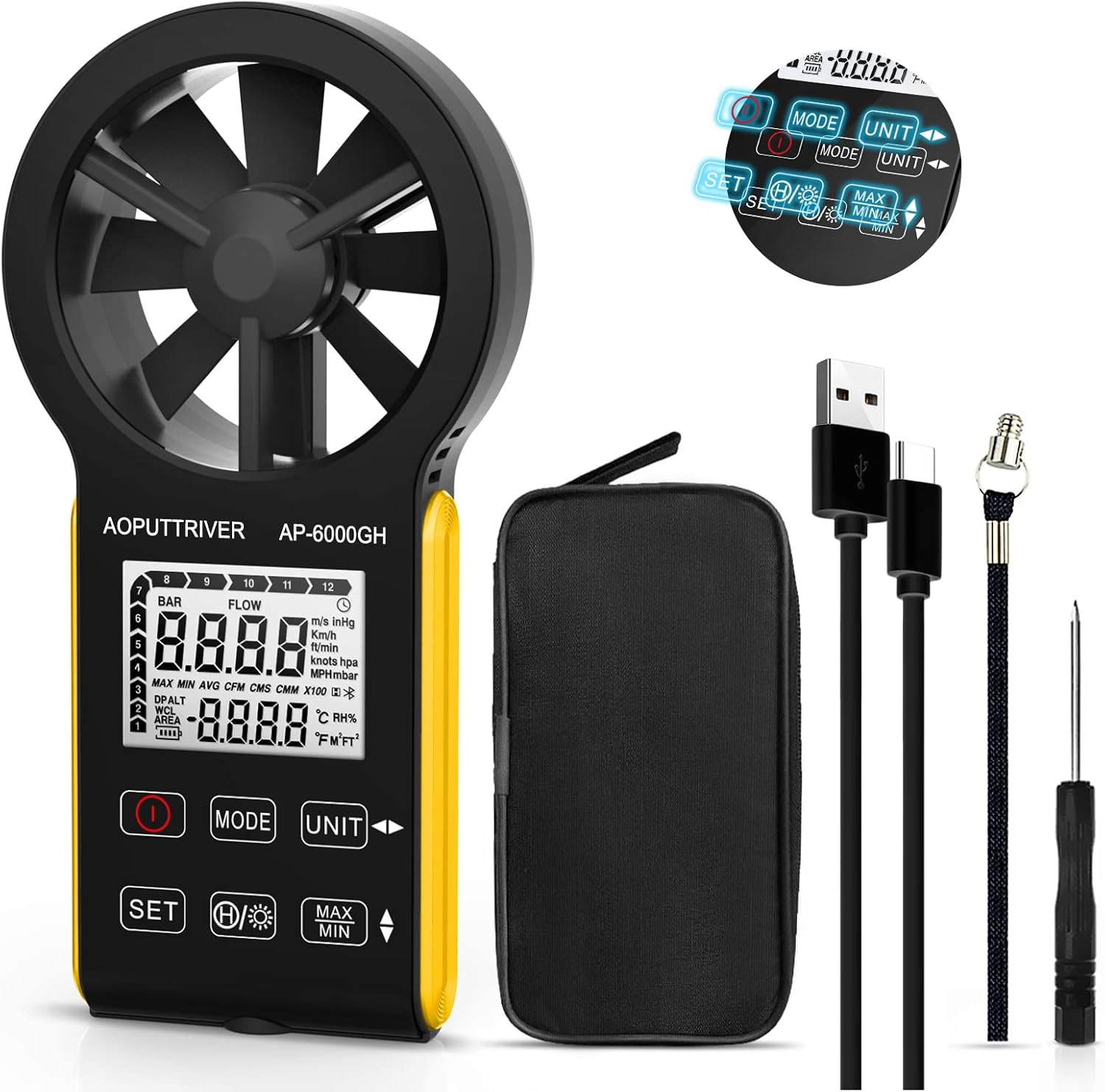
Figure 1: AOPUTTRIVER AP-6000GH HVAC Anemometer
2. Sadržaj paketa
Prilikom otvaranja paketa, molimo Vas da provjerite da li su sve dolje navedene stavke prisutne i u dobrom stanju:
- 1 x AP-6000GH CFM Anemometer
- 1 x Uputstvo za upotrebu
- 1 x Type-C kabel
- 1 x Mali odvijač
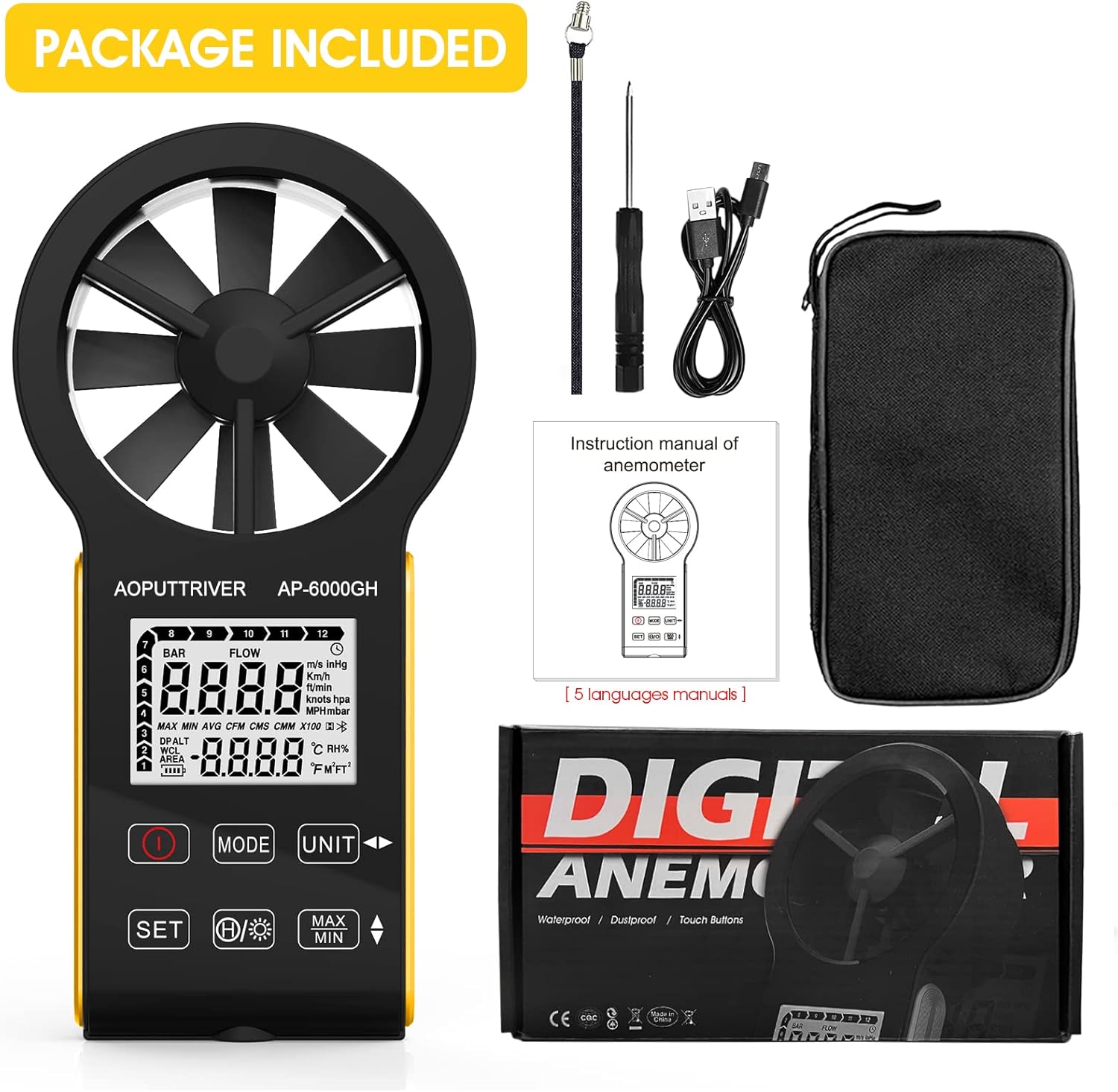
Figure 2: All items included in the AP-6000GH package.
3. Podešavanje
3.1 Instalacija baterije
The AP-6000GH anemometer comes with a pre-installed rechargeable battery. However, for initial use, you may need to connect the battery line interface.
- Use the provided small screwdriver to unscrew the battery cover on the back of the device.
- Connect the battery line interface if it is disconnected.
- Tighten the battery cover securely.

Figure 3: Steps for connecting the battery line interface.
3.2 Punjenje uređaja
The device features a fast-charging 400mAh battery. A full charge takes approximately 40 minutes and provides about 30 hours of continuous use.
- Connect the provided Type-C cable to the charging port on the device and to a suitable USB power source.
- The battery sign on the display will flash while charging. It will stop flashing when fully charged.
- A low battery indicator light will notify you when charging is needed.

Figure 4: Charging the AP-6000GH anemometer via Type-C cable.
4. Uputstvo za upotrebu
4.1 Uključivanje/isključivanje napajanja
Pritisnite Snaga button (usually marked with a circle and a vertical line) to turn the device on or off.
4.2 Ključne funkcije iznadview

Slika 5: Gotovoview of AP-6000GH display and button functions.
- Ključ za napajanje: Uključuje/isključuje uređaj.
- Tipka MODE: Switches between wind speed/air volume modes.
- UNIT Key: Cycles through different measurement units for wind speed (m/s, km/h, ft/min, mph, Knots).
- SET tipka: Used to set air volume area or temperature units (°C/°F).
- Data Hold/Backlight Key: Short press to hold current data on display. Long press to activate/deactivate backlight.
- MAX/MIN Keys: Displays maximum or minimum recorded values during a measurement session.
4.3 Unit Switching and Backlight Demonstration
The following video demonstrates how to switch between different measurement units for wind speed and activate the backlight feature on the anemometer.
Video 1: Demonstration of unit switching and backlight activation on a handheld wind speed meter.
4.4 Basic Operation and Applications
Ovaj video pruža brz pregledview of the anemometer's ease of use and its suitability for various tasks.
Video 2: Quick demonstration of the anemometer's easy operation.
4.5 Hands-Free Operation with Tripod
The anemometer includes a tripod hole at the bottom, allowing for stable, hands-free measurements. This is particularly useful for HVAC installations, CFM calculations, or outdoor activities where continuous monitoring is required.

Figure 6: Tripod mounting hole located at the bottom of the anemometer.

Slika 7: Pramples of applications for the AP-6000GH anemometer.
5. Specifikacije
| Specifikacija | Vrijednost |
|---|---|
| Dimenzije proizvoda | 6.69 x 3.39 x 1.3 inča |
| Težina artikla | 5.3 unci (150 grama) |
| Proizvođač | AOPUTTRIVER |
| Materijal | Plastika |
| Potrebne su baterije | No (Rechargeable) |
| Uključene komponente | Torba |
6. Održavanje
To ensure the longevity and accuracy of your AOPUTTRIVER AP-6000GH anemometer, please follow these maintenance guidelines:
- Uređaj održavajte čistim brisanjem mekom, suhom krpom. Izbjegavajte upotrebu abrazivnih sredstava za čišćenje ili rastvarača.
- Ensure the fan blades are free from dust and debris to maintain accurate readings.
- Store the device in its protective carrying case when not in use to prevent damage.
- Izbjegavajte izlaganje uređaja ekstremnim temperaturama ili direktnoj sunčevoj svjetlosti tokom dužeg perioda.
- Redovno punite bateriju, čak i ako se uređaj ne koristi često, kako biste održali njeno zdravlje.
7. Otkrivanje problema
If you encounter any issues with your AP-6000GH anemometer, please refer to the following common troubleshooting steps:
- Uređaj se ne uključuje: Uvjerite se da je baterija pravilno povezana i potpuno napunjena.
- Netačna očitanja: Check if the fan blades are obstructed or dirty. Ensure the device is held correctly in the airflow direction.
- Problemi sa prikazom: If the display is dim, activate the backlight. If the display is unresponsive, try restarting the device.
- CFM/Air Volume calculation errors: Double-check the entered air area settings. Refer to the user manual for detailed instructions on setting air area.
Ako problem i dalje postoji, obratite se korisničkoj podršci za daljnju pomoć.
8. Podrška i garancija
The AOPUTTRIVER AP-6000GH anemometer comes with 365 days of technical support. If you experience any problems with your product, please contact AOPUTTRIVER customer service. They are committed to responding and resolving issues as quickly as possible.
For support, please refer to the contact information provided in your product packaging or visit the official AOPUTTRIVER website.


