1. Uvod
The FOREO LUNA 4 mini is a compact facial cleansing brush and massager designed to provide a deep and hygienic cleanse. It utilizes T-Sonic pulsations and ultra-soft silicone touchpoints to remove impurities and enhance the absorption of skincare products. This device is suitable for all skin types and features a dual-sided brush head for targeted cleansing.

Image 1: FOREO LUNA 4 mini device in Arctic Blue, both in its transparent packaging and as a standalone unit.
2. Šta se nalazi u kutiji
Your FOREO LUNA 4 mini package includes the following items:
- LUNA 4 mini Device (Arctic Blue)
- Travel Pouch
- USB kabel za punjač
- Vodič za brzi početak
- Osnovni priručnik

Image 2: All components included with the FOREO LUNA 4 mini: the device, a grey travel pouch, a USB charging cable, a quick start guide, and a basic manual.
3. Podešavanje
Prije prve upotrebe preuzmite mobilnu aplikaciju FOREO For You kako biste otključali i registrirali svoj uređaj. Slijedite ove jednostavne korake:
- Preuzmite aplikaciju FOREO For You na svoj mobilni telefon.
- Prijavite se na svoj račun ili se prijavite za novi.
- Dodajte uređaj (na vrhu ekrana).
- Odaberite seriju uređaja.
- Pritisnite i držite dugme za napajanje da biste povezali uređaj s mobilnom aplikacijom.
- Popunite podatke o kupovini.
Vaš uređaj je sada spreman za upotrebu!
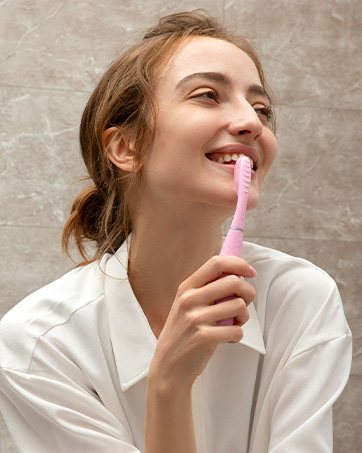
Image 3: Visual guide for unlocking and registering your FOREO LUNA 4 mini using the FOREO For You mobile application. The image shows a QR code for app download and a list of steps.
For app download, visit: www.foreo.com/app
4. Uputstvo za upotrebu
The LUNA 4 mini combines ultra-hygienic silicone and T-Sonic pulsations to deeply cleanse your face, removing 99.5% of dirt, oil, sweat, and makeup residue in just one minute. This prepares your skin for enhanced absorption of skincare actives.
4.1 Cleansing Mode
- Dampna lice i nanesite sredstvo za čišćenje koje vam se sviđa.
- Wet the LUNA 4 mini device.
- Press the universal button to turn on the device. You can customize the device settings on the FOREO app if desired.
- Gently glide the device in circular motions over your face and neck for 1 minute. The dual-sided brush features thinner touch points on the front for facial areas like cheeks, and thicker touch points on the back for oilier T-zone cleansing.
4.2 30-Second Glow Boost Mode
For a quick refresh and instant glow, activate the Glow Boost mode:
- While the device is on, double-press the universal button to activate the 30-second Glow Boost mode.
- Use this mode for a deep exfoliation and to achieve naturally radiant, flawless results.
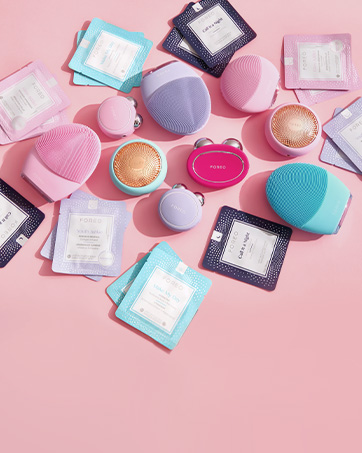
Image 4: A woman demonstrating the use of the FOREO LUNA 4 mini for facial cleansing, highlighting its ergonomic design and dual-sided brush head.
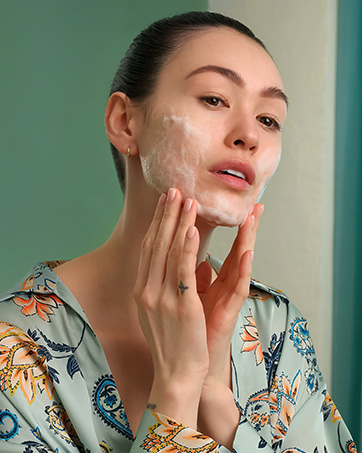
Image 5: A visual representation of the improved 30-second Glow Boost mode, indicating adjustable intensity and massage patterns for superior glow.
4.3 Official Usage Video
Video 1: An official demonstration by FOREO Inc. (US Lux Beauty) on how to use the LUNA 4 mini for daily cleansing and activating the Glow Boost mode.
5. Održavanje
The LUNA 4 mini is made from ultra-hygienic silicone, which is 35 times more hygienic than nylon-bristled face brushes. To maintain its effectiveness and hygiene:
- After each use, rinse the device thoroughly with water.
- Ostavite uređaj da se potpuno osuši na zraku.
- Avoid using cleansers containing alcohol, petrol, or acetone, as these may damage the silicone.
6. Otkrivanje problema
If you encounter any issues with your FOREO LUNA 4 mini, refer to the following troubleshooting steps:
Uređaj se ne aktivira
- Baterija je prazna: Recharge using the USB charging cable for up to 2 hours until fully charged. Then restart your device by holding down the power button.
- Device cannot be switched off/interface buttons do not respond: Mikroprocesor možda privremeno ne radi ispravno. Pritisnite i držite dugme za napajanje da biste ponovo pokrenuli uređaj.
Uređaj se ne sinhronizuje sa FOREO aplikacijom
- Provjerite je li vaš uređaj potpuno napunjen i je li Bluetooth uključen.
- Isključite Bluetooth, a zatim ga ponovo uključite da pokušate ponovo da se povežete.
- Zatvorite aplikaciju FOREO, a zatim je ponovo otvorite da biste započeli postupak iznova.
- Delete and reinstall the application; the app may need to be updated.
- Nakon brisanja i ponovne instalacije aplikacije, ponovo pokrenite telefon.
- Izbrišite kolačiće i keš memoriju vašeg telefona.
- Uvjerite se da je operativni sistem vašeg mobilnog telefona ažuriran na najnoviju verziju.
7. Specifikacije
| Feature | Detalj |
|---|---|
| Naziv modela | LUNA 4 mini |
| Broj modela stavke | F1313 |
| Brand | FOREO |
| Materijal | Silikon |
| Boja | Arctic Blue |
| Izvor napajanja | Battery Powered |
| Baterije | Potrebna je 1 baterija (uključena) |
| Dimenzije proizvoda | 5.98 x 4.65 x 1.77 inča; 3.07 unci |
8. Jamstvo i podrška
The FOREO LUNA 4 mini comes with a 2-year warranty. For detailed warranty information, product support, or to register your device, please visit the official FOREO webstranice ili kontaktirajte njihovu korisničku službu.
Zvanična FOREO prodavnica: FOREO trgovina na Amazonu


