1. Uvod
The ICY BOX IB-DK8801-TB4 is a versatile Thunderbolt 4 docking station designed to expand the connectivity of your laptop or Mac. It offers a 10-in-1 solution, enabling connection of multiple peripherals, external displays, and providing power delivery through a single Thunderbolt 4 cable. This manual provides instructions for setup, operation, and maintenance to ensure optimal performance.

Figure 1: The IB-DK8801-TB4 docking station integrated into a workspace, demonstrating universal PC connectivity.
2. Sadržaj paketa
- 1x ICY BOX IB-DK8801-TB4 Thunderbolt 4 Docking Station
- 1x adapter za napajanje
- 1x Thunderbolt 4 kabel
- 1x uputstvo za upotrebu
3. Proizvod je gotovview
The IB-DK8801-TB4 docking station features a comprehensive array of ports for various connectivity needs. Familiarize yourself with the port layout before connecting devices.

Figure 2: Port layout and daisy-chaining illustration of the docking station.
Portovi na prednjoj ploči:
- Čitač SD 4.0 kartica: For high-speed data transfer from SD cards.
- USB 3.1 Type-A port: Connect USB peripherals.
- USB-C priključak: Connect USB-C devices.
- Uzvodni port Thunderbolt 4: Connects to your host laptop/Mac.
- Dugme za napajanje: To power on/off the docking station.
Portovi na zadnjoj ploči:
- DC IN: Povežite isporučeni adapter za napajanje.
- HDMI priključak: Povežite eksterni ekran.
- Ethernet priključak: Za žičanu mrežnu vezu.
- 2x Thunderbolt 4 Downstream Ports: Connect additional Thunderbolt devices or displays, supporting daisy-chaining.
- 3x USB 3.1 Type-A Ports: Connect additional USB peripherals.
4. Podešavanje
Follow these steps to set up your ICY BOX Thunderbolt 4 Docking Station:
- Priključite napajanje: Plug the power adapter into the DC IN port on the rear of the docking station, then connect it to a power outlet.
- Poveži se s host uređajem: Use the provided Thunderbolt 4 cable to connect the Thunderbolt 4 Upstream port on the front of the docking station to a Thunderbolt 4 port on your laptop or Mac.
- Povežite ekrane:
- For a single 8K@30Hz display, connect it to one of the Thunderbolt 4 downstream ports using a compatible cable.
- For dual 4K@60Hz displays, connect one display to the HDMI port and the other to a Thunderbolt 4 downstream port (using a compatible adapter/cable if necessary).

Figure 3: Connecting external monitors to the docking station.
- Povežite periferne uređaje: Connect your USB devices (keyboard, mouse, external drives) to the available USB 3.1 Type-A or USB-C ports. Insert SD cards into the SD 4.0 card reader as needed.
- Povežite mrežu: For a wired internet connection, connect an Ethernet cable from your router/modem to the Ethernet port on the rear of the docking station.
5. Uputstvo za upotrebu
Uključivanje/isključivanje:
Press the power button on the front panel to turn the docking station on or off. The LED indicator will illuminate when the device is powered on.
Konfiguracija zaslona:
Your host device should automatically detect connected displays. You can configure display settings (resolution, orientation, extended/mirrored mode) through your operating system's display settings.
Isporuka energije (PD):
The docking station provides up to 96W Power Delivery through the Thunderbolt 4 upstream port to charge your connected laptop or Mac. Ensure your device supports charging via Thunderbolt 4.

Figure 4: The docking station providing 96W Power Delivery to a laptop.
Thunderbolt 4 Capabilities:
The Thunderbolt 4 ports support data transfer speeds of up to 40 Gbit/s. They are compatible with DisplayPort, PCIe, and USB 4, and are backward compatible with previous Thunderbolt versions. This allows for high-speed external storage, external graphics cards, and other high-bandwidth devices.
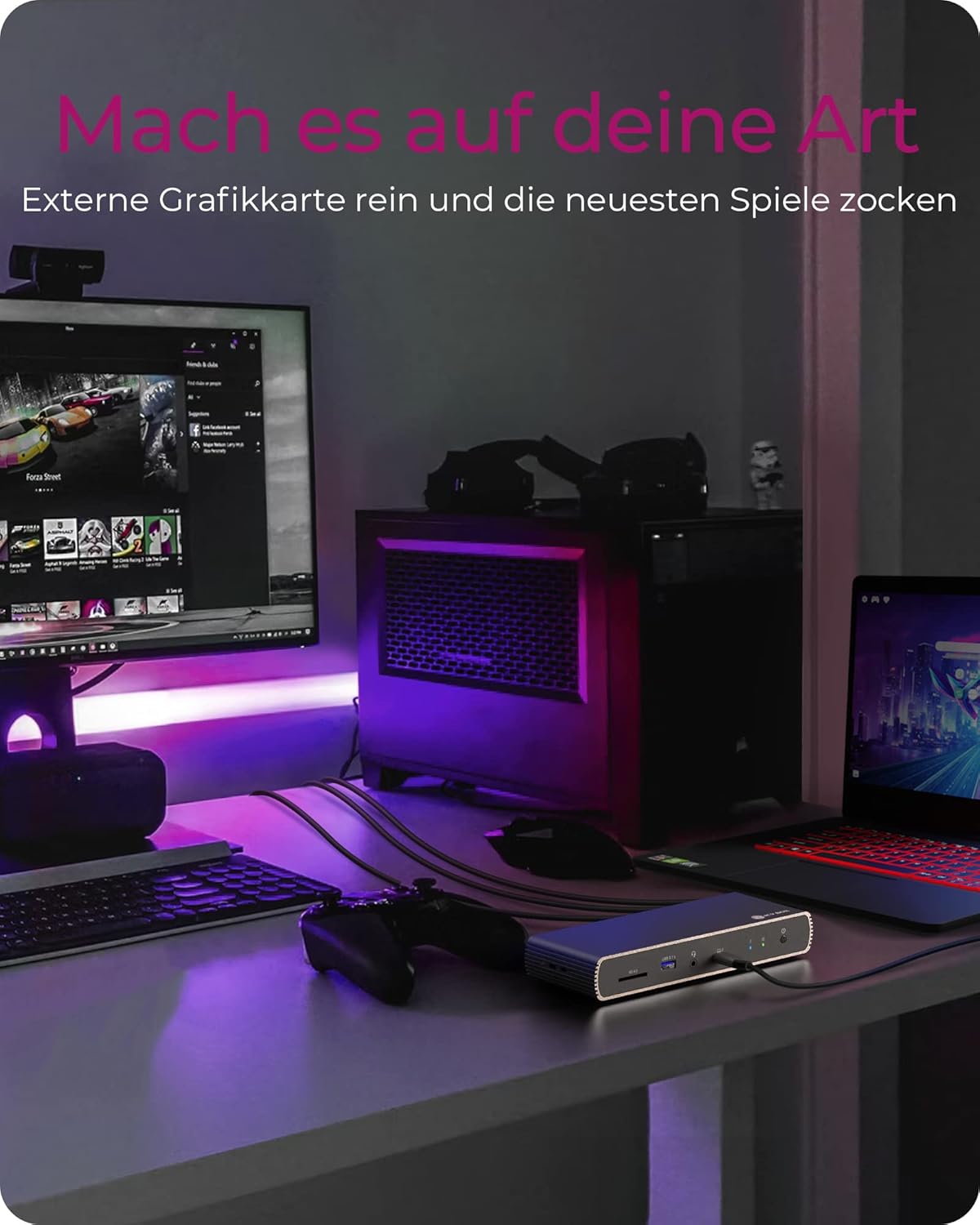
Figure 5: Using the docking station with an external graphics card for enhanced performance.

Figure 6: The docking station facilitating creative workflows with various connected devices.
6. Održavanje
Da biste osigurali dugotrajnost i optimalne performanse vaše priključne stanice:
- Keep the device in a dry, well-ventilated area, away from direct sunlight and heat sources.
- Izbjegavajte izlaganje uređaja tekućinama ili prekomjernoj vlazi.
- Vanjski dio čistite mekom, suhom krpom. Ne koristite jake hemikalije ili abrazivna sredstva za čišćenje.
- Provjerite da li su svi kablovi sigurno spojeni i da nisu pod naprezanjem.
7. Otkrivanje problema
Ako naiđete na probleme sa svojom priključnom stanicom, pogledajte sljedeće uobičajene probleme i rješenja:
| Problem | Moguće rješenje |
|---|---|
| Nema napajanja za priključnu stanicu. | Ensure the power adapter is securely connected to both the docking station and a working power outlet. Check the power button status. |
| Nema prikaza na vanjskom monitoru. | Verify display cables are securely connected. Ensure the docking station is powered on and connected to your host device. Check your host device's display settings. Try a different display cable or port. |
| USB uređaji nisu prepoznati. | Ensure the docking station is powered on and connected to your host device. Try connecting the USB device to a different port on the dock or directly to your host device to rule out device issues. |
| Laptop se ne puni. | Confirm your laptop supports charging via Thunderbolt 4. Ensure the Thunderbolt 4 upstream cable is correctly connected. Check the power adapter connection. |
| Problemi s mrežnom vezom. | Check the Ethernet cable connection. Verify your router/modem is working correctly. Ensure network drivers are up to date on your host device. |
8. Specifikacije
| Feature | Detalj |
|---|---|
| Naziv modela | IB-DK8801-TB4 |
| Brand | ICY BOX |
| Hardversko sučelje | DisplayPort, HDMI, Thunderbolt, USB, USB Type C |
| Kompatibilni uređaji | MacBook Air, MacBook Pro, Thunderbolt 4 enabled laptops |
| Broj portova | 10 |
| Ukupni USB portovi | 4 (USB 3.1) + 1 (USB-C) |
| Ukupni HDMI portovi | 1 |
| Thunderbolt 4 porta | 2x Downstream, 1x Upstream |
| Power Delivery | Do 96W |
| Video izlaz | Jedna 8K@30Hz ili dvostruka 4K@60Hz |
| Ethernet | Da |
| Čitač SD kartica | SD 4.0 |
| Dimenzije proizvoda | 50 x 50 x 28 cm |
| Težina artikla | 440 g |
9. Garancija i podrška
ICY BOX products are designed for reliability and performance. For warranty information and technical support, please refer to the official ICY BOX webweb-mjesto ili kontaktirajte lokalnog prodavača. Sačuvajte dokaz o kupovini za slučaj reklamacije.


