1. Uvod
The FEELWORLD HV10X is a professional live streaming camera designed for high-quality video capture and seamless integration into various streaming platforms. It features Full HD 1080P resolution at 60 frames per second, a 10X optical zoom lens, and auto-focus capabilities. Equipped with USB3.0 and HDMI outputs, built-in microphones, and remote control support, the HV10X offers a versatile solution for content creators, educators, and businesses.
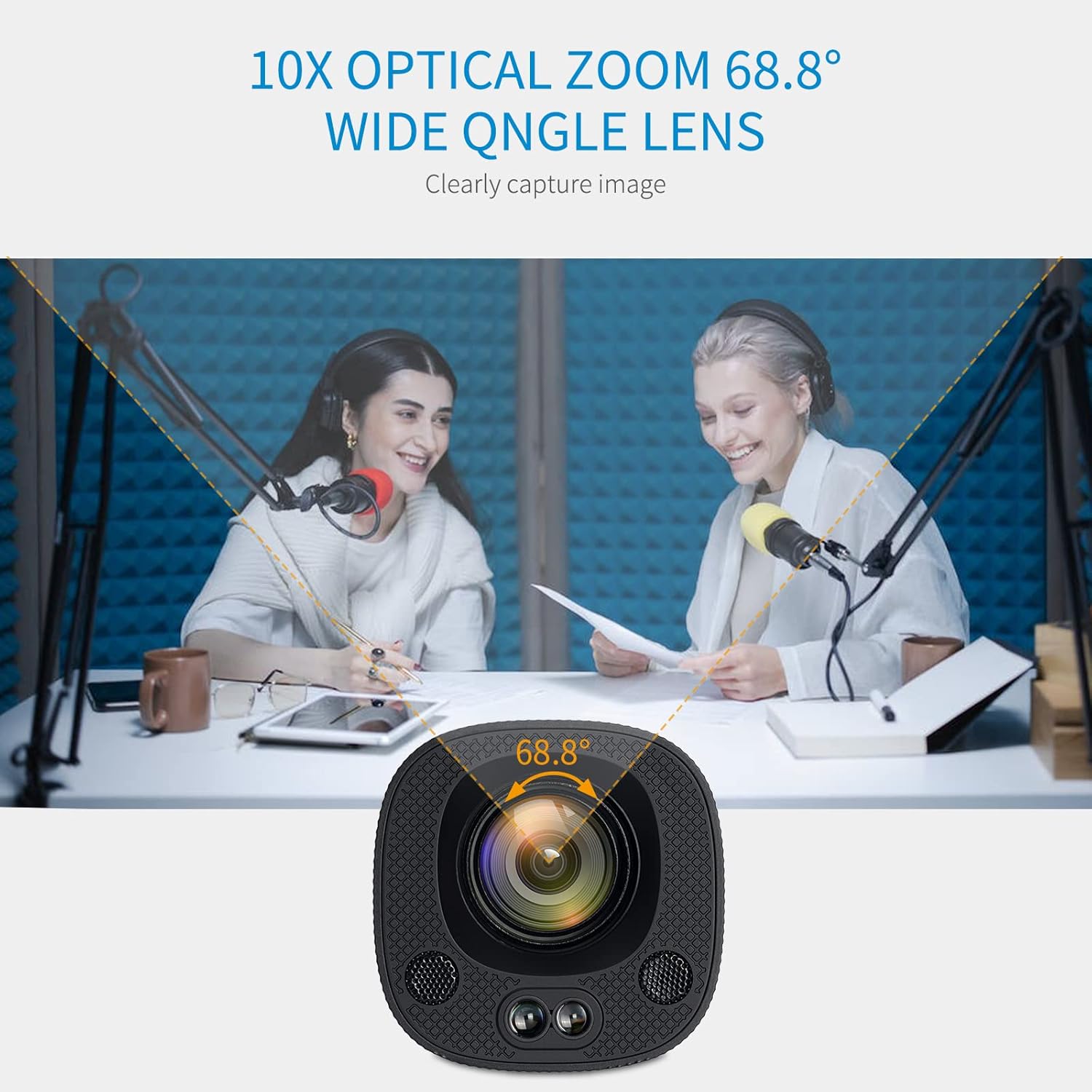
Figure 1.1: FEELWORLD HV10X Professional Live Streaming Camera.
2. Ključne karakteristike
- 1080P@60fps Video Output: Delivers crisp and ultra-smooth video with a resolution of up to 1920x1080 at 60 frames per second.
- 10X Optical Zoom & 68.8° Wide Angle Lens: Allows for clear capture of distant subjects and broad scenes.
- Auto Focus: Automatically adjusts focus to keep subjects sharp and clear.
- Low Noise with 2D/3D Noise Reduction: Advanced technology reduces video noise for high image clarity, especially in challenging lighting conditions.
- Horizontal or Vertical Screen Live Stream: Supports switching between horizontal and vertical output modes via a DIP switch for flexible streaming orientations.
- USB3.0 & HDMI Output: Provides versatile connectivity for various streaming platforms and display devices.
- Ugrađeni mikrofoni: Two integrated microphones ensure clear audio capture without the need for external equipment.
- IR daljinski upravljač: Enables convenient control over zoom, focus, and menu settings from a distance.
3. Sadržaj paketa
Molimo Vas da provjerite da li se u paketu nalaze svi artikli:
- FEELWORLD HV10X Streaming Camera
- Adapter za napajanje
- USB3.0 kabl
- IR daljinski upravljač
- Korisnički priručnik (ovaj dokument)
4. Vodič za postavljanje
4.1 Povezivanje kamere
- Priključak za napajanje: Connect the provided power adapter to the DC 12V input port on the camera and then to a power outlet.
- Video izlaz:
- For USB output, connect the USB3.0 cable from the camera's USB port to your computer's USB3.0 port.
- For HDMI output, connect an HDMI cable from the camera's HDMI port to a display or capture device.

Figure 4.1: HDMI and USB ports on the HV10X camera.
4.2 Horizontal/Vertical Screen Setup
The HV10X supports both horizontal and vertical screen output modes. To switch between these modes, use the DIP switch located on the camera. Važno: This setting must be configured prije uključivanje uređaja.

Figure 4.2: Adjusting the DIP switch for horizontal or vertical streaming.
5. Operacija
5.1 Uključivanje/isključivanje
- To power on, ensure the power adapter is connected and plugged into an outlet. The camera will automatically power on.
- To power off, disconnect the power adapter from the camera or the outlet.
5.2 Zoom and Focus Control
The HV10X features 10X optical zoom and auto-focus. You can also manually adjust these settings using the IR remote control.

Figure 5.1: The 10X optical zoom and 68.8° wide-angle lens capture clear images.

Figure 5.2: Precision auto-focus keeps your subject sharp.
5.3 Korišćenje daljinskog upravljača
The included IR remote control allows for convenient adjustment of camera settings. Point the remote directly at the camera's IR receiver for optimal response.
- Povećaj/Smanji: Use the zoom buttons to adjust the optical zoom level.
- Podešavanje fokusa: Manually adjust focus if needed.
- Kontrola menija: Access and navigate the camera's on-screen menu for advanced settings.

Figure 5.3: Operating the camera with the IR remote controller.
5.4 Adjusting Image Style
The camera supports manual adjustment of various parameters to achieve a professional image style. Access these settings through the on-screen menu using the remote control.
- Izloženost
- Boja
- Slika
- Focus
- Smanjenje buke
- Image Style presets
Figure 5.4: On-screen menu for professional image style adjustments.
6. Audio karakteristike
The HV10X camera includes two built-in microphones, eliminating the need for external audio input in many scenarios. These microphones are designed to capture clear voice audio.

Figure 6.1: Location of the two built-in microphones on the camera.
7. Otkrivanje problema
This section addresses common issues you might encounter with your FEELWORLD HV10X camera.
| Problem | Mogući uzrok | Rješenje |
|---|---|---|
| Nema video izlaza | Loose cable connection, incorrect input selection on display, camera not powered on. | Check USB/HDMI cable connections. Ensure the display is set to the correct input source. Verify the camera is powered on. |
| Slika je mutna ili van fokusa | Auto-focus issue, manual focus needed. | Allow the camera to auto-focus. If persistent, use the remote control to manually adjust focus. Ensure the lens is clean. |
| Daljinski upravljač ne reaguje | Low battery, obstructed signal, camera frozen. | Replace remote batteries. Ensure a clear line of sight to the camera's IR receiver. If the camera is frozen, power cycle the device. |
| No audio from built-in mics | Audio settings incorrect, software issue on receiving device. | Check camera audio settings via the menu. Verify audio input selection on your computer or streaming software. |
| Cannot switch horizontal/vertical mode | DIP switch adjusted while camera is on. | Power off the camera, adjust the DIP switch to the desired orientation, then power the camera back on. |
8. Specifikacije
| Feature | Detalj |
|---|---|
| Brand | FEELWORLD |
| Broj modela | HV10X |
| Rezolucija video snimanja | 1080p (Full HD) |
| Frame Rate | Do 60fps |
| Optički zum | 10X |
| Lens Angle | 68.8° širokokutni |
| Focus Type | Auto Focus |
| Tehnologija povezivanja | HDMI, USB3.0, Infrared |
| Audio | Ugrađena 2 mikrofona |
| Posebne karakteristike | Low Light Performance, 2D/3D Noise Reduction, Horizontal/Vertical Streaming |
| Težina artikla | 2.38 funte (otprilike 1.08 kg) |
| Dimenzije paketa | 10.31 x 7.36 x 5.39 inča (približno 26.19 x 18.69 x 13.69 cm) |
9. Video demonstracija
Watch the official product video for a visual guide on the FEELWORLD HV10X camera's features and capabilities.
Video 9.1: Zvanični proizvod je završenview of the FEELWORLD HV10X 1080p60 USB3.0 HDMI Live Streaming Camera, demonstrating its key features and applications.
10. Garancija i podrška
FEELWORLD products are designed for reliability and performance. For warranty information, technical support, or service inquiries, please refer to the official FEELWORLD webweb-mjesto ili kontaktirajte njihovu službu za korisnike. Sačuvajte račun za kupovinu u slučaju reklamacije.
Za dodatnu pomoć, možete posjetiti FEELWORLD Store on Amazon.


