1. Proizvod je gotovview
This manual provides instructions for the JENSEN USB 3.1 Type-C cable, model JU832CC3V. This cable is designed for efficient data transfer and charging of compatible devices. It features reversible connectors and supports data transfer speeds up to 5 Gigabits Per Second (Gbps).
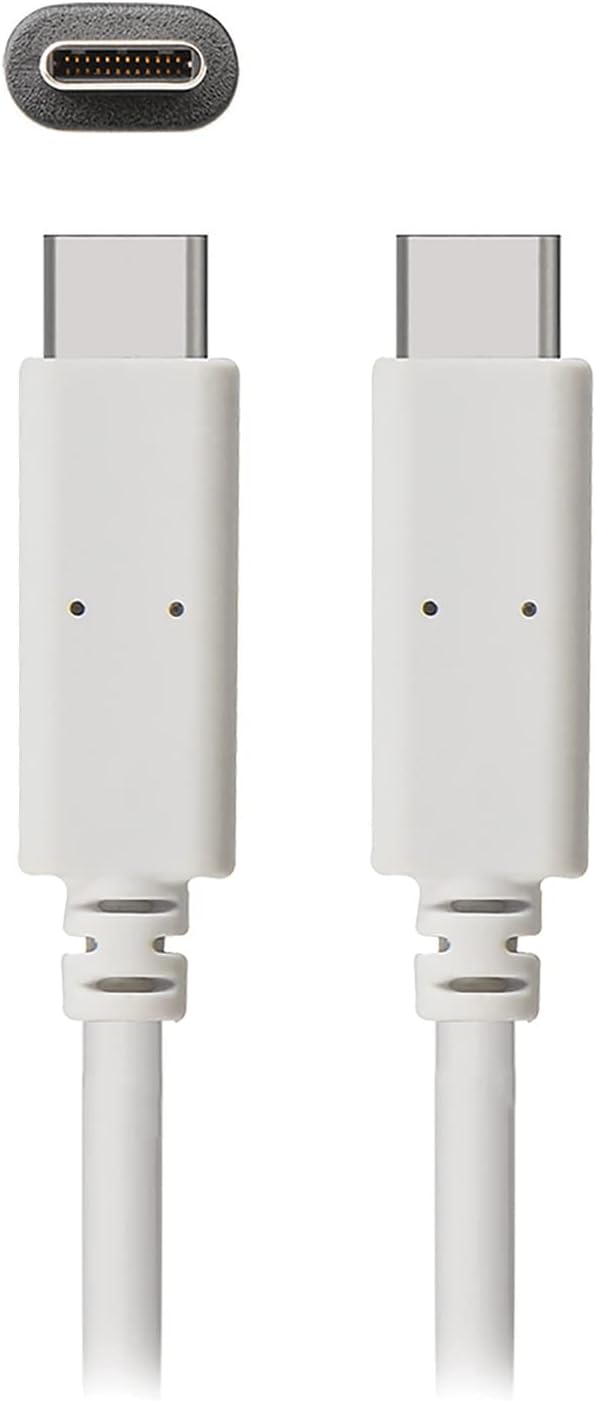
Slika 1: The JENSEN USB 3.1 Type-C cable, showcasing its durable, reversible connectors. This image displays both ends of the white cable, highlighting the USB-C connector design.
Ključne karakteristike:
- USB 3.1 Type-C Compatibility: Osigurava široku kompatibilnost sa modernim uređajima.
- Durable Molded Ends: Designed for longevity and reliable connection.
- Fleksibilni kabl: Allows for easy routing and reduces strain.
- Reversible Connectors: Enables convenient plug-in without concern for orientation.
- Visoka brzina prijenosa podataka: Supports up to 5 Gbps for fast file sinhronizacija.
2. Podešavanje i povezivanje
The JENSEN USB 3.1 Type-C cable is designed for simple plug-and-play operation. No special drivers or software are required for basic functionality.
Povezivanje kabla:
- Identifikujte portove: Locate the USB Type-C port on your host device (e.g., computer, power adapter) and the peripheral device (e.g., smartphone, external hard drive).
- Umetnite konektor 1: Gently insert one end of the JENSEN USB 3.1 Type-C cable into the USB Type-C port of your host device. The reversible design means there is no "up" or "down" orientation.
- Umetnite konektor 2: Insert the other end of the cable into the USB Type-C port of your peripheral device. Ensure both connections are secure.
Once connected, your devices should automatically recognize the cable for charging or data transfer, depending on their capabilities and configuration.
3. Uputstvo za upotrebu
3.1. Uređaji za punjenje
To charge a compatible device using the JENSEN USB 3.1 Type-C cable:
- Connect one end of the cable to a USB Type-C power adapter or a powered USB Type-C port on a computer.
- Connect the other end of the cable to your device requiring charge.
- Verify that your device indicates it is charging. Charging speed may vary based on the power source and device specifications.
3.2. Prijenos podataka
To transfer data between compatible devices using the JENSEN USB 3.1 Type-C cable:
- Connect one end of the cable to a USB Type-C port on your computer or host device.
- Connect the other end of the cable to your peripheral device (e.g., external hard drive, smartphone).
- Your computer or host device should recognize the connected peripheral. Follow the operating system's prompts to access and transfer files.
Note: The cable supports USB 3.1 Gen 1 speeds, offering data transfer rates up to 5 Gbps. Actual transfer speeds may vary based on connected devices and file vrste.
4. Održavanje
Proper care will extend the life of your JENSEN USB 3.1 Type-C cable.
- čišćenje: Koristite meku, suhu krpu da nježno obrišete kabel i konektore. Izbjegavajte upotrebu jakih hemikalija ili abrazivnih materijala.
- Skladištenje: Čuvajte kabl na hladnom i suhom mjestu, dalje od direktne sunčeve svjetlosti i ekstremnih temperatura. Izbjegavajte čvrsto namatanje ili savijanje kabla pod oštrim uglovima kako biste spriječili unutrašnja oštećenja.
- Rukovanje: Prilikom uključivanja ili isključivanja kabla uvijek uhvatite kućište konektora, umjesto da vučete sam kabl.
5. Otkrivanje problema
If you encounter issues with your JENSEN USB 3.1 Type-C cable, consider the following:
- Uređaj se ne puni:
- Uverite se da su oba kraja kabla dobro povezana.
- Verify that the power adapter or USB port is functional and providing sufficient power.
- Testirajte kabel s drugim kompatibilnim uređajem ili izvorom napajanja kako biste izolirali problem.
- Spor prijenos podataka:
- Confirm that both connected devices support USB 3.1 (or higher) for optimal speeds.
- Ensure the ports on both devices are USB 3.1 compatible. Connecting to a USB 2.0 port will limit speeds to USB 2.0.
- Check for other active processes on your computer that might be consuming bandwidth.
- Intermitentna veza:
- Pregledajte konektore na bilo kakva vidljiva oštećenja ili nečistoće.
- Try connecting to different ports on your devices.
If problems persist, refer to the support section for further assistance.
6. Specifikacije

Slika 2: Retail packaging for the JENSEN USB 3.1 Type-C cable, highlighting key features such as 3ft length, reversible connectors, and 5 Gbps data transfer.
| Broj modela | JU832CC3V |
| Brand | Jensen |
| Tip konektora | USB tip C (muški-muški) |
| Vrsta kabla | USB 3.1 |
| Brzina prijenosa podataka | Up to 5 Gigabits Per Second (Gbps) |
| Dužina kabla | 3 stopa (otprilike 0.91 metra) |
| Boja | Bijelo |
| Kompatibilni uređaji | Chargers, Personal Computers, and other USB Type-C enabled devices |
| Posebna karakteristika | Data Transfer, Reversible Connectors |
| Proizvođač | VOXX INTERNATIONAL |
| Dimenzije proizvoda | 2.95 x 0.12 x 5.91 inča |
| Težina artikla | 0.704 unce |
| UPC | 044476141812 |
7. Garancija i podrška
This JENSEN product is manufactured by VOXX INTERNATIONAL. For information regarding warranty coverage, terms, and conditions, please refer to the warranty documentation included with your purchase or visit the official Jensen website.
For technical support or customer service inquiries, please contact the manufacturer directly. Contact information can typically be found on the product packaging or the official Jensen support portal.
You can visit the Jensen Store for more products and information: Jensen Store on Amazon


