1. Uvod
Thank you for choosing the Roseland Boombox 20W TWS Bluetooth Speaker. This manual provides essential information for the safe and efficient operation of your device. Please read it thoroughly before use and retain it for future reference.
The Roseland Boombox 20W TWS Bluetooth Speaker delivers rich, powerful sound. Connect wirelessly via Bluetooth, or use AUX and USB inputs for versatile playback. Enjoy up to 5.5 hours of playtime on a single charge. The integrated color-changing light enhances your listening experience. This lightweight speaker features a convenient handle for portability and supports True Wireless Stereo (TWS) pairing for an expanded soundstage.
2. Sadržaj paketa
Provjerite da li su sve stavke prisutne u paketu:
- Roseland Boombox 20W TWS Bluetooth Speaker
- USB-C kabl za punjenje
- Pomoćni (AUX) kabl
- Uputstvo za upotrebu (ovaj dokument)
3. Značajke proizvoda
- Audio izlaz: 20W for powerful sound.
- Pravi bežični stereo (TWS): Connect two speakers wirelessly for stereo sound.
- Povezivanje: Bluetooth, AUX Input, USB Port.
- Trajanje baterije: Do 5.5 sata reprodukcije.
- Vrijeme punjenja: Otprilike 2.5 sata.
- rasvjeta: Integrated color-changing light.
- Metoda kontrole: Kontrole na dodir.
- prenosivost: Lightweight design with a convenient handle.
- Trajnost: Vodootporna konstrukcija.
4. Kontrole i indikatori
The control panel is located on the rear of the speaker. Specific button functions are detailed below. (Refer to the image for visual reference).
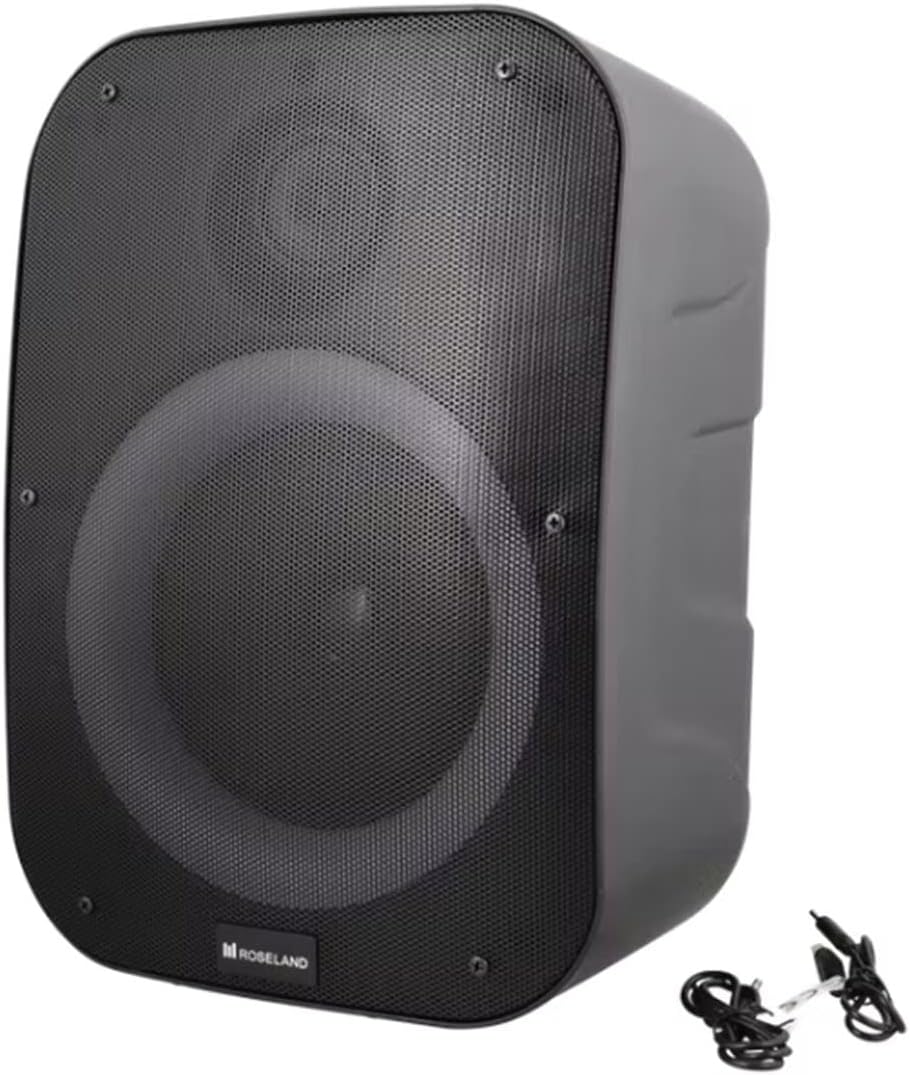
Slika: Stražnja strana view of the Roseland Boombox, highlighting the control panel and integrated handle for portability.
- Dugme za napajanje: Press and hold to turn the speaker ON or OFF.
- Dugme za način rada (M): Press to switch between Bluetooth, AUX, and USB playback modes.
- Dugme za reprodukciju/pauzu (▶❚❚): Pritisnite za reprodukciju ili pauziranje zvuka.
- Dugme za smanjenje jačine zvuka / prethodnu pjesmu (-): Pritisnite za smanjenje jačine zvuka. Pritisnite i držite za prelazak na prethodnu pjesmu.
- Dugme za pojačavanje zvuka / sljedeću pjesmu (+): Pritisnite za povećanje jačine zvuka. Pritisnite i držite za prelazak na sljedeću pjesmu.
- Dugme Light Mode: Press to cycle through different color-changing light modes or turn the lights off.
- Dugme za uparivanje TWS-a: Pritisnite da biste pokrenuli uparivanje putem pravog bežičnog stereo sistema (pogledajte odjeljak 5.4).
- Port za punjenje (USB-C): Spojite USB-C kabel za punjenje.
- AUX ulazni port: Povežite eksterni audio uređaj pomoću pomoćnog kabla.
- USB port: Umetnite USB fleš disk za reprodukciju zvuka.
5. Podešavanje
5.1 Punjenje zvučnika
- Connect the supplied USB-C charging cable to the speaker's USB-C charging port.
- Drugi kraj USB-C kabla priključite na kompatibilni USB adapter za napajanje (nije uključen) ili na USB priključak računara.
- Indikatorska lampica punjenja će svijetliti, obično crveno, tokom punjenja. Isključit će se ili promijeniti boju (npr. plavu) kada se uređaj potpuno napuni.
- Potpuno punjenje traje otprilike 2.5 sati.
5.2 Uključivanje/isključivanje
- Za uključivanje: Press and hold the Power Button for a few seconds until you hear an audible prompt or see an indicator light.
- Za isključivanje: Press and hold the Power Button again for a few seconds until the speaker powers down.
5.3 Bluetooth uparivanje
- Ensure the speaker is powered on and in Bluetooth mode. If not, press the Mode Button (M) until you hear a "Bluetooth mode" prompt or see a flashing blue indicator light.
- Omogućite Bluetooth na svom pametnom telefonu, tabletu ili drugom uređaju koji podržava Bluetooth.
- Traži "Roseland Boombox" in the list of available Bluetooth devices.
- Select "Roseland Boombox" to connect. Once connected, you will hear a confirmation sound, and the indicator light will become solid blue.
- Zvučnik će automatski pokušati ponovo da se poveže sa poslednjim uparenim uređajem kada se uključi.
5.4 Uparivanje putem pravog bežičnog stereo sistema (TWS)
TWS allows you to connect two Roseland Boombox speakers wirelessly for a stereo sound experience.
- Ensure both Roseland Boombox speakers are powered on and in Bluetooth mode, but not yet connected to any device.
- On one of the speakers (this will be the primary speaker), press the TWS Pairing Button. You will hear a prompt indicating it's searching for another speaker.
- Dva zvučnika će se automatski povezati jedan s drugim. Čut ćete zvuk potvrde nakon uspješnog uparivanja putem TWS-a.
- Now, connect your Bluetooth device to the primary speaker (the one you pressed the TWS button on) as described in Section 5.3. The audio will now play in stereo through both speakers.
5.5 AUX veza
- Connect one end of the supplied AUX cable to the AUX Input Port on the speaker.
- Connect the other end of the AUX cable to the headphone jack or audio output of your external audio device.
- Press the Mode Button (M) on the speaker until you hear an "AUX mode" prompt.
- Control playback and volume directly from your connected audio device.
5.6 Reprodukcija s USB-a
- Umetnite USB fleš disk koji sadrži MP3 audio zapis files into the USB Port on the speaker.
- Press the Mode Button (M) on the speaker until you hear a "USB mode" prompt.
- Zvučnik će automatski početi reproducirati zvuk files sa USB diska.
- Use the Play/Pause, Volume Up/Down, and Next/Previous Track buttons on the speaker to control playback.
6. Uputstvo za upotrebu
6.1 Reprodukcija muzike
- Pusti/pauza: Pritisnite dugme Play/Pause.
- Sljedeća pjesma: Pritisnite i držite dugme za pojačavanje zvuka (+).
- Prethodni zapis: Pritisnite i držite dugme za smanjenje jačine zvuka (-).
- Podešavanje jačine zvuka: Pritisnite tipke za pojačavanje zvuka (+) ili stišavanje zvuka (-) da biste podesili jačinu zvuka.
6.2 svjetlosna režima
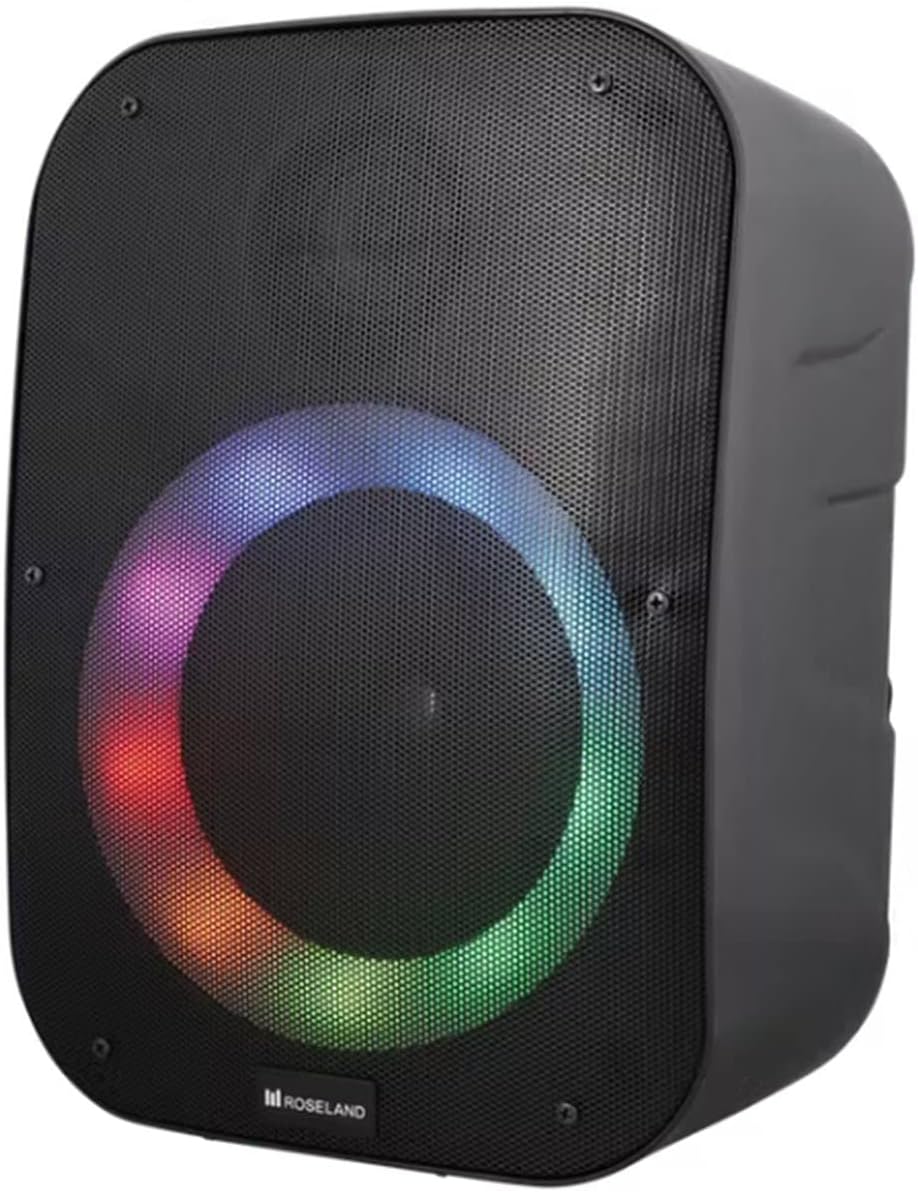
Slika: Front view of the Roseland Boombox showcasing its dynamic color-changing light feature.
Press the Light Mode Button on the control panel to cycle through various color-changing light patterns. Continue pressing to find your preferred mode or to turn the lights off.
7. Održavanje
- čišćenje: Koristite meku, suhu krpu za čišćenje površine zvučnika. Nemojte koristiti abrazivna sredstva za čišćenje ili rastvarače.
- Skladištenje: Zvučnik čuvajte na hladnom i suhom mjestu, dalje od direktne sunčeve svjetlosti i ekstremnih temperatura kada se ne koristi duži period.
- Održavanje baterije: Da biste produžili vijek trajanja baterije, potpuno napunite zvučnik prije prve upotrebe i punite ga barem jednom svaka tri mjeseca ako se ne koristi redovno.
8. Otkrivanje problema
| Problem | Mogući uzrok | Rješenje |
|---|---|---|
| Zvučnik se ne uključuje. | Niska baterija. | Charge the speaker using the supplied USB-C cable. |
| Nema zvuka. | Jačina zvuka je preniska; pogrešan način rada; uređaj nije povezan. | Increase volume; ensure correct mode (Bluetooth/AUX/USB); re-pair Bluetooth device or check AUX/USB connection. |
| Bluetooth uparivanje nije uspjelo. | Zvučnik nije u načinu uparivanja; uređaj je previše udaljen; smetnje. | Ensure speaker is in Bluetooth pairing mode; move device closer; turn off other Bluetooth devices. |
| Uparivanje TWS-a nije uspjelo. | Speakers too far apart; one speaker already paired to a device. | Ensure both speakers are in TWS pairing mode and close to each other; disconnect any Bluetooth devices from both speakers before TWS pairing. |
9. Specifikacije
| Feature | Detalj |
|---|---|
| Naziv modela | Roseland Boombox 20W TWS Bluetooth Speaker |
| Brand | Roseland |
| Izlazna snaga zvučnika | 20 Watts |
| Tehnologija povezivanja | Bluetooth, Auxiliary (AUX), USB |
| Bežična komunikacija | Bluetooth |
| Način audio izlaza | Stereo |
| Konfiguracija kanala surround zvuka | 2.0 |
| Kontrolni metod | Dodirnite |
| Izvor napajanja | Wireless (Rechargeable Battery) |
| Trajanje baterije | Do 5.5 sati |
| Vrijeme punjenja | Približno 2.5 sata |
| Posebne karakteristike | Bluetooth, USB Port, Color-changing Light, Waterproof |
| Preporučena upotreba | Za pametni telefon ili tablet |
| Kompatibilni uređaji | Personal Computer, Television, Tablet, Smartphone, Laptop |
| Vrsta montaže | Podni nosač |
| ASIN | B0B58VP4RH |
10. Informacije o garanciji
This Roseland Boombox 20W TWS Bluetooth Speaker comes with a Ograničena garancija proizvođača od 1 godine od datuma kupovine. Ova garancija pokriva nedostatke u materijalu i izradi pri normalnoj upotrebi. Ne pokriva štetu uzrokovanu zloupotrebom, nezgodom, neovlaštenom modifikacijom ili vanjskim uzrocima.
For warranty claims or support, please contact your retailer or the manufacturer's customer service with your proof of purchase.
11. Sigurnosne informacije
- Ne izlažite zvučnik ekstremnim temperaturama, direktnoj sunčevoj svjetlosti ili otvorenom plamenu.
- Ne rastavljajte, ne popravljajte niti modificirajte zvučnik sami. To može poništiti garanciju i predstavljati sigurnosni rizik.
- Čuvajte zvučnik dalje od djece i kućnih ljubimaca.
- Use only the supplied charging cable. Using incompatible chargers may damage the device or cause fire.
- Izbjegavajte slušanje na velikoj glasnoći tokom dužeg perioda kako biste spriječili oštećenje sluha.
- Although waterproof, avoid submerging the speaker in water for prolonged periods or exposing it to high-pressure water jets.


