1. Uvod
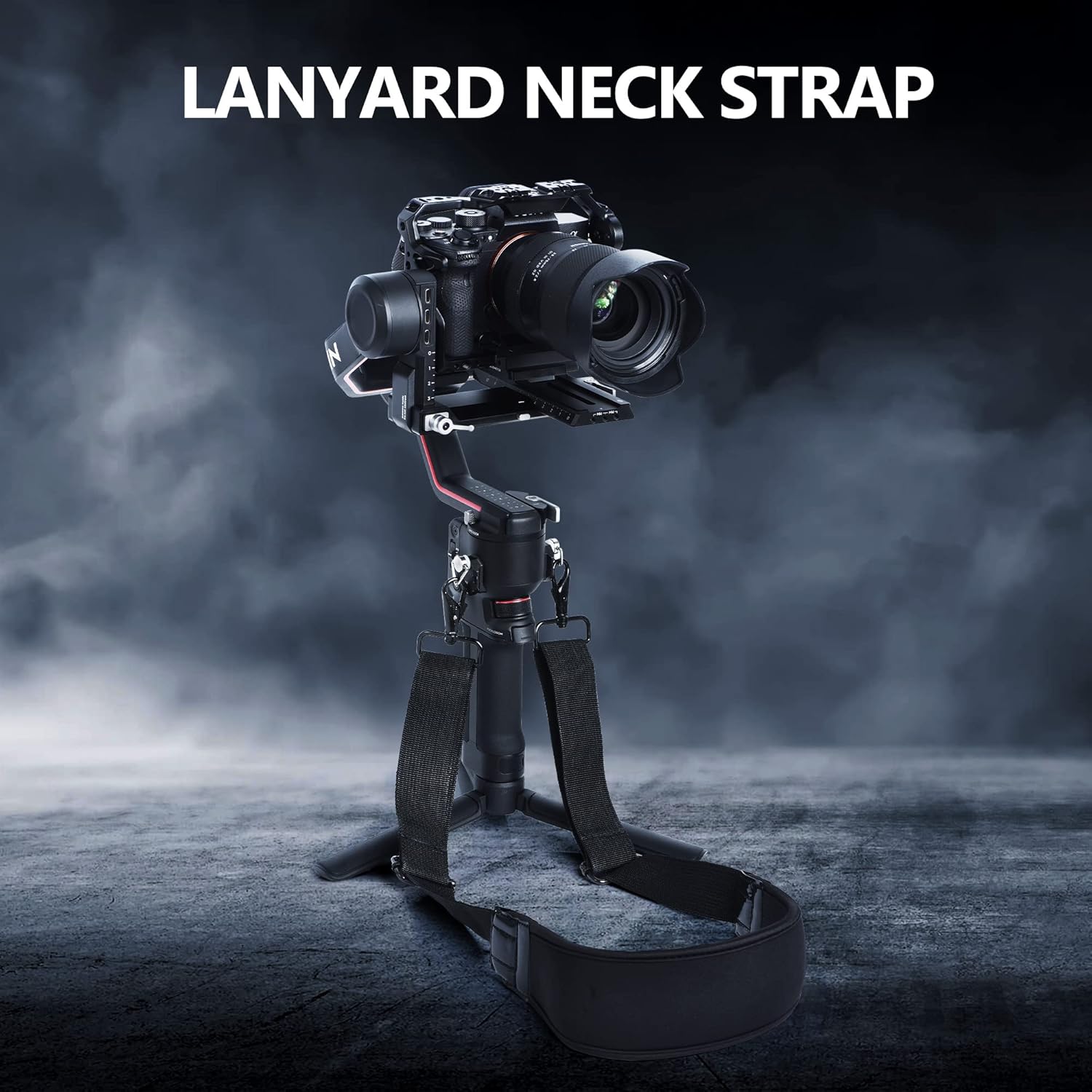
Ovaj priručnik pruža upute za upotrebu STARTRC trake za stabilizator gimbala i zaštitne folije za ekran, dizajniranih za poboljšanje upotrebljivosti i zaštite vašeg DJI RS 3 ili RS 3 Pro 3-osnog stabilizatora gimbala. Traka nudi siguran i udoban način nošenja gimbala, oslobađajući vam ruke tokom rada i transporta. Zaštitna folija za ekran štiti ekran vašeg gimbala od ogrebotina i oštećenja.

Slika 1.1: STARTRC traka za vezivanje i zaštitna folija za ekran na DJI RS 3 Pro gimbalu
2. Sadržaj paketa
Molimo Vas da provjerite da li se u Vašem paketu nalaze sve dolje navedene stavke:
- 1 x Pletena najlonska traka za vrat (traka)
- 2 x Čvrsti CNC vijci od aluminijske legure
- 1 x Torba za pohranu
- Komplet zaštitne folije za ekran (uključuje zaštitne folije za ekran, maramice za čišćenje i upijače prašine)

Slika 2.1: Sadržaj paketa
3. Upute za postavljanje
3.1. Instalacija trake
- Pronađite dvije tačke za pričvršćivanje na podnožju vašeg DJI RS 3 ili RS 3 Pro gimbal-a.
- Uzmite dva čvrsta vijka od CNC aluminijske legure koja su priložena.
- Svaki vijak od aluminijske legure ručno uvrnite direktno u pričvrsne tačke na gimbalu dok se ne učvrsti. Alat nije potreban.
- Pričvrstite kopče pletene najlonske trake za vrat na omče na postavljenim vijcima od aluminijske legure. Provjerite da su obje kopče sigurno pričvršćene.

Slika 3.1: Tačke za pričvršćivanje užeta
3.2. Aplikacija zaštitne folije za ekran
- Temeljno očistite ekran gimbala koristeći priložene vlažne i suhe maramice za čišćenje. Pazite da ne ostane prašine ili mrlja.
- Koristite naljepnicu za upijanje prašine kako biste uklonili preostale čestice prašine s površine ekrana.
- Pažljivo odlijepite zaštitnu foliju sa ljepljive strane zaštitne folije za ekran.
- Poravnajte zaštitnu foliju za ekran sa ekranom gimbala. Počnite od jedne ivice i pažljivo je položite, omogućavajući joj da se prirodno prilijepi.
- Ako se pojave mjehurići, lagano ih potisnite prema rubovima mekom krpom ili priloženom gumenom špatulom.

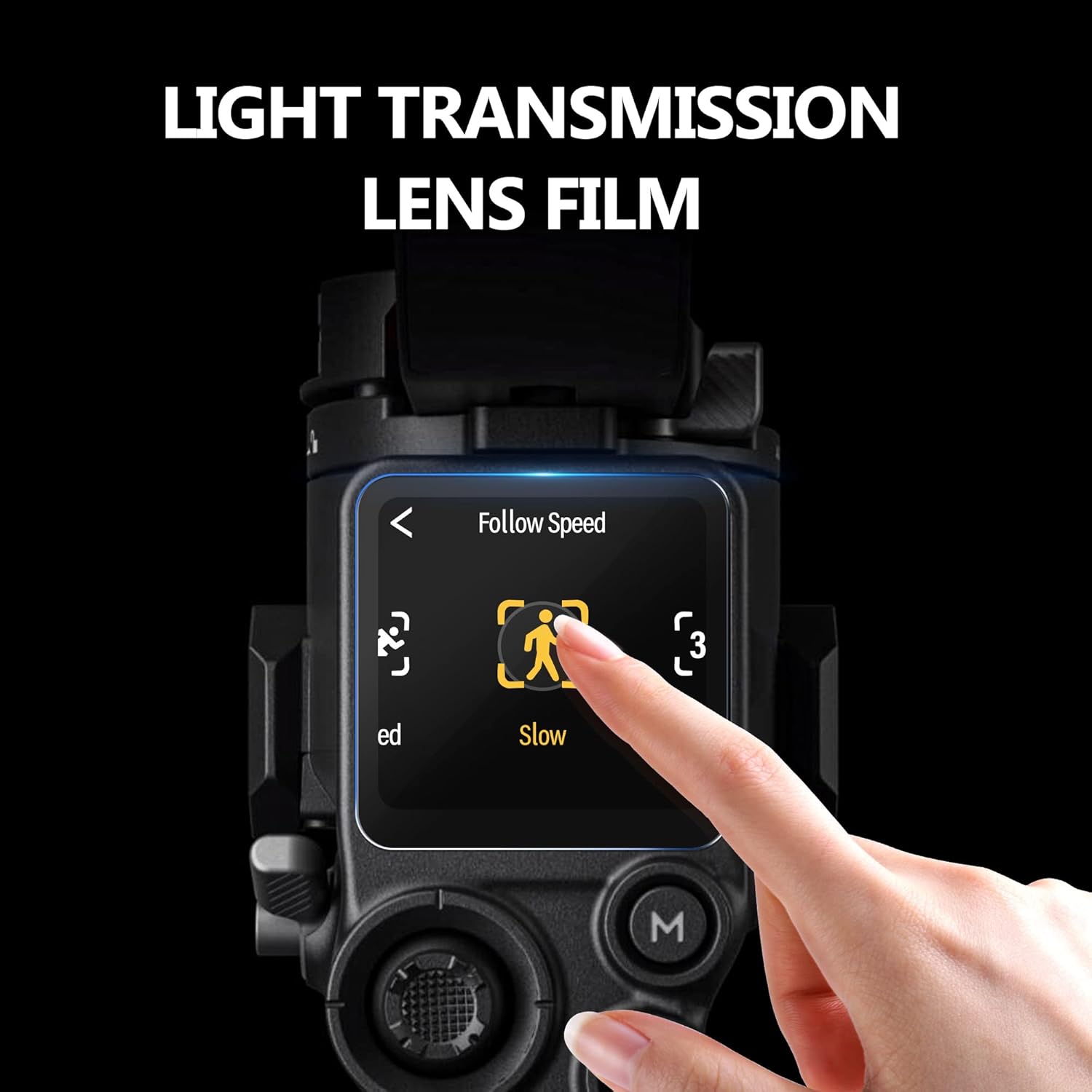
Slika 3.2: Zaštitnik ekrana postavljen na gimbal ekran
Slika 3.3: Karakteristike zaštitne folije za ekran
4. Uputstvo za upotrebu
4.1. Korištenje užeta
Nakon instalacije, traka omogućava udobno i sigurno nošenje vašeg DJI RS 3 ili RS 3 Pro gimbala. Podesite remen za rame/vrat na željenu dužinu (maksimalna dužina je 85 cm) za optimalnu udobnost i raspodjelu težine. Ovo pomaže u smanjenju umora tokom dužih sesija snimanja i pruža dodatni sloj sigurnosti od slučajnih padova.
Slika 4.1: Korisnik upravlja gimbalom pomoću uzice
4.2. Prednosti zaštitne folije za ekran
Zaštitni premaz za ekran održava jasnoću i osjetljivost ekrana vašeg gimbal-a na dodir, a istovremeno pruža zaštitu od ogrebotina, prašine i otisaka prstiju. Njegov oleofobni premaz pomaže u sprječavanju mrlja, održavajući ekran čistim za optimalno korištenje. viewing tokom rada.
5. Održavanje
5.1. Njega uzice
- Očistite najlonski remen oglasomamp krpom i blagim sapunom ako je potrebno. Ostavite da se potpuno osuši na zraku.
- Povremeno provjeravajte vijke i kopče od aluminijske legure da li postoje znakovi habanja ili oštećenja. Zamijenite ako su oštećeni.
- Kada se ne koristi, traku za odlaganje čuvajte u priloženoj torbi kako biste spriječili zapetljavanje i zaštitili je od prljavštine.
5.2. Njega zaštitne folije za ekran
- Nježno obrišite zaštitnu foliju za ekran mikrofiber krpom kako biste uklonili otiske prstiju i prašinu.
- Izbjegavajte upotrebu jakih hemikalija ili abrazivnih materijala, jer oni mogu oštetiti oleofobni premaz.
6. Otkrivanje problema
6.1. Problemi s vrpcom za vezivanje
- Traka za vezivanje se čini labavom: Provjerite da li su vijci od aluminijske legure potpuno zategnuti rukom. Provjerite da li su kopče za remen sigurno pričvršćene za petlje vijaka. Podesite dužinu remena za čvrsto prianjanje.
- Neugodnost tokom upotrebe: Podesite dužinu remena i postavite podstavljeni dio na rame ili vrat za optimalnu udobnost.
6.2. Problemi sa zaštitnom folijom za ekran
- Mjehurići nakon nanošenja: Pažljivo podignite najbliži rub zaštitne folije za ekran i ponovo je postavite, koristeći meku krpu da istisnete mjehuriće dok je polažete. Prije ponovnog postavljanja provjerite je li ekran potpuno čist.
- Zaštitna folija za ekran ne prianja: Provjerite da površina ekrana bude bez prašine, ulja i vlage. Ako se sa zaštitnom folijom previše rukuje sa ljepljive strane, može izgubiti ljepljivost.
7. Specifikacije
| Feature | Detalj |
|---|---|
| Dimenzije proizvoda | 5.51 x 2.76 x 1.97 inča |
| Težina artikla | 6.3 unci (180 grama) |
| Brand | STARTRC |
| Boja | Crna |
| Kompatibilni uređaji | DJI RS 3, DJI RS 3 Pro stabilizator gimbala |
| Materijal za vrpcu | Najlonska pletena tkanina s mekim punjenjem |
| Vijačni materijal | CNC aluminijska legura |
| Maksimalna dužina užeta | 85 CM |
8. Garancija i podrška
Specifične informacije o garanciji za ovaj proizvod nisu navedene u dostupnoj dokumentaciji. Za bilo kakvu podršku za proizvod, upite ili reklamacije u vezi s garancijom, molimo kontaktirajte STARTRC direktno putem njihovih službenih kanala ili prodavača od kojeg je proizvod kupljen.
Za više informacija možete posjetiti službenu STARTRC trgovinu: STARTRC prodavnica na Amazonu


