1. Uvod
This manual provides detailed instructions for the Vanja USB-C SD Card Reader, Model 430C. This device is designed for high-speed data transfer between various memory cards and USB-C enabled devices. Please read this manual thoroughly to ensure proper usage and optimal performance.
2. Proizvod je gotovview
The Vanja USB-C SD Card Reader (Model 430C) is a compact and efficient tool for managing data from various memory card formats. It features a USB-C interface for broad compatibility and high-speed data transfer.
Ključne karakteristike:
- USB 3.2 Gen 1 interfejs: Supports data transfer speeds up to 5 Gbps, enabling quick transfer of large files.
- Universal Card Compatibility: Reads SD, MicroSD, SDXC, SDHC, MMC, and UHS-I cards up to 2TB capacity.
- Široka podrška za uređaje: Compatible with iPhone 15/16 series, MacBook Pro, iPad, Mac desktops, Windows laptops, and USB-C Android devices.
- Žična veza: Ensures stable and reliable data transfer without wireless interference or battery concerns.
- Plug & Play: No drivers or complex setup required for most operating systems (iOS, iPadOS, macOS, Windows, Android).
- Kompaktan i izdržljiv dizajn: Features an aluminum shell for heat dissipation and a nylon cable for enhanced durability.
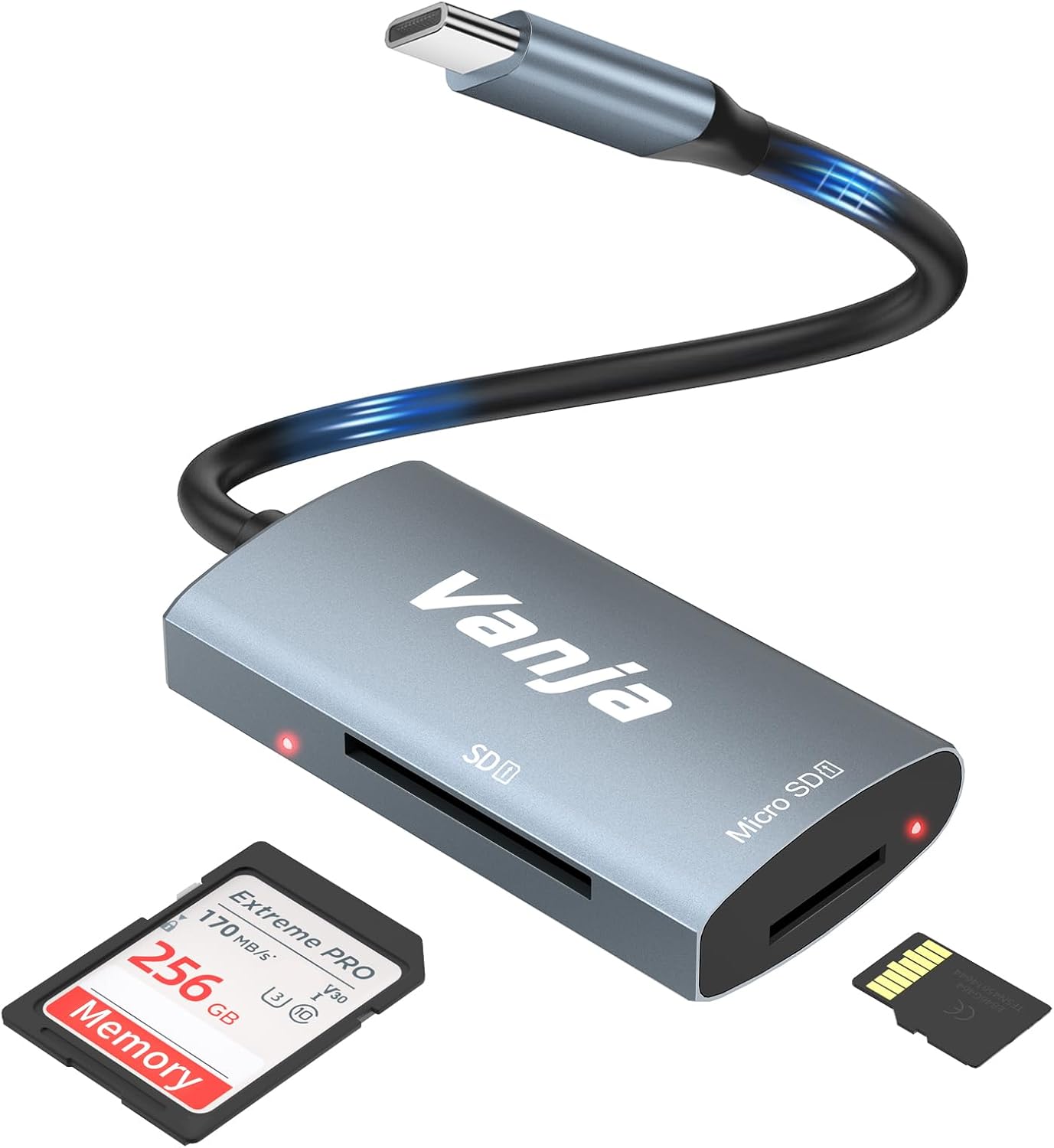
Figure 1: The Vanja USB-C SD Card Reader, showing its USB-C connector, SD card slot, and MicroSD card slot, alongside an SD card and a MicroSD card.
3. Upute za postavljanje
The Vanja USB-C SD Card Reader is designed for simple plug-and-play operation. No software installation or drivers are typically required.
- Umetnite memorijsku karticu: Gently insert your SD card into the SD slot or your MicroSD card into the MicroSD slot on the card reader. Ensure the card is inserted correctly with the contacts facing down. A slight click indicates it is securely in place.
- Povežite se na uređaj: Plug the USB-C connector of the card reader into an available USB-C port on your compatible device (e.g., iPhone 15/16, MacBook, iPad, Windows laptop, Android phone).
- Pristup Files: Your device should automatically detect the card reader and the inserted memory card. You can then access the fileputem vašeg uređaja file manager or photo application.
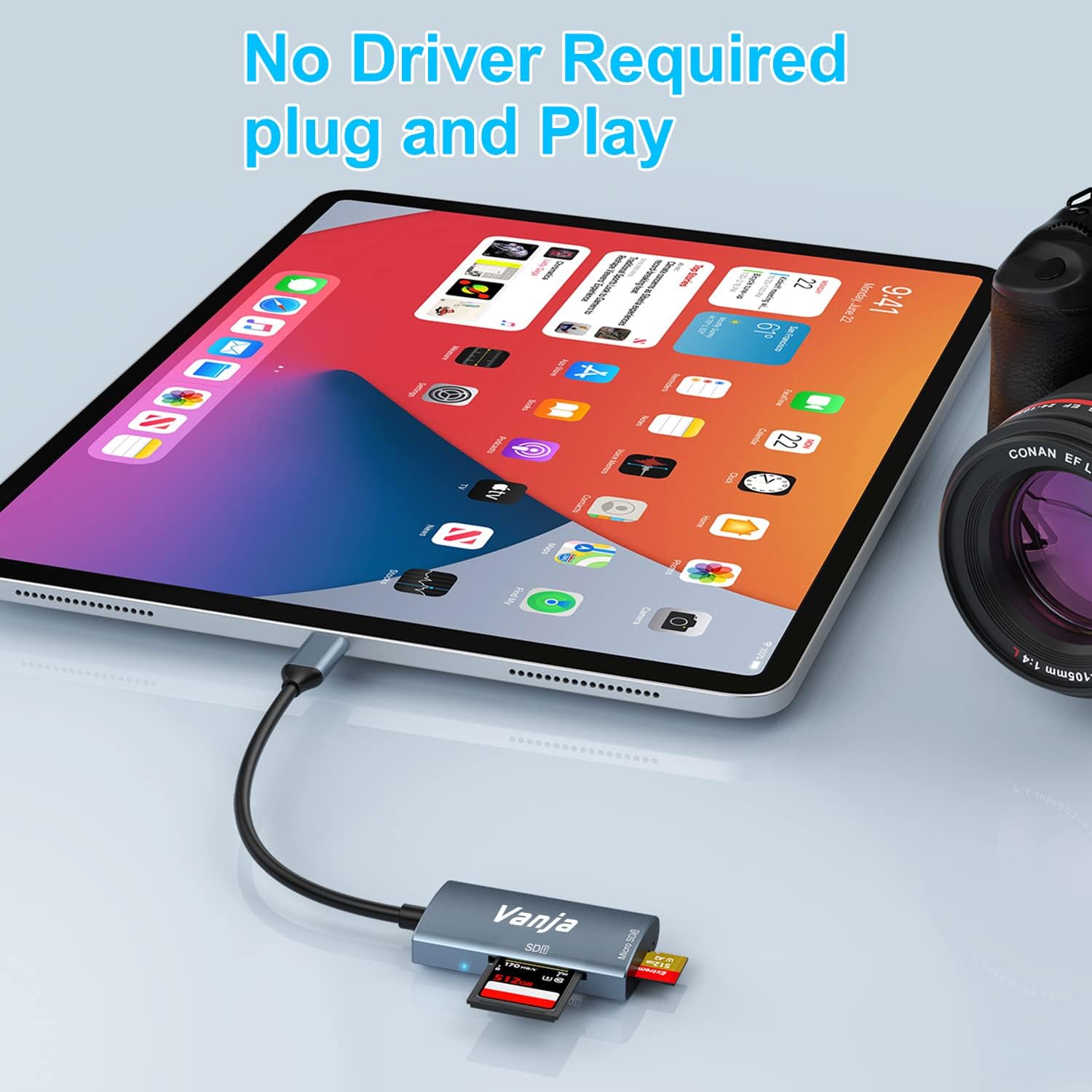
Figure 2: The card reader connected to an iPad Pro, demonstrating the plug-and-play functionality with a MicroSD card inserted.
4. Uputstvo za upotrebu
Once connected, the card reader functions like any external storage device.
Prijenos podataka:
- Locate Drive: On Windows, the card will appear as a removable drive under "This PC." On macOS, it will appear on the desktop or in Finder. On iOS/iPadOS, access it via the "Files" app. On Android, use your device's file menadžer.
- Kopiraj/Premjesti Files: Prevucite i ispustite files between the memory card and your device's internal storage, or use the copy/paste functions provided by your operating system.
- Sigurno izbacivanje: Always safely eject the memory card or card reader from your operating system before physically disconnecting it to prevent data corruption.

Figure 3: The card reader connected to a laptop, illustrating high-speed data transfer (5 Gbps) between a memory card and the computer.
5. Kompatibilnost
Podržane vrste memorijskih kartica:
- SD kartica
- MicroSD Card (TF Card)
- SDHC
- SDXC
- MMC
- UHS-I kartice
- Supports capacities up to 2TB.
Compatible Devices and Operating Systems:
- Apple uređaji: iPhone 15/16 series (USB-C models), MacBook Pro, iPad (USB-C models), Mac desktops.
- Windows uređaji: Laptops and desktops with USB-C ports.
- Android uređaji: Samsung Galaxy smartphones and other USB-C enabled Android phones/tablets.
- Operativni sistemi: iOS, iPadOS, macOS, Windows, Android, Linux, Chrome OS.

Figure 4: Visual representation of the universal compatibility of the card reader with different memory card formats and USB-C enabled devices.
6. Specifikacije
| Brand | Vanja |
| Broj modela | 430C |
| Tehnologija povezivanja | USB tip C (USB 3.2 Gen 1) |
| Brzina prenosa podataka | Do 5 Gbps |
| Podržane vrste medija | SD Card, SDHC, SDXC, microSD, microSDHC, MMC, UHS-I |
| Maksimalni podržani kapacitet | 2TB (depending on card type) |
| Kompatibilnost operativnog sistema | Android, iOS, Linux, Mac OS, Windows |
| Težina artikla | 1.13 unci (približno 32 grama) |
| Dimenzije paketa | 5.35 x 3.35 x 0.55 inča (približno 13.6 x 8.5 x 1.4 cm) |
| Boja | Blue-Gray |
| Posebne karakteristike | Compact, Easy Setup, Plug & Play, Aluminum Housing, Nylon Cable |
7. Otkrivanje problema
If you encounter issues with your Vanja USB-C SD Card Reader, try the following solutions:
- Uređaj nije prepoznat:
- Ensure the card reader is firmly plugged into the USB-C port of your device.
- Try a different USB-C port on your device, if available.
- Ponovo pokrenite računar ili uređaj.
- Check if the memory card is properly inserted into the card reader.
- Testirajte čitač kartica s drugom memorijskom karticom kako biste isključili probleme s karticom.
- Provjerite je li operativni sistem vašeg uređaja ažuriran.
- Spor prijenos podataka:
- Verify that your device's USB-C port supports USB 3.0/3.1/3.2 speeds. Older USB 2.0 ports will result in slower transfers.
- Ensure your memory card is a high-speed card (e.g., UHS-I or faster).
- Izbjegavajte prebacivanje mnogo malih fileistovremeno; njihovo komprimiranje u arhivu ponekad može poboljšati brzinu.
- Zatvorite ostale aplikacije koje možda troše sistemske resurse.
- Memory Card Not Reading:
- Provjerite je li memorijska kartica oštećena ili neispravna. Ako je moguće, pokušajte je koristiti u drugom uređaju.
- Ensure the memory card is inserted in the correct orientation.
- Clean the contacts on the memory card with a soft, dry cloth.
8. Održavanje
To ensure the longevity and optimal performance of your Vanja USB-C SD Card Reader, follow these maintenance guidelines:
- Održavajte čistoću: Za čišćenje vanjske strane čitača kartica koristite meku, suhu krpu. Izbjegavajte upotrebu tečnih sredstava za čišćenje ili rastvarača.
- Zaštitite portove: Keep the card slots and USB-C connector free from dust and debris. Use compressed air if necessary, but gently.
- Čuvajte ispravno: When not in use, store the card reader in a cool, dry place, away from direct sunlight and extreme temperatures.
- Pažljivo rukujte: Izbjegavajte ispuštanje uređaja ili izlaganje jakim udarcima. Ne gurajte memorijske kartice na silu u utore.
9. Garancija i podrška
For warranty information, technical support, or further assistance with your Vanja USB-C SD Card Reader, please refer to the official Vanja webweb-mjesto ili direktno kontaktirajte njihovu korisničku službu.
You can visit the official Vanja store for more product information and support resources: Vanja Store on Amazon.


