1. Uvod
This manual provides essential information for the installation, operation, and maintenance of your Axis Communications M2035-LE HDTV 1080P Surveillance Camera. Please read this manual thoroughly before using the product to ensure proper setup and functionality. Keep this manual for future reference.
2. Sigurnosne informacije
Pridržavajte se sljedećih sigurnosnih mjera opreza kako biste spriječili oštećenje proizvoda ili ozljede sebe i drugih:
- Ensure the power source matches the camera's requirements (28 Volts, 4.2 watts).
- Do not expose the camera to extreme temperatures or humidity beyond its operating specifications.
- Izbjegavajte direktno izlaganje jakim izvorima svjetlosti, koji mogu oštetiti senzor slike.
- Ne pokušavajte rastavljati ili modificirati kameru. Za sve servisne radove obratite se kvalifikovanom osoblju.
- Sigurno postavite kameru kako biste spriječili njen pad.
- Keep the camera away from water and moisture, despite its water-resistant rating (IP54).
3. Sadržaj paketa
Provjerite da li su sve stavke prisutne u paketu:
- Axis M2035-LE Camera Unit
- Montažni stalak/nosač
- Uputstvo za instalaciju (ovaj dokument)
- Pribor za montažu (vijci, tiplovi)
Napomena: Specifičan sadržaj može se neznatno razlikovati ovisno o regiji ili paketu.
4. Proizvod je gotovview
The Axis M2035-LE is a compact, outdoor-ready dome surveillance camera designed for high-definition video monitoring. It features 1080p resolution, a wide viewing angle, and infrared night vision for reliable performance in various lighting conditions.
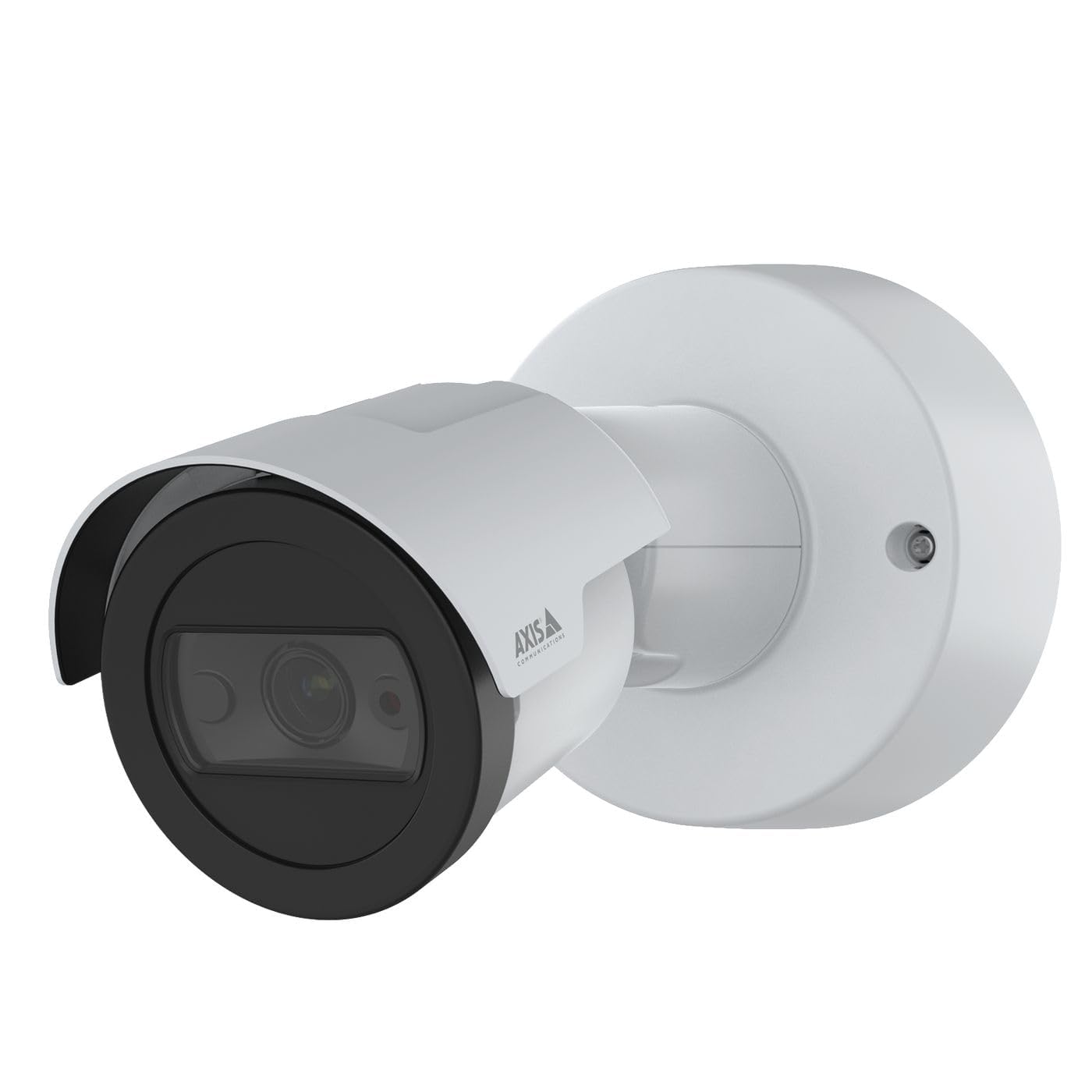
Slika 1: Front view of the Axis M2035-LE HDTV 1080P Surveillance Camera. This image shows the compact dome design suitable for outdoor installation.
5. Postavljanje i instalacija
The Axis M2035-LE camera supports various mounting options, including table mount and recessed installation. Ensure the chosen location provides a clear field of view i stabilnu površinu za montažu.
5.1. Razmatranja o montaži
- Upotreba na otvorenom: The camera is designed for outdoor environments.
- Snaga: The camera requires a 28V power supply. Ensure proper wiring and power delivery.
- Povezivanje: The camera supports Wi-Fi and Ethernet connectivity. Plan your network connection accordingly.
5.2. Table Mount Installation
- Attach the mounting stand to the camera unit using the provided screws.
- Postavite kameru na stabilnu, ravnu površinu.
- Podesite kameru viewugao po potrebi.
5.3. Recessed Mount Installation (Soffit Example)
For recessed mounting, particularly in soffits, careful planning is required to ensure sufficient depth and avoid obstructions.
- Verify Depth: Before cutting, confirm the soffit has adequate depth for the recessed mount. You can use a small pilot hole and a wire to measure the available space.
- Mark and Cut: Mark the desired location and carefully cut the opening in the soffit according to the template provided with the recessed mount kit (sold separately).
- Instalirajte nosač: Secure the recessed mount bracket into the opening.
- Connect and Secure: Connect the necessary cables (power, Ethernet) and then secure the camera unit into the recessed mount.
- Podesite ugao: Adjust the camera lens to achieve the desired field of view.
6. Uputstvo za upotrebu
6.1. Initial Power-Up and Network Connection
- Spojite kameru na napajanje.
- For initial setup, it is recommended to connect via Ethernet to your network router or switch.
- Use the Axis IP Utility or a web browser to discover the camera on your network and configure its settings.
- For Wi-Fi connectivity, configure the wireless settings through the camera's web interfejs.
6.2. Video nadzor i snimanje
- The camera provides 1080p video resolution at 30 frames per second.
- Pristupite uživo view and recording features through the camera's web interfejs ili kompatibilan softver za upravljanje videom (VMS).
- The camera is compatible with Digital Video Recorders (DVRs).
- Video capture format is MPEG-4.
6.3. Low Light and Night Vision
The M2035-LE features "Night Color" low light technology and an infrared (IR) light source for clear imaging in dark conditions.
- The camera automatically switches to night mode when ambient light is low.
- Ensure the IR illuminator is not obstructed for optimal night vision performance.
6.4. Detekcija pokreta i upozorenja
The camera supports motion-only alert types.
- Configure motion detection zones and sensitivity settings via the camera's web interfejs.
- Set up alert actions such as email notifications or recording triggers.
6.5. Daljinski upravljač
The camera can be controlled remotely through its web interface or compatible VMS, allowing for adjustments to settings and viewprijenos uživo.
7. Održavanje
- čišćenje: Nježno obrišite objektiv i tijelo kamere mekom,amp tkanina. Nemojte koristiti jake hemikalije ili abrazivna sredstva za čišćenje.
- Ažuriranja firmvera: Redovno provjeravajte Axis Communications website for firmware updates to ensure optimal performance and security. Follow the instructions provided with the firmware update.
- Inspekcija kablova: Periodically inspect all cables for signs of wear or damage, especially in outdoor installations.
8. Otkrivanje problema
| Problem | Mogući uzrok | Rješenje |
|---|---|---|
| Nema napajanja/Kamera se ne uključuje | Incorrect power supply; Loose connection; Power outage | Verify power adapter and connections; Check power outlet; Ensure correct voltage (28 V). |
| Cannot connect to camera via network | Incorrect IP address; Network cable issue; Wi-Fi configuration error; Firewall blocking connection | Use Axis IP Utility to find camera; Check Ethernet cable; Reconfigure Wi-Fi settings; Temporarily disable firewall for testing. |
| Loša kvaliteta slike | Dirty lens; Insufficient lighting; Incorrect focus/settings; Network bandwidth issues | Clean the lens; Ensure adequate lighting or proper night vision settings; Adjust focus/image settings; Check network speed. |
| Detekcija pokreta ne radi | Incorrect sensitivity settings; Detection zones not configured; Obstructions in view | Adjust motion detection sensitivity; Define detection zones in settings; Clear any obstructions. |
9. Specifikacije
| Feature | Detalj |
|---|---|
| Broj modela | M2035-LE |
| Unutrašnja/vanjska upotreba | Na otvorenom |
| Tehnologija povezivanja | Ethernet, Wi-Fi |
| Rezolucija video snimanja | 1080p |
| Frame Rate | 30 sličica u sekundi |
| Viewing Angle | 110 stepeni |
| Low Light Technology | Noćna boja |
| Vrsta izvora svjetlosti | Infracrveni |
| Vrsta upozorenja | Motion Only |
| Kontrolni metod | Daljinski |
| Izvor napajanja | Information Not Available (Note: Requires 28V, 4.2W) |
| Voltage | 28 Volts |
| Wattage | 4.2 vati |
| Materijal | Metal |
| Boja | Bijelo |
| Dimenzije (D x Š x V) | 1.1 x 9.7 x 6.5 inča |
| Težina artikla | 0.634 unce |
| Međunarodna ocjena zaštite | IP54 (Vodootporan) |
| Kompatibilni uređaji | Digitalni video rekorder |
| Tehnologija foto senzora | CMOS |
| Format video snimanja | MPEG-4 |
10. Garancija i podrška
For detailed warranty information, please refer to the official Axis Communications website or contact your local distributor. Technical support and additional resources can also be found on the Axis Communications support portal.
Proizvođač: AXIS
Webstranica: www.axis.com


