1. Uvod
Thank you for choosing the MINISO Xo-9838 Waterproof Bluetooth Speaker. This portable wireless speaker is designed to provide high-quality audio with the convenience of Bluetooth connectivity and a durable, waterproof design. Please read this manual carefully before using the product to ensure proper operation and to maximize your listening experience.
2. Sadržaj paketa
- MINISO Xo-9838 Waterproof Bluetooth Speaker
- USB kabl za punjenje
- Korisnički priručnik (ovaj dokument)
3. Značajke proizvoda
- Vodootporan dizajn: IPX5 rated, offering protection against low-pressure water jets from any direction.
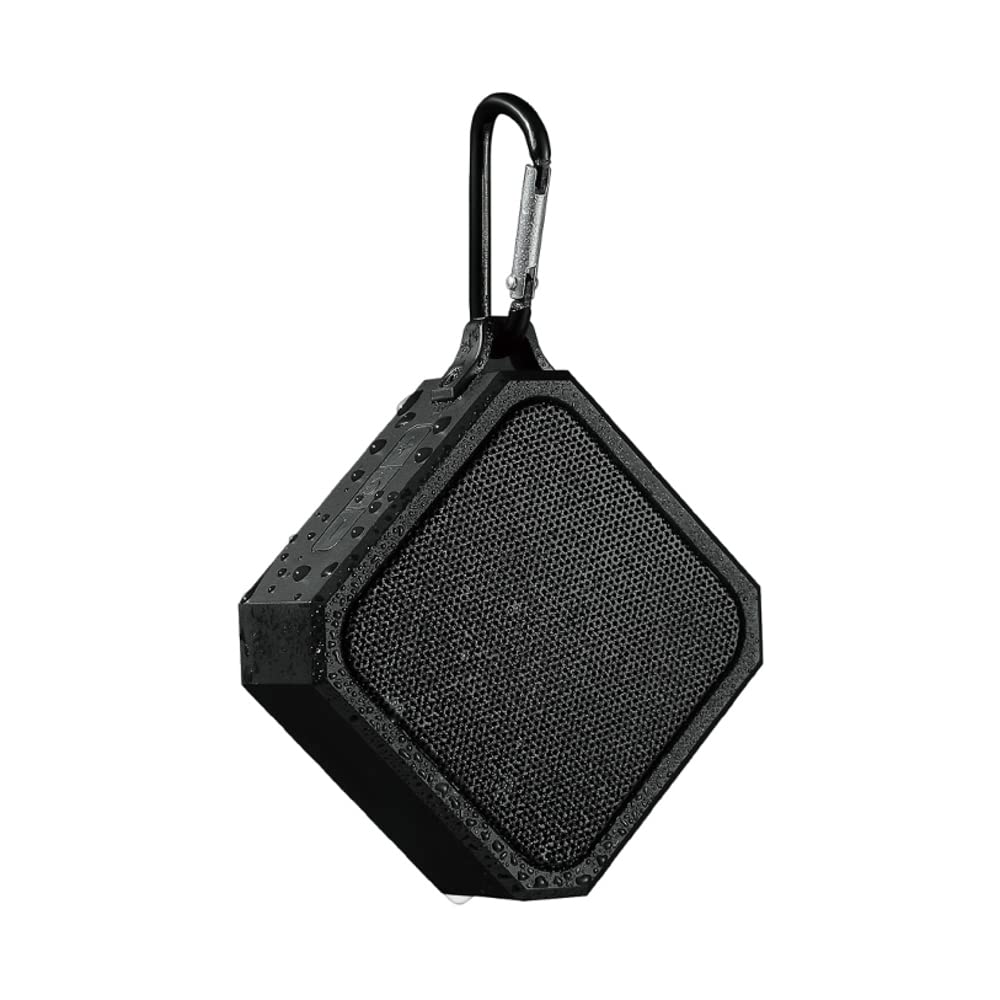
- Prijenosni i lagani: Compact design with an integrated hook for easy carrying.
- Bluetooth 5.0: Osigurava stabilnu i efikasnu bežičnu vezu.
- Dugotrajna baterija: Ugrađena litijumska baterija od 3.7V.
- Brzo punjenje: Približno 1.5 sata za potpuno punjenje.
- Produženo vrijeme igranja: Do 2 sati neprekidne reprodukcije muzike.
- Intuitivne kontrole: Easy-to-use buttons for power and volume.
4. Podešavanje
4.1 Punjenje zvučnika
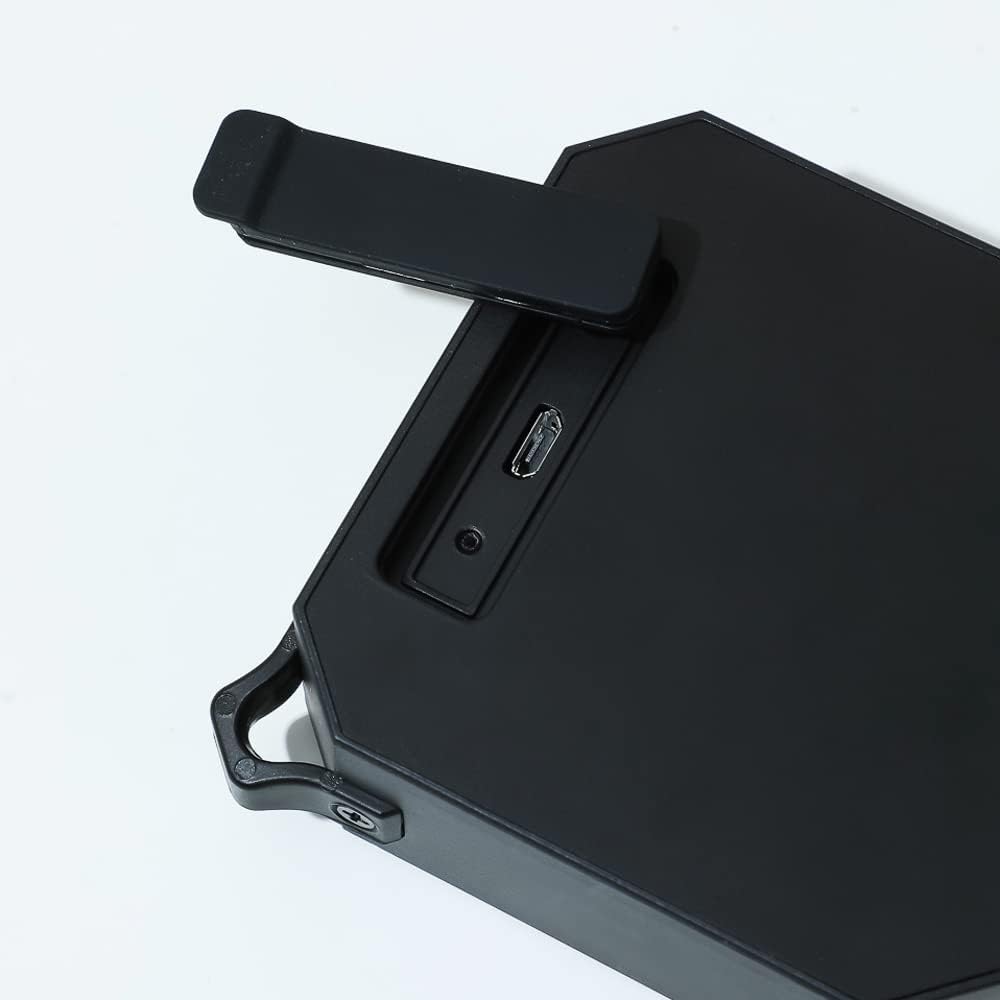
- Locate the charging port on the side of the speaker, usually protected by a rubber flap.
- Open the rubber flap to expose the Micro USB charging port.
- Spojite manji kraj priloženog USB kabela za punjenje na priključak za punjenje zvučnika.
- Povežite veći kraj USB kabla na USB adapter za napajanje (nije uključen) ili USB port računara.
- The charging indicator light (usually red) will illuminate to show that the speaker is charging.
- Once fully charged (approximately 1.5 hours), the indicator light may change color or turn off.
4.2 Uključivanje/isključivanje
- Za uključivanje: Pritisnite i držite dugme za napajanje (⏻) located on the top panel of the speaker for a few seconds until you hear an audible prompt or see an indicator light.
- Za isključivanje: Pritisnite i držite dugme za napajanje (⏻) again for a few seconds until you hear an audible prompt or the indicator light turns off.
4.3 Bluetooth uparivanje
- Ensure the speaker is fully charged and powered on. The Bluetooth indicator light will typically flash, indicating it is in pairing mode.
- Na vašem mobilnom uređaju (pametnom telefonu, tabletu, laptopu) idite na postavke Bluetootha.
- Omogućite Bluetooth i potražite dostupne uređaje.
- Select "MINISO Xo-9838" (or similar name) from the list of found devices.
- Once paired, the speaker will emit an audible confirmation, and the Bluetooth indicator light will stop flashing and remain solid.
- Sada možete reproducirati zvuk sa svog uređaja putem zvučnika.
5. Upravljanje zvučnikom
5.1 Reprodukcija muzike i kontrola jačine zvuka
- Pusti/pauza: While music is playing, a short press of the power button (⏻) will typically pause or resume playback.
- Povećavanje glasnoće: Press the "+" button to increase the volume.
- Smanjivanje jačine zvuka: Press the "-" button to decrease the volume.
- Sljedeća pjesma: A long press of the "+" button may skip to the next track.
- Prethodni zapis: A long press of the "-" button may go to the previous track.
5.2 Vodootporna upotreba (IPX5)
The MINISO Xo-9838 speaker is rated IPX5, meaning it is protected against low-pressure water jets from any direction. This makes it suitable for use in environments where it might be exposed to splashes, such as by a pool or in a bathroom. However, it is ne designed to be submerged in water. Ensure the charging port's rubber flap is securely closed before exposing the speaker to water.

6. Održavanje
- čišćenje: Za brisanje zvučnika koristite meku, suhu krpu. Za tvrdokornu prljavštinu, laganoamp cloth can be used, but ensure the charging port flap is closed and dry the speaker thoroughly afterward. Do not use harsh chemicals or abrasive cleaners.
- Skladištenje: Čuvajte zvučnik na hladnom i suhom mjestu, dalje od direktne sunčeve svjetlosti i ekstremnih temperatura.
- Održavanje baterije: Da biste produžili vijek trajanja baterije, izbjegavajte često potpuno pražnjenje zvučnika. Redovno ga punite, čak i ako se ne koristi duži period.
- Zaštita voda: Always ensure the rubber flap covering the charging port is securely closed when not charging, especially when near water.
7. Otkrivanje problema
- Zvučnik se ne uključuje: Ensure the speaker is charged. Connect it to a power source and try again after a few minutes.
- Nije moguće uparivanje s uređajem:
- Provjerite je li zvučnik u načinu rada za uparivanje (indikatorska lampica treperi).
- Provjerite je li Bluetooth omogućen na vašem uređaju.
- Približite zvučnik uređaju.
- Isključite i uključite i zvučnik i Bluetooth na uređaju.
- Zaboravite uređaj s Bluetooth liste telefona i pokušajte ponovo upariti uređaj.
- Nema zvuka ili je jačina zvuka niska:
- Provjerite nivoe jačine zvuka i na zvučniku i na povezanom uređaju.
- Provjerite je li zvučnik pravilno uparen.
- Pokušajte reproducirati drugi audio izvor.
- Loš kvalitet zvuka:
- Približite zvučnik uređaju kako biste smanjili smetnje.
- Provjerite da nema prepreka između zvučnika i vašeg uređaja.
- Check if the speaker's battery is low, which can affect sound quality.
8. Specifikacije
| Feature | Specifikacija |
|---|---|
| Model | Xo-9838 |
| Bluetooth verzija | 5.0 |
| Vrsta baterije | 3.7V litijumska baterija |
| Vrijeme punjenja | Pribl. 1.5 sati |
| Vrijeme upotrebe | Pribl. 2 sati |
| Waterproof Rating | IPX5 |
| Dimenzije zvučnika | 9.2 x 9 cm (otprilike) |
| Dimenzije paketa | 20.3 x 12.2 x 6 cm |
| Težina | 200 g |
| Povezivanje | Bluetooth, USB |
| Način audio izlaza | Mono |
9. Garancija i podrška
For warranty information, please refer to the terms and conditions provided at the time of purchase or contact your retailer. Keep your purchase receipt as proof of purchase.
For technical support or further assistance, please contact MINISO customer service through their official webweb-mjesto ili kontakt informacije navedene na pakovanju vašeg proizvoda.