1. prekoview
The FIFINE K669PRO2 is a USB condenser microphone designed for various applications including podcasting, gaming, streaming, voice-overs, and online meetings. It features RGB lighting, a tap-to-mute function, a gain control knob, and a cardioid pickup pattern for clear audio capture. This manual provides instructions for setting up, operating, and maintaining your microphone.
2. Sadržaj paketa
Molimo Vas da provjerite sadržaj paketa kako biste bili sigurni da su svi artikli prisutni:
- FIFINE K669PRO2 USB Condenser Microphone with Pop Filter
- USB-C to USB-A Cable (6.5ft / 2m)
- Stalak za stativ
- Korisnički priručnik

Figure 2.1: Package Contents. Includes the microphone with pop filter, USB cable, tripod stand, and user manual.
3. Vodič za postavljanje
Follow these steps to set up your FIFINE K669PRO2 microphone:
3.1 Fizička montaža
- Attach the Tripod Stand: Screw the microphone onto the included tripod stand. Ensure it is firmly attached and stable on your desk.
- Instalirajte Pop filter: Attach the pop filter to the microphone's shock mount. This helps reduce plosive sounds for clearer audio.

Figure 3.1: Plug and Play setup. The microphone connects directly to your computer via the provided USB cable.
3.2 Povezivanje s vašim uređajem
- Povežite USB kabl: Plug the USB-C end of the cable into the microphone and the USB-A end into an available USB port on your computer (PC/Mac) or gaming console (PS4/PS5).
- Prepoznavanje sistema: Your operating system should automatically detect and install the necessary drivers. The microphone is plug-and-play, requiring no additional software installation.
- Odaberite kao ulazni uređaj:
- Windows: Navigirajte do Postavke zvuka > Input and select "FIFINE K669PRO2" as your input device.
- macOS: Navigirajte do Sistemske postavke > Zvuk > Input and select "FIFINE K669PRO2".
- PS4/PS5: Navigirajte do Postavke > Uređaji > Audio uređaji and select "FIFINE K669PRO2" as your input device.
4. Uputstvo za upotrebu
4.1 Kontrola pojačanja
The microphone features a gain control knob on the front. Rotate the knob to adjust the microphone's input sensitivity. Turn clockwise to increase gain and counter-clockwise to decrease it. Adjust the gain to achieve optimal audio levels without distortion.

Figure 4.1: Front panel controls, including the gain knob for volume adjustment.
4.2 Funkcija isključivanja zvuka
Tap the mute button on the front of the microphone to instantly mute or unmute your audio. The LED indicator will change color to show the mute status (e.g., green for active, red for muted), providing a visual reminder.
Figure 4.2: Front panel controls, highlighting the tap-to-mute button.
4.3 Kontrola RGB osvjetljenja
The microphone features customizable RGB lighting. Use the RGB control key on the back of the microphone to cycle through different lighting modes and colors. There are three lighting modes and over nine color options available.

Figure 4.3: RGB lighting in action, showcasing dynamic solid-color, dynamic multi-color, and static solid color modes.

Slika 4.4: Pozadi view of the microphone, indicating the RGB control button.
4.4 Kardioidni uzorak pickupa
The K669PRO2 utilizes a cardioid polar pattern. This means the microphone primarily picks up sound from the front, reducing unwanted noise from the sides and rear. Position the microphone directly towards the sound source (e.g., your mouth) for optimal voice capture.
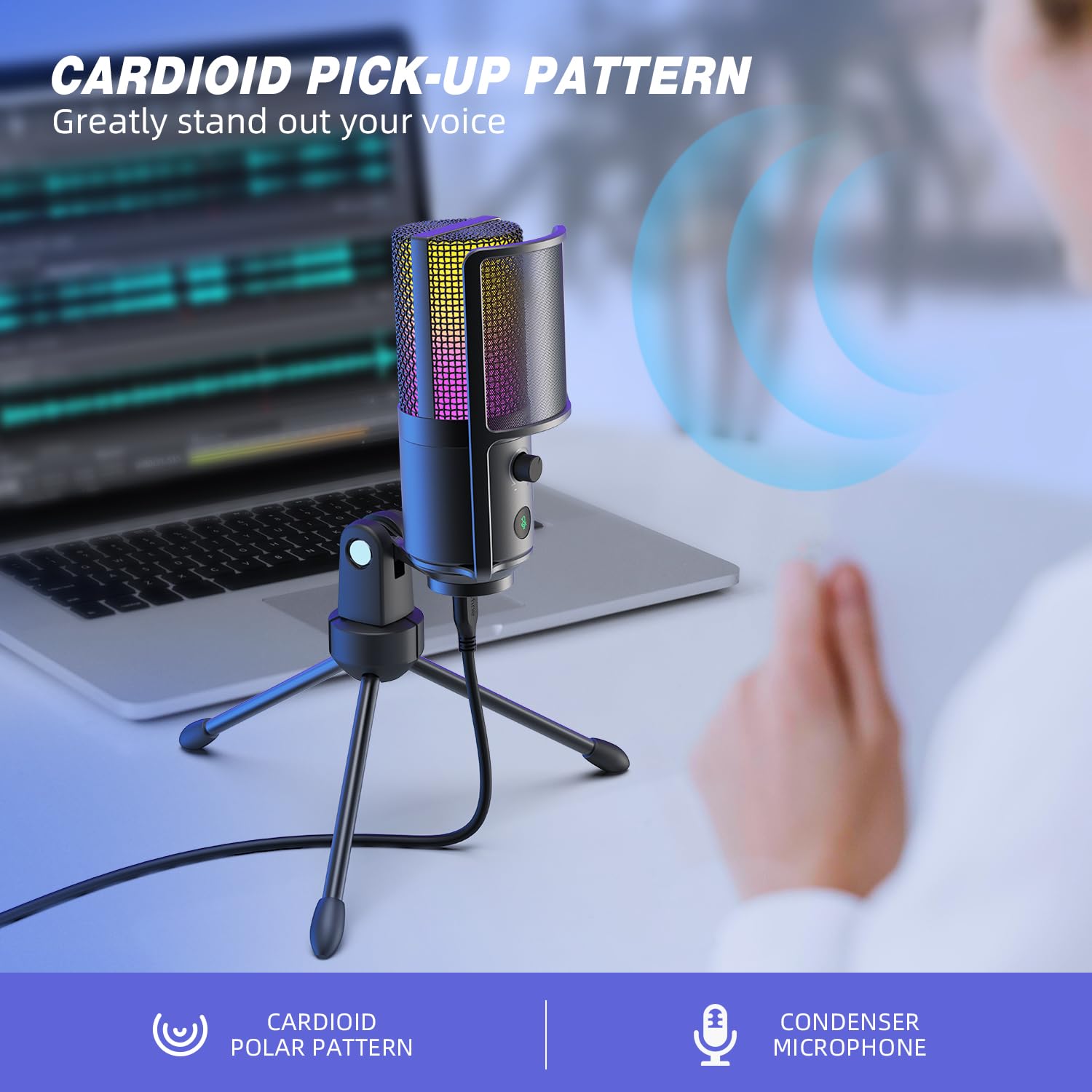
Figure 4.5: Cardioid pickup pattern illustration, demonstrating focused sound capture.
5. Održavanje
- čišćenje: Use a soft, dry cloth to clean the microphone's exterior. Avoid using liquid cleaners or solvents, as they may damage the device.
- Skladištenje: Kada se ne koristi, mikrofon čuvajte na suhom i mjestu bez prašine.
- Rukovanje: Pažljivo rukujte mikrofonom. Izbjegavajte ispuštanje ili izlaganje jakim udarcima, što može utjecati na njegove performanse.
6. Otkrivanje problema
| Problem | Mogući uzrok | Rješenje |
|---|---|---|
| Nema zvuka iz mikrofona. |
|
|
| Low volume or weak audio. |
|
|
| Izobličen ili nejasan zvuk. |
|
|
| RGB osvjetljenje ne radi. |
|
|
7. Specifikacije
| Model | K669PRO2 |
| Polar Pattern | Jednosmjerni (kardioidni) |
| Tehnologija povezivanja | USB |
| Tip konektora | USB-C (on mic), USB-A (on cable) |
| Kompatibilni uređaji | PC, Mac, PS4, PS5 |
| Materijal | Metal |
| Frekvencijski odziv | 20 Hz - 20 kHz |
| Odnos signala i šuma | 70 dB |
| Izvor napajanja | Električni sa kablom (USB napajanje) |
| Težina artikla | 508 g |
| Uključene komponente | Microphone, USB Cable, Tripod Stand, Pop Filter |
8. Garancija i podrška
Za informacije o garanciji, tehničkoj podršci ili upite o korisničkoj službi, obratite se službenoj stranici FIFINE-a. website or contact their customer support directly. Details can typically be found on the product packaging or the manufacturer's official online channels.
You can visit the FIFINE store for more information: FIFINE Official Store