Uvod
Welcome to the user manual for your Tuanzi MaxO MAXo 4G Mini Rugged Android 12 Smartphone. This guide provides essential information on setting up, operating, and maintaining your device. Please read this manual thoroughly to ensure optimal performance and longevity of your smartphone.
Sadržaj paketa
- 1x Tuanzi MaxO MAXo Phone
- 1x Zaštitna folija
- 1x kabl za punjenje
- 1x Uputstvo za upotrebu
- 1x punjač
Product Overview
Ključne karakteristike
- IP68 Waterproof & Rugged Outdoor Design: Fully sealed to withstand rain, dust, and submersion, suitable for outdoor activities.
- Mini Android 12 Smartphone: Compact size (101*50.7*17.2mm) for portability and easy one-hand operation.
- Global 4G Bands & Dual SIM Support: Unlocked for worldwide use with dual nano-SIM slots for flexible connectivity.
- Octa-Core Performance & 6GB+128GB Memory: Equipped with a 2.0GHz 8-core processor and ample storage for smooth multitasking.
- Long-Lasting 3000mAh Battery & Compact HD Display: High-capacity battery for extended use, paired with a 3.88-inch HD screen.
- Instant Side-Key Flashlight & Face Recognition: Features a super-bright flashlight and secure facial recognition technology for quick unlocking.
Izgled uređaja
The image below illustrates the front and back of the Tuanzi MaxO MAXo smartphone, highlighting its display, camera module, and robust exterior.

Prednje i zadnje view of the Tuanzi MaxO MAXo smartphone, showing the display, camera, and rugged design.
Setup
1. Instalacija SIM kartice
- Pronađite ladicu za SIM karticu sa strane uređaja.
- Insert the SIM ejector tool (not included, use a thin pin) into the small hole next to the tray to open it.
- Umetnite Nano-SIM karticu(e) i/ili microSD karticu u utor sa zlatnim kontaktima okrenutim prema dolje.
- Pažljivo gurnite ladicu nazad u utor dok se ne poravna s uređajem.
2. Početno uključivanje
- Pritisnite i držite dugme za napajanje (obično na desnoj strani) dok se ekran ne upali.
- Slijedite upute na ekranu da biste odabrali jezik, regiju i povezali se na Wi-Fi mrežu.
3. Osnovno podešavanje
- Sign in with your Google account to access the Play Store and other Google services.
- Set up your screen lock method (PIN, pattern, password, or facial recognition).
- Review i prilagodite postavke privatnosti po želji.
Uputstvo za upotrebu
Upućivanje poziva
Tap the Phone icon on the home screen. Enter the phone number using the dial pad or select a contact from your address book. Tap the call button to initiate the call.
Slanje poruka
Open the Messaging app. Tap the 'Start chat' or '+' icon to compose a new message. Enter the recipient's number or select from contacts, then type your message and send.
Korišćenje kamere
Open the Camera app from your home screen or app drawer. You can switch between photo and video modes. Tap the shutter button to capture an image or start/stop video recording.

A hand holding the Tuanzi MaxO MAXo smartphone, demonstrating the camera interface.
Povezivanje (Wi-Fi, Bluetooth)
Access Wi-Fi and Bluetooth settings from the Quick Settings panel (swipe down from the top of the screen) or through the main Settings app. Toggle Wi-Fi or Bluetooth on/off and select networks or devices to connect.
Visual Guide
Slike proizvoda
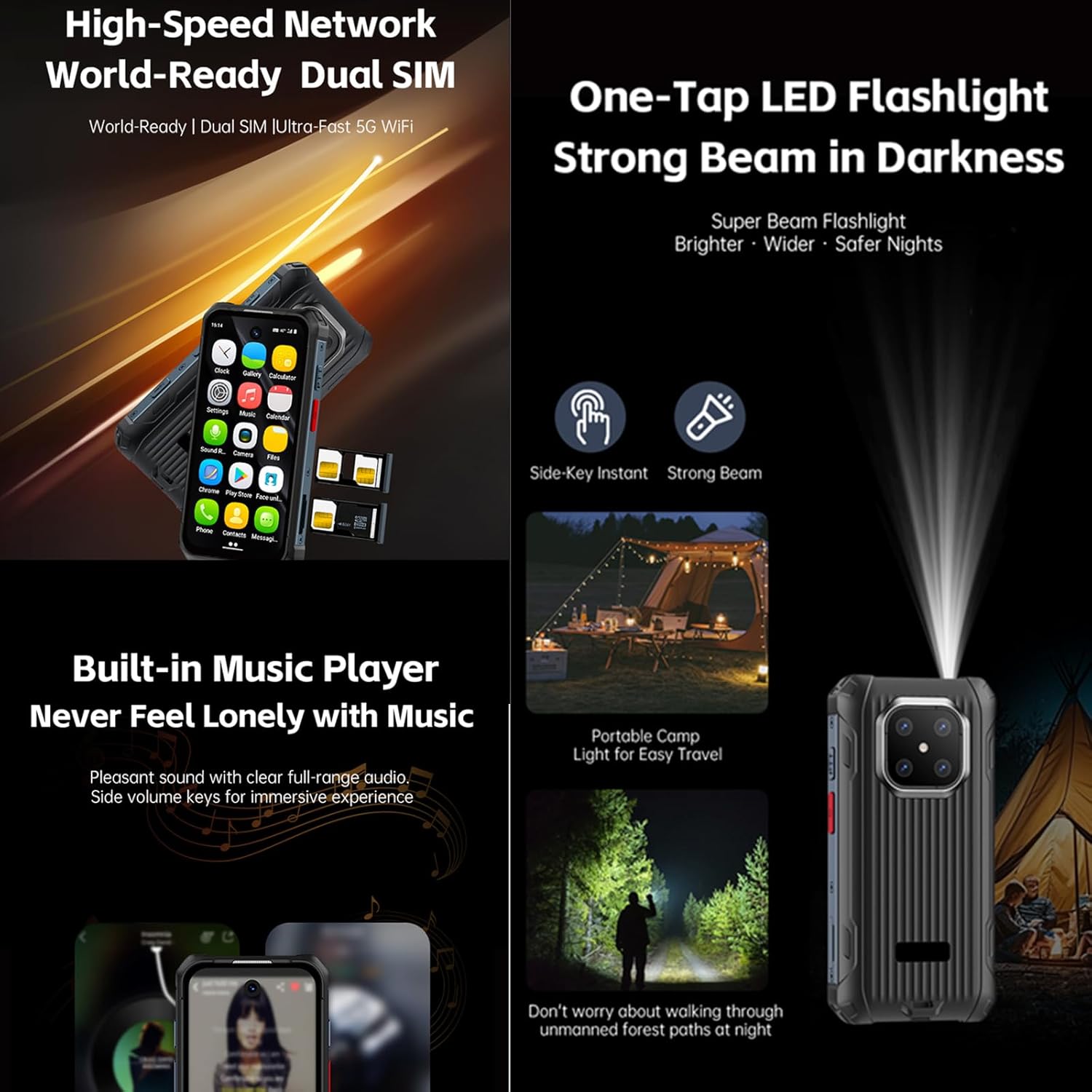
Explore various aspects of your Tuanzi MaxO MAXo smartphone through these detailed images.


Zvanični videozapisi proizvoda
No official product videos from the seller for the Tuanzi MaxO MAXo smartphone were found that meet the specified criteria for inclusion in this manual.
Održavanje
Čišćenje vašeg uređaja
Use a soft, lint-free cloth to clean the screen and body of your phone. Avoid using harsh chemicals or abrasive materials, as these can damage the device's surfaces and waterproof seals. For stubborn dirt, a slightly damp cloth with water is recommended.
Battery Care
To prolong battery life, avoid exposing your phone to extreme temperatures. Charge your device using the provided charger and cable. Do not leave the phone charging for extended periods after it has reached 100% to prevent overcharging.
Ažuriranja softvera
Redovno provjeravajte i instalirajte ažuriranja softvera kako biste osigurali da vaš uređaj ima najnovije funkcije, sigurnosne zakrpe i poboljšanja performansi. Ovu opciju obično možete pronaći u meniju 'Postavke' pod 'Sistem' ili 'O telefonu'.
Rješavanje problema
Uobičajeni problemi i rješenja
- Uređaj se ne uključuje: Provjerite je li baterija napunjena. Spojite punjač i pričekajte nekoliko minuta prije nego što ponovo pokušate uključiti uređaj.
- Ekran ne reaguje: Try restarting the device by holding down the Power button for about 10-15 seconds.
- Problemi s mrežnom vezom: Check if your SIM card is properly inserted. Toggle Airplane Mode on and off. Restart your device. Verify your mobile data or Wi-Fi settings.
- Aplikacije se ruše ili zamrzavaju: Clear the cache and data for the problematic app in 'Settings > Apps'. If the issue persists, uninstall and reinstall the app.
- Spore performanse: Close unused apps, clear cache regularly, and ensure sufficient storage space. Consider a factory reset as a last resort (back up your data first).
Tehničke specifikacije
| Feature | Specifikacija |
|---|---|
| Dimenzije proizvoda | 3.98 x 2 x 0.68 inča |
| Broj modela stavke | MAXo |
| Operativni sistem | Android 12 |
| RAM | 6 GB |
| Kapacitet memorije | 128 GB |
| Bežične komunikacijske tehnologije | Bluetooth, Mobilna mreža, NFC, Wi-Fi |
| Connectivity Technologies | Wi-Fi |
| Posebne karakteristike | Otporan na vodu |
| Rezolucija skenera | 384 x 854 |
| Ostale karakteristike kamere | Front |
| Audio Jack | Nema priključka za slušalice |
| Form Factor | Bar |
| Boja | MaxO Black 128GB |
| Ocjena snage baterije | 3800 Milliamp Sati |
| Vrijeme razgovora telefonom | 18 sata |
| Vrijeme pripravnosti telefona (s podacima) | 7 dana |
| Proizvođač | PADY-Soyes |
| Datum prve dostupnosti | 26. aprila 2022 |
| Veličina ekrana u stojećem položaju | 3.88 inča |
| CPU model | MediaTek Helio |
| Brzina procesora | 2000 MHz |
| Rezolucija | 384 x 854 |
| Wireless Carrier | Otključano za sve prijevoznike |
Sigurnosne informacije
Molimo vas da se pridržavate sljedećih sigurnosnih smjernica kako biste spriječili oštećenje uređaja ili ozljede sebe:
- Ne pokušavajte sami rastaviti, popraviti ili modificirati uređaj.
- Keep the device away from extreme heat sources, direct sunlight, and open flames.
- Izbjegavajte izlaganje uređaja jakim magnetnim poljima.
- Koristite samo punjače i dodatke koje je odobrio proizvođač.
- Uređaj i njegovu bateriju odložite odgovorno u skladu s lokalnim propisima.
Garancija i podrška
Your Tuanzi MaxO MAXo smartphone comes with a standard manufacturer's warranty. For detailed warranty terms, conditions, and support, please refer to the warranty card included in your package or contact Tuanzi customer service directly. Keep your proof of purchase for warranty claims.


