Uvod
This manual provides detailed instructions for the UGREEN AX1800 USB WiFi 6 Adapter. It covers setup, operation, features, and troubleshooting to ensure optimal performance and a stable wireless connection for your PC or laptop.

Image: The UGREEN AX1800 USB WiFi 6 Adapter, a compact blue device with a USB-A connector.
Setup
1. Instalacija drajvera
The UGREEN AX1800 USB WiFi 6 Adapter features a built-in driver for Windows 10 and Windows 11, simplifying the installation process.
- Umetnite adapter: Plug the UGREEN AX1800 USB WiFi 6 Adapter into an available USB 3.0 port on your PC or laptop.
- Pokreni podešavanje: Once inserted, the system should detect the adapter as a storage device. Navigate to 'This PC' or 'My Computer', locate the adapter drive, and double-click the 'Setup.exe' file to begin the driver installation.
- Ponovo pokrenite sistem: Follow the on-screen prompts to complete the installation. A system restart may be required for the changes to take full effect.

Image: Visual guide showing three steps for easy installation: insert into PC/laptop, click 'Setup.exe', and restart for setup completion.
2. Connecting to a Wireless Network
After successful driver installation, you can connect to your Wi-Fi network:
- Pristup postavkama mreže: Click on the Wi-Fi icon in your system tray (usually in the bottom-right corner of the screen on Windows).
- Odaberite mrežu: Pojavit će se popis dostupnih Wi-Fi mreža. Odaberite željenu mrežu (SSID).
- Unesite lozinku: Enter the network security key (Wi-Fi password) and click 'Connect'.
- Potvrdite vezu: Once connected, the Wi-Fi icon will indicate an active connection.
Rad adaptera
Dual-Band Functionality
The UGREEN AX1800 adapter supports dual-band operation, utilizing both 2.4 GHz and 5 GHz frequencies. This allows for flexible connectivity based on your needs:
- Opseg od 2.4 GHz: Offers wider coverage and better penetration through walls, suitable for general internet browsing and devices further from the router.
- Opseg od 5 GHz: Provides faster speeds and lower latency, ideal for online gaming, 4K video streaming, and other bandwidth-intensive applications, especially when closer to the router.
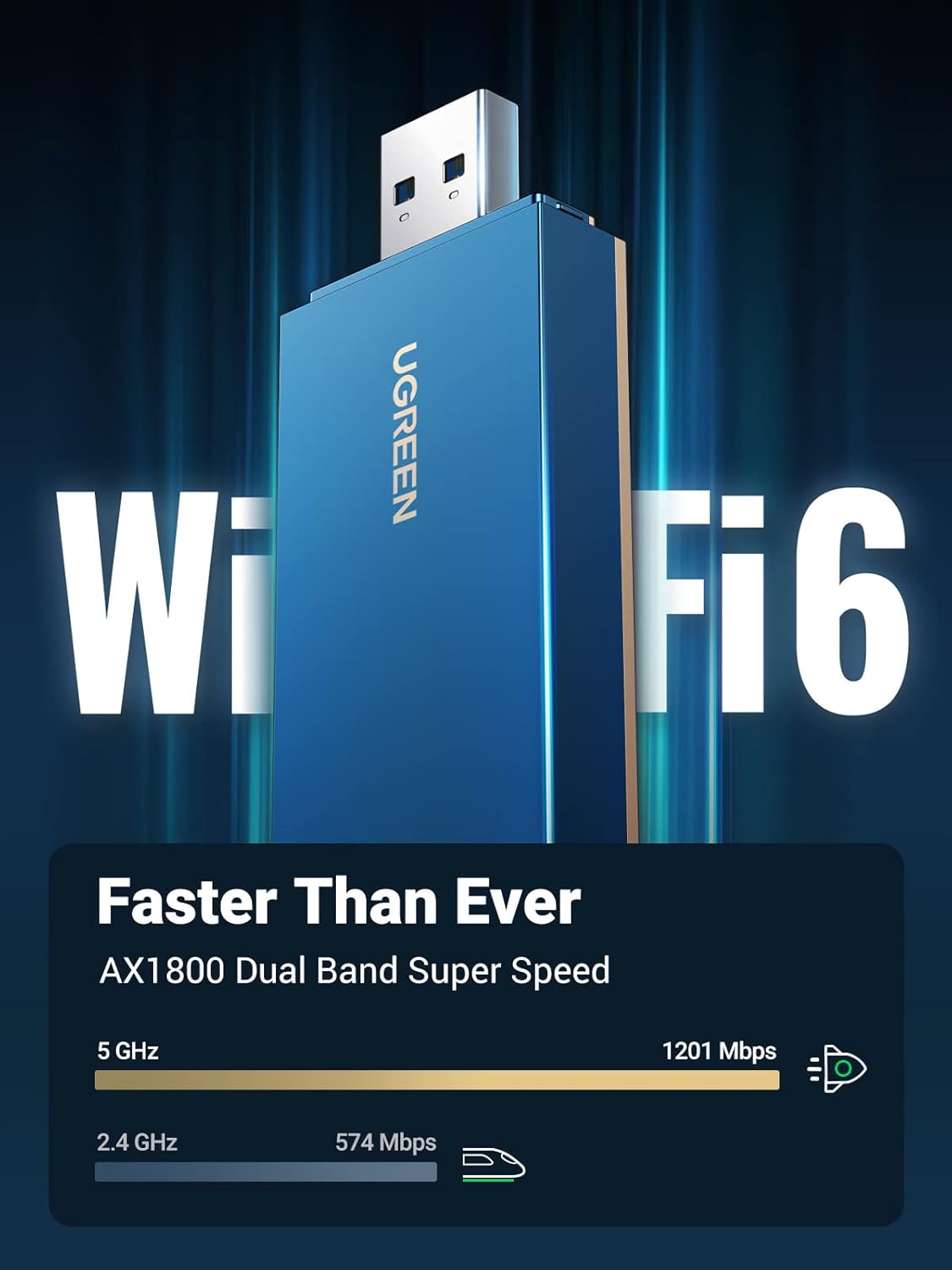
Image: The UGREEN AX1800 WiFi 6 Adapter highlighting its dual-band capabilities, showing 1201 Mbps on 5 GHz and 574 Mbps on 2.4 GHz.
Enhanced Wi-Fi 6 Features
The adapter leverages advanced Wi-Fi 6 (802.11ax) technologies to improve your wireless experience:
- OFDMA (Ortogonalni frekvencijski-divizijski višestruki pristup): Improves network efficiency by allowing multiple devices to share a single channel, reducing latency and increasing throughput.
- 1024-QAM (kvadratura Amplitude Modulation): Increases data rates by packing more data into each signal, leading to faster speeds.
- MIMO (Multiple-Input Multiple-Output) & Beamforming: These technologies work together to focus Wi-Fi signals towards connected devices, enhancing signal strength, coverage, and stability, similar to a wired connection.

Image: A desktop computer with the UGREEN WiFi adapter plugged in, illustrating MIMO and Beamforming technologies for stable network performance during gaming.

Image: A diagram showing a house floor plan with the UGREEN WiFi adapter centrally located, emitting a wide, circular signal to various devices, indicating extensive Wi-Fi coverage.
Sigurnost
The UGREEN AX1800 adapter supports WPA3 encryption, providing enhanced security for your wireless network. WPA3 offers stronger authentication and encryption, protecting your data from unauthorized access and ensuring a safer online experience.

Image: A person using a laptop with a secure login screen overlayed, emphasizing WPA3 encryption for data protection with the UGREEN WiFi adapter.
Product Overview Video
Video: An official UGREEN video showcasing the AX1800 USB WiFi 6 adapter, highlighting its features and benefits for upgrading wireless speed and connectivity on various devices.
Kompatibilnost
The UGREEN AX1800 USB WiFi 6 Adapter is designed for broad compatibility with modern computing environments:
- Operativni sistemi: Windows 11, Windows 10, macOS.
- uređaji: Desktop PCs, Laptops.
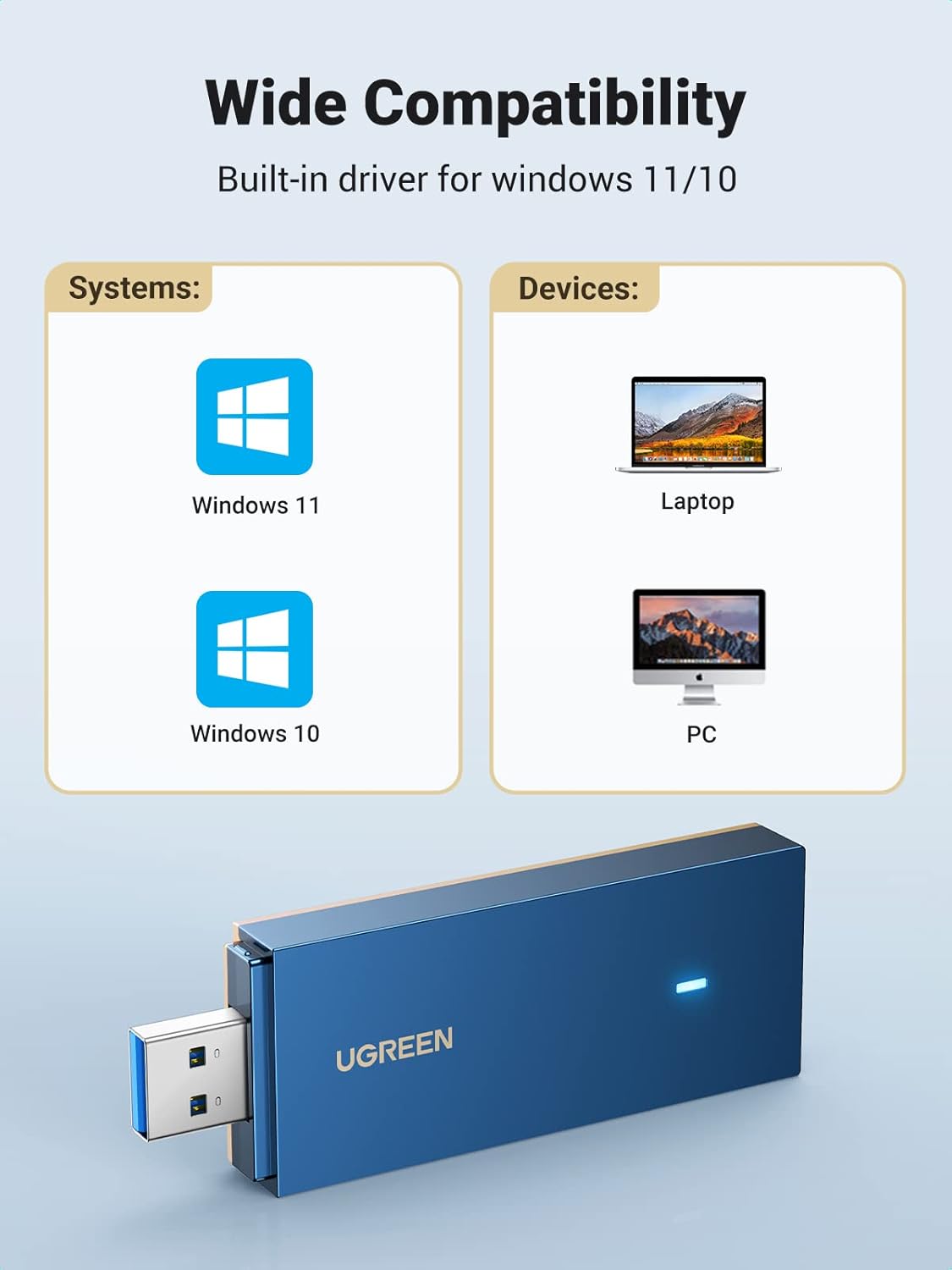
Image: An illustration showing the UGREEN WiFi adapter's compatibility with Windows 11, Windows 10, laptops, and desktop PCs.
Održavanje
To ensure the longevity and optimal performance of your UGREEN AX1800 USB WiFi 6 Adapter, consider the following maintenance tips:
- Držite drajvere ažuriranim: Povremeno provjeravajte službene podatke UGREEN-a website for the latest driver updates to ensure compatibility and performance improvements.
- Fizička njega: Keep the adapter clean and free from dust. Avoid exposing it to extreme temperatures or moisture.
- Sigurno rukovanje: Always remove the adapter by pulling the USB connector directly, avoiding bending or twisting that could damage the port or the device.
Rješavanje problema
If you encounter issues with your UGREEN AX1800 USB WiFi 6 Adapter, try the following steps:
- Adapter nije otkriven: Try plugging the adapter into a different USB port. Ensure the USB port is functional. Restart your computer.
- Problemi s instalacijom upravljačkih programa: If the 'Setup.exe' does not run automatically, manually browse the adapter's drive and execute the file. Ensure your operating system is supported (Windows 10/11, macOS).
- Nema Wi-Fi veze: Verify that your router is powered on and broadcasting a Wi-Fi signal. Double-check your Wi-Fi password. Ensure the adapter's drivers are correctly installed and enabled in Device Manager (Windows) or Network Preferences (macOS).
- Slow Speed/Unstable Connection: Ensure you are connected to the 5 GHz band if available and within close proximity to the router for optimal performance. Check for interference from other electronic devices. Update your router's firmware.
- Povremena isključenja: This could be due to signal interference or outdated drivers. Try moving closer to your router or updating the adapter's drivers.
If problems persist, refer to the UGREEN support websajt za dalju pomoć.
Specifikacije
| Brand | UGREEN |
| Broj modela | CM499 |
| Hardversko sučelje | USB |
| Data Link Protocol | USB |
| Brzina prijenosa podataka | 1201 Megabits Per Second (5GHz), 574 Megabits Per Second (2.4GHz) |
| Kompatibilni uređaji | Stoni računar, Laptop |
| Kompatibilna porodica operativnih sistema | MacOS, Windows (10/11) |
| Dimenzije proizvoda | 0.79 x 3.78 x 6.14 inča |
| Težina artikla | 2.11 unci (0.06 kilograma) |
Garancija i podrška
UGREEN products are designed for reliability and performance. For information regarding warranty coverage, technical support, or customer service, please visit the official UGREEN website or contact their customer support team directly. Ensure you have your product model number (CM499) and purchase details available when seeking support.
Official UGREEN Store: UGREEN trgovina na Amazonu


