Uvod
This manual provides comprehensive instructions for the setup, operation, and maintenance of your Wings Crosshair 100 Wired Optical Gaming Mouse. Designed for optimal gaming performance, this mouse offers comfort, precision, and customizable features to enhance your computing and gaming experience.
Ključne karakteristike
- Lagano i udobno: The Wings Crosshair 100 features an ambidextrous, comfortable design for ultra-smooth movement during extended use.
- Do 3400 DPI: Experience precise control with adjustable DPI settings up to 3400 and a 125 Hz polling rate.
- 6 Button Functionality: Customize your gaming experience with 6 programmable buttons, offering default configurations straight out of the box.
- Široka kompatibilnost: Compatible with Windows XP/Vista/7/8/8.1/10/11 and Mac OS.
- Premium gradnja: Features multicolor LED lights, an ergonomic design, a golden-plated USB connector, and a durable braided cable.
Product Overview

Image: The Wings Crosshair 100 Wired Optical Gaming Mouse, showcasing its ergonomic design and LED lighting.

Image: The ergonomic design of the Wings Crosshair 100 mouse, providing a comfortable grip for extended use.

Image: Illustration of the 6 multi-programmable buttons on the Wings Crosshair 100 mouse.
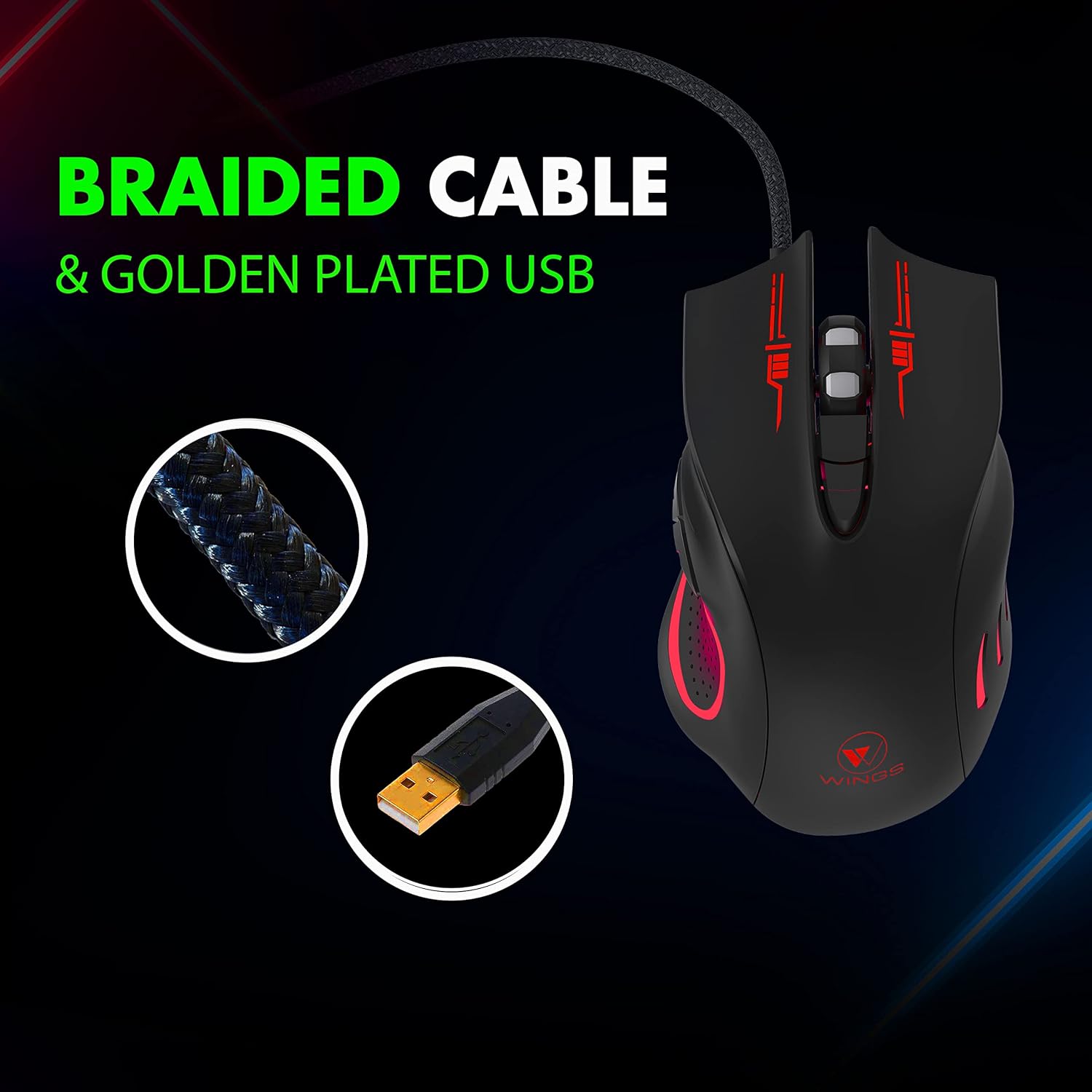
Image: Close-up of the durable braided cable and golden-plated USB connector of the Wings Crosshair 100 mouse.

Image: Demonstrating the adjustable DPI feature of the Wings Crosshair 100 mouse, with DPI levels of 1000, 1600, 2400, and 3200.

Image: The vibrant RGB LED lighting of the Wings Crosshair 100 mouse.

Image: A collage highlighting key features: compatibility with various OS, hyperfast scroll wheel, light and comfortable design, and ultra-smooth movement.
Setup
- Povežite miša: Insert the USB connector of the Wings Crosshair 100 mouse into an available USB 3.0 port on your computer.
- Instalacija drajvera: The mouse is plug-and-play. Your operating system (Windows XP/Vista/7/8/8.1/10/11, Mac OS) will automatically detect and install the necessary drivers. No additional software installation is typically required for basic functionality.
- Početna upotreba: Once the drivers are installed, the mouse is ready for immediate use.
Uputstvo za upotrebu
DPI podešavanje
The Wings Crosshair 100 features an adjustable DPI (Dots Per Inch) setting, allowing you to change cursor sensitivity on the fly.
To adjust DPI, press the dedicated DPI button located on the top of the mouse, usually behind the scroll wheel. Each press cycles through predefined DPI levels: 1000, 1600, 2400, and 3200.
6 Funkcionalnost dugmeta
This mouse is equipped with 6 buttons for enhanced control:
- Lijevi klik na dugme: Standard primary click.
- Desni klik: Standard secondary click.
- Scroll Wheel Button: Clickable scroll wheel for middle-click functions.
- DPI dugme: Ciklično mijenja DPI postavke.
- Dugme naprijed: (Side button) Default function for navigating forward in web pretraživači ili file istraživači.
- Dugme za nazad: (Side button) Default function for navigating backward in web pretraživači ili file istraživači.
While default configurations are set, some operating systems or third-party software may allow for customization of these buttons.
Održavanje
- čišćenje: Koristite meku, suhu krpu za brisanje površine miša. Za tvrdokornu prljavštinu, lagano obrišiteampNapržite krpu vodom. Izbjegavajte jake hemikalije ili abrazivne materijale.
- Održavanje senzora: Optički senzor na dnu miša održavajte čistim i bez prašine ili ostataka kako biste osigurali precizno praćenje.
- Upravljanje kablovima: Izbjegavajte oštre savijanja ili pretjerano povlačenje pletenog kabela kako biste spriječili oštećenje.
Rješavanje problema
| Problem | Rješenje |
|---|---|
| Miš ne reaguje. | Ensure the USB cable is securely plugged into the computer. Try a different USB port. Restart your computer. |
| Kretanje kursora je nepravilno ili isprekidano. | Clean the optical sensor on the bottom of the mouse. Ensure you are using the mouse on a clean, non-reflective surface. |
| LED svjetla ne rade. | Check the USB connection. If the mouse is otherwise functional, this might indicate a minor LED issue that does not affect performance. |
| DPI button not changing sensitivity. | Ensure the mouse is properly connected. Some applications or games may override mouse sensitivity settings. |
Specifikacije
| Feature | Detalj |
|---|---|
| Brand | Krila |
| Model | WL-CROSSHAIR100-BLK |
| Povezivanje | Žični (USB) |
| Tehnologija detekcije pokreta | Optički |
| DPI nivoi | Up to 3400 (1000, 1600, 2400, 3200) |
| Polling Rate | 125 Hz |
| Dugmad | 6 (Programabilno) |
| Vrsta kabla | Pleteni |
| USB konektor | Golden plated |
| Osvetljenje | Multicolor LED (RGB) |
| Dizajn | Ambidextrous, Ergonomic |
| Kompatibilnost | Windows XP/Vista/7/8/8.1/10/11, Mac OS, Linux |
| Dimenzije proizvoda | 12 x 7 x 0.1 cm |
| Težina artikla | 150 g |
Zvanični videozapisi proizvoda
Video: Zvanična video prezentacija proizvodaasing the features and design of the Wings Crosshair 100 Wired Optical Gaming Mouse.
Video: A brand film from Wings, featuring their products and brand ambassador.
Garancija i podrška
The Wings Crosshair 100 Wired Optical Gaming Mouse comes with a 1-year warranty. For warranty claims, technical support, or further assistance, please refer to the contact information provided on the product packaging or the official Wings website.
For more information, you can visit the official Wings webstranice ili kontaktirajte njihovu korisničku podršku.


