1. Uvod
This manual provides essential instructions for the safe and effective use, installation, and maintenance of your Henhaoro CS-SHR710VX replacement battery. This battery is designed for various Shark ION Robot Vacuum models, ensuring optimal performance and extended cleaning cycles. Please read this manual thoroughly before installation and retain it for future reference.
2. Sigurnosne informacije
Vaša sigurnost je najvažnija. Molimo vas da se pridržavate sljedećih mjera opreza:
- Ne pokušavajte rastavljati, otvarati ili servisirati baterijski paket.
- Zamijenite samo baterijom koja je namijenjena za ovaj proizvod.
- Nemojte lomiti, bušiti, kratko spajati vanjske kontakte, niti bacati u vatru ili vodu.
- Ne čuvati na temperaturi iznad 60°C (140°F).
- Držite bateriju podalje od djece i kućnih ljubimaca.
- Istrošene baterije odložite u skladu sa lokalnim propisima.
This battery is certified with ROSH, CE, and UL, ensuring high quality and safety standards, including protection against over-charge, over-discharge, over-heat, over-current, and short-circuit.
3. Specifikacije proizvoda
| Specifikacija | Detalj |
|---|---|
| Model br. | CS-SHR710VX |
| br. | RVBAT850, RVBAT850A |
| Vrsta baterije | Litijum-jonska (litijum-jonska) |
| Kapacitet | 2600mAh |
| Voltage | 14.8V |
| Rate | 38.48Wh |
| Boja | Blue (battery casing) |
| Dimenzije | 70.00 x 36.80 x 36.80 mm |
| Neto težina | 190.0 g / 6.70 oz |
| Bruto težina | 260.0 g / 9.17 oz |
4. Compatible Shark ION Robot Vacuum Models
This replacement battery is compatible with the following Shark ION Robot Vacuum models:
- R71, R72, R75, R76, R85, R87
- S86, S87
- RV700_N, RV720_N, RV725_N, RV750_N, RV761
- RV1000, RV1001, RV1001AE
- UR1005AE, IQ R101
- RV1101ARUS, UR1105ARUS
- RV2000WD, RV2001, RV2001WD
5. Upute za instalaciju
Follow these steps to replace the battery in your Shark ION Robot Vacuum:
- Pripremite vakuum: Turn off your robot vacuum and place it upside down on a clean, flat surface.
- Pronađite odjeljak za baterije: Identify the battery compartment cover, usually secured by screws.
- Remove the Old Battery:
- Odvrnite poklopac odeljka za baterije.
- Carefully disconnect the old battery's connector from the vacuum's port.
- Uklonite staru bateriju.
- Install the New Battery:
- Connect the new Henhaoro CS-SHR710VX battery to the vacuum's port, ensuring the connector is securely seated.
- Place the new battery into the compartment.
- Osigurajte odjeljak: Vratite poklopac odjeljka za baterije i pričvrstite ga vijcima.
- Početna naplata: Place the robot vacuum on its charging dock to fully charge the new battery before its first use.
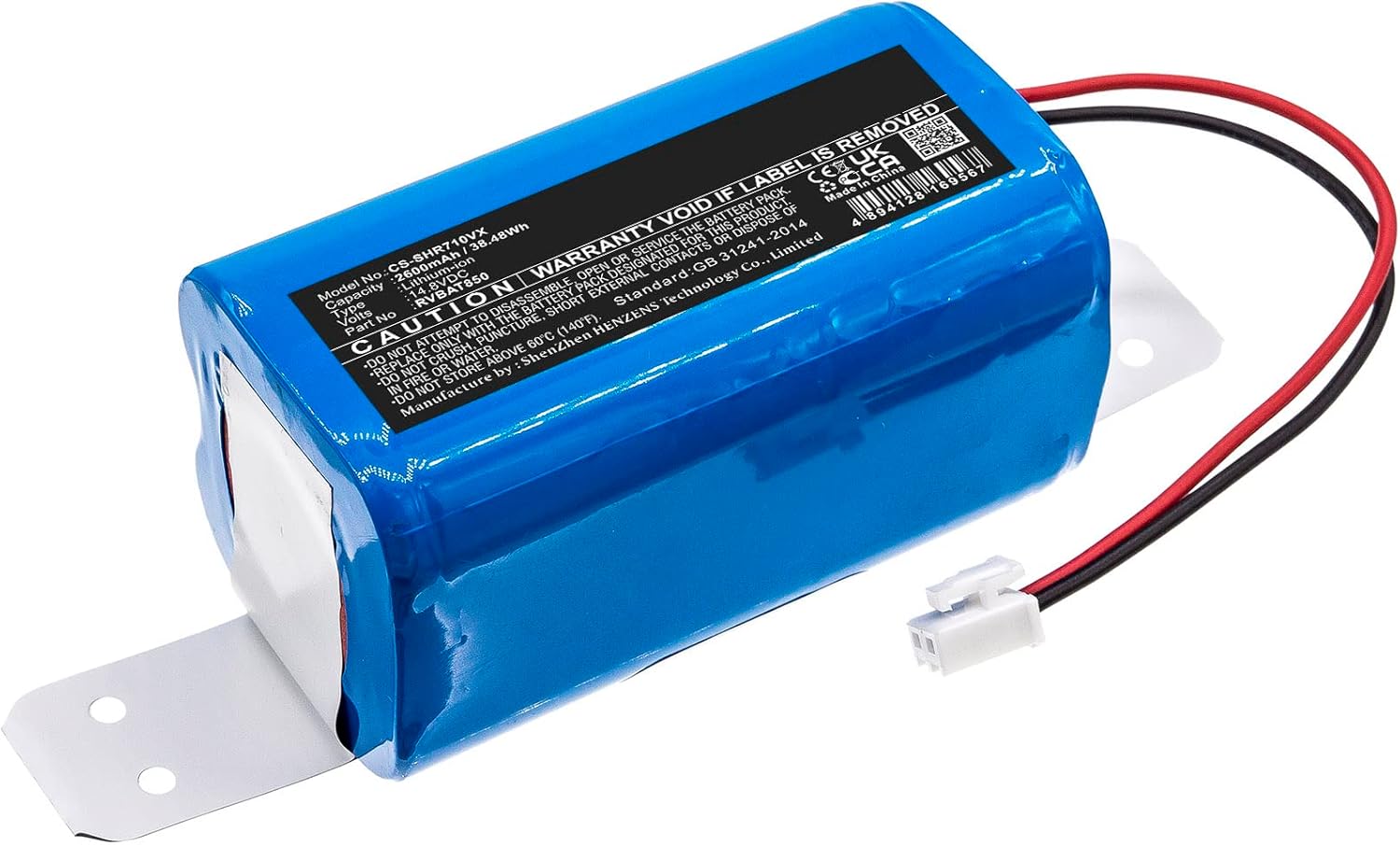
Figure 1: Henhaoro CS-SHR710VX Replacement Battery. This image shows the blue battery pack with its specifications label and connector wires.

Figure 2: Close-up of the battery connector. This image highlights the white two-pin connector that attaches the battery to the vacuum.
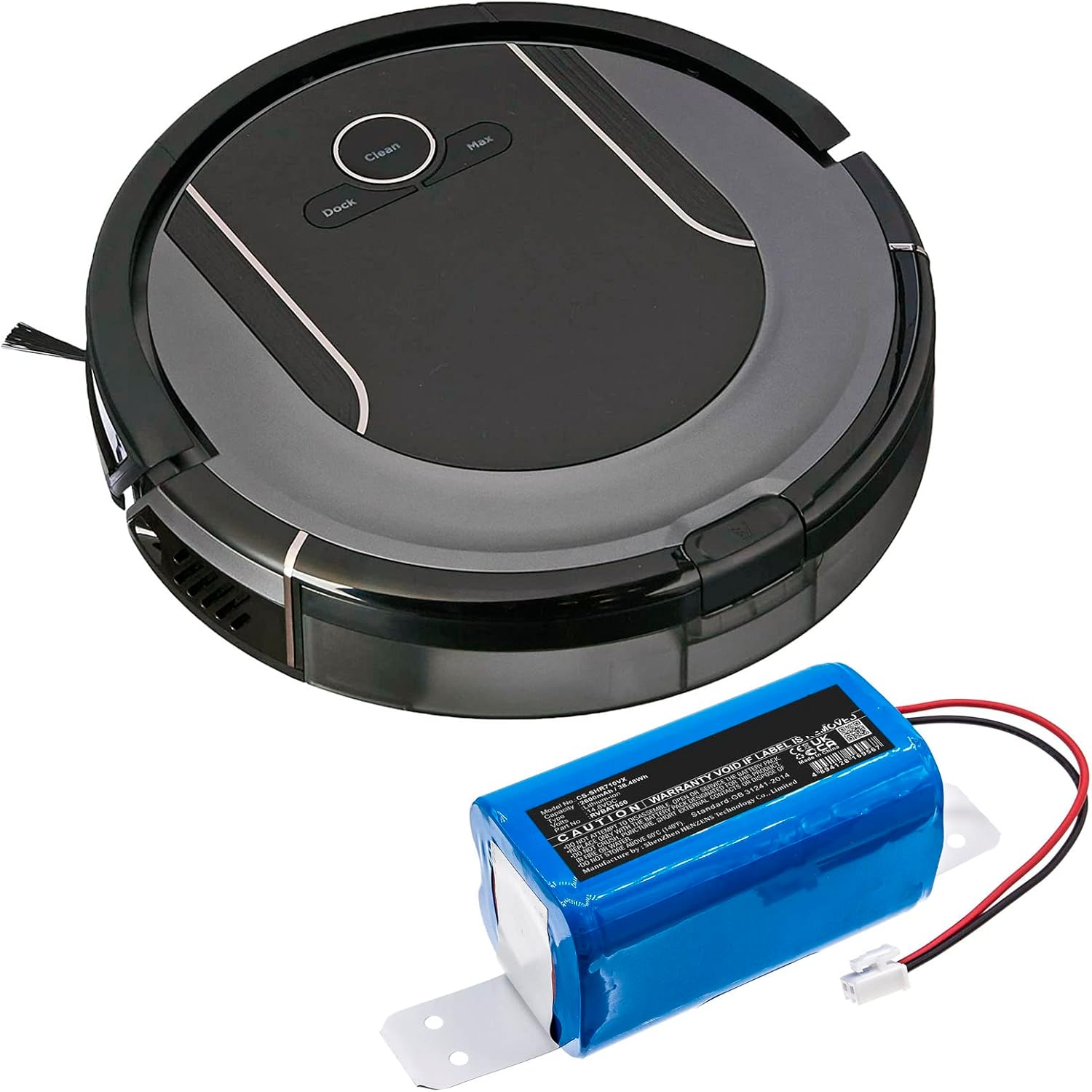
Figure 3: Shark ION Robot Vacuum with the replacement battery. This image illustrates the battery positioned next to a compatible robot vacuum, showing the scale and intended use.
Video vodič za instalaciju:
Video 1: RVBAT850 Battery Replacement for Shark ION/IQ/AI Robot RV1001AE. This video demonstrates the step-by-step process of replacing the battery in a Shark ION Robot Vacuum.
6. Uputstvo za upotrebu
After successful battery installation and initial charging, your Shark ION Robot Vacuum should operate as usual. Refer to your robot vacuum's original user manual for specific operating instructions.
- Prva upotreba: Ensure the battery is fully charged before the first cleaning cycle.
- Punjenje: Always return the vacuum to its charging dock when not in use to maintain battery health.
- Uključivanje/isključivanje: Use the power button on the vacuum or its remote/app to control operation.
7. Održavanje i skladištenje
Pravilno održavanje produžava vijek trajanja vašeg akumulatora:
- Redovno punjenje: Avoid completely draining the battery frequently. Charge it regularly.
- Dugotrajno skladištenje: If storing the vacuum for an extended period, charge the battery to about 50% and store it in a cool, dry place. Recharge every 3-6 months to prevent deep discharge.
- temperatura: Do not expose the battery to extreme temperatures (above 60°C/140°F or below 0°C/32°F).
8. Otkrivanje problema
Ako nakon zamjene baterije naiđete na probleme, razmotrite sljedeće:
- Usisivač se ne uključuje:
- Ensure the battery connector is firmly seated.
- Provjerite je li baterija napunjena.
- Check if the vacuum's power switch is in the ON position.
- Kratko vrijeme izvođenja:
- Uverite se da je baterija potpuno napunjena.
- Clean the vacuum's brushes and filters, as excessive debris can increase power consumption.
- Problemi s punjenjem:
- Confirm the charging dock is powered and the vacuum is correctly docked.
- Clean the charging contacts on both the vacuum and the dock.
If problems persist, consult your Shark ION Robot Vacuum's original manual or contact customer support.
9. Garancija i podrška
The Henhaoro CS-SHR710VX battery is manufactured with quality and safety in mind, holding ROSH, CE, and UL certifications. For further support or inquiries, please refer to the manufacturer's webweb stranicu ili kontaktirajte svog prodavca.
Manufacturer's Webstranica: cameronsino.com


